How to Write a Series Bible That Keeps Your Saga Consistent

You're halfway through the next book when a minor detail stops the entire draft. A character's brother has become an only child. The journey from the northern city to the coast now takes a day instead of three. A revelation you planned for the final volume contradicts something you established in the opening chapters.
These problems rarely come from carelessness. They come from carrying too much fictional history in your head while drafting new scenes. A series bible gives that history a dependable home, so you can spend your attention on decisions, tension, and prose instead of searching through old manuscripts.
A useful bible isn't a giant encyclopedia created before you write. It's a living continuity database. You start with the information most likely to affect the next scene, then expand it as the series grows.
Table of Contents
- Why Every Long Series Needs a Bible Before You Draft
- What Goes Inside a Working Series Bible
- Building Your Core Sections With Practical Examples
- Putting Your Template Together and Starting Lean
- Keeping Your Bible Alive Through Drafts and Collaboration
- Your Next Draft Starts With a Stronger Bible
Why Every Long Series Needs a Bible Before You Draft
A long series creates a memory problem before it creates a writing problem. During the first book, you can usually remember why a character fears water, which season a murder occurred in, or how the city's gates work. By the second book, those details compete with new characters, new locations, revised backstory, and unresolved plot threads. By the time you reach a later installment, memory becomes an unreliable filing system.
A series bible prevents the kind of contradiction that looks small during drafting but becomes expensive during revision. If a character's age affects a legal right, a school history, or a relationship, changing that age can force you to revise scenes across several books. If travel time determines whether an antagonist could have arrived before an event, one wrong route can damage the entire plot spine.
Practical rule: If a detail can affect a future scene, record it when you establish it.
Many writers confuse a pitch bible with a working bible. The pitch version presents the premise, tone, cast, setting, and future story capacity in a concise form for producers or collaborators. In television development, a series bible is widely treated as a pre-production document that defines a story world capable of supporting stories not yet written, as described in academic work on the development function of series bibles. An industry guide cited in that discussion places many initial TV bibles at 5 to 15 pages of written text, with extra pages when images are included. That compactness is deliberate. A pitch document needs to communicate the series engine quickly.
A novelist's working bible has a different job. It must answer questions while you draft:
- What is true? Character facts, world rules, names, and established events.
- When did it happen? Absolute dates, ages, seasons, and intervals between books.
- What changed? Injuries, alliances, discoveries, deaths, betrayals, and revised plans.
- What must happen later? Promises, planted clues, unresolved consequences, and arc destinations.
You don't need to document every imagined detail before writing chapter one. Start with the series premise, main cast, core world rules, broad timeline, and planned book arcs. Then let the document earn its complexity through use.
A practical character bible can hold the personal facts that are easiest to misremember, but your full series bible must connect those characters to chronology, geography, rules, and consequences. That connection is what turns notes into continuity infrastructure.
What Goes Inside a Working Series Bible
A working bible should be organized around retrieval, not admiration. If you need to confirm a character's last known location during a difficult chapter, you shouldn't have to read a beautifully written thirty-page essay to find it. Use headings, tables, tags, stable names, and internal links so the answer is available in seconds.
The five essential components are:
Series overview and engine
Record the premise, central conflict, genre promise, tone, themes, and the mechanism that generates future stories. For a five-book saga, write a short paragraph for the overall arc and a separate entry for each planned book.Character architecture
Track the core cast, supporting characters, relationships, motivations, secrets, wounds, skills, and planned changes. Include characters who seem minor if they could return, inherit information, become antagonists, or anchor a later book.World bible
Document geography, history, institutions, cultures, naming conventions, technology, magic, religion, economy, and social rules. Focus on facts that create story pressure or constrain what characters can do.Plot spine
Keep the master chronology, book-level arcs, major reveals, planted clues, consequences, and unresolved threads in one navigable place. A plot spine should show both sequence and causality.Style and tone
Note point of view, tense, voice, recurring imagery, dialogue distinctions, genre boundaries, and any deliberate changes between books.
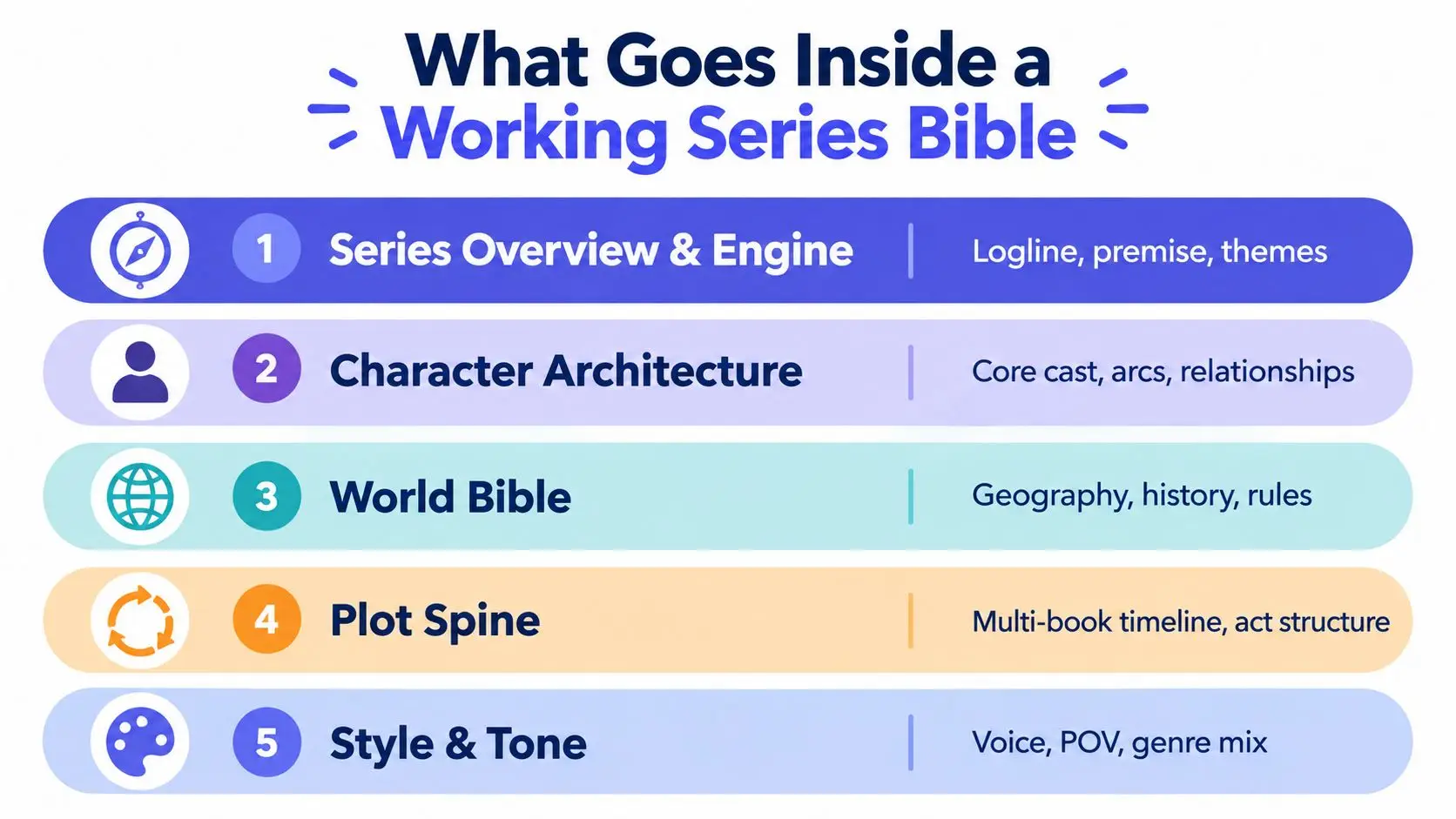
These categories overlap, but they shouldn't become one undifferentiated notebook. A character's birth date belongs in the character entry and the timeline index. A city's distance from the capital belongs in the world section and may be linked from relevant plot events. Duplication is useful when it improves retrieval, but conflicting copies are dangerous, so designate one entry as canonical.
Keep the first version small. Guidance on building a worldbuilding bible supports a structured repository for traits, history, cultural rules, and system mechanics. That structure matters more than decorative detail. A searchable six-page document can serve a draft better than a hundred-page file filled with stale material.
Building Your Core Sections With Practical Examples
Build the bible from facts that will control scenes. Don't begin by writing lyrical descriptions of your world. Begin by recording the information that can make a scene impossible, a character inconsistent, or a reveal meaningless.

Start with the series engine
Write a compact entry that explains why this story can continue. Include the protagonist's recurring problem, the opposing pressure, the emotional promise, and the escalation path.
Example
- Premise: A disgraced cartographer maps regions that official governments have erased.
- Engine: Each expedition reveals a suppressed political truth while forcing Mara to choose between accurate maps and the people those maps could endanger.
- Series movement: Book one exposes the erased border. Book two follows the displaced communities. Later books test whether truth can repair a state built on deliberate ignorance.
This isn't a synopsis of every book. It's a test of whether the premise generates meaningful complications rather than repeating the same discovery.
Build character dossiers around decisions
A useful character entry tells you how someone behaves under pressure. Record the external goal, private need, fear, contradiction, voice, relationships, skills, physical identifiers, and arc. Avoid lists of adjectives that don't influence action.
Example
Mara Venn
- External goal: Locate the vanished eastern road.
- Private need: Accept responsibility for the maps she previously altered.
- Fear: Her work will make vulnerable communities easier to control.
- Contradiction: She values truth but withholds information when she believes others can't use it safely.
- Voice: Precise, image-driven, reluctant to use emotional labels.
- Book one change: Moves from hiding evidence to choosing who has the right to see it.
- Continuity flag: Her left hand was injured in the river crossing and remains weaker afterward.
That last line is more valuable than an ornamental paragraph if the injury affects swordplay, handwriting, pain, or credibility in later scenes. Use a consistent profile format, such as this character outline template, then add fields only when the story proves they matter.
Make the world enforce consequences
Worldbuilding becomes useful when it limits choices. For each rule, document what it permits, what it prevents, who benefits, who pays, and what happens when someone breaks it.
Example
- Rule: Maps showing the eastern road are illegal.
- Reason: The road passes through communities removed from the official census.
- Enforcement: Border clerks compare travel permits against approved routes.
- Limit: A forged map can bypass inspection only if the traveler knows the old survey symbols.
- Story consequence: Mara can hide the road from officials, but she can't safely share it with an inexperienced ally.
Record geography in practical terms. Note routes, terrain, travel methods, seasonal barriers, and approximate duration. If a character can travel between locations, the timeline must support that movement.
A concise video can help you think visually about character and continuity design before you fill in your own entries.
Anchor the chronology with absolute facts
Relative phrases such as “a few weeks later” become slippery across multiple books. Create a master timeline using absolute dates, named festivals, reigns, wars, births, or other fixed anchors. Then connect each major event to the book and chapter where it appears.
A simple entry might read:
- Year 18, Frostwane 4: The eastern archive burns.
- Year 18, Frostwane 6: Mara reaches the river settlement.
- Year 18, Frostwane 9: The border inspection begins.
- Known constraint: The river journey takes at least two days in winter conditions.
Track character age beside dated events. A timeline should reveal impossible sequences before they reach the manuscript, not merely describe them afterward.
Track themes through recurring choices
Themes don't need their own abstract essay. Log the moments where characters make decisions that express them. If the series explores truth and ownership, record who controls information in each book, who pays for disclosure, and where a character chooses silence.
This creates a useful pattern without forcing the theme into every scene. It also helps you distinguish repetition from development. A later book can revisit the same question with higher stakes or a different answer.
Putting Your Template Together and Starting Lean
The right format is the one you can search during drafting and update without friction. A plain document works for a solo writer who needs headings and tables. Scrivener can suit a manuscript already organized into project folders. Notion or another linked workspace helps when you want separate entries for characters, places, events, and rules.
Choose based on the problem you're solving, not on how the software looks.
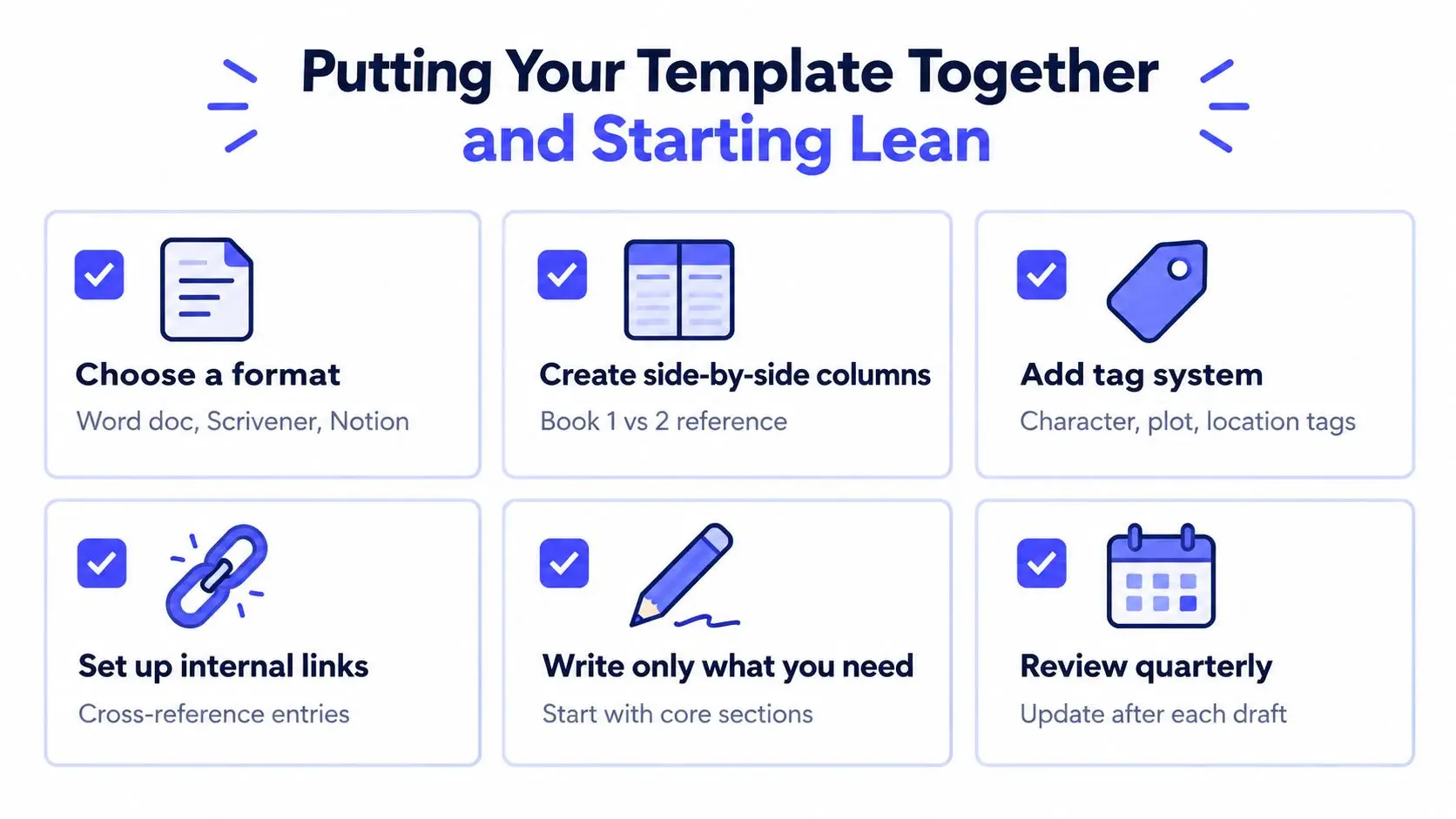
Assemble the first version
Create the main sections before you draft, then give each one a deliberately narrow scope:
- Series overview: Premise, engine, themes, tone, and broad book arcs.
- Characters: Core cast, relationships, goals, secrets, and planned changes.
- World: Locations, rules, history, institutions, and naming conventions.
- Timeline: Absolute anchors, book events, ages, and travel constraints.
- Style: POV, tense, voice, recurring motifs, and genre boundaries.
Write only what you know. Mark uncertain material as provisional rather than treating it as canon. A note such as “possible cause of the famine, confirm during Book Two research” protects you from building later scenes on an idea you've forgotten was tentative.
Keep the bible open while drafting, but don't interrupt every paragraph to maintain it. Add a short note when a new fact appears, then reconcile those notes during a scheduled review. This preserves writing momentum without allowing important changes to disappear.
Choose your level of structure
| Need | Simple Doc Setup | Linked Workspace Setup |
|---|---|---|
| Fast start | Use headings, bookmarks, and a master table of contents. | Create separate entries for each character, place, event, and rule. |
| Cross-reference | Add consistent labels such as CHARACTER, LOCATION, and DATE. |
Link entries directly so a location can connect to scenes and timeline events. |
| Book comparison | Use columns or separate sections for each installment. | Keep shared canon separate from book-specific changes. |
| Collaboration | Share the file and restrict editing when needed. | Use comments, roles, and version history for controlled review. |
| Maintenance | Search manually and record changes in a revision log. | Filter by tags such as character, plot, location, or unresolved issue. |
A planning workspace such as Storyloft offers binders, tags, and side-by-side multitasking for keeping notes and research beside a manuscript. It's one possible implementation, not a requirement. The important design choice is separating stable canon, book-specific facts, and open questions.
Start with one page per core category if that's enough to begin. Expand an entry only after drafting exposes a real need. Over-documentation feels productive, but it often creates a second project that competes with the novel.
Keeping Your Bible Alive Through Drafts and Collaboration
A bible fails in two ways. It becomes too large to consult, or it stops reflecting the manuscript. Both failures create false confidence. You think you're checking canon, but you're checking an outdated version of canon.
Use an audit rhythm that matches the length and complexity of your project. One craft guide recommends auditing after 20,000 to 25,000 words so newly established canon is reconciled before errors spread into later material, as explained in this series-bible workflow. Another approach is a full update after each book draft, supported by searchable notes and an open reference document, as described in guidance on maintaining a living series bible.
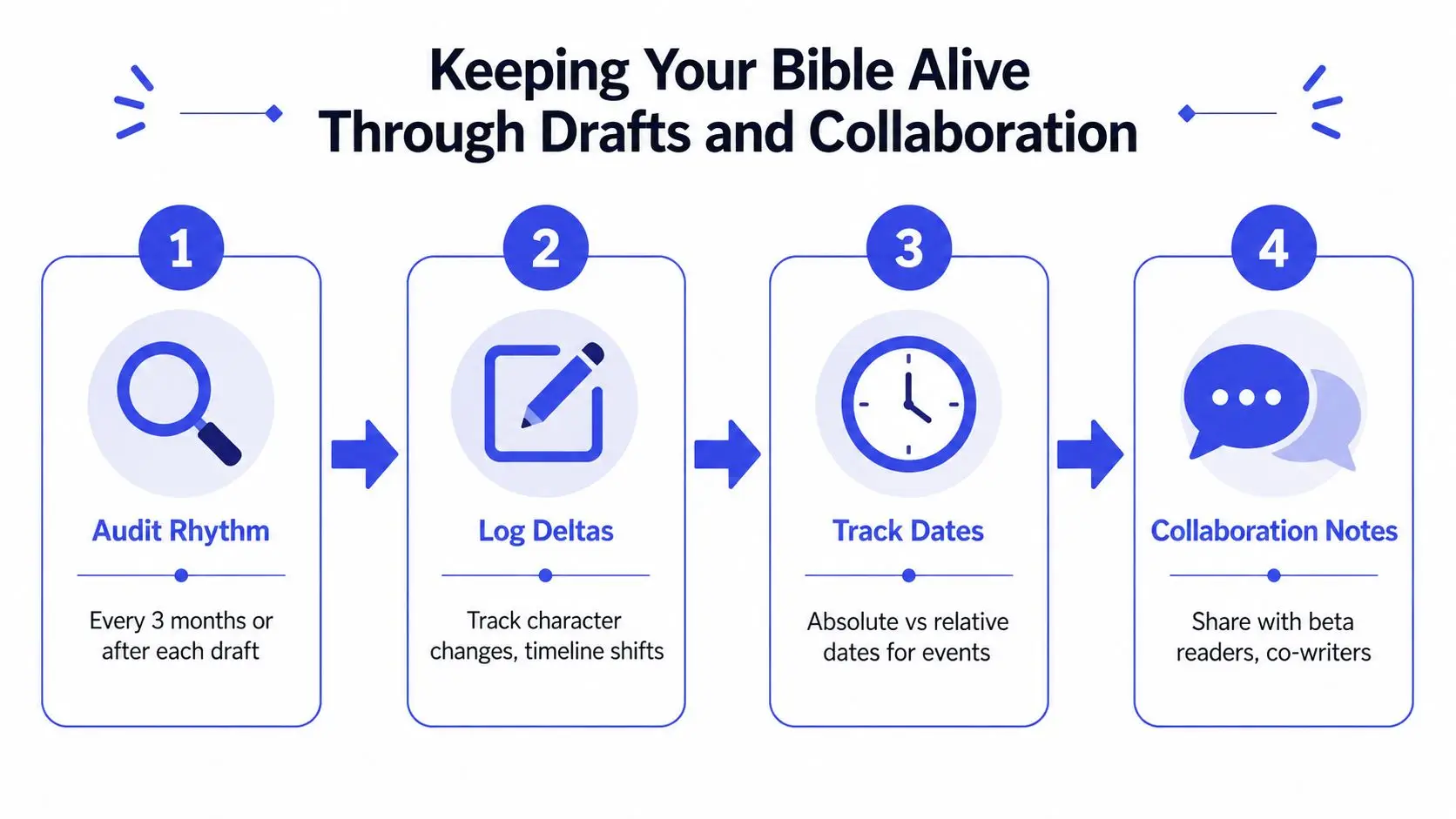
Use a delta log instead of rewriting everything
After a drafting session, record only what changed:
- New canon: A character has a scar, a city bans private boats, an alliance is public.
- Changed canon: The reveal moves from Book Two to Book Three.
- Removed canon: A secondary villain no longer survives the first installment.
- Downstream effects: A later meeting needs a new location because the original site was destroyed.
- Open question: Confirm whether the protagonist knew the victim before chapter one.
Then update the canonical entry during the next audit. This two-stage process keeps you writing while preserving a clear record of decisions.
Track dates in two forms. Use absolute dates or stable anchor events for the master timeline, and retain relative descriptions only inside scene notes when they're useful to the reader's experience. Log travel time separately from event time. A character may leave on one date and arrive on another, and those details can determine whether an apparent alibi works.
Give collaborators controlled access
Editors, co-writers, and beta readers don't need identical permissions. The writer or series lead should own canon decisions. A co-writer may propose and edit entries. An editor can flag contradictions and comment on uncertain material. Beta readers can identify confusing references without changing the source of truth.
Version history matters when a suggestion conflicts with an established fact. Keep comments attached to the relevant entry, resolve decisions explicitly, and record major changes in the delta log. Don't let a discussion buried in email become the only record of a continuity decision.
Use a structured draft-editing workflow to separate manuscript changes from canon updates. The bible should tell collaborators what has been decided, what remains provisional, and who has authority to settle disagreements.
A publishing guide cites an author survey in which continuity-revision time fell from 14.3 hours per manuscript without a dedicated system to 3.1 hours with a story bible, a reduction of about 78%. The figures appear in the guide's discussion of story-bible maintenance. Treat that result as a reported survey finding, not a guarantee. The broader lesson is sound: consistent retrieval and update habits can replace expensive late-stage detective work.
Your Next Draft Starts With a Stronger Bible
A strong series bible doesn't predict every sentence you'll write. It protects the decisions that later books depend on.
Before beginning the next installment, confirm that your document contains:
- A clear engine: You know what generates fresh conflict without abandoning the series promise.
- A usable cast record: Each recurring character has motivations, relationships, identifiers, and an arc position.
- A working world record: Rules include limits and consequences, not just descriptive lore.
- A master chronology: Dates, ages, travel, and major events agree across books.
- A change log: You can see what shifted and what those shifts affect.
- A decision system: You know which entries are canon, provisional, or unresolved.
The lean-start method keeps the bible subordinate to the manuscript. Begin with the five core sections, add details when they become relevant, and review on a reliable rhythm. After each audit, remove duplicate notes, mark superseded facts, link related entries, and leave a short record of important decisions.
Keep the bible beside the draft during ordinary writing sessions. When you introduce a new fact, capture it quickly. When you change an existing fact, log the delta. When a scene depends on timing or geography, verify it before moving on. That habit turns continuity from a final emergency into part of the writing process.
You don't need a perfect system before you write the next chapter. You need a trustworthy one-page reference for each core category, a place to record changes, and the discipline to reconcile those changes before they multiply.
Storyloft brings manuscript drafting, planning binders, tags, side-by-side notes, collaboration controls, and goal tracking into one writing environment, with tools suited to managing long-form projects and continuity references. Visit Storyloft to set up a lean series workspace and keep your bible beside the draft as your saga expands.