Scholarly papers
Peer-reviewed evidenceSupport, conflict, related work.
Searching
Build stronger ideas with evidence you can trust and cite.
AI research workspace for nonfiction authors · 5,000 words free · No credit card required
Support, conflict, related work.
SearchingLetters, records, newspapers.
FoundDataset, date, unit, formula.
VerifiedWhat could undermine the claim?
CheckingEvidence lands back in the book.
ReadyStoryloft Research Mode is an AI research workspace for nonfiction authors built directly into the manuscript editor. It searches scholarly literature, books, archives, historic newspapers, official statistics, primary sources, and your own files; organizes findings into structured research reports; checks claims and counterevidence; and carries citations and evidence directly into your book.
Ask Eddy once. Storyloft routes the question across the sources that fit it, checks what comes back, and keeps the usable evidence attached to your manuscript.
 Library of Congress
 National Archives
 Google Books
 OpenAlex
 Semantic Scholar
 Data Commons
 Europeana
 DPLA
DPLA
 Wikimedia Commons
Third-party names and logos identify research sources available through Storyloft. Their inclusion does not imply affiliation, partnership, sponsorship, or endorsement. Storyloft does not control or guarantee third-party content, findings, or conclusions.
The source name is only the beginning. Research Mode keeps the context an author needs to evaluate, cite, and use the material responsibly.
| Research need | Sources Storyloft can search | What Storyloft preserves |
|---|---|---|
| Scholarly research | OpenAlex, Semantic Scholar | Papers, authors, year, venue, DOI, citation relationships, supporting and conflicting evidence |
| Books | Google Books | Book metadata, relevant source material, publication context, links back to the source |
| Archives & primary sources | Library of Congress, National Archives, Europeana, DPLA | Holding institution, item context, rights notes, dates, original records and archival provenance |
| Historic newspapers | Chronicling America and supported newspaper archives | Publication, date, page context, OCR warnings and access to the original scan |
| Official statistics | Data Commons and official datasets | Dataset, geography, date, unit, source provenance and formulas for derived values |
| Images | Smithsonian Open Access and other supported collections | Source, rights status, reuse guidance, caption and attribution information |
| Your research library | PDF, DOCX and TXT files | Filename, page-level references where available, extracted evidence and links back to the manuscript |
One useful paragraph. Somewhere around page 37.
Possibly the source. Possibly not.
Copied halfway. Author forgotten.
Still waiting while you chase the source.
Research usually lives everywhere except the manuscript: browser tabs, PDFs, notes, citations, and separate research tools.
Research Mode brings it all into the book.
Your manuscript, sources, reports, files, citations, and Eddy stay together in one workspace. Find evidence, check a claim, save what matters, and keep writing.
Everything stays connected. Research gets simpler.
Enter Research Mode and the editor becomes a dedicated research studio.
Eddy sits in a chat column on the left. Your manuscript stays in the center. Always readable. Reports, sources, files, and citations live in the research library on the right.
Drag the panes to fit the task. Widen the library for deep reading. Widen the editor for drafting. The manuscript never reloads. Your cursor stays where you left it.
Ask a question in plain language. Eddy chooses the right research path: a report, papers, archives, or official data. Everything lands in your library. Nothing disappears into a chat thread.
Ask a question. Eddy queues a full report and runs it in the background. You keep writing. What comes back is a structured report, not a vanishing chat answer.
Reports are shaped to match your question: a topic brief, a biography, a comparison, or an organizational profile.
Findings are tagged Established, Contested, Uncertain, or Inference. A settled fact never gets confused with a working conclusion.
A research map shows what the run set out to answer and how the big question breaks into smaller ones.
A coverage meter reports plan completion. Not a fake confidence score. Not a guess. Your work is too important for a tidy-looking summary that leaves gaps unnamed.
Multiple credible sources support the point.
HighCredible sources disagree on the interpretation.
ReviewThe evidence is too thin for a confident conclusion.
OpenA synthesis drawn across sources rather than quoted from one.
LabeledFinish a Research Report and Storyloft turns it into a polished research dossier prepared for your book. Print it, download the PDF, archive it with your project, or hand it to an editor.
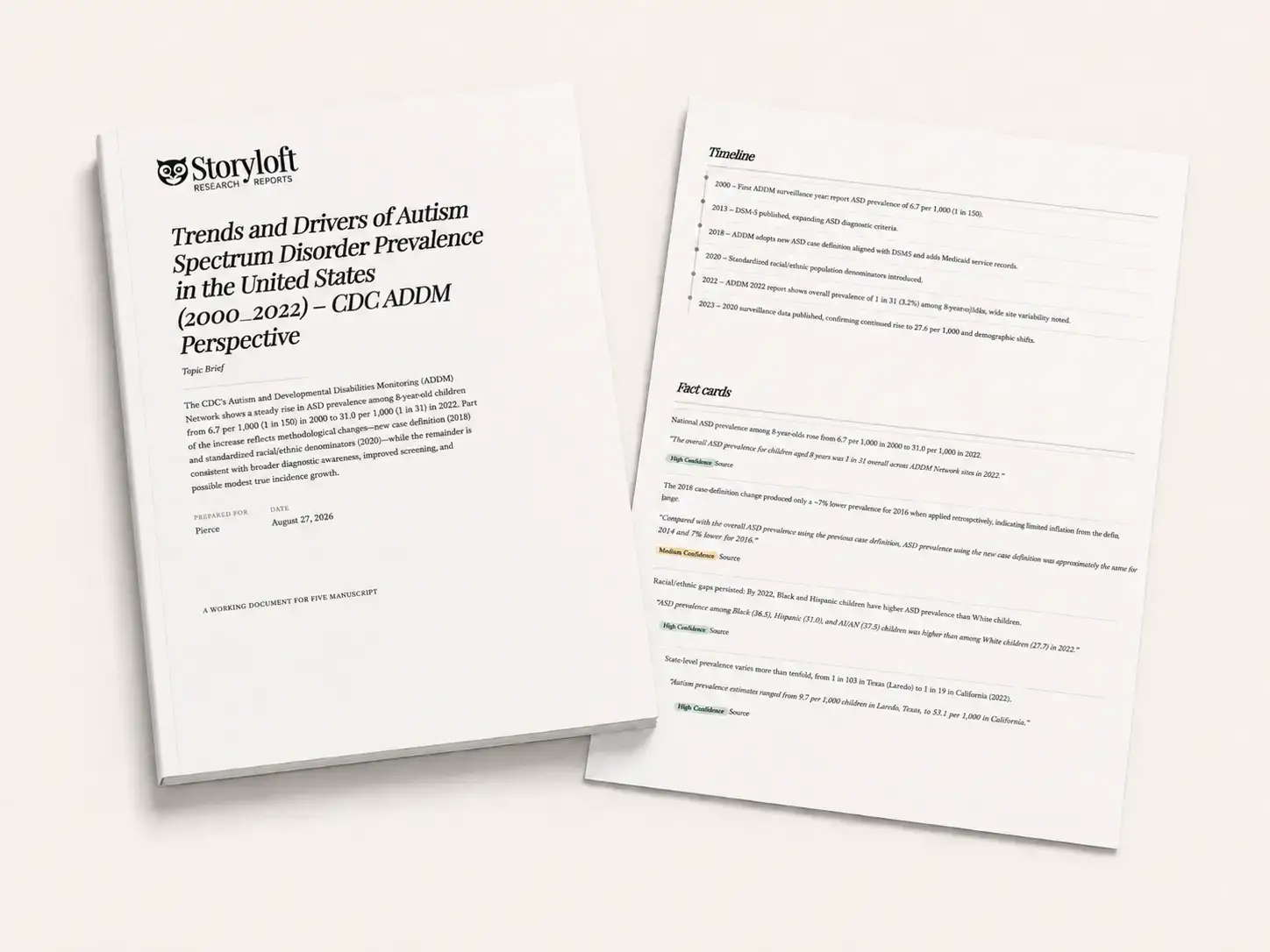
A confident answer is not the same as a correct one.
Research Mode lets you stress-test a report before a skeptical reader, a peer reviewer, or your editor does.
A second pass with a separate index attaches a verdict to each specific claim.
Our special ‘Challenge’ feature hunts for the evidence that could break your argument.
Conflicting positions sit side by side with excerpts and links.
See what was not found, where sources were thin, and what deserves another pass.
Serious nonfiction depends on distinctions that are easy for AI to blur. Storyloft is designed to preserve them: what is directly sourced, what is independently corroborated, what is disputed, what is inferred, where the evidence came from, and what the author still needs to verify.
When a material claim can be checked across independent, reliable sources, Storyloft keeps that corroboration visible. It does not turn repetition of the same underlying source into false consensus.
Original source links, document names, page references, dataset details, archive holdings, and citations stay attached wherever the source provides them. The path from claim to evidence should not disappear inside an AI answer.
Storyloft keeps primary material distinct from secondary interpretation. Historic scans remain authoritative when OCR is weak; original documents remain identifiable when later sources discuss them.
Challenge passes look for evidence that could weaken a claim. When credible sources disagree, Research Mode surfaces the disagreement and preserves the competing positions for the author to judge.
Findings can be labeled Established, Contested, Uncertain, or Inference. Storyloft distinguishes sourced fact from reasoned interpretation and keeps the limits of an inference visible.
Official statistics retain dataset, date, unit, geography, and methodology context. Incompatible measures are not silently blended, and derived values preserve the formula used to calculate them.
Where the underlying scholarly data exposes corrections, retractions, or publication-status warnings, Storyloft keeps those signals visible so an author can evaluate the source before relying on it.
Access, copyright status, licensing, and commercial reuse are treated as separate questions. Storyloft keeps rights information attached instead of turning availability into a blanket permission claim.
When a question calls for peer-reviewed work, Eddy searches scholarly literature. It can expand from a paper you trust: references, citing papers, and related work.
That is how a real literature review works.
Research Mode reaches beyond the web to archives, newspapers, and primary sources.
Items can come from the Library of Congress, Europeana, and the Digital Public Library of America.
Each item names the actual holding repository, not just the aggregator.
Each item carries a rights note because a digitized document is not the same as a cleared one.
Eddy full-text searches historic U.S. newspapers from Chronicling America and European newspaper archives. Check whether a word was in use during the period or whether an object, institution, or practice fits a given year and setting.
OCR makes historic newspapers and archival documents searchable, so you can uncover overlooked details, verify the original wording, and pull accurate quotes into your book.
Easily find and cite supporting research for your book.
Save one claim, an optional quote, a source URL, and a confidence rating of High, Medium, or Low. Reuse it across chapters.
Press Endnote on any source or card. Place your cursor in the manuscript.
⌘EA numbered endnote lands in the draft, formatted and attached.
All your research lives inside your book draft. You can attach evidence to a chapter, a scene, or a character. And yes, contradictions surface for you to evaluate. They are never quietly resolved without you.
Add your research to the mix. Eddy will help connect it to your writing.
Upload PDFs, Word documents, and text files to the Files tab. Eddy searches them like any other source, citing filename and page and checking them against your chapter claims.
Need statistics? Eddy fetches official figures by place and variable, saved with dataset, date, and unit. Derived numbers show their formula.
Your book deserves research you can trust
Eddy can find high-quality imagery cleared for commercial reuse, show you the rights, and insert it directly where you are writing with the caption and source already formatted.
No download folder. No attribution cleanup. No broken research trail.When your book needs a photograph, a portrait, or an artifact image, Eddy searches Smithsonian Open Access.
Research Mode separates “helpful to look at” from “cleared for this book.”
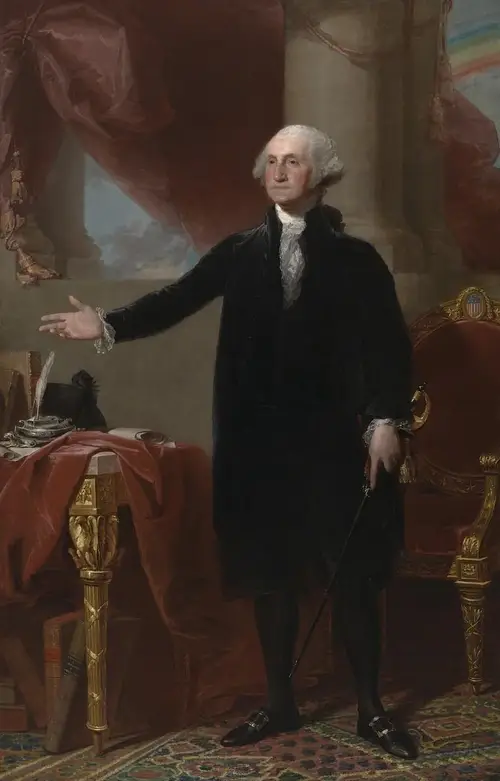 CC0 · Commercial reuse allowed
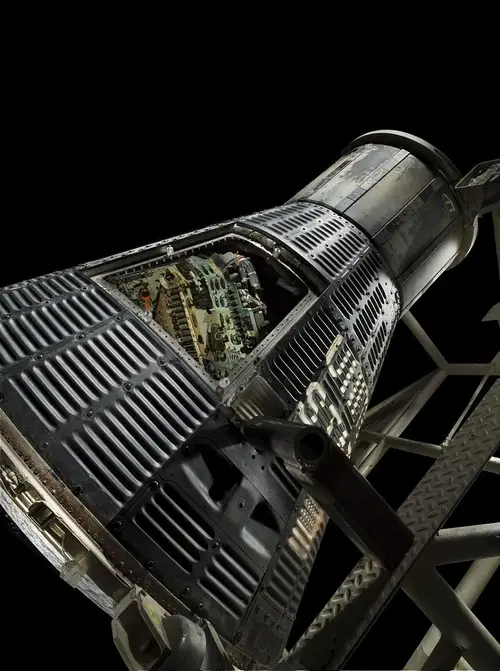 Reference only
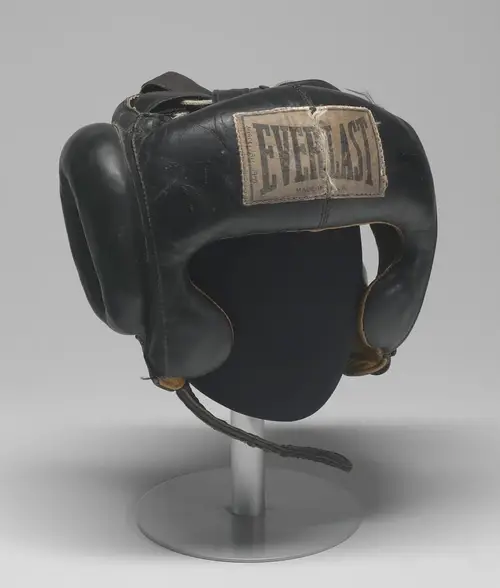 CC0 · Commercial reuse allowed
Built for professional nonfiction authors and those on their way.
Ground recommendations and arguments in credible, citable evidence.
Use archives, newspapers, and period language.
Use peer-reviewed sources, honest verification, and clean citations.
Build timelines and trace primary sources back to their origin.
No other book writing app puts research, citations, archives, scholarly literature, fact cards, and your manuscript in one connected workspace. Research Mode lives where the writing happens: beside your draft.
Your work is not a side project. It deserves a workspace built to match.
Direct answers about sources, verification, citations, rights, files, and how Research Mode fits into the manuscript.
Storyloft Research Mode is an AI research workspace for nonfiction authors built directly into the manuscript editor. It helps authors search outside sources and their own files, organize findings into research reports and Fact Cards, verify claims and counterevidence, and move evidence and citations into the manuscript without rebuilding context in another app.
Research Mode can route research across scholarly literature, books, archives, historic newspapers, official statistics, primary sources, public collections, open web sources, and files uploaded by the author. Supported source systems include OpenAlex, Semantic Scholar, Google Books, Library of Congress resources, National Archives, Europeana, DPLA, Data Commons, Smithsonian Open Access, and other connected research services.
Yes. Storyloft can search scholarly literature and expand outward from a relevant paper through citation and related-work relationships. Research Mode preserves information such as author, year, venue, abstract, DOI, and evidence relationships, and can group literature by strong support, qualified support, conflicting evidence, or insufficient evidence rather than treating citation count as consensus.
Yes. Research Mode is designed to work with primary-source collections, archives, and historic newspaper material. It can surface period language, documents, institutional records, objects, and newspaper pages while keeping holding institutions, dates, rights notes, and OCR limitations visible when that information is available.
Yes. Authors can bring PDF, DOCX, and TXT research files into the book's research library. Eddy can answer questions across those materials, compare them with claims in the manuscript, and preserve filename and page references where the source format makes page-level citation possible.
Research Mode can perform an independent check of a claim, run a Challenge pass designed to find counterevidence, surface disagreements between credible sources, and identify questions that remain unresolved. Verification is presented as evidence for the author to inspect rather than as an automatic guarantee that a claim is true.
These labels help distinguish the status of a finding. Established indicates strong support in the collected evidence; Contested means credible evidence materially disagrees; Uncertain means the available evidence is incomplete or inconclusive; and Inference identifies a reasoned conclusion that goes beyond what a source states directly. They are research-status labels, not absolute truth scores.
Yes. Research findings can be saved as Fact Cards with the claim, source, optional quotation, URL, and confidence information. An author can convert supported material into a managed endnote and insert it at the manuscript cursor, while Storyloft handles numbering and keeps the source attached to the book.
Yes. That is the central design of Research Mode. Evidence can remain tied to the book, chapter, scene, character, claim, Fact Card, source, or endnote instead of living only in a temporary AI conversation. The manuscript stays open while the research library and Eddy remain available beside it.
Storyloft can search supported image collections and preserve the rights information attached to an asset. For Smithsonian Open Access material, Storyloft can identify files designated CC0 and label them as commercial reuse allowed. Other material remains clearly separated as reference-only when Storyloft cannot verify the required reuse status.
Yes. Research Mode treats access and reuse as separate questions. A source being free to read does not automatically mean its text, image, or other content is free to republish. Where rights or license information is available, Storyloft keeps that information attached so the author can make a more informed publication decision.
Research Mode is built for authors whose books depend on evidence: historical and narrative nonfiction writers, biographers, self-help and how-to authors, journalists writing books, researchers, academics, popular-science writers, and other nonfiction authors who need sources, citations, verification, and the manuscript to remain connected.
Bring your questions, your sources, and your manuscript into one connected author workspace built for serious nonfiction writing.
Research Disclaimer: Storyloft helps users discover, organize, and analyze information from third-party sources. Storyloft does not guarantee the accuracy, completeness, or reliability of research findings. Authors are responsible for reviewing sources, verifying claims, and deciding what to include or cite in their work.