How to Build a Worldbuilding Bible: Templates & Character Art Integration
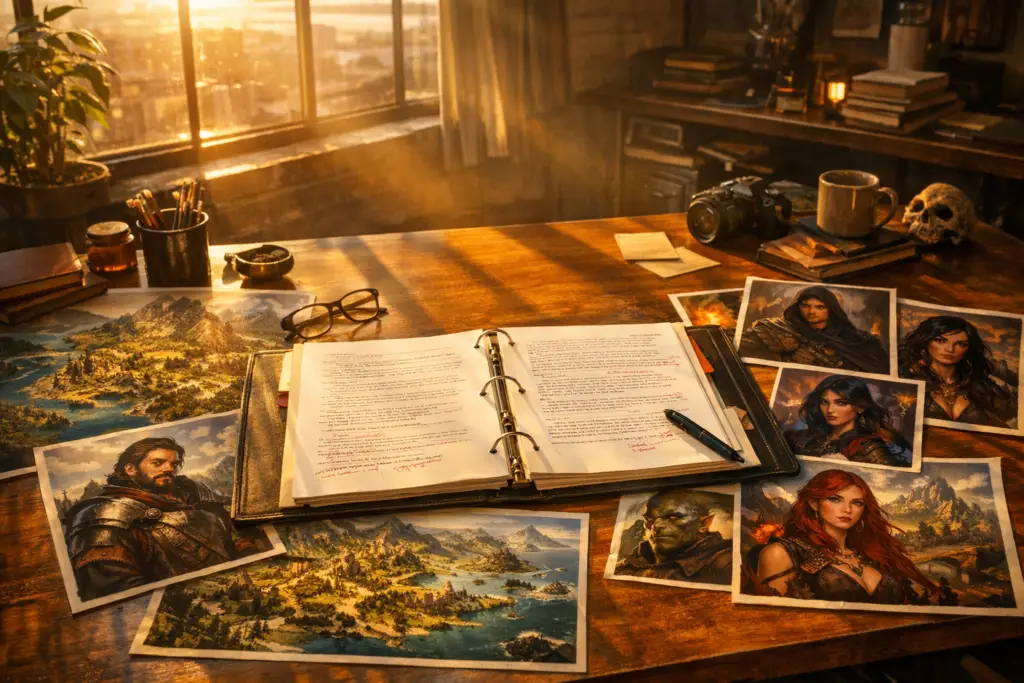
Planning a book in the speculative fiction genre requires more than just a strong premise—it demands rigorous continuity. When drafting intricate fantasy or science fiction, authors must manage hundreds of variables, from character eye colors and magic systems to geographical travel times. Disjointed creative writing tools often lead to critical lore errors, frustrating readers and stalling the writing process. In fact, a recent M.D. Presley survey indicates that 76% of fantasy readers cite internal inconsistency as their primary reason for abandoning a book series, proving that airtight worldbuilding is essential for author success.
This comprehensive guide explores how to build a professional worldbuilding bible, implement dynamic lore tracking, and integrate consistent AI character art seamlessly into your workflow.
TL;DR
Key Takeaways:
Worldbuilding Bibles: Essential single-source-of-truth documents tracking character traits, magic rules, timelines, and terminology to eliminate continuity errors.
Reader Retention: 76% of readers drop fantasy series due to internal lore inconsistencies.
Interactive Lore Systems: Dynamic tools replace static spreadsheets by linking manuscript prose directly to lore cards via popovers and tagging.
Consistent AI Art: Preserve visual character identity across scenes using fixed trait-block prompts and reference image locks.
Table of Contents
What is a Worldbuilding Bible?
The Reader Continuity Imperative
Anatomy of a Master Worldbuilding Bible Template
Step-by-Step Guide: Building Your Interactive Lore Bible
Achieving AI Character Art Consistency in 2026
Frequently Asked Questions (FAQs)
Author Credentials: The Storyloft Approach
As the team behind Storyloft, an all-in-one authoring and worldbuilding platform, we built our World Builder and Character Designing Tools specifically to solve operational bottlenecks for series fiction. By linking structured lore cards, interactive 3D constellation views, automated canon continuity checks via Eddy AI, and consistent portrait generation into a unified manuscript workspace, Storyloft helps authors eliminate context switching and maintain airtight narrative integrity.
What is a Worldbuilding Bible?
A worldbuilding bible (often called a story bible or SFF style sheet) is a master reference document that serves as a single source of truth for an author’s fictional universe. It systematically tracks proper noun spellings, character traits, historical timelines, cultural rules, and magic or technology mechanics. By locking down these canonical details, a world bible prevents continuity errors across drafts, multiple sequels, and character visual assets, ensuring a seamless experience for both the author and the reader.
The Reader Continuity Imperative
In speculative fiction, internal rules replace real-world physical laws. Readers willingly suspend disbelief for faster-than-light travel or blood magic, but they immediately lose immersion when those established rules fluctuate without narrative justification.
According to M.D. Presley’s Fantasy Worldbuilding Survey Data, the top factors that break reader immersion include:
Internal Inconsistency (76%): Character physical traits changing or magic costs fluctuating arbitrarily.
Unexplained Plot Concepts (58%): Vague mechanics that conveniently resolve plot points (deus ex machina).
Aggregate Inconsistencies (53%): Accumulating errors across a multi-book series.
Historically, writers managed this lore using disconnected novel writing tools—drafting in one app, tracking lore in a separate wiki, and generating art in a third program. This siloed ecosystem creates context-switching fatigue and increases the likelihood of errors slipping into the final manuscript.
Anatomy of a Master Worldbuilding Bible Template
A professional worldbuilding template should be divided into distinct, easily searchable categories. Following resources like the Plotiar Template and Bobby Mallane’s Guide, here are the six core sections every master bible must include:
1. Canonical Naming & Style Sheet
Establishing a style sheet eliminates the majority of line-edit corrections. This section locks in proper noun spellings (e.g., Salvadore vs. Salvador), strict capitalization rules for unique world concepts (e.g., The Sundering, Chaos magic), and a glossary defining unique vernacular or foreign phrases.
2. Character Master Profiles & Trait Anchors
Character profiles track physical and psychological continuity anchors. Essential elements include physical descriptors (height, distinctive scars, eye color), speech triggers (accents, vocal rhythms), psychological motivations, and exact visual reference sets (high-resolution character art showing multiple angles).
3. Magic System & Tech Mechanics
Clearly defined mechanics prevent plot loopholes. Your template should outline the source of power (e.g., divine invocation vs. genetic mutation), activation methods, physical or cognitive costs, and hard limits (e.g., teleportation requires line-of-sight).
4. Geography, Spatial Mapping & Timelines
Geographical parameters dictate narrative travel and world trade. As noted by the Squibler Worldbuilding Framework, tracking spatial and regional maps, exact travel times between locations, lunar calendars, and unique currencies ensures your characters traverse the world logically.
Step-by-Step Guide: Building Your Interactive Lore Bible
Transitioning from static documents to interactive book mapping transforms how authors write and edit. Modern platforms replace linear spreadsheets with dynamic, interconnected data.
Step 1: Initialize Your Structure
Begin by setting up your primary categories: Style Sheets, Characters, Magic/Science Systems, Geography, and Timelines. Establish your foundational rules before you write, but allow deeper lore to develop organically alongside your draft to avoid endless planning.
Step 2: Populate Core Rules and Cards
Input your proper noun spellings and hard magic limits first. Using Storyloft’s World Builder, you can organize entries into dedicated categories like Characters, Locations, Factions, Magic Systems, Timelines, and Tech Trees. Once saved, these lore cards lock into your project’s active index, providing instant auto-complete suggestions and live context recognition as you write.
Step 3: Utilize Dynamic Book Mapping
Interactive book mapping links your prose directly to your lore database. In Storyloft, tagging an entity (e.g., typing @Lady Elara or #IronReach) inside the manuscript editor dynamically connects the draft to your world bible. Hovering over a tagged character pulls up their profile card and character design art in a side popover. Furthermore, Storyloft’s visual 3D Constellation View maps relationships across factions and characters, while the Lore Update feature automatically flags manuscript passages that need revision whenever you update established canon.
Achieving AI Character Art Consistency in 2026
Generative AI tools are invaluable for conceptualizing worlds, but standard text-to-image models suffer from “character drift”—randomly altering hair colors, armor styles, and facial structures between generations. A 2026 survey published in the Springer Artificial Intelligence Review emphasizes that narrative illustrations require strict visual stability across time, space, and character dimensions.
To ensure publishable visual consistency, follow this 4-step technical pipeline:
1. Create a Canonical Reference Sheet
Before illustrating specific scenes, generate a foundational 3-angle reference image (front view, three-quarter view, profile) of your character on a clean background. This becomes your anchor image.
2. Establish Fixed Trait-Block Prompting
Structure your AI prompts into two parts. The first is a “Fixed Identity Clause” that must be copied byte-for-byte across all prompts (e.g., “28-year-old female high-elf warrior, emerald green eyes, silver dragon-scale armor, reference_id #ELARA01”). The second is a “Variable Action Clause” describing the specific scene.
3. Utilize Reference Image Locks
Advanced visual pipelines rely on reference image locks. Within Storyloft’s Character Designing Tools and illustration studio, authors can generate and store canonical portrait sheets directly on a character’s profile card. By applying reference engine parameters (such as face-ID preservation and style locks), new visual generations anchor directly to your character’s established design, ensuring identical faces, hair, and clothing across chapters.
4. Direct Manuscript Integration
Instead of juggling third-party photo editors, render and store your consistently generated art directly within your story bible. This allows for instant insertion into your layout templates when it is time to publish.
Conclusion
Planning a book with expansive lore doesn’t have to result in disorganized notes and continuity errors. By transitioning away from disconnected creative writing tools and embracing interactive world bibles, authors can protect reader immersion and streamline their workflow. Whether you are standardizing magic rules or locking down AI character art, treating your worldbuilding as an active, interconnected ecosystem is the key to producing professional, immersive speculative fiction.
Frequently Asked Questions (FAQs)
What is a worldbuilding bible and why is it necessary for authors?
A worldbuilding bible is a comprehensive reference document tracking all canonical details, proper noun spellings, character traits, magic rules, and historical timelines for a fictional world. It is necessary because it prevents continuity errors across drafts and multi-book series, protecting reader immersion, which 76% of fantasy readers identify as their top dealbreaker.
Should I complete my entire worldbuilding bible before I start writing?
No. Experienced worldbuilders recommend establishing an initial overview—such as core concepts, magic rules, and main character physical anchors—and populating the finer lore details organically as you draft. This prevents “worldbuilder’s disease,” where authors endlessly plan without actually writing.
How do interactive lore tools differ from traditional spreadsheets?
Static documents like Word or Excel force authors to manually search for details and constantly switch window tabs, as noted by Writer’s Digest. Interactive tools allow authors to tag entities directly in scene prose, bringing up hoverable character profiles and visual reference cards right inside the writing editor.
How do I maintain character art consistency when using AI illustration tools?
Maintaining character art consistency requires creating a canonical multi-angle reference portrait, locking physical descriptions into a byte-for-byte fixed trait prompt, and utilizing reference image weights or character locks to keep visual identity identical across all chapter illustrations, according to the AI Tools Guidebook, 2026.
Sources
M.D. Presley’s Fantasy Worldbuilding Survey Results – Reader retention and worldbuilding statistics.
Plotiar Worldbuilding Bible Template – Structural template resources for world bibles.
Bobby Mallane’s Guide to Fantasy World Bibles – Lore continuity and character tracking guidelines.
Squibler Worldbuilding Framework – Spatial mapping and timeline organization.
Springer Artificial Intelligence Review (2026) – Narrative visual stability research for AI generation.
Writer’s Digest – Strategies for tracking worldbuilding across series.
AI Tools Guidebook (2026) – Technical methods for consistent character rendering.