
If you are writing a book, there is a good chance your work lives in too many places. Your manuscript is in Scrivener or Google Docs. Chapter notes are somewhere else. Character details are buried in a spreadsheet. Research lives in a folder. Images are sitting in another app. And the one note you actually […]

The Best Vellum Alternatives for Windows & Web: Storyloft vs. Atticus vs. Vellum
Struggling to find the right book writing software for your workflow? We compare Storyloft, Atticus, and Vellum to help you choose the best platform for your publishing needs.

Word/Docs to EPUB 3 Conversion Guide: Pass EPUBCheck Without Coding
Learn how to convert Word documents into valid EPUB 3 files that pass EPUBCheck validation. Discover strategies for cleaner formatting and explore why specialized book authoring software is the superior choice for professional publishing.

How to Format Front & Back Matter Like a Traditional Publisher (With Templates)
Learn how to professionally structure your book’s front and back matter. This guide includes industry-standard formatting rules and copy-paste templates to help you achieve a polished, traditional look for your manuscript.

Vellum for Windows: 5 Best Mac-Free Alternatives for Book Formatting
Struggling to find Vellum for your PC? Discover the top 5 Mac-free book authoring software alternatives that help you format your manuscript for professional publication on any Windows computer.

The Definitive Guide to Book Trim Sizes by Genre (KDP & Printing Standards)
Selecting the right trim size is crucial for professional book printing. This guide helps you navigate KDP standards, genre expectations, and formatting requirements for your manuscript.
How to Format Your Manuscript for Kindle & Print (Without Paying a Professional)
Learn how to format your manuscript for Kindle and print without hiring an expensive professional. Discover the best book writing software tools to streamline your self-publishing process.
What are the standard book dimensions and why do they matter for self-publishers?
Key Takeaways Understanding standard book dimensions is essential for successful publishing, as trim size directly impacts production costs, reader expectations, and distribution opportunities. Here are the critical insights for choosing and implementing the right book dimensions: • The 6×9 inch format dominates trade publishing, with 5×8 and 5.5×8.5 accounting for over 70% of published books—start […]
How to Use a Book Cover Maker to Design a Bestseller-Worthy Cover (Step-by-Step)
Key Takeaways Creating a professional book cover that drives sales requires strategic design choices grounded in genre research and reader expectations. Here’s what you need to know: • Genre conventions are non-negotiable: Your cover must share at least 70% of visual cues with bestsellers in your category to avoid confusing potential readers and damaging sales. […]
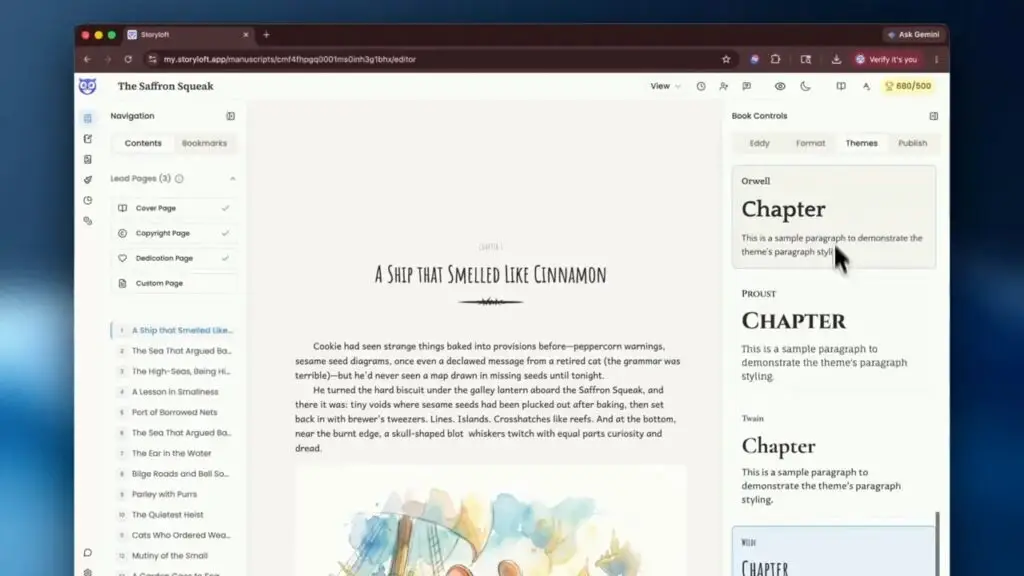
How to Format and Export Your Book for Amazon KDP, IngramSpark, and Ebook Platforms
When your manuscript is finished, the next hurdle is usually formatting. That is where a lot of authors get stuck. Print books need the right trim size, margins, front matter, and high resolution images. Ebooks need clean structure, a cover, and a file that behaves properly across reading apps and devices. The good news is […]