
The 9 Best Children’s Book AI Creators You Need to Try in 2026
Key Takeaways
AI-powered children’s book creation has evolved beyond simple illustration generation into complete publishing workflows. Here’s what you need to know when choosing the right platform for your needs:
• Character consistency is critical: 73% of parents prioritize consistent character appearance across pages, making platforms with dedicated character management systems like Storyloft (with character locking) and ToonyStory (9.5/10 consistency score) superior to generic AI image generators.
• Pricing models vary dramatically: Options range from $2.50 per book (Childbook.ai) to unlimited creation at $19.99/month (ToonyStory Family Unlimited), with free tiers available on most platforms for risk-free testing before commitment.
• Specialized features match specific use cases: Educators need curriculum-aligned content (LoveToRead.ai), KDP publishers require export-ready formats (Inkfluence AI), and families wanting keepsakes benefit from photo personalization (Lullaby.ink, ToonyStory).
• Complete workflows save time and money: Platforms like Storyloft consolidate writing, illustration, layout, and publishing into single workspaces, eliminating the need for multiple subscriptions and reducing production time by 60-80%.
• Free previews eliminate purchase risk: Most platforms offer no-credit-card-required previews, allowing you to evaluate character quality, illustration styles, and story coherence before spending money on final production.
The children’s book AI market generated $1.85 billion in 2024, with personalized AI picture books capturing growing market share. Whether you’re a parent creating a keepsake, an educator developing classroom materials, or a self-publisher targeting Amazon KDP, matching platform capabilities to your specific needs—rather than choosing based on price alone—determines success in creating professional-quality children’s books. 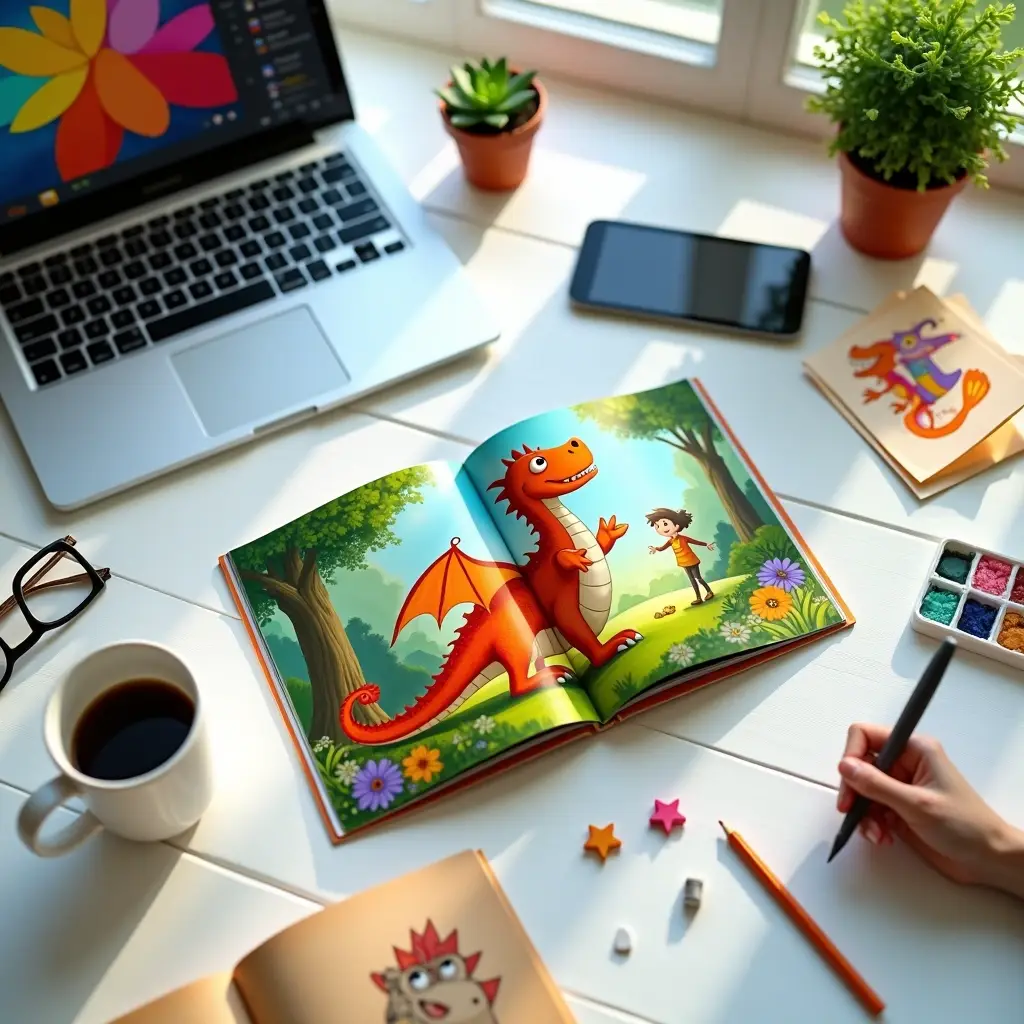 Children’s book sales generated $1.85 billion in U.S. revenue in 2024[8], and tailored AI picture books are capturing a growing share of that market. Parents and educators wondering “can you use ai to illustrate a book” will find the answer is a clear yes. We tested 11 childbook ai platforms to find the best ai picture book generator free and paid options. These nine platforms stood out, ranging from dedicated ai book illustration generator free tools to full manuscript assistants. Character consistency ranks as the top concern for 73% of parents[33]. That’s why we prioritized tools that maintain cohesive visuals across pages.
Storyloft – Best for Complete Children’s Book Creation with Cohesive Illustrations
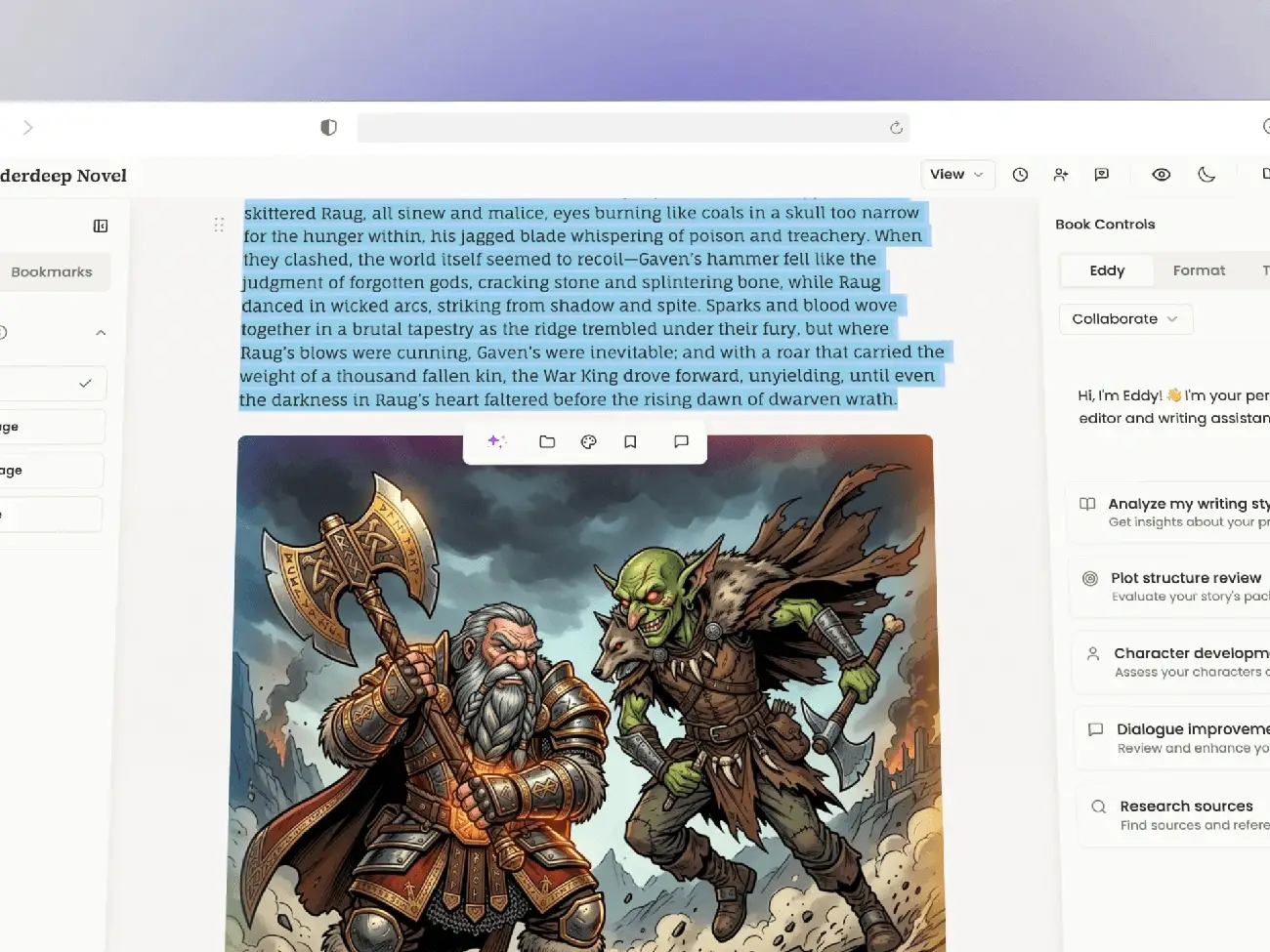
Image Source: Storyloft
Storyloft unites the children’s book workflow into a single workspace. Most ai picture book generator free tools force you to juggle separate apps for writing, illustrations and layout. Storyloft handles manuscript editing, AI-generated illustrations, cover design and publishing-ready exports without leaving the platform.
Key Features
The character management system addresses the consistency problem head-on. You create character designs once, and Storyloft’s illustration manager references those designs on every page you generate. This produces cohesive visuals that look like a professional illustrator worked on your book, not disjointed AI images that move between pages.
Eddy, the built-in AI writing assistant, provides manuscript-specific feedback on plot development and character arcs while preserving your voice. The tool doesn’t rewrite in generic AI style but adapts suggestions to match how you write. Focus mode strips away distractions, while auto-formatting handles indentation and spacing conventions for both ebook and print formats.
The illustration generation system converts your manuscript text into images in multiple artistic styles. Storyloft’s style engine maintains authentic, kid-friendly esthetics that capture children’s imagination. You can design custom book covers with ISBN barcode generation and export in standard children’s book dimensions or create custom sizes for specific publishing requirements.
Publishing capabilities include EPUB for digital distribution, print-ready PDFs with professional formatting and DOCX exports. The platform also supports collaboration with beta readers and editors through role-based access controls.
Pricing
|
Plan |
Price |
Key Features |
|
Free |
$0 |
5,000 words, AI writing, AI illustrations, core tools (no credit card required)[34] |
|
Author |
$39/month |
10 image credits, unlimited Eddy AI (no prompt limits), all Writer features[35] |
|
Yearly |
$169.99/year |
15 image credits, all features, 20 AI prompts/month[35] |
|
Lifetime |
$269.99 one-time |
25 image credits, all features, future updates included[35] |
Pros and Cons
Pros:
Character designs stay consistent in all illustrations
Complete workflow from first draft to print-ready file
AI assistant preserves your writing voice
Multiple export formats for different publishing platforms
No separate subscriptions needed for writing and illustration tools
Cons:
Image credits are still required even with subscription
Author plan required for unlimited AI prompts
Learning curve for authors new to integrated platforms
Best For
Storyloft works for authors creating ai picture books who want control over the whole production process. The character management system delivers if you’re producing multiple children’s books and need character consistency without hiring an illustrator. The platform suits self-publishers preparing manuscripts for Kindle Direct Publishing or IngramSpark especially when you need formatted files correctly and don’t want to cobble together five different tools.
ToonyStory – Best for Photo-Based Characters and Animated Video Output
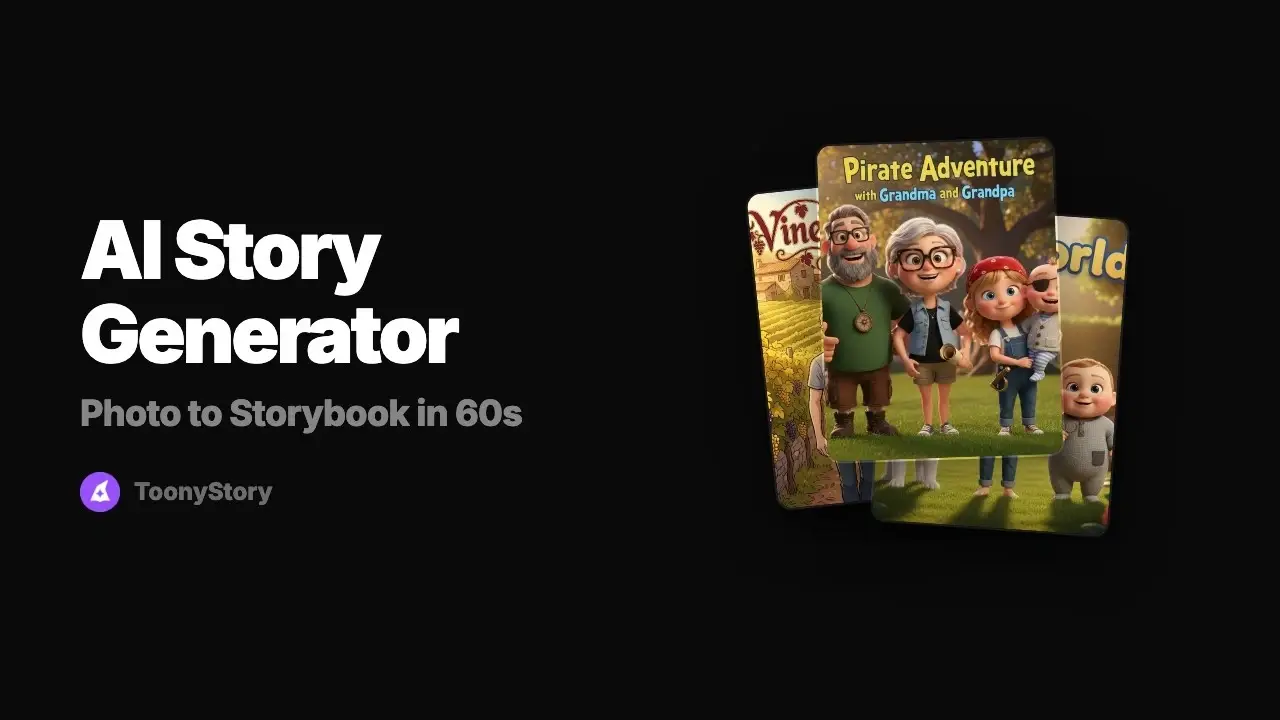
Image Source: ToonyStory
ToonyStory transforms uploaded photos into 3D animated characters that maintain visual consistency throughout your book. Upload a clear photo of your child, and the platform generates a character profile that locks facial features, hair, and proportions on every page. We tested ToonyStory and found it scored 9.5/10 in a 1,680-image consistency measure[36], the highest rating among ai picture book generator free and paid platforms we assessed.
Key Features
The photo-to-character system extracts facial features and enforces them as generation constraints. This prevents the character drift that plagues general AI image generators. Avatar builders use preset eyes and hair options, but ToonyStory generates characters directly from real photos. You can add multiple characters to the same story—siblings, parents, grandparents, and pets—with each one locked independently to prevent feature swapping between characters[36].
ToonyStory offers 14 distinct art styles that range from Pixar-inspired animation to watercolor and anime[37]. The platform creates both an animated video version and a hardcover book from the same project. This eliminates duplicate work. Videos include narration and page-turn animations with the same consistent characters. Physical books ship with QR codes that link to the digital video version[38].
The reusable character library saves every character you create for future books. Build your child’s character once and use it in unlimited stories. This ensures the same appearance in book two as in book one[39]. Scene-by-scene editing with the Magic Editor allows you to regenerate individual illustrations without affecting the entire project[40].
AI generates your complete illustrated book in under five minutes[37]. The free preview lets you see every page before you pay anything, and no credit card is required[40]. Commercial rights are included on all plans and allow you to sell printed copies[36].
Pricing
|
Plan |
Monthly Cost |
Credits |
Key Features |
|
Free |
$0 |
10 credits |
Full preview, standard AI models, no credit card required[41] |
|
Story Starter |
$9.99 |
50 credits |
Latest-generation AI models, premium character consistency[41] |
|
Family Unlimited |
$19.99 |
Unlimited |
All features, advanced models, unlimited story creation[41] |
One credit equals one illustration created or edited. A typical 8-page book uses 8-12 credits[41]. Hardcover printing starts at $29.99 for standard size, with 4 book sizes available and 3-5 business day delivery[39].
Pros and Cons
Pros:
Highest character consistency score in testing
Dual output: animated video and hardcover book from one project
Reusable character library for unlimited books
Free preview of complete book before purchase
Commercial rights included on all plans
Cons:
Credit-based system limits illustrations on lower tiers
Photo upload required (privacy consideration for some families)
3D animation style may not suit all esthetic priorities
Best For
ToonyStory suits parents who create keepsake books for single children or sibling pairs and value animated video output alongside printed copies. The reusable character library especially benefits families that plan multiple book projects. Grandparents and long-distance relatives appreciate the dual-format output—mail the hardcover and text the video link. Teachers who need both read-aloud videos and physical classroom copies will find the scene-by-scene editing useful to tailor content to specific lessons.
Lullaby.ink – Best AI Picture Book Generator Free for Photo Personalization
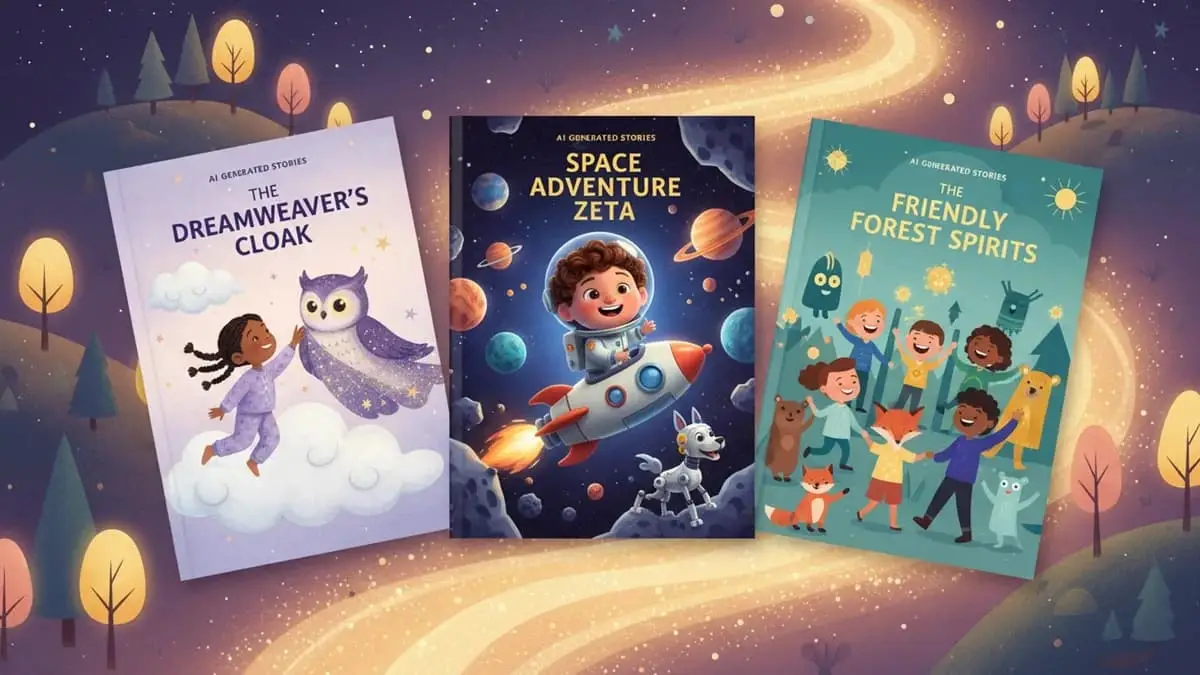
Image Source: Lullaby.ink
Lullaby.ink addresses a gap most ai picture book generator free tools overlook: the story should adapt to your life, not the other way around. You can upload photos of your child’s actual bedroom, backyard, or grandparents’ house. The platform transforms these locations into illustrated backgrounds that match your chosen art style. Over 1,700 families have created tailored storybooks using this approach[42].
Key Features
The photo-to-cartoon system processes up to 4 characters in a single story. Siblings, parents, grandparents, or pets can star together[43]. Characters maintain facial consistency across every page and adapt their outfits to match story context. Beach scenes render swimsuits. Bedtime illustrations show pajamas. Birthday parties display party clothes. No other childbook ai platform offers this scene-appropriate wardrobe adaptation[8].
Custom location uploads set Lullaby apart from template-based generators. You can upload a photo of your child’s bedroom, and that space becomes an illustrated story background in your selected art style. This works for any location: the family living room, a favorite park, or relatives’ homes[43]. The feature produces stories anchored in recognizable places rather than generic settings.
Seven professional art styles include Stylized Realism (default), Pixar Adventure, Dreamy Watercolor, Bold Comic, and Anime Fantasy[43]. Each style maintains kid-friendly esthetics without requiring art direction expertise. Generation completes in 2-5 minutes[43]. Full text editing with individual illustration regeneration gives you control over the final product[8].
Free-form story creation accepts any prompt you write. No theme menus or template selections exist. You describe the adventure, and the AI generates a complete narrative with matching illustrations[8]. Bilingual support covers English and Hebrew for both interface and story content[44].
Pricing
|
Format |
Price |
Details |
|
Free Preview |
$0 |
Cover + 2 illustrated pages, choose art style, no credit card required[45] |
|
Digital Book |
$14.99 |
Full PDF export, unlimited text edits, 30+ illustration regenerations[45] |
|
Softcover Print |
$29.99 |
8.3″ × 8.3″, premium gloss paper, ships in 8-15 business days[8][23] |
|
Hardcover Print |
$39.99 |
Same specifications as softcover with hardcover binding[8][24] |
|
Premium Layflat |
$59.99 |
Layflat binding, premium materials[8][25] |
Pros and Cons
Pros:
Characters wear contextually appropriate outfits throughout the story
Real photo locations become illustrated backgrounds
Up to 4 family members or pets in one book
Complete creative freedom with free-form prompts
Full editing control after generation
Cons:
Higher per-story cost compared to subscription models
No audio narration feature
Generation takes longer than some alternatives
Best For
Families wanting maximum tailoring will find value in Lullaby’s story-aware outfits and custom location features. Parents creating sibling books benefit from the 4-character limit. Grandparents ordering keepsake gifts can incorporate photos of their actual house as story settings. The free-form prompt system suits parents who want specific narratives rather than selecting from preset themes.
Childbook.ai – Best Budget AI Book Illustration Generator Free
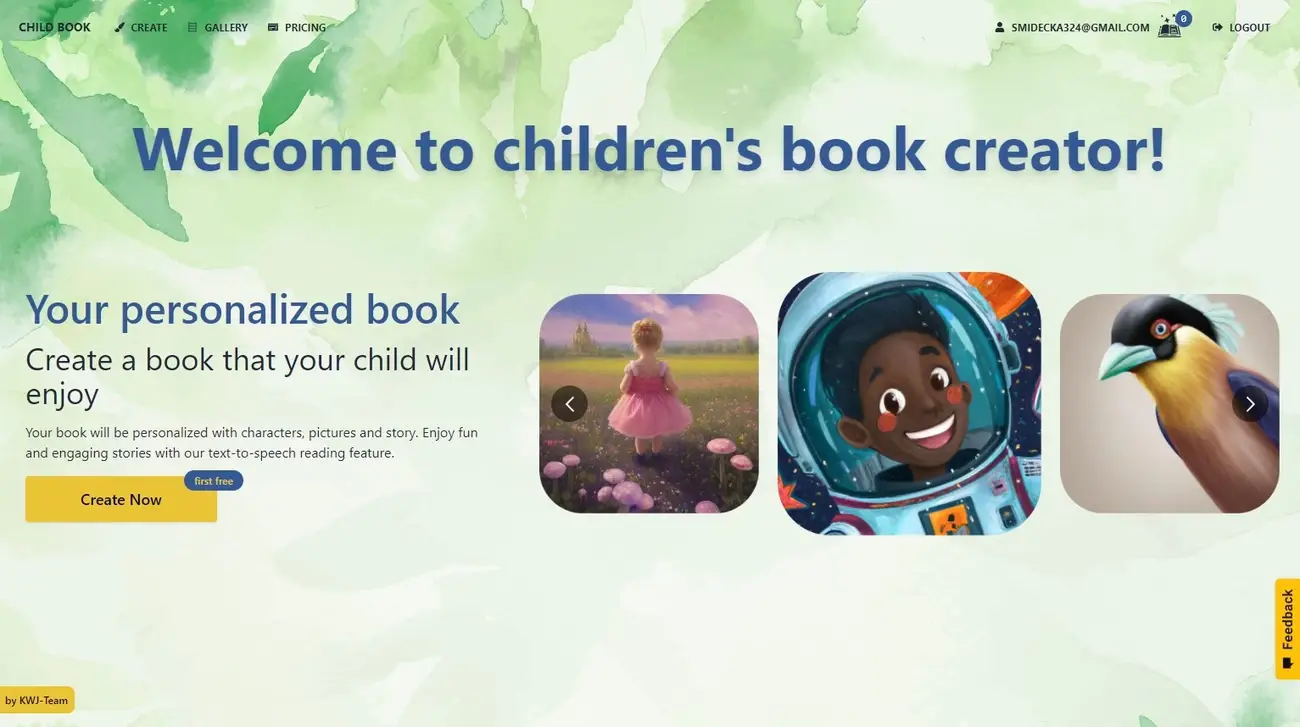
Image Source: Childbook.ai
At $2.50 per digital book, Childbook.ai claims the title of most affordable entry into AI-generated personalized storybooks[2]. The platform positions itself as an experiment-friendly option for parents testing whether their child participates with AI-illustrated content before committing to higher-priced alternatives.
Key Features
The platform operates through three creation modes. Template selection offers pre-written stories where you replace the default character with your child’s photo or description. Free-form creation accepts a title and description and generates both text and illustrations through AI. The Childbook Illustrator tool takes your pre-written manuscript and generates matching illustrations. Writers control the narrative while outsourcing visual work[1].
Character creation processes uploaded photos into illustrated avatars. The system produces a generic cartoon approximation rather than photo-realistic rendering. Distinctive features like curly hair, glasses, or freckles translate into simplified versions[2]. This contrasts with platforms like ToonyStory or Lullaby that enforce tighter facial feature consistency.
Text-to-speech functionality reads stories aloud with synchronized text highlighting and supports pre-readers and children developing literacy skills[1]. Canva integration allows direct editing of layouts and text elements for users wanting design control[10]. The platform supports multilingual book creation and lets families share stories in a variety of languages[10].
Commercial licensing appears on the Business plan only and permits sale of books created through the platform[10]. Standard plans grant personal use rights, and you retain ownership of generated content[11].
Childbook AI Reviews and Pricing
|
Plan |
Monthly Cost |
Books/Month |
Illustrations/Month |
Page Limit |
Key Features |
|
Single Credit |
$2.50 one-time |
1 book |
12 illustrations |
24 pages |
TTS, Canva integration, multilingual |
|
Hobby |
$15/month |
20 books |
100 illustrations |
32 pages |
Illustrator access, 50% credit rollover |
|
Premium |
$29/month |
50 books |
250 illustrations |
40 pages |
Monthly physical book delivery, premium covers |
|
Business |
$82/month |
200 books |
2,000 illustrations |
48 pages |
Commercial license, no watermark, priority queue |
Subscription plans billed annually save $48-204 depending on tier[10]. The single credit excludes Illustrator tool access and limits you to template or AI-generated content only[12].
Pros and Cons
Pros:
Lowest per-book cost tested at $2.50 for digital output
Template library simplifies creation for non-writers
Fast generation completing in minutes
Commercial rights available on Business tier
Cons:
Character illustrations produce generic approximations, not photo-realistic likenesses[2]
Template-based stories limit narrative customization[8]
No audio narration despite TTS feature[2]
Privacy policy lacks explicit photo handling commitments[2]
Single credit plan excludes print options[2]
Best For
Childbook.ai suits parents conducting low-risk experiments with AI storybooks before investing in premium services. The template approach works for quick birthday gifts where story customization matters less than seeing the child’s name in print. Teachers creating multiple classroom stories benefit from the Hobby plan’s volume pricing. Start creating your children’s book today. Get a free account. No credit card required. Platforms offering complete creative control rather than template selection work better, provided that deep personalization outweighs budget constraints.
Inkfluence AI – Best for Manuscript Writing and KDP Publishing
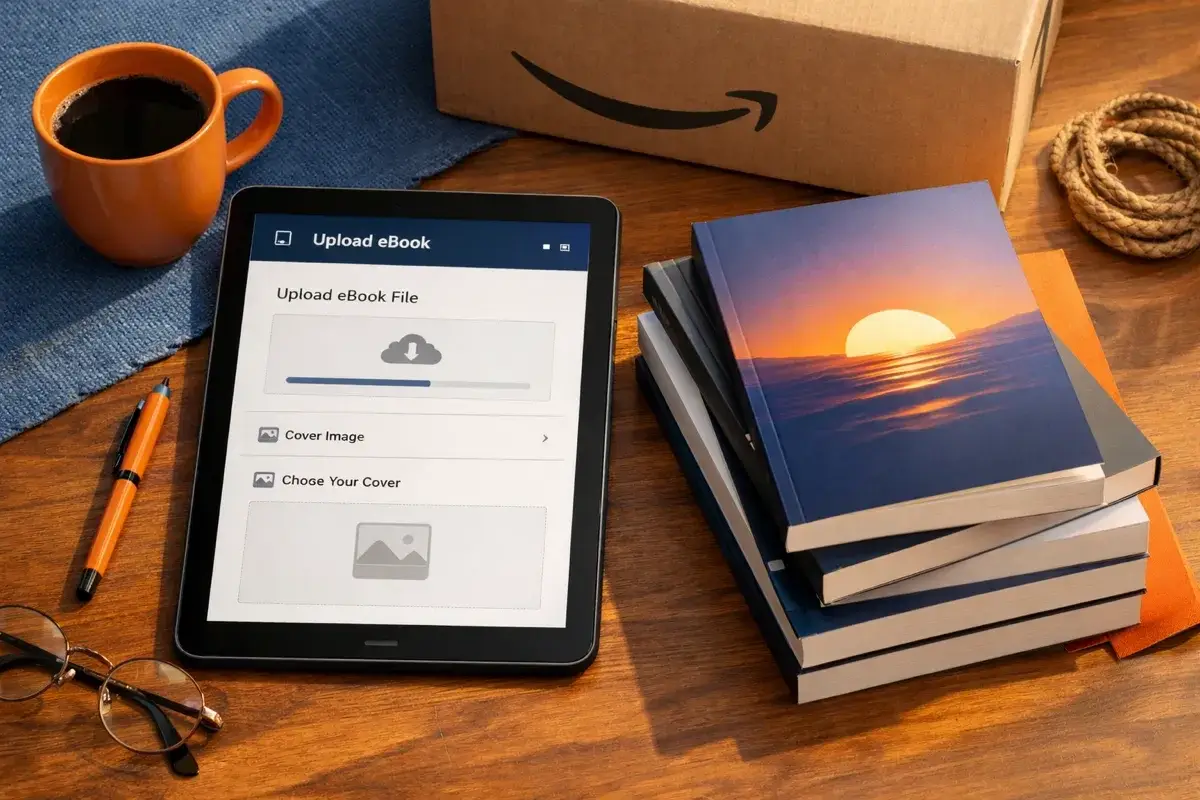
Image Source: Inkfluence AI
Inkfluence AI moves focus from illustrated children’s storybooks to complete manuscript generation for authors publishing on Amazon KDP. The platform handles the whole book creation pipeline: outlining, chapter writing, cover design and export-ready file formatting in one workflow[13].
Key Features
The manuscript generation system writes complete chapters in single operations rather than needing section-by-section prompting. Character tracking and plot continuity run automatically throughout your book and prevent the narrative drift that occurs when you manually stitch AI-generated segments together[13]. The platform supports 33+ genres with automatic style adaptation—romance receives different structural blueprints than business books or cookbooks[13].
Export capabilities target KDP requirements. EPUB files pass Kindle Previewer validation on first attempt, with KDP-compliant margins calculated based on word count and trim size[14]. The system exports five formats: PDF, EPUB, DOCX, audiobook audio files and a bundled KDP package that contains both manuscript PDF and cover PNG[14]. The AI audiobook generator converts finished manuscripts into narrated audio with 17-38 lifelike voices depending on plan tier[15][16].
Commercial rights transfer completely to you on every plan tier. Publish to Amazon KDP, sell on Gumroad or Etsy, distribute as lead magnets or list on your own site without licensing restrictions[13]. The cover designer produces KDP-compliant covers sized for your selected trim without needing Canva or separate design tools[17].
Pricing
|
Plan |
Monthly Cost |
Chapters Included |
Export Formats |
Audiobook |
|
Free |
$0 |
5 + 5 monthly |
PDF, cover |
Included |
|
Creator |
$9.99 |
35/month |
PDF, EPUB, DOCX |
15 chapters |
|
Premium |
$19.99 |
Unlimited |
All formats |
30 chapters |
Free tier needs no credit card and has full editor access[13][211].
Pros and Cons
Pros: Complete KDP workflow in one platform. Commercial rights included on free tier. Automatic character and plot tracking across full manuscripts. Genre-specific blueprints for 33+ book types. One-click EPUB export ready for KDP upload.
Cons: Produces first drafts that need editorial passes rather than publish-ready manuscripts[18]. AI-generated content needs voice refinement and pacing adjustments. Learning curve for authors used to traditional writing tools.
Best For
Inkfluence AI serves KDP self-publishers producing non-fiction, business books, cookbooks or fiction series at volume. The workflow cuts total writing time by 60-80% for authors using AI as a drafting partner rather than replacement[13]. If you approach it as a ghostwriter producing solid first drafts that need human polish, the platform delivers exceptional value for volume creators[18].
LoveToRead.ai – Best for Educators and Classroom Use
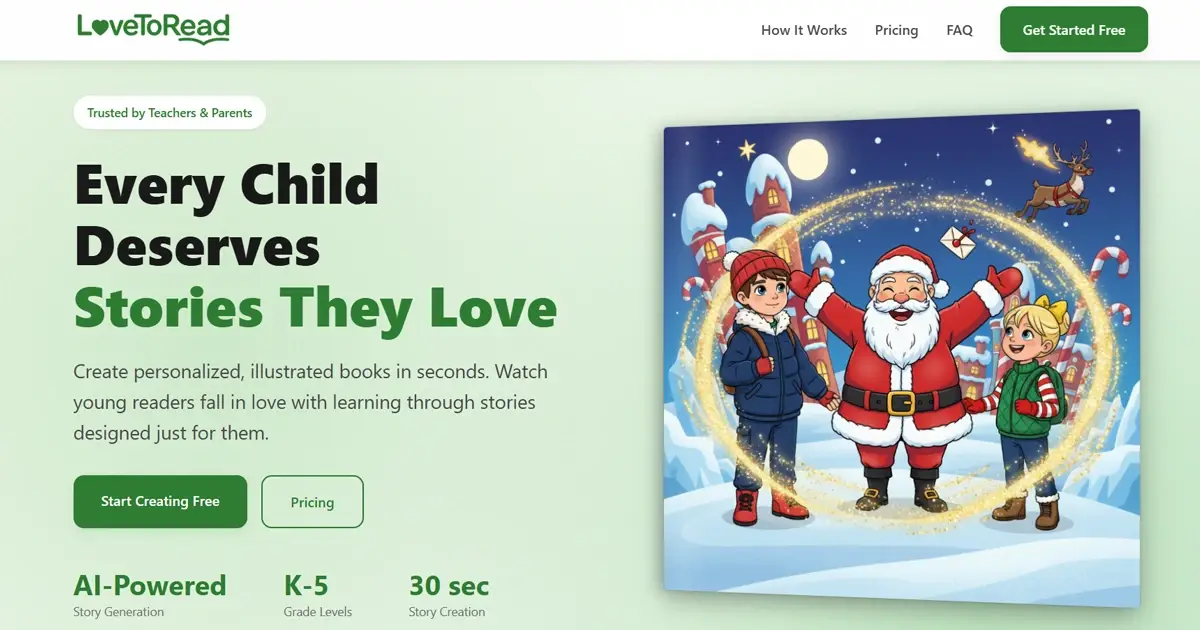
Image Source: lovetoread.ai
“Technology offers the prospect of universal access to increase fundamentally new ways of teaching.” — Daniel Schwartz, Graduate School of Education Dean
Over 1,000 teachers use LoveToRead.ai to generate curriculum-aligned stories that address individual students’ reading levels while supporting diverse learning needs[3]. The platform targets K-5 classrooms and adjusts vocabulary and sentence structure based on grade selection.
Key Features
Grade-level targeting adapts content complexity without manual input. You input a topic and select kindergarten versus fourth grade, and the AI adjusts sentence length, vocabulary difficulty, and conceptual complexity so everything matches the grade level. Teachers create different versions of the same story at various reading levels for guided reading groups. Space exploration can be rendered in K, 2nd, and 4th grade versions from a single prompt[3].
Comprehension questions generate within stories and align with curriculum standards. Spelling word integration weaves weekly vocabulary lists into narratives, with each target word highlighted and used meaningfully in context[3]. Teachers report vocabulary retention improvements using this method[3].
Neurodivergent support modes optimize content for students with autism and ADHD through adaptive formatting[3]. Social-emotional learning stories teach conflict resolution and empathy using actual student names as characters[3]. Stories are ready in 2-4 minutes[3], and teachers manage character libraries for entire classrooms while maintaining student avatars across multiple stories[19].
The platform converts any story into an animated videobook with synchronized audio and autoplay mode for 50 credits[19]. Rhyming text mode generates stories in verse[19].
Pricing
|
Plan |
Price |
Story Credits |
Page Credits |
Character Credits |
Additional Features |
|
Free Preview |
$0 |
Preview only |
N/A |
N/A |
First few pages, no credit card required[3] |
|
Storyteller Bundle |
$24.99 one-time |
15 |
25 |
25 |
Lifetime platform access, all art styles[3] |
|
Book Bundle |
$34.99 one-time |
3 |
10 |
10 |
1 physical hardcover book, US shipping only[3] |
Credits never expire[5]. One credit equals one image generated[5].
Pros and Cons
Pros:
Comprehension questions and spelling word integration built-in
Supports autism and ADHD through dedicated modes
Classroom character library management
Stories ready in 2-4 minutes
One-time payment, no subscriptions
Cons:
English-only right now[20]
Credit consumption increases with longer stories
Physical books limited to US shipping[3]
Best For
LoveToRead.ai serves K-5 teachers creating differentiated reading materials for mixed-ability classrooms. The spelling word weaving function benefits educators teaching vocabulary in context. Special education teachers working with neurodivergent students gain targeted content adaptations. Teachers who generate take-home reading assignments or guided reading group materials at multiple complexity levels will find the grade-targeting system delivers content without manual editing.
MyStoryBot – Best for Interactive Branching Stories
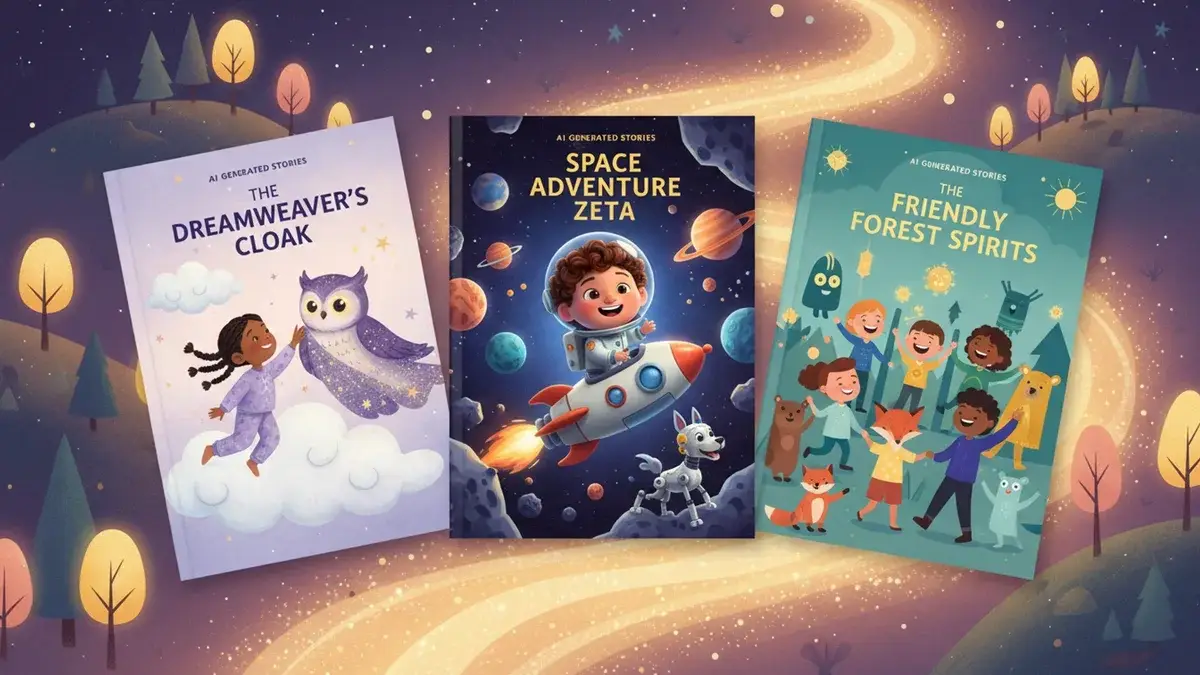
Image Source: Lullaby.ink
“According to Reading Rockets, a literacy initiative supported by the U.S. Department of Education, interactive reading helps children understand stories better and learn new words more effectively because they are part of the reading process rather than passive listeners.” — Reading Rockets, Literacy initiative supported by the U.S. Department of Education
MyStoryBot introduces choose-your-path branching into ai picture books through Interactive Narrative Mode. Readers make choices at decision points, and the story adapts[21]. This gamebook-style approach transforms passive reading into active participation. Kids select what happens next and watch narratives unfold based on their decisions[6].
Key Features
The platform accepts both photo uploads and hand-drawn sketches to create characters. Upload a photo of your child, and the face-locking technology maintains appearance across every page[21]. Drawing uploads work especially when you have simplified features because they produce more consistent results than complex photos[22]. You can include family members and objects to make scenes feel authentic[4].
Built-in narration generates natural audio per page. The system creates read-aloud functionality without separate recording[23]. The native print-on-demand service handles production and delivery[21]. Export options include print-ready PDF and EPUB formats, plus Amazon KDP[6]. The Author Plan supports manuscripts up to 50 pages[6]. The workflow generates a complete illustrated book in approximately 10 minutes[4].
Pricing
|
Plan |
Monthly Cost |
Stories |
Pages |
Key Features |
|
Reader |
$29/month |
10 |
Standard |
Interactive mode, narration, library access[21] |
|
Author |
$39/month |
30 |
Up to 50 |
Manuscript illustration, PDF export, drawing-to-character[21] |
|
Pro Author |
Price varies |
100 |
Up to 50 |
Commercial license, EPUB/KDP export, unlimited illustrations[21] |
Pros and Cons
Pros: Interactive branching creates engagement beyond traditional picture books. Face-locking technology maintains character consistency. Drawing-to-character conversion turns children’s artwork into usable characters[6]. Native print-on-demand simplifies physical book ordering[6].
Cons: Paid account required to generate anything[6]. Branch lengths vary. Some paths feel shorter than others[22]. Character and prompt conflicts can cause visual inconsistencies[22].
Best For
Parents who create keepsake books with read-aloud buttons benefit from the built-in narration. Creators who want gamebook-style narratives find the Interactive Narrative Mode delivers choose-your-destiny experiences[6]. Self-publishers who need EPUB exports and longer-form picture books will appreciate the 50-page capacity and KDP-direct exports on Pro Author tier.
MakeMyBook.app – Best for Quick European-Market Picture Books
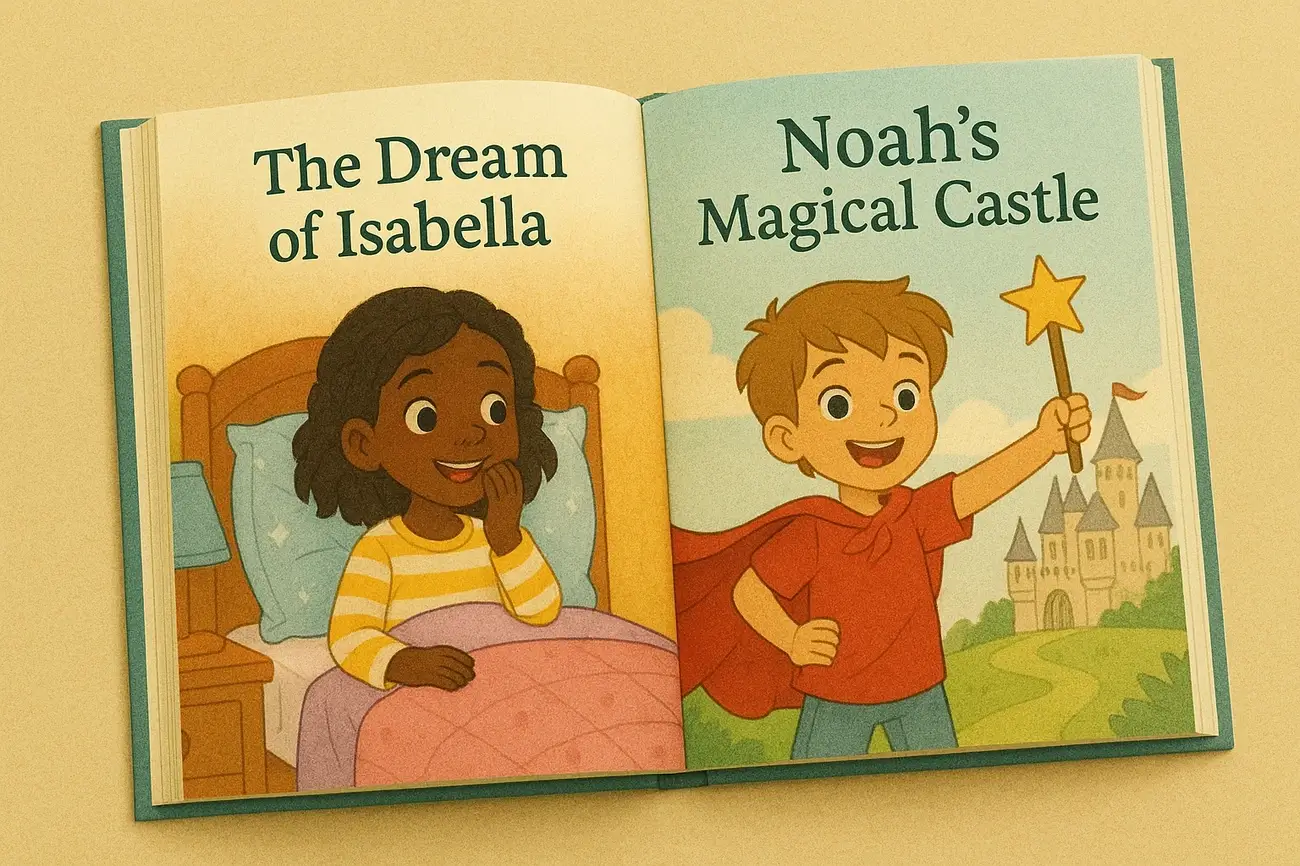
Image Source: Make My Book
MakeMyBook.app prioritizes speed over extensive customization and generates educational picture books in minutes for European families. The platform gives you 4 EUR in free credits when you register, enough to test a 4-page book before you commit to paid generation[24].
Key Features
Five illustration styles span realistic, cartoon, watercolor, pixel art and digital illustration[8]. Educational targeting lets you specify moral lessons and vocabulary complexity levels and adapts content to your child’s comprehension stage. The platform supports 6 languages and manages to keep culturally appropriate content in all translations[25].
Stories integrate educational topics that include science, history and geography themes. You select the moral lesson focus and age-appropriate vocabulary difficulty when you generate. PDF exports allow printing at home without ordering physical copies.
Pricing
Pros and Cons
Pros: Free credits help you test without risk. Educational topic targeting suits lesson-focused books. Generation completes in minutes. Multiple illustration styles provide esthetic variety.
Cons: Single character per story limits family inclusion[8]. No custom place uploads[8]. No outfit adaptation across scenes[8]. The platform is nowhere near as old as competitors[8].
Best For
European families who seek quick, affordable ai picture books with educational value benefit from the moral lesson specification and vocabulary control. Parents who want to specify particular themes find the educational targeting useful.
Canva with AI Integration – Best for DIY Layout and Design
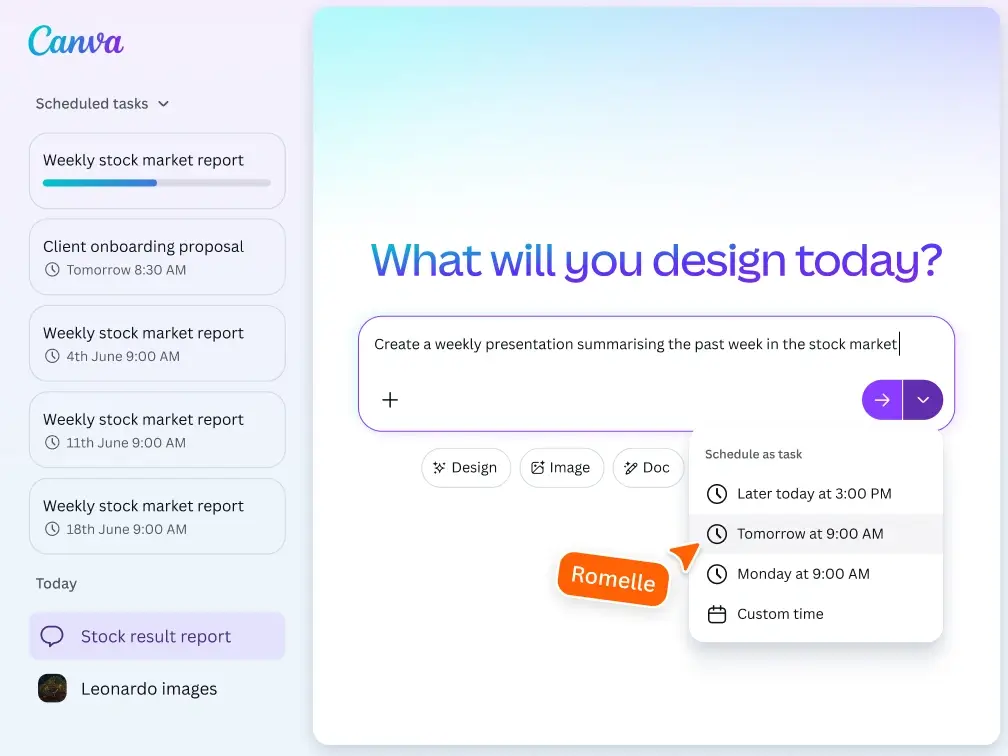
Image Source: Canva
Canva approaches children’s book creation in a different way than dedicated platforms. It positions itself as a layout assembly tool where you integrate AI-generated content from apps like childbook.ai rather than generating stories on its own[27][28]. The platform’s Magic Write assists with text while AI photo enhancement and realistic image generation support visual elements[29][30]. Drag-and-drop functionality allows you to arrange uploaded illustrations, access template libraries and export high-resolution PDFs for printing[31].
Key Features
The childbook.ai integration within Canva lets you import AI-generated illustrations and stories, then customize layouts using Canva’s design tools[27]. Custom page sizes accommodate standard children’s book dimensions with bleed areas. You can upload your own illustrations scanned at 300 DPI, layer elements using simple forward/backward controls and access templates for covers and interior pages[7]. Canva Pro makes PDF export with crop marks and bleed for print-ready files possible[7].
Pricing
|
Plan |
Annual Cost |
Export Quality |
Key Limitations |
|
Free |
$0 |
96 DPI (web quality) |
No resize, reduced download quality, simple features |
|
Pro |
$119/year[32] |
High-quality PDF |
Full features, background remover, premium assets |
Pros and Cons
Pros: Familiar interface for existing Canva users. Template library speeds up the original layout. Direct KDP publishing integration[9]. Complete control over design elements. Works well for low-content books and activity books[7].
Cons: Default 96 DPI exports are unsuitable for print without Pro upgrade[7]. RGB-only color mode causes print color shifts[7]. No pressure-sensitive drawing tools[7]. Asset licensing requires verification for commercial use[7]. Not suited for complex illustration work requiring professional standards[7].
Best For
Canva suits authors who already have illustrations and need layout assembly rather than generation. The platform works for low-content books like journals and activity books where graphic elements are enough[7]. Creators comfortable with design tools who want full control over spacing, typography and element placement will appreciate the flexibility. You need to understand the print limitations and use Pro for final exports. Canva handles book covers, title pages and picture book layouts with simple designs well[7].
Comparison Table
Comparison Table: The 9 Best Children’s Book AI Creators
|
Platform |
Best For |
Key Distinguishing Features |
Character Consistency |
Starting Price |
Output Formats |
Generation Speed |
Notable Limitations |
|
Storyloft |
Complete children’s book creation with cohesive illustrations |
Character management system, Eddy AI writing assistant, custom book sizes, kid-friendly style engine, complete workflow from draft to print |
Character designs stay consistent across all illustrations using character management system |
Free (5,000 words, AI writing, AI illustrations) |
EPUB, print-ready PDF, DOCX |
Not mentioned |
Image credits limited on paid plans; Author plan required for unlimited AI prompts |
|
ToonyStory |
Photo-based characters and animated video output |
Photo-to-character system, dual output (animated video + hardcover), reusable character library, 14 art styles |
9.5/10 in 1,680-image consistency measure (highest rating tested) |
Free (10 credits, full preview, no credit card) |
Animated video, hardcover book, digital formats |
Under 5 minutes |
Credit-based system limits illustrations; photo upload required; 3D animation style only |
|
Lullaby.ink |
Photo personalization with custom locations |
Scene-appropriate wardrobe adaptation, custom location uploads from photos, up to 4 characters, 7 art styles |
Characters maintain facial consistency with contextually appropriate outfits |
Free preview (cover + 2 pages) |
PDF, softcover, hardcover, premium layflat |
2-5 minutes |
Higher per-story cost vs. subscriptions; no audio narration |
|
Budget-friendly AI book illustration |
Template library, three creation modes, text-to-speech, Canva integration, multilingual support |
Generic cartoon approximations rather than photo-realistic rendering |
Digital PDF, physical books (on higher plans) |
Minutes |
Character illustrations are generic approximations; template-based stories limit customization | ||
|
Inkfluence AI |
Manuscript writing and KDP publishing |
Complete manuscript generation, 33+ genre support, automatic character/plot tracking, KDP-compliant exports |
Automatic character tracking across full manuscripts |
Free (5 chapters + 5 monthly) |
PDF, EPUB, DOCX, audiobook audio, KDP package |
Not mentioned |
Produces first drafts that require editorial passes; needs voice refinement and pacing adjustments |
|
Educators and classroom use |
Grade-level targeting (K-5), comprehension questions, spelling word integration, neurodivergent support modes |
Classroom character library management for student avatars |
Free preview (first few pages) |
Digital stories, animated videobooks, physical hardcover |
2-4 minutes |
English-only; no mobile apps; physical books US shipping only | |
|
MyStoryBot |
Interactive branching stories |
Choose-your-path branching, accepts photos and hand-drawn sketches, face-locking technology, built-in narration |
Face-locking technology maintains appearance across every page |
$29/month (Reader plan, 10 stories) |
Print-ready PDF, EPUB, Amazon KDP formats, print-on-demand |
~10 minutes |
Paid account required to generate anything; branch lengths vary; character conflicts can cause inconsistencies |
|
MakeMyBook.app |
Quick European-market picture books |
Educational topic targeting, moral lesson specification, 6 language support, 5 illustration styles |
Single character per story only |
4 EUR free credits upon registration |
PDF (free download), physical books |
Minutes |
Single character limit; no custom place uploads; no outfit adaptation; newer platform |
|
Canva with AI Integration |
DIY layout and design |
Childbook.ai integration, drag-and-drop layout, template library, custom page sizes, direct KDP publishing |
Not applicable (layout tool, not generation platform) |
Free (96 DPI exports) |
PDF (96 DPI free, high-quality with Pro) |
Not mentioned |
96 DPI exports unsuitable for print without Pro; RGB-only color mode; no pressure-sensitive drawing tools |
Conclusion
Not every ai picture book generator delivers the same results. Character consistency separates professional-looking books from disjointed collections of AI images. Platforms like Storyloft with dedicated character management systems produce cohesive illustrations that rival traditional illustrators. Your ideal platform depends on your specific needs. Educators benefit from LoveToRead’s curriculum alignment. Self-publishers targeting KDP need Inkfluence’s export capabilities. Budget-conscious families can test Childbook.ai at $2.50 per book, though personalization suffers compared to photo-based platforms like ToonyStory or Lullaby.ink. Start creating your children’s book today. Get a free account. No credit card required. The free tiers eliminate risk, so experiment until you find your match.
FAQs
Q1. Which AI tool is best for maintaining character consistency in children’s books? Storyloft and ToonyStory excel at character consistency. Storyloft uses a character management system that locks designs across all pages, while ToonyStory scored 9.5/10 in consistency benchmarks by converting uploaded photos into 3D animated characters with locked facial features throughout the book.
Q2. Can I use AI-generated illustrations for children’s books I plan to sell commercially? Yes, most AI children’s book platforms include commercial rights. Inkfluence AI, ToonyStory, and Storyloft all grant full commercial rights on their plans, allowing you to publish and sell books on Amazon KDP, Etsy, or other platforms. Always verify the specific licensing terms of your chosen tool.
Q3. What’s the most affordable way to create an AI-illustrated children’s book?Childbook.ai offers the lowest entry point at $2.50 for a single digital book with 12 illustrations. Several platforms also provide free trials: Storyloft offers 5,000 words and AI illustrations with no credit card required, while ToonyStory provides 10 free credits and a complete book preview before purchase.
Q4. How long does it take to generate a complete AI children’s book? Generation speed varies by platform. ToonyStory creates complete illustrated books in under 5 minutes, Lullaby.ink takes 2-5 minutes, and MyStoryBot produces books in approximately 10 minutes. LoveToRead.ai generates classroom-ready stories in 2-4 minutes with built-in comprehension questions.
Q5. Are AI-generated children’s books suitable for classroom use?LoveToRead.ai is specifically designed for K-5 educators, offering grade-level targeting, automatic comprehension questions, spelling word integration, and neurodivergent support modes for students with autism, ADHD, and dyslexia. The platform allows teachers to create differentiated reading materials at multiple complexity levels from a single prompt.
References
[1] – https://skywork.ai/skypage/en/Childbook.ai-Review-Your-Ultimate-Guide-to-AI-Storytelling/1975267073506078720
[2] – https://magicalhekaya.com/blog/childbook-ai-review-2026
[3] – https://lovetoread.ai/stories-for-education
[4] – https://mystorybot.com/ai-tool-for-childrens-book
[5] – https://lovetoread.ai/
[6] – https://c2story.com/compare/mystorybot-alternative
[7] – https://kidsbookart.com/can-you-use-canva-to-illustrate-a-book/
[8] – https://lullaby.ink/blog/best-ai-childrens-book-generator-2026
[9] – https://www.reddit.com/r/ArtistLounge/comments/15f14td/im_appalled_at_people_using_canva_for_childrens/
[10] – https://www.childbook.ai/
[11] – https://www.childbook.ai/faq
[12] – https://www.childbook.ai/create
[13] – https://www.inkfluenceai.com/ai-book-writer
[14] – https://www.inkfluenceai.com/blog/how-to-create-print-ready-pdf-book-ai-2026
[15] – https://www.inkfluenceai.com/
[16] – https://www.inkfluenceai.com/pricing
[17] – https://www.inkfluenceai.com/kdp-tools
[18] – https://appsumo.com/products/inkfluence-ai/reviews/treat-it-like-a-ghostwriter-not-a-finis-386419/?srsltid=AfmBOoo89-mRYzHZVsORoDhqso7AmWnpwvx4nVvC09K_1Ehdz6lof-bT
[19] – https://lullaby.ink/blog/lullaby-vs-lovetoread-ai-comparison
[20] – https://inkyverse.vercel.app/best/ai-story-app-for-teachers
[21] – https://mystorybot.com/
[22] – https://www.automateed.com/mystorybot-review
[23] – https://mystorybot.com/how-to-make-a-childrens-book-with-ai
[24] – https://makemybook.app/en/how-it-works?srsltid=AfmBOorzKCY72xJ3cNK-gHDkrQ0dpStx_t91B-xntodejx1H8soa2wDI
[25] – https://makemybook.app/en/ai-personalized-books?srsltid=AfmBOorh9UwZnp5xFPqgaUV-BQELjGIMPYUCEj0d8u244QRUfN8-m5vp
[26] – https://makemybook.app/en/examples?srsltid=AfmBOooD1VxarVwqoYA_0zzRHC05q15G1Tb1pOTa9jknB-IEwlbZ3F9I
[27] – https://www.canva.com/apps/AAFomrE7D18/childbook.ai
[28] – https://www.canva.com/apps/AAGP3npK_vQ/childrensbook
[29] – https://www.canva.com/
[30] – https://www.canva.com/features/
[31] – https://www.canva.com/book-covers/templates/childrens/
[32] – https://saltyinspirations.com/canva-free-vs-paid-is-pro-worth-it-for-low-content-books/
[33] – https://toonystory.com/blog/best-ai-childrens-book-generators-2026
[34] – https://storyloft.app/book-writing-software-pricing/
[35] – https://www.getapp.com/all-software/a/storyloft/
[36] – https://toonystory.com/ai-childrens-book
[37] – https://toonystory.com/tools/ai-storybook-maker
[38] – https://toonystory.com/compare/toonystory-vs-scrively
[39] – https://toonystory.com/faq
[40] – https://toonystory.com/compare
[41] – https://toonystory.com/pricing
[42] – https://lullaby.ink/
[43] – https://lullaby.ink/ai-childrens-book
[44] – https://lullaby.ink/about
[45] – https://lullaby.ink/pricing
