Editing Writing Checklist: 8 Steps to Revise
The popular advice is to “edit everything at once.” That approach usually creates noise instead of a better manuscript. An effective editing writing checklist moves from decisions that can reshape the whole book to changes that affect individual words. Stabilize the architecture before polishing sentences, separate fact verification from stylistic revision, and reserve the final proofread for a clean, settled draft.
This order reflects the process-based approach used by university writing centers. Revision checklists commonly ask writers to test thesis clarity, organization, transitions, source integration, paragraph structure, audience expectations, spelling, and punctuation, rather than treating editing as a single cleanup step. George Mason University's editing checklist illustrates that broader quality-control approach.
Use each pass for a defined purpose. In Storyloft, the binder and tags can support structural and research decisions, while focus mode, tone analysis, Eddy, notes, comments, and edit history help you isolate later checks without losing the reasoning behind earlier changes. The frequency and stop condition below keep revision from turning into endless tinkering.
Table of Contents
- 1. Structure and Organization Check
- 2. Citations, Facts, and Research Verification Check
- 3. Style and Voice Consistency Check
- 4. Readability and Accessibility Check
- 5. Clarity and Conciseness Review
- 6. Grammar and Mechanics Check
- 7. Formatting and Manuscript Preparation Check
- 8. Final Comprehensive Pass and Proofread
- 8-Point Editing Checklist Comparison
- Turn the Checklist Into a Repeatable Editing System
1. Structure and Organization Check
Structure comes first because structural changes can make sentence-level editing irrelevant. A chapter may contain elegant prose and still arrive too early, repeat a previous scene, bury the central argument, or resolve a subplot before the reader has enough reason to care.
Begin with the manuscript at a distance. Read chapter titles, summaries, scene labels, or argument notes without reading the full prose. Ask what each unit contributes, what changes inside it, and why it appears where it does. For fiction, track goals, obstacles, decisions, reversals, and consequences. For nonfiction, track the question each chapter answers and the evidence that earns the reader's confidence.
Storyloft's binder is useful here because you can arrange chapters and scenes visually, then test a different order before committing to a rewrite. Tags can identify point-of-view characters, research-heavy passages, unresolved threads, or scenes that exist mainly to provide information.
A practical structural pass
Use a side-by-side comparison between your outline and the actual manuscript. A Storyloft panel can keep the outline visible while you inspect the relevant chapter, making it easier to flag places where the draft has drifted from the intended plan.
- Chapter purpose: Write one sentence describing the job of each chapter.
- Scene movement: Mark whether the scene changes knowledge, stakes, relationships, or direction.
- Subplot timing: Place subplot developments on a separate timeline and check whether intersections feel earned.
- Character progression: Note each major character's important decisions and turning points.
- Argument sequence: Confirm that definitions, evidence, objections, and conclusions appear in a logical order.
Stop condition: Stop restructuring when every chapter has a clear function, the sequence creates understandable momentum, and remaining problems can be fixed inside scenes rather than by moving entire sections.
Run this pass whenever you complete a substantial draft or receive feedback that affects the manuscript's direction. Don't line-edit paragraphs that may be cut. A scene-level checklist can help you test pacing, conflict, stakes, character agency, setting, and emotional movement before you invest in wording.
For a visual reference, this timeline-style review can help you think about sequencing at manuscript scale.
2. Citations, Facts, and Research Verification Check
A structurally sound manuscript can still fail if its facts, quotations, sources, or attributions are unreliable. Research verification deserves its own pass, not a quick scan performed while correcting style. A sentence can sound authoritative and remain unsupported, outdated, misquoted, or incorrectly attributed.
Start by extracting every claim that a reader could challenge. Include dates, names, technical explanations, historical details, statistics, quotations, legal references, medical statements, and descriptions presented as fact. Fiction writers should apply the same discipline to period details, geography, professional behavior, and cultural references when those elements matter to the story.
Storyloft's binder, tags, and source-management tools can keep research materials close to the manuscript. Tag a claim with its source, then use the comments panel to mark its status. A comment such as “verify quotation,” “check date,” or “confirm terminology” keeps the question visible without interrupting the prose.
Build a claim trail
A simple fact-checking record should connect each claim to a source and a decision. Store the rationale in Storyloft's notes, particularly when sources disagree or when you choose a particular citation style.
- Claim: Copy the exact wording from the manuscript.
- Source: Record the publication, author, date, and location of the supporting material.
- Status: Mark the item as unverified, confirmed, revised, or removed.
- Attribution: Check that the source supports the precise claim, not merely a related idea.
- Style: Apply the chosen system consistently, such as APA, Chicago, or MLA.
Storyloft's guide to citing sources in writing can support decisions about integrating references, but source verification still requires human judgment. An AI assistant may identify a sentence that appears to need support, yet it shouldn't be treated as the authority for whether a source proves the claim.
Run this pass after major research changes and before the manuscript goes to collaborators or publication. For specialized material, ask a qualified subject-matter reviewer to inspect the relevant sections.
A citation is not proof by itself. Confirm that the source says what your sentence says.
Stop condition: Stop when every challengeable claim has a source or has been deliberately framed as interpretation, uncertainty, or fiction, and every quotation and attribution has been checked against the original material.
3. Style and Voice Consistency Check
Voice is easy to damage when editing becomes a search for neutral, polished language. A rewrite can remove awkwardness while also removing personality, tension, humor, intimacy, or the distinctive rhythm that makes the manuscript yours.
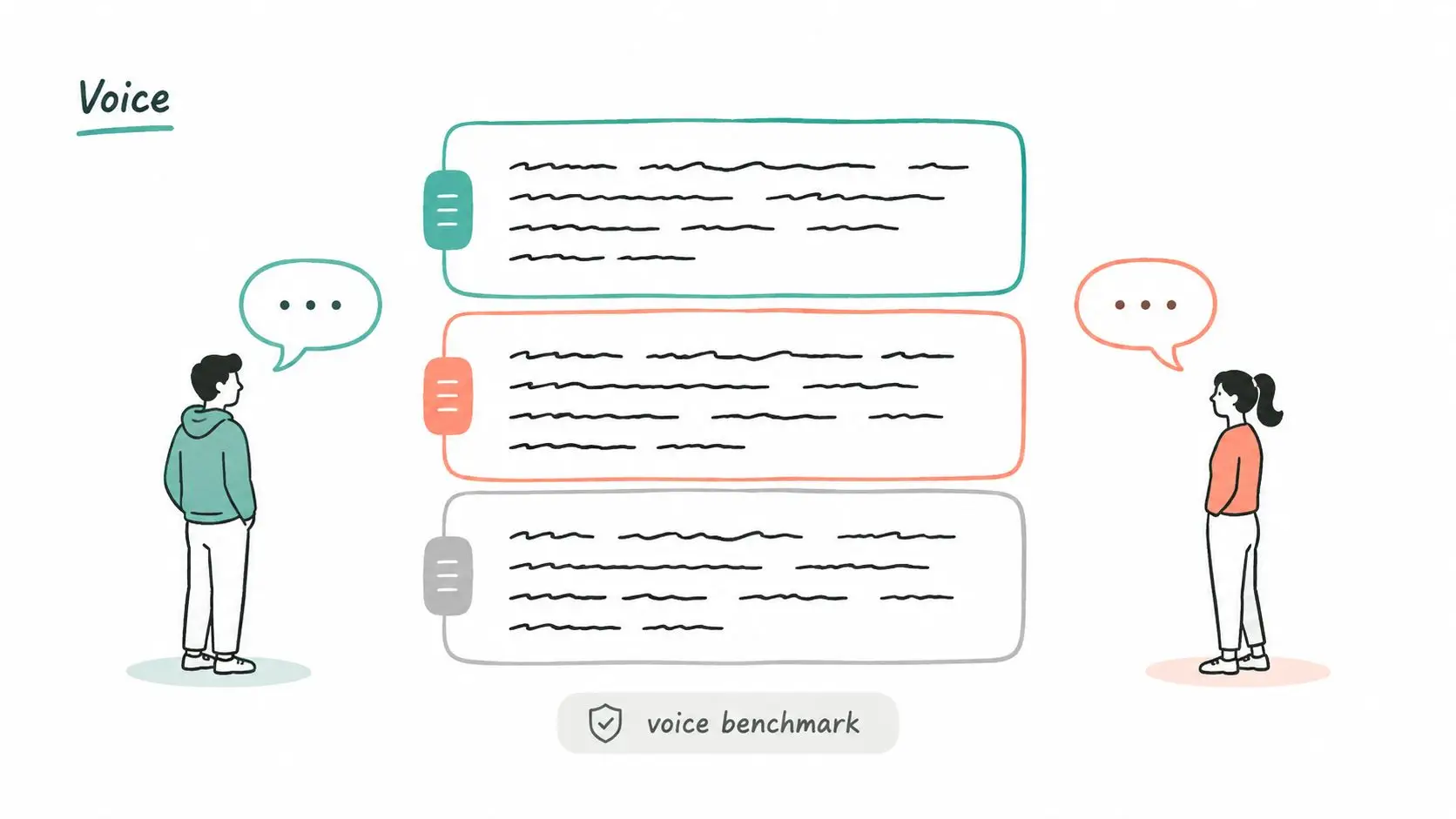
Create a voice benchmark before changing sentences. Select a few passages that represent the intended tone, syntax, vocabulary, emotional distance, and level of description. These passages shouldn't be the most impressive pages. They should be the clearest examples of how the manuscript is meant to sound.
Storyloft's tone analysis can help you notice shifts across chapters, while Eddy can test a possible rewrite inside the document. Treat those suggestions as experiments, not automatic improvements. Compare every proposed change against the benchmark and reject it if it makes the prose smoother but less specific.
Check voice at two levels
At the authorial level, look for changes in narrative distance, tense, formality, sentence rhythm, and descriptive density. A memoir may become unexpectedly detached in a chapter about grief. A business book may alternate between practical instruction and academic abstraction without a deliberate reason.
At the character level, distinguish voices through choices rather than decorative spelling. Track vocabulary, sentence length, evasions, recurring concerns, and what each person refuses to say. A character guide in Storyloft's notes can preserve those decisions while you revise dialogue.
Read key passages aloud across chapters. Your ear often catches a tonal shift that your eyes accept, especially when the sentences are grammatically correct. This explanation of tone in writing provides useful language for distinguishing emotional attitude from subject matter.
Run the voice pass after structural changes and again after heavy AI-assisted editing. Industry reporting cited in the brief indicates that AI-assisted writing signals in biomedical papers rose from 19% in 2023 to 52% in 2024 and 77% in 2025. The reported analysis makes the quality-control issue clear, but the editorial decision remains yours.
Stop condition: Stop when the manuscript sounds intentional from beginning to end, each major character remains distinct, and revisions preserve meaning, personality, and genre expectations.
4. Readability and Accessibility Check
Readable prose isn't necessarily simple prose. The right level depends on the audience, genre, subject, and desired effect. A technical explanation may need specialized vocabulary, while a fast-paced scene may need shorter paragraphs and more visual breathing room. The editorial task is to remove avoidable friction without flattening necessary complexity.
Read the manuscript as a reader would encounter it. Look for dense paragraphs, unexplained terms, long chains of subordinate clauses, abrupt transitions, unclear pronouns, and pages where dialogue, headings, or visual breaks disappear. In digital formats, inspect how the text behaves on a small screen rather than trusting the desktop view.
Storyloft's focus mode can isolate one chapter or passage at a time. Use it to inspect paragraph shape and rhythm without the distraction of surrounding panels. Tone analysis can reveal a sudden shift in emotional register, but accessibility decisions still require attention to structure and output.
Make accessibility part of editing
For nonfiction, define technical terms at first use or provide enough context for a non-specialist reader. For fiction, make sensory description meaningful without assuming every reader processes visual information in the same way. For illustrated books, write alt text that explains the relevant content and function of an image rather than merely repeating its filename.
- Paragraph structure: Break dense blocks when a new idea, speaker, or action begins.
- Vocabulary: Replace needless jargon, but keep precise terms when they carry necessary meaning.
- Navigation: Preserve a logical heading hierarchy in nonfiction and reference material.
- Images: Add descriptive alt text and explain important information that would otherwise exist only visually.
- Audio review: Use text-to-speech to hear sentence complexity and missing punctuation.
Run this check after structural and voice revisions, then repeat it after formatting changes because export settings can alter spacing and hierarchy. Test the exported ebook with an accessibility reader when the project includes complex navigation, illustrations, or technical content.
Practical rule: Improve access by removing unnecessary barriers, not by removing the manuscript's intended difficulty.
Stop condition: Stop when target readers can follow the argument or story without avoidable confusion, essential terms have context, and the exported format preserves meaningful structure.
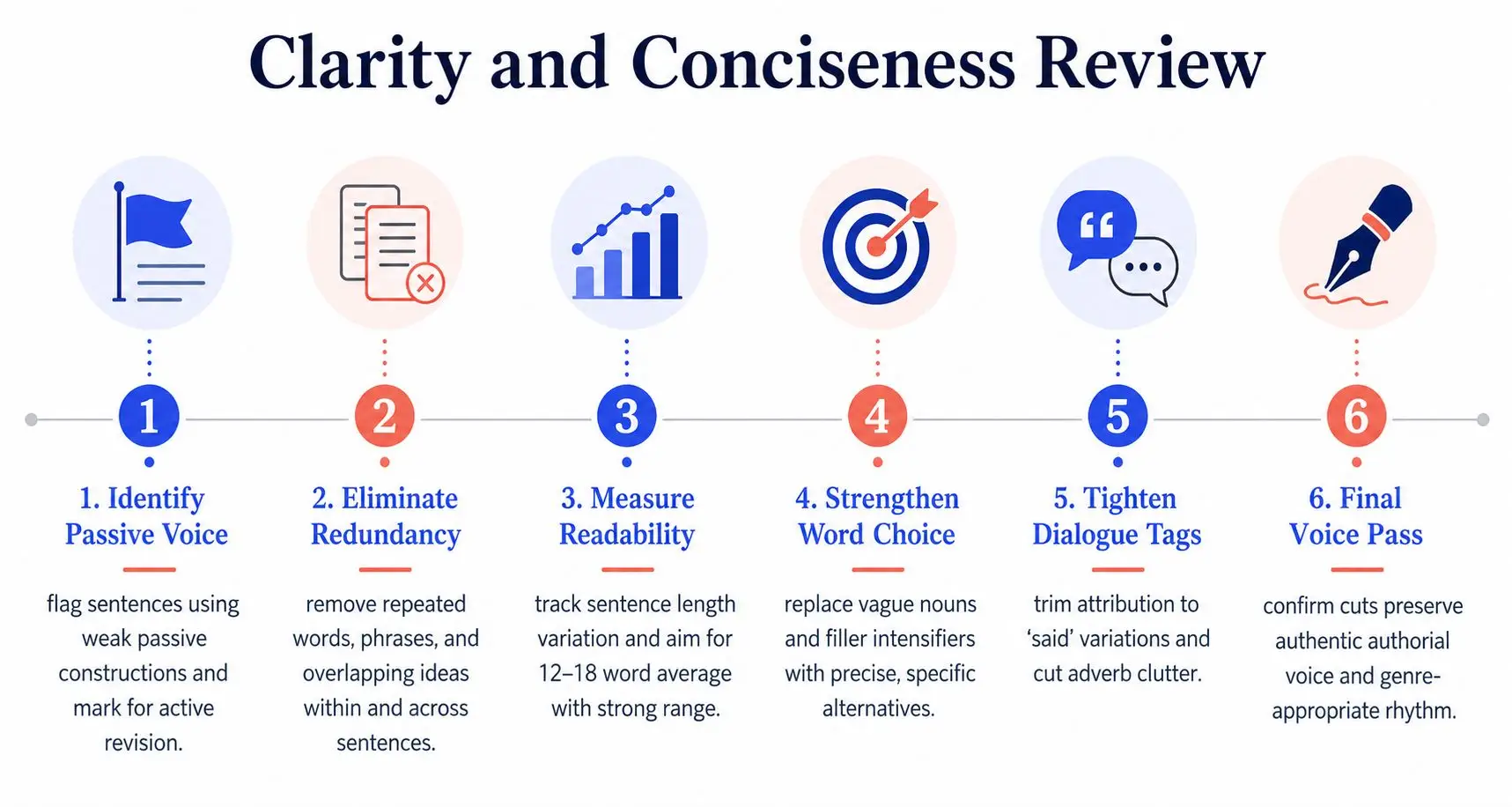
5. Clarity and Conciseness Review
Clarity editing asks whether the reader can understand the sentence on the first useful reading. Concision asks whether every word earns its place. They overlap, but they aren't identical. A short sentence can remain vague, while a longer sentence can be exact and easy to follow.
Begin with paragraphs rather than isolated words. Identify the main idea, then check whether the opening sentence establishes it, the following sentences develop it, and the final sentence moves the reader forward. Remove repeated explanations, indirect phrasing, inflated abstractions, and jargon that doesn't serve the audience.
Storyloft's focus mode is well suited to this pass. Isolate a paragraph, read it aloud, and ask what the reader must remember. Eddy can handle targeted requests such as “make this paragraph more concise” or “simplify the jargon here,” but compare its output with the original before accepting anything.
For more guidance on sentence construction, use this guide to writing a clear sentence.
Cut with a reason
Avoid deleting words merely because they look familiar. A phrase may establish voice, emphasis, timing, or character. Instead, classify the problem before revising it.
- Redundancy: Two words or sentences repeat the same meaning.
- Abstraction: The sentence hides an action or decision behind a vague noun.
- Cliché: Familiar language replaces a more precise observation.
- Jargon: A specialist term appears without a reader need.
- Padding: A phrase delays the sentence's actual point.
Create a personal “kill list” in Storyloft's notes, then search for recurring habits such as unnecessary intensifiers, weak qualifiers, or repeated transitions. Review every match in context rather than using blind find-and-replace.
Run this pass after structure, research, voice, and readability are stable. Stop condition: Stop when each paragraph has a clear center, sentences carry their meaning directly, and further cuts would remove emphasis, necessary context, or voice rather than waste.
6. Grammar and Mechanics Check
Sentence-level correctness belongs near the end, after substantive edits have settled. Check spelling, homophones, punctuation, agreement, tense, articles, prepositions, capitalization, dialogue punctuation, and recurring mechanical habits. Correctness supports reader trust, but a grammatically correct sentence can still distort a character's voice or the manuscript's meaning.
Separate the checks by error type. Scan spelling and homophones first, then punctuation and grammar, instead of judging every feature at once. Read dialogue aloud during the same review. Spoken lines can reveal missing commas, awkward tags, repetitive sentence patterns, and punctuation that reads acceptably but sounds unnatural.
Eddy can scan chapters and suggest corrections, but every flag remains a proposal. An automated edit may remove an intentional fragment, flatten dialect, change a character's idiolect, or introduce a meaning change while fixing grammar. Use Storyloft's edit history to inspect suggestions in small groups. Accept or reject each group after checking the surrounding sentence and paragraph, rather than approving a full chapter at once.
Use a manuscript style sheet
Record decisions that must stay consistent:
- Spelling: Choose variants such as “toward” or “towards,” then apply the choice deliberately.
- Capitalization: Set rules for titles, institutions, directions, and invented terms.
- Punctuation: Record preferences for quotation marks, semicolons, parentheses, and dialogue tags.
- Names and terms: Maintain one definitive list for characters, places, products, and technical vocabulary.
- Numbers: Set a consistent approach for numerals, dates, measurements, and chapter labels.
Run this check after substantive revisions, because new or moved text can create fresh mechanical errors. Use Storyloft's search to find each style-sheet term, then review matches in context rather than applying blind replacements.
Suggested frequency: Run a mechanical pass after every major revision, then once after layout is stable. Stop condition: Stop when remaining changes are intentional, the style sheet is consistent, and every accepted automated suggestion has been reviewed in context.
7. Formatting and Manuscript Preparation Check
Formatting should serve the destination. A manuscript prepared for an editor, an ebook, and a print edition may require different treatments, so don't mistake a clean writing view for a finished publication file. Check headings, chapter breaks, scene separators, indentation, spacing, page breaks, typography, and front matter against the requirements of the intended output.
Apply formatting rules consistently rather than repairing individual pages by hand. Storyloft's theme system can establish typography and layout conventions across chapters, while its Format tools can help manage text styles, alignment, and headings. Use the relevant export settings, then inspect the actual output. A manuscript can look orderly in the editor and break when converted to an ebook or print-ready file.
Review the destination file
Check the file in more than one reading environment. Inspect an ebook on an e-reader, phone, and desktop reader. For print, review a PDF for page breaks, blank pages, widows, orphans, image placement, margins, and chapter-opening consistency.
Use a section-by-section record:
- Hierarchy: Confirm that chapter and section headings use the correct styles.
- Spacing: Check paragraph spacing, scene breaks, chapter openings, and block quotations.
- Dialogue: Verify indentation, quotation marks, and speaker changes.
- Images: Inspect resolution, captions, placement, and alt text where supported.
- Metadata: Confirm title, author name, copyright information, and other publication details.
Storyloft's manuscript-formatting guide can help you plan the preparation stage. Run this check after line editing and again after the final export, because formatting adjustments can create new visual defects.
Stop condition: Stop when the destination file follows its submission or production requirements, displays consistently across the formats you plan to release, and contains no manual formatting workaround that could fail during export.
8. Final Comprehensive Pass and Proofread
The final proofread isn't another opportunity to redesign the manuscript. It is a controlled inspection of a stable draft. If you discover a missing chapter, unsupported argument, or broken character arc at this stage, record it and return to the appropriate earlier pass. Don't make a major change casually and assume the rest of the book won't be affected.
Take enough distance to make the text unfamiliar again. Even a short break can help, though the exact interval depends on your production schedule. Then read the manuscript in sequence, preferably in the format readers will receive. Use Storyloft's focus mode to move through chapters without distraction and the notes panel to flag issues without stopping to rewrite every sentence.
Proof the whole reading experience
Use more than one mode of reading. Silent reading catches visual errors, reading aloud catches rhythm and missing words, and text-to-speech can expose awkward syntax that your familiar voice skips over. Review the exported ebook or print-ready PDF rather than relying only on the working manuscript.
Keep a final list for issues that often survive earlier passes:
- Names: Check spelling and treatment of every recurring character, place, organization, and product.
- Timeline: Confirm dates, seasons, travel time, ages, and sequence of events.
- Details: Verify that objects, injuries, research findings, and plot facts remain consistent.
- Formatting: Inspect chapter starts, headings, scene breaks, images, and page behavior.
- Change control: Review Storyloft's edit history before finalizing the file.
A journal workflow described by PLOS's manuscript-editing guidance recommends staged review, including a self-edit, circulation of a master version for coauthor review, and careful proof inspection. It also warns that some venues restrict broad editing after acceptance, which makes early proofreading a practical way to reduce rework.
For a clear distinction between the final correction stages, use this copy editing versus proofreading guide.
Stop condition: Stop when you can read the exported manuscript from beginning to end without finding unresolved errors that require a change, and every remaining note is either closed, intentionally retained, or assigned to a named reviewer.
8-Point Editing Checklist Comparison
| Item | 🔄 Implementation complexity | ⚡ Resource requirements / speed | ⭐ Expected outcomes (quality) | 💡 Ideal use cases | 📊 Key advantages / impact |
|---|---|---|---|---|---|
| Grammar and Mechanics Check | Moderate, rule-based, multiple passes | Low–Moderate; fast with AI tools | ⭐⭐⭐⭐, high accuracy for surface errors | Pre-submission polish; beta-read prep | Reduces typos, improves professionalism and consistency |
| Clarity and Conciseness Review | Moderate, requires contextual judgment | Moderate; AI-assisted plus manual edits | ⭐⭐⭐⭐, stronger pacing and readability | Tightening drafts; nonfiction simplification; pacing fixes | Improves engagement, reduces wordiness, lowers production costs |
| Structure and Organization Check | High, requires narrative/argument mapping | High; time-consuming, may need rewrites | ⭐⭐⭐⭐, major impact on flow and satisfaction | Developmental revisions; long manuscripts; plot fixes | Prevents plot holes, improves reader retention and pacing |
| Style and Voice Consistency Check | Moderate, nuanced, benchmark-driven | Moderate; benchmarking + targeted passes | ⭐⭐⭐⭐, preserves authorial identity | Series consistency; voice-driven fiction; character dialogue | Maintains immersion, prevents jarring tonal shifts |
| Formatting and Manuscript Preparation Check | Low, checklist and template driven | Low; efficient with export/theme tools | ⭐⭐⭐⭐, prevents technical rejection | Submission formatting; indie print/eBook prep | Ensures submission readiness and consistent reader experience |
| Citations, Facts, and Research Verification Check | High, specialized verification needed | High; access to sources, experts, subscriptions | ⭐⭐⭐⭐⭐, essential for nonfiction credibility | Nonfiction, academic, historical fiction, investigative work | Ensures accuracy, legal safety, and scholarly rigor |
| Readability and Accessibility Check | Moderate, metric + accessibility rules | Moderate; requires testing with tools/readers | ⭐⭐⭐⭐, broadens audience and compliance | Mass-market books, ebooks, children's books, accessible publishing | Increases reach, improves engagement, meets accessibility standards |
| Final Comprehensive Pass and Proofread | Moderate, exhaustive full-manuscript review | Moderate–High; time-consuming or paid proofreader | ⭐⭐⭐⭐, final confidence in publication readiness | Pre-publication final check; last-stage quality control | Catches remaining errors, confirms cohesion, prevents surprises |
Turn the Checklist Into a Repeatable Editing System
An editing writing checklist works best as a sequence of focused passes, not as a giant list you attempt while drafting. Begin with structure and organization, then verify research and citations before decisions about voice and readability become final. After that, tighten clarity, correct grammar and mechanics, prepare the format, and reserve the final proofread for the stable manuscript.
The order can flex when the project demands it. A research-heavy nonfiction book may need repeated fact checks as new sources change the argument. A novel may require several structural reviews while character arcs and subplot timing are still moving. A collaborative manuscript may need voice and terminology checks whenever another writer or editor makes substantial changes.
Use frequency as a control rather than a rule carved in stone:
- Structure: Revisit after every major rewrite, outline change, or feedback round.
- Research: Check whenever a claim, source, quotation, or technical passage changes.
- Voice: Review after structural edits, collaboration, or AI-assisted rewrites.
- Readability: Recheck after moving sections, changing audience, or preparing digital output.
- Clarity: Run after the argument or scene purpose is settled.
- Grammar: Run after sentence-level revisions, not before.
- Formatting: Apply near the end, then inspect the exported file.
- Proofread: Perform last, on a clean and stable version.
The most important discipline is knowing when to stop. Every pass should have a defined question and a defined exit condition. If you continue making untracked “small improvements,” you increase the chance of changing a fact, breaking continuity, weakening voice, or creating a formatting problem that an earlier pass had already resolved.
Storyloft can keep those decisions connected in one manuscript workspace. Use the binder and tags for structure and research, notes and comments for unresolved questions, Eddy for targeted suggestions, tone analysis for voice review, focus mode for concentrated reading, and edit history for change control. The tool won't replace editorial judgment, but it can reduce the friction of moving from one deliberate pass to the next.
Before publication, record every unresolved issue in a note or comment, assign follow-up where necessary, review the accepted changes through edit history, and inspect the actual ebook or print-ready file. Only then should you treat the manuscript as finished. A clean final proof isn't a cosmetic gesture. It is the last verification that the version you edited is the version your readers will receive.
Storyloft brings long-form drafting, binder-based planning, research organization, Eddy-assisted editing, notes, comments, edit history, and ebook or paperback formatting into one workspace. Use Storyloft to keep each editing pass focused, track unresolved decisions, and inspect a publication-ready export before you release your manuscript.