How to Cite Sources in Writing Without Losing the Plot
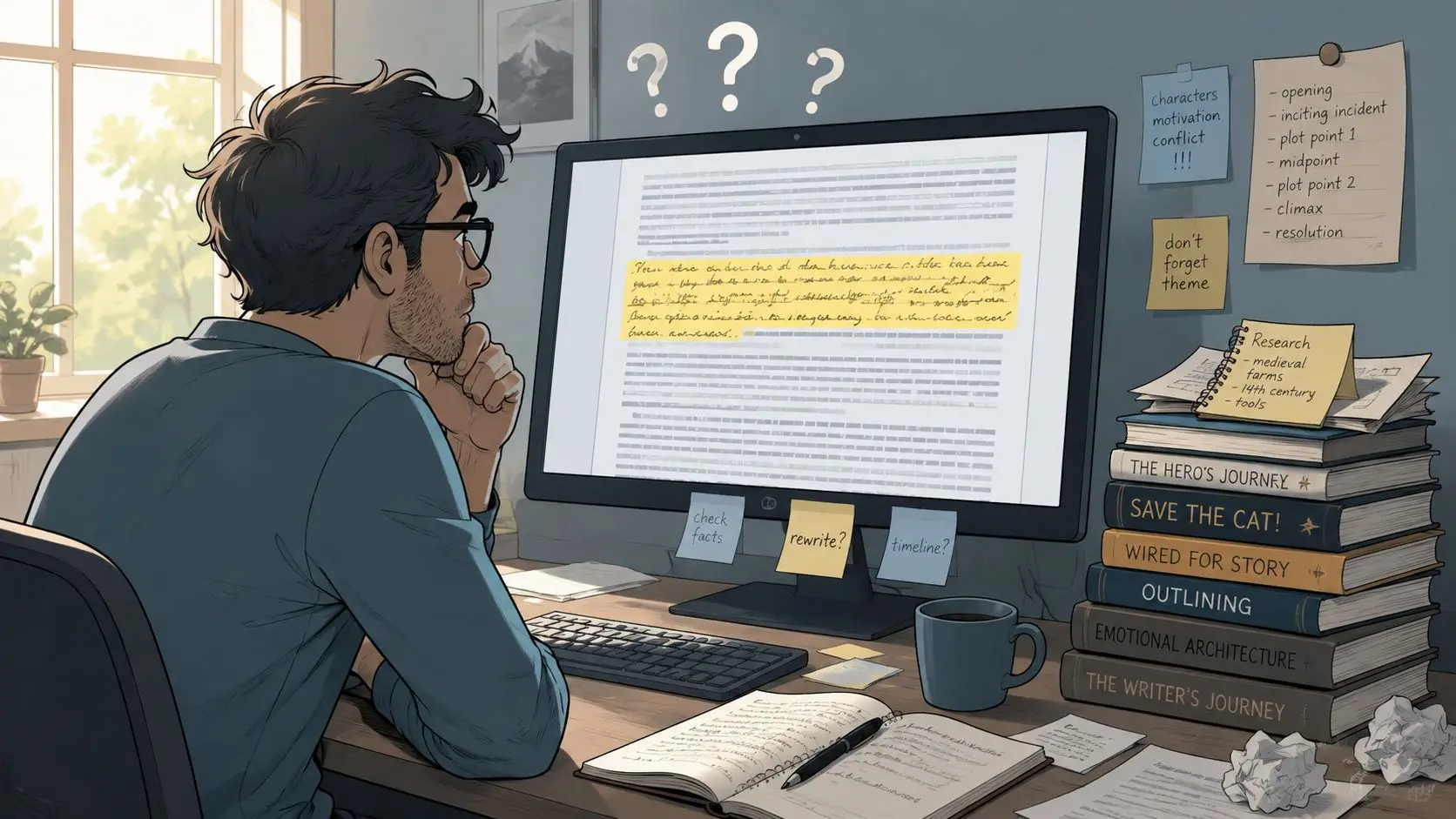
You're halfway through a serious manuscript when a paragraph stops you cold. The argument is strong, but one sentence depends on a fact you copied weeks ago, and now you can't remember where it came from. You search old browser tabs, downloaded PDFs, scattered notes, and perhaps a conversation with an AI tool. The source is somewhere. Finding it will take longer than writing the paragraph took.
That experience explains why how to cite sources in writing isn't mainly a question of punctuation. It's a workflow question. Good citation habits help you preserve the path from an idea to its source while the path is still fresh.
Table of Contents
- Why Citation Habits Matter Before You Finish Drafting
- Choosing the Right Citation Style for Your Project
- Inserting In-Text Citations, Footnotes, and Endnotes
- Building a Bibliography That Survives a Reconciliation Pass
- Citation in Fiction Versus Nonfiction Workflows
- Verifying Sources When AI Helps You Write or Research
- A Repeatable Citation Workflow for Your Manuscript
Why Citation Habits Matter Before You Finish Drafting
A manuscript can contain a sound argument and still become difficult to verify if its sources are added only after the prose is finished. Citation habits work best during drafting, while you can still tell which sentence came from a study, which wording is yours, and where your interpretation starts. A citation gives readers a route back to the claim's origin, while giving you a reliable record of how the passage was built. A University of Washington Tacoma Library summary explains the historical development of citation styles.
A citation is small manuscript infrastructure. It separates evidence from interpretation, marks the boundary between your language and borrowed language, and gives you a checkpoint before a paraphrase drifts beyond what the source supports. It also protects academic integrity. A cited research summary reported that paraphrasing without attribution made up 38.3% of misconduct cases, while direct copying accounted for 30.8%. The cited research summary discusses these plagiarism patterns and the role of source management.
Capture the source when the idea arrives
Practical rule: When a fact, quotation, statistic, date, image, or borrowed idea enters the draft, capture its source immediately.
The note does not need perfect formatting yet. It does need enough detail to locate the source again: author or organization, title, publication date, publisher or repository, and a DOI or stable URL when available. For a web source that may change, record the access date as well. Boston University's citation guidance outlines the source details writers should preserve.
Use a research binder, spreadsheet, reference manager, or organized writing workspace. The system matters less than the connection between each note and the passage it supports. A practical guide to organizing book research, citations, and footnotes can help writers keep that connection visible when sources arrive from many places. During revision, you can format entries and reconcile the bibliography. You will spend less time reconstructing decisions made weeks earlier.
Choosing the Right Citation Style for Your Project
A citation functions as manuscript infrastructure. It separates evidence from interpretation and keeps a paraphrase from drifting beyond what the source supports. Choose the system that fits your project's purpose, readers, and discipline before drafting, so citation decisions support the work instead of creating repairs later.
| Style family | Typical disciplines | In-text marker | Full reference lives in |
|---|---|---|---|
| Author-date | Social sciences and related research | (Author, Year) |
References list |
| Numeric | STEM, medicine, and technical writing | Superscript or bracketed number | Numbered reference list |
| Notes and bibliography | History, humanities, and long-form scholarship | Superscript note number | Footnotes or endnotes, plus bibliography |
These categories are useful starting points, not rigid laws. A publisher, journal, department, editor, or commissioning body may specify a guide. Chicago often suits historical and humanities writing because its notes can document evidence while leaving room for a bibliography and brief commentary. A background guide to Chicago style and the wider citation ecosystem can help you compare that system with other options.
Make one decision early
Before drafting, record a one-sentence style decision in your project notes:
“This manuscript uses APA author-date citations and a References list.”
That sentence becomes your checkpoint whenever another book, article, or template suggests a different format. Mixing systems produces inconsistent punctuation, dates, capitalization, note numbering, and bibliography entries. Use the official style guide or a trusted institutional guide as your authority. A reference manager can apply that decision, but it should not make unexamined choices for you.
The choice also affects your drafting workflow. Record the selected style beside each source as you collect it, then format entries consistently as the manuscript develops. This prevents a late-stage sorting task from becoming a source-identification task. For scholarly or self-published humanities projects, guidance on formatting academic philosophy books can help connect citation decisions with the manuscript's eventual format.
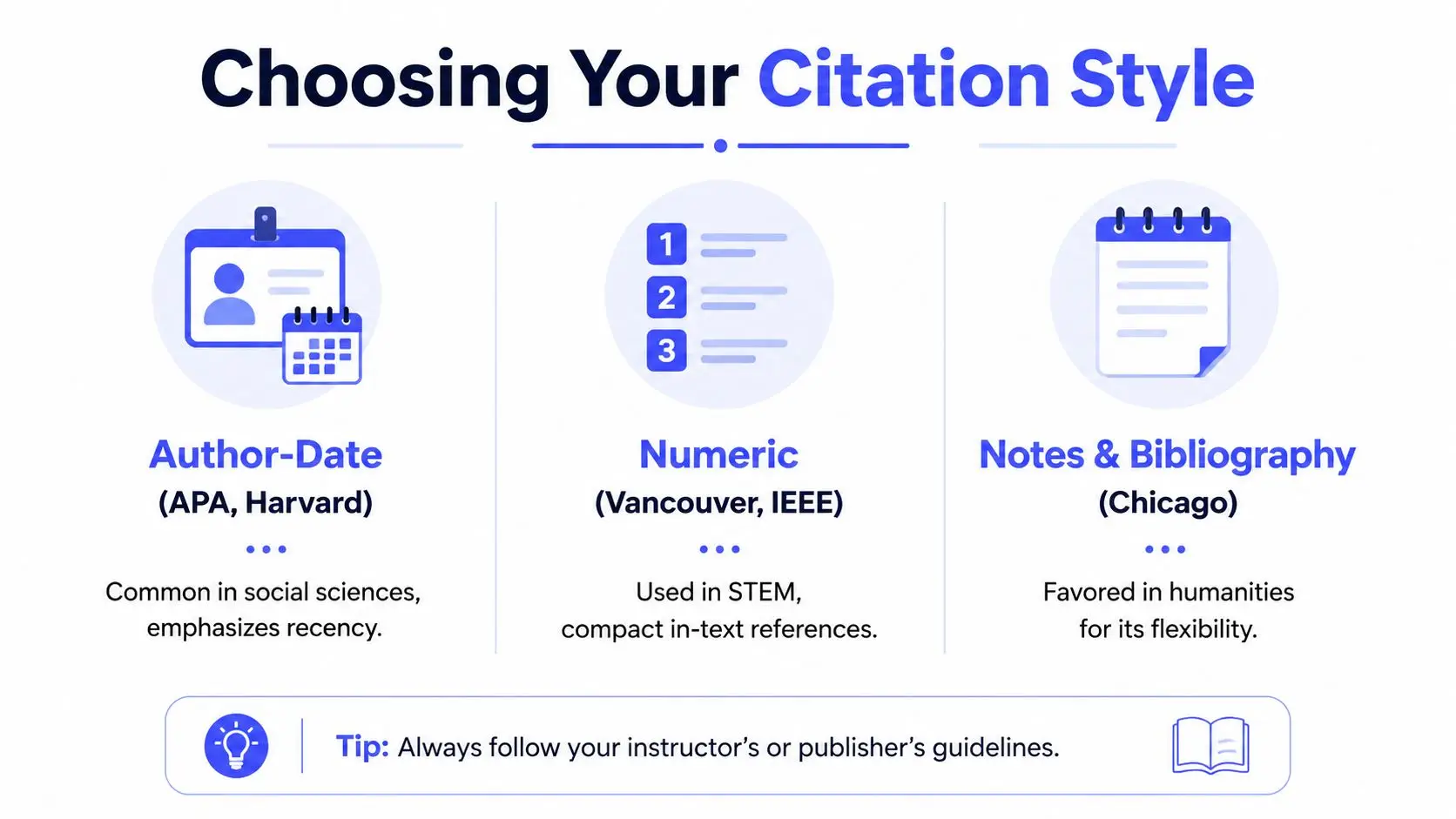
Let the reader's task guide the final choice. Author-date works well when publication dates help readers judge recency. Numeric citations keep repeated references from interrupting dense technical prose. Notes and bibliography suit arguments built through archival evidence and explanatory commentary.
Inserting In-Text Citations, Footnotes, and Endnotes
Place the citation marker close to the borrowed material, ideally at sentence level. If one paragraph contains claims from several sources, a single citation at the end can leave readers unsure which evidence supports which statement. Marking each relationship as you draft also prevents a later search through the manuscript.
In an author-date system, you might write:
Public libraries often serve as research spaces as well as lending institutions (Author, Year).
Or you can make the author part of the sentence:
Author (Year) describes public libraries as research spaces as well as lending institutions.
The first version keeps the source in the background. The second gives the source a visible role in the argument. For exact words, add the locator required by your chosen style, such as a page, paragraph, section heading, or another detail that helps readers find the passage.
Use notes when they add value
A note-based system places a superscript number in the sentence and moves the source information to a footnote at the bottom of the page or an endnote collected elsewhere. Notes suit passages that need both documentation and a brief qualification without interrupting the paragraph.
The archive remained central to the project's methodology.^1
The corresponding note can identify the author, title, publication details, and page or section location. A footnote lets readers inspect the source on the same page. An endnote keeps the pages visually cleaner, which may suit a long book containing many references.
Do not let a note conceal an unfinished source. A marker without recoverable information only postpones the correction. As soon as you insert the marker, record the source details in your research system. An endnotes and citations workflow can help keep those markers connected to source information while the draft changes.
Keep quotations subordinate to your argument
A short quotation usually fits inside your sentence with quotation marks and a citation. A long quotation may require block formatting under the relevant style guide. Introduce the passage, explain its relevance, and cite it accurately. Your analysis should carry the argument; the quotation supplies evidence.
Policy-brief writers can compare these choices with Model Diplomat's MUN citation guide, which provides context for concise, evidence-based documents. That distinction matters during drafting: choose the marker, note, or quotation format when the evidence enters the prose, rather than leaving every citation decision for final formatting.
Building a Bibliography That Survives a Reconciliation Pass
A bibliography becomes reliable when each entry contains enough information for another person to retrieve the exact source. At minimum, capture the author or editor, publication date, title, source information, and a persistent link such as a DOI or stable URL. Boston University's guidance on when to cite explains why these metadata fields matter for traceability.
Each field protects you from a different failure. The author identifies responsibility for the work. The date distinguishes editions and versions. The title helps readers locate the item. Publisher, journal, page, repository, DOI, or URL provides retrieval context. An access date helps document a web page whose content may change.
Build the list while the manuscript grows
Don't keep the bibliography in a separate file that you update only during final formatting. Add a provisional entry when you first use a source, then improve it as you verify the original publication. Use a consistent temporary label if information is missing, such as DATE TO VERIFY or PAGE TO VERIFY. That label is more useful than guessing.
A reconciliation pass is the quality-control stage that connects the manuscript to the bibliography. Pubrica's guidance on citation accuracy describes this two-direction check and highlights common failures such as wrong years, misspelled names, incorrect author order, and title errors.
Run the pass in both directions:
- Text to list: Find every in-text citation, footnote, or endnote and confirm that its full entry appears in the bibliography.
- List to text: Review every bibliography entry and locate the passage where you used it. Remove unused entries or explain their role if your chosen format permits them.
- Details to source: Open the original item and check the author, date, title, publisher, locator, and link.
- Style to style: Confirm that every entry follows the same system. Don't mix APA, MLA, and Chicago conventions because they look familiar.
For large projects, auto-citation tools for authors may help with formatting and ordering, but automation doesn't remove the need to verify each reference against the original publication.
Citation in Fiction Versus Nonfiction Workflows
A nonfiction manuscript usually presents research as evidence. If you borrow a fact, argument, quotation, data point, image, or distinctive expression, your notes need to preserve the source and your published work may need a citation or permissions record. A novel uses research differently. Historical details, professional vocabulary, regional customs, and scientific information may shape the story without appearing in a formal reference list.
That difference doesn't mean fiction writers can ignore sources. It means the source often belongs in a private research system rather than in the reader-facing manuscript. A novelist may need to find the same archival description during revision, check whether a medical detail is plausible, or confirm how a place looked during a particular period. If the research note disappears, continuity and accuracy become harder to protect.
Separate three kinds of borrowed material
Use this practical distinction:
- A source to cite: A factual or interpretive claim that nonfiction readers need to verify, or a passage you quote or closely adapt.
- A permission to clear: A photograph, song lyric, substantial quotation, illustration, letter, or other protected material that you plan to reproduce.
- Inspiration or background: A source that informs your imagination but doesn't appear as a specific borrowed claim or reproduced expression.
A fictional character can be inspired by several biographies without requiring a citation in the novel. A paragraph copied from one biography is different. Keep the biography in your research notes, mark the relevant passage, and rewrite from understanding rather than from the source's sentence structure.
Fiction can hide the scaffolding from the reader, but the writer still needs to know where the scaffolding came from.
For both genres, use source cards or research notes with a clear label, a short summary in your own words, and the passage or detail you may use. This makes revision safer. It also helps you distinguish factual checking from creative invention, especially when a story blends real events with imagined people.
Verifying Sources When AI Helps You Write or Research
AI can produce a polished citation that points to a nonexistent article, misnames a real author, assigns the wrong date, or cites a source that doesn't support the sentence. Recent independent coverage has warned about hallucinated references and reported that at least tens of thousands of publications from 2025 may have contained invalid AI-generated references. Nature's coverage examines the problem of invalid references generated by AI systems.
Fluent prose doesn't prove that the research underneath it is sound. Treat every AI-suggested reference as an unverified lead until you inspect the original.
Run every reference through three checks
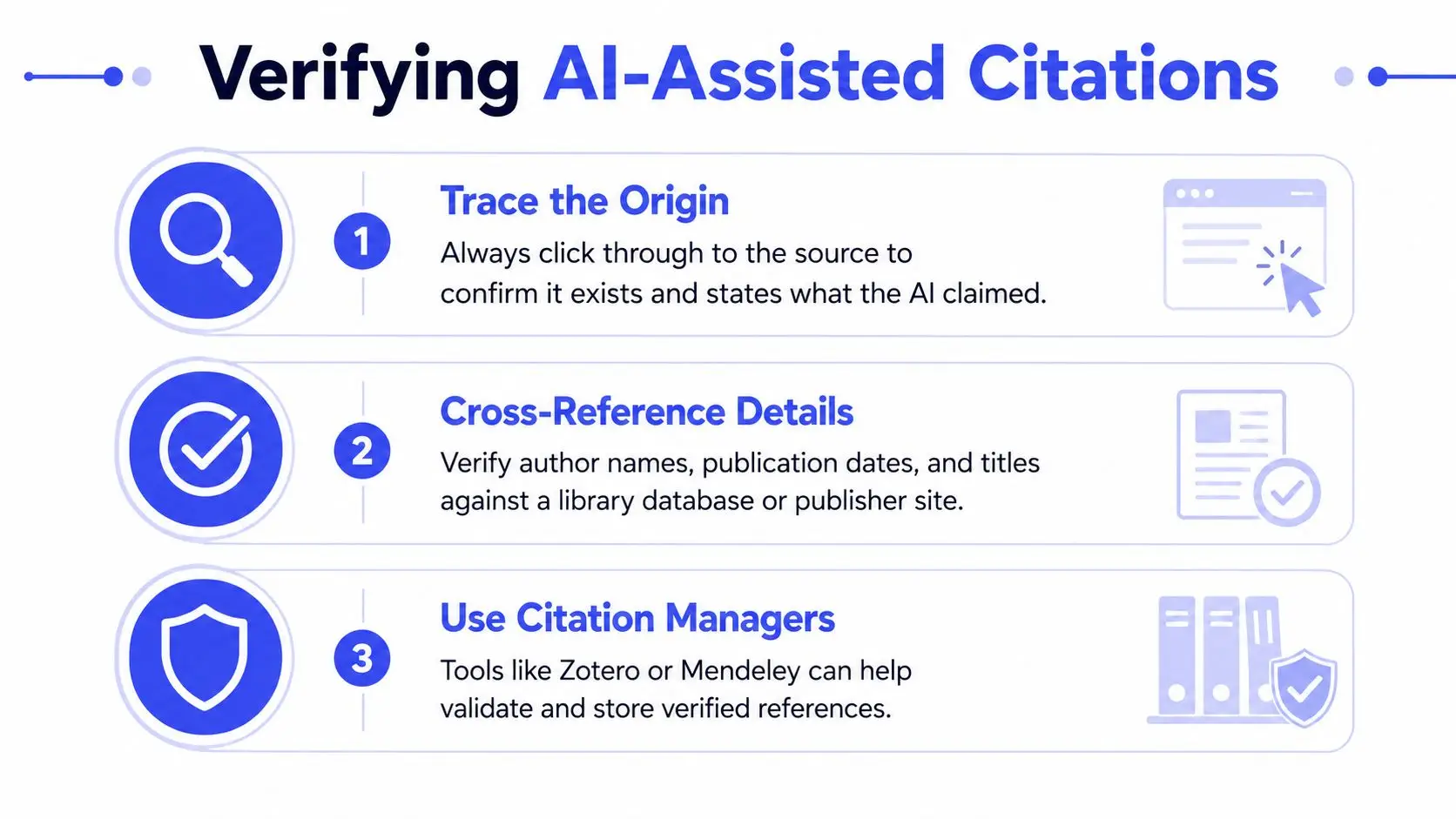
- Trace the origin. Search the exact title in a library catalog, publisher site, journal database, repository, or other reliable index. Open the record rather than trusting a search snippet.
- Test the support. Read the source and locate the passage that supports your sentence. If the source makes a narrower claim, narrow your prose.
- Match the metadata. Check the author, publication date, title, edition, journal or publisher, page or section locator, and DOI or stable URL.
If AI paraphrased a real source, the citation still belongs to the underlying source, not to the machine's wording. Compare the paraphrase with the original and make sure it hasn't strengthened, softened, or reversed the source's meaning. A 2025 multi-method study also emphasized that citation literacy involves knowing when, why, and how to attribute ideas, not merely applying a format. The study discusses citation literacy in paraphrase-heavy and source-synthesis writing.
Writers who use AI for research may find guidance on prompt engineering for researchers useful, especially for requesting source details and verification steps. Still, the final responsibility remains with the author. If you can't trace a reference and confirm its support, remove it or replace it with a source you can verify.
A Repeatable Citation Workflow for Your Manuscript
A dependable citation process follows the manuscript from research intake to final review. You don't need to interrupt every sentence with a formatting exercise. You do need to preserve source identity and place a marker before the connection becomes vague.
| Stage | Action | Output |
|---|---|---|
| Research intake | Record author, date, title, publisher or repository, and DOI or stable URL | Verified source note |
| Drafting | Attach the source to the sentence containing the borrowed claim | In-text marker, footnote, or endnote |
| Revision | Check that the wording matches the source's actual scope | Accurate paraphrase or quotation |
| Bibliography building | Add and format the complete reference | Growing reference list |
| Final review | Reconcile citations and verify AI-assisted references | Submission-ready documentation |
Keep your workflow visible. A simple source card can include the full reference, the claim it supports, a quotation or page locator, your paraphrase, and a note about whether you need permission. Reference managers such as Zotero or Mendeley can store and format records, while guides comparing research and citation management tools can help you evaluate options.
Use this final checklist before submission:
- Capture immediately: Record a source when its idea enters the draft.
- Choose consistently: Select one citation style and use it throughout.
- Mark locally: Place the citation beside the sentence or passage it supports.
- Verify meaning: Compare every quotation and paraphrase with the original.
- Complete metadata: Preserve the author, date, title, publication details, and persistent link.
- Reconcile both ways: Match every manuscript citation to the bibliography, then check every bibliography entry against the manuscript.
- Audit AI assistance: Treat machine-generated references as unverified until you trace and test them.
Citation becomes manageable when you stop treating it as a final formatting emergency. Build the habit into research and drafting, and your sources will support the manuscript instead of forcing you to reconstruct its history at the end.
Storyloft brings manuscript drafting, research organization, source management, inline citation templates, endnotes, and bibliography workflows into one writing environment. If you're building a research-heavy book and want your notes connected to the pages they support, visit Storyloft and explore how its author-focused workspace can fit your citation routine.