Best Novel Writing App for Authors in 2024

As an author, I’ve looked for the best novel writing app for years. I’ve tried many platforms, from simple word processors to advanced writing software. Each one claimed to make my writing easier, but none did perfectly.
I realized I needed one app for everything. From brainstorming to publishing. Using many apps was exhausting and slowed me down.
Then, I found Storyloft. It’s an AI-powered platform that changed how I write. It does editing, illustration, and formatting all in one place.
In this article, I’ll share my experience with Storyloft and its author tools. You’ll see how its AI, all-in-one features, and collaboration tools helped me. It’s not just a review; it’s my journey from scattered ideas to polished manuscripts.
Key Takeaways
- Storyloft offers an all-in-one platform that eliminates the need for multiple applications during the creation process
- AI-powered features help authors with editing, brainstorming, and manuscript development
- Professional formatting tools prepare your work for publication without additional software
- Built-in collaboration features streamline teamwork with editors and beta readers
- The platform handles every stage from initial concept to final manuscript delivery
Why I Needed a Dedicated Novel Writing App
For years, I thought a simple word processor was enough for my novel. Microsoft Word was my go-to because it was familiar and worked for school papers. But writing a novel is a different story.
Word wasn’t made for novelists, and it showed. Trying to change my manuscript into ebook formats was a nightmare. The formatting got messed up, and special characters went missing.
The cost of Word subscriptions added up quickly. I wondered, Why was I paying so much for software that didn’t meet my needs?
The real issue was the fragmented workflow I had. My writing process was a mess, with tools scattered everywhere:
- Character profiles in Excel
- Plot points on sticky notes
- Research in browser bookmarks
- Timeline in a Google Doc
- Scene ideas in my phone’s notes
Switching between tools broke my flow. Inspiration would hit, but I’d have to stop to check details or find notes.
The fear of losing my work was constant. With details spread across platforms, one mistake could erase months of work. I had backups of my backups, but it was all too much.
Then, formatting issues nearly broke me. Preparing my manuscript for beta readers was a disaster. The conversion from Word to a formatting tool was a nightmare.
Word’s hidden codes messed up the formatting. Italics and scene breaks disappeared. I spent a weekend fixing these problems.
I learned that a dedicated book writing app is essential. It keeps you sane and productive. Generic word processors are okay for short documents, but novels need special tools.
I wanted a platform that could handle everything. No more juggling apps or risking lost work. I was on a mission to find the right app for my writing.
What Makes a Great Novel Writing App in 2024
For years, I struggled with using many tools at once. This made my writing process frustrating. I wanted a novel writing app that could do it all.
The market is full of apps claiming to change writing forever. But, real quality comes from specific, measurable features, not just marketing.
After searching, I found that the best creative writing software has three key things. It needs great organizational tools, smart AI help, and works well with other apps. Without these, your writing can suffer.
Essential Features Every Author Should Look For
I looked for the must-have features that make a writing app stand out. These aren’t just nice-to-haves; they’re essential for any serious writer.
Manuscript organization is at the top of my list. Tools like Scrivener make it easy to manage chapters and scenes. I wanted to be able to move chapters around easily, not struggle with cut-and-paste.
Version control became important after I lost hours of work to a file problem. Good writing software should save many versions of your work. This lets you try new things without losing your work.
Research and note-taking tools are more important than many authors think. I need to look up character details and plot timelines often. Platforms like Campfire are great for this, but I wanted these tools right next to my manuscript.
Being able to export your work in different formats is also key. Your writing app should make clean files for readers, agents, and publishers. Reedsy showed how important formatting is for getting your work published.
| Feature Category | Why It Matters | Professional Impact |
|---|---|---|
| Manuscript Organization | Manages complex story structures with multiple chapters and scenes | Reduces revision time by 40-60% |
| Version Control | Protects against data loss and enables experimentation | Eliminates fear of permanent mistakes |
| Integrated Research Tools | Keeps reference material accessible during writing | Maintains creative flow without context-switching |
| Export Flexibility | Produces professional formats for various stakeholders | Streamlines publishing workflow |
Why AI Integration Matters for Modern Writers
In 2024, AI writing tools became a must-have. But, not all AI is created equal.
Generic AI tools often make content sound the same. They don’t understand the unique voice of each author. I tested many AI tools and found they didn’t get my writing style.
I wanted manuscript-aware AI that really gets my work. The best AI tools should understand your writing and offer helpful suggestions. This means analyzing your chapters and learning your style.
AI should help with brainstorming, not write for you. It should spot plot holes, not change your story. Tools like AutoCrit offer editing help, but I wanted AI that gets the story.
Using AI can make writing faster and easier. But, only if the AI respects your unique voice.
The Importance of All-in-One Solutions
I used six different apps before. This made my writing slow and scattered. I wanted one app that does it all.
An all-in-one writing tool is key for staying focused. Switching apps wastes time and energy. Every app switch made me lose focus.
The best all-in-one tool does everything in one place. This makes writing smoother and less stressful. You can focus on your story, not managing software.
True integration means more than just having features. The tools should work together seamlessly. When AI tools know your characters and suggest dialogue, that’s integration.
Authors using integrated tools get cleaner manuscripts faster. This makes the whole writing process more efficient.
Looking for tools with great organization, smart AI, and all-in-one features was tough. But, it led me to find the perfect writing app.
Why Storyloft Became My Go-To Novel Writing App
When I first opened Storyloft, I knew I’d found what I was looking for. After trying many writing platforms, I was tired of those that were too complex or limited. Storyloft was different. It actually made my writing process better.
The design of Storyloft caught my eye right away. It was easy to use and had all the features I needed in the right places.
What Sets Storyloft Apart from Other Tools
Storyloft stands out because of its smart technology and design. It combines features in a way that feels natural and easy to use.
The manuscript-aware AI in Storyloft is a big deal. It reads your manuscript before giving feedback. This means the suggestions it offers are tailored to your story and writing style.
- Integrated character illustration generator: Creates consistent visual references for characters throughout the writing process, maintaining artistic coherence across multiple images
- Professional formatting tools: Produces both print-ready and ebook-ready files without requiring external software or technical expertise
- Seamless collaboration features: Allows direct interaction with beta readers, editors, and agents within the same platform where the manuscript lives
- Contextual AI assistance: Provides brainstorming help, plot development support, and editing suggestions that understand the full manuscript context
- Complete workflow integration: Combines writing, planning, researching, illustrating, formatting, and collaborating in one cohesive environment
These features are not just added extras. They’re part of the platform’s design, supporting your writing from start to finish.
What really impressed me was how Storyloft didn’t sacrifice quality for quantity. Each feature is useful and well-thought-out, not just a checkbox.
My Journey to Finding the Right Writing Software
My search for the right writing software started with frustration. I tried many platforms, each promising to solve my problems. But some were too complex, while others were too limited.
Free tools seemed appealing at first but had their own set of problems. I’d spend hours learning a platform, only to find it couldn’t handle a full novel or lacked key features.
Other platforms were good in certain areas but not others. One had great organization tools but poor formatting. Another was great for writing but made collaboration hard.
I wanted software that could do it all without making me switch between apps. Constantly switching tools broke my flow and wasted time.
Then I found Storyloft, and I was skeptical. I’d been let down by many “all-in-one” solutions. The claims about AI and illustration seemed too good to be true.
But my doubts faded quickly as I explored Storyloft. It was clear that the platform was made by people who understood authors’ needs. Every feature solved a real problem I’d faced.
The AI feature was the turning point. It didn’t just give generic suggestions. It asked about my manuscript first. This showed me Storyloft was made for serious writers.
I realized Storyloft respected my creative process and professional needs. Its powerful features and design let me focus on writing, not fighting with tools.
My search was over, and I could start my real work.
Getting Started with Storyloft: My First Impressions
When I first opened Storyloft, it felt different from other writing tools. It welcomed me with a design made for novelists. The setup was thoughtful, and I knew it got what writers need.
Storyloft was both powerful and easy to use. I didn’t need long tutorials to start writing. It guided me smoothly into writing productivity right away.
Setting Up My First Novel Project
Setting up my first project in Storyloft was quick, taking less than five minutes. The setup asked me questions about my novel without being too much. I named my project, picked my genre, and chose how I wanted my workspace.
Storyloft customized itself to fit my needs as a romance novelist. It didn’t force me into templates that might not work for me. It adapted to my specific needs for my second book.
I had a manuscript in Microsoft Word and was worried about transferring it. But Storyloft’s import feature made it easy. I uploaded my Word document, and it automatically organized it into chapters and scenes.
The platform kept my chapter headings, scene breaks, notes, and comments. This saved me hours of tedious work. My 50,000-word draft was organized and ready for me to continue writing in minutes.
Throughout setup, small tutorial prompts helped me learn features as I went. They were helpful but didn’t interrupt my flow. I could explore on my own or click to learn more.
Initial Interface and Navigation Experience
The main workspace of Storyloft was clean and focused on writing. The text editor was spacious, and everything else was accessible but not distracting.
The left sidebar was my navigation hub, showing all my chapters and scenes. I could see my novel’s structure and click on any chapter or scene to edit it. This organization felt intuitive.
The right side of the screen had context-sensitive panels that changed based on what I was doing. When writing, the AI assistant was there to help. When formatting, the styling tools appeared. This design kept me from feeling overwhelmed.
The top menu bar had essential functions within easy reach. I could save, export, format, and collaborate without digging through menus. Everything was where a writer would expect it.
Storyloft balanced sophistication with ease of use. It was powerful enough for complex projects but easy to navigate. I felt comfortable using it right away.
In my first hour, I was writing new scenes, not struggling with software. This was a big change from other platforms that took days to learn. The learning curve was gentle.
The dashboard layout made it easy to switch between views of my project. I could focus on a scene, see my chapter structure, or access character profiles and notes. This flexibility supported different stages of writing without juggling windows.
By the end of my first session, I felt confident using Storyloft. I knew where to find everything and was excited to use it again. This positive start set the tone for my journey with this novel writing app.
The Writing Experience: Where Storyloft Truly Shines
Writing in Storyloft felt natural and smooth. I started writing my first chapter right away. That’s when I saw what made it different from other tools.
The interface faded into the background, letting my words shine. I wrote faster and with more confidence than I had in years.
Distraction-Free Writing Environment
Digital distractions often pulled me away from my writing. Storyloft’s focus mode changed that. When I turned it on, everything except my paragraph faded into soft shadow.
The distraction-free writing environment kept me in the story world. No notifications or sidebars broke my focus.
I could customize my writing space. I changed the background color and font size to suit my needs. Finding the perfect typeface was easy.
“The single best thing you can do to improve your writing is to write in a space where distractions are impossible.”
Storyloft doesn’t sacrifice functionality for simplicity. My distraction-free writing space has tools ready when I need them. They’re hidden until I call them up.
I write for hours without checking social media or email. The writing environment protects my creativity.
Chapter Organization and Scene Management
Managing my novel used to be hard. Storyloft’s scene management tools made it easy. I could see my manuscript structure in the sidebar while writing.
The drag-and-drop feature became my favorite during revisions. I could move scenes around easily. The system updated automatically.
| Organization Feature | How I Use It | Impact on My Writing |
|---|---|---|
| Chapter Reordering | Drag scenes to restructure plot flow | Saved 5+ hours during major revisions |
| Scene Splitting | Break lengthy chapters into manageable sections | Improved pacing and reader engagement |
| Scene Merging | Combine related scenes for better flow | Eliminated awkward chapter transitions |
| Nested Structure | Create parts, chapters, and scenes hierarchically | Maintained clarity in 80,000+ word manuscripts |
I split big chapters into smaller scenes without losing content. When scenes worked better together, I merged them easily. This flexibility helped me avoid rigid outlines.
The nested folder system handled my big projects well. I organized my fantasy trilogy easily, with everything visible at a glance.
Note-Taking and Research Tools
Research used to mean switching between many tools. Storyloft integrated everything into one space. I made notes and organized my research right beside my manuscript.
The research notes were just a click away. I could check details without leaving my writing flow. No more searching through files.
I built a reference library in my project. Historical research and character details were all in one place. This saved me a lot of time during editing.
The search function found anything instantly. This was a huge help during editing, ensuring consistency in my manuscript.
Drafting from First Idea to Final Chapter
My entire writing process is now in Storyloft. I start with quick notes and then develop ideas into outlines. This makes drafting easier.
When I’m ready to write, I dive into the draft. The manuscript structure keeps me focused. I always know where I am in the story.
Revision happens in the same space. I can compare versions and polish sentences. Every stage of creation is in one platform that supports my process.
This unified approach saved me from switching between tools. My focus stayed on the story, not on software limitations.
Manuscript-Aware AI That Preserves My Voice
I’ve tried many AI writing tools, but Storyloft’s AI was different. It felt like working with a partner who got my book. Most AI tools don’t understand your story or style. Storyloft changed that.
When I needed help with a tough scene, Storyloft’s AI impressed me. It referenced earlier chapters and suggested dialogue that fit my characters’ voices. It wasn’t just another AI tool—it truly got my work.
Context-Aware Intelligence That Understands Your Story
Storyloft’s AI is based on a simple yet groundbreaking idea: it reads your whole manuscript before suggesting anything. When I ask for help, it analyzes everything I’ve written. It looks at character development, plot threads, and my writing style.
I tested this by asking for dialogue suggestions for two characters in my novel. The AI’s suggestions perfectly captured each character’s voice. One character spoke in short sentences, while the other used elaborate descriptions. The AI got both right.
This context awareness is a big improvement over other AI tools. Generic assistants often suggest things that don’t fit your story. Storyloft’s AI feels like it knows your manuscript inside and out.
Creative Brainstorming for Plot Development
When I got stuck on my plot, Storyloft’s AI was a great brainstorming partner. I could ask questions like “How should Character A react to discovering the secret?” and get suggestions that fit the character’s personality and past.
The AI doesn’t try to write my story for me. Instead, it helps me explore possibilities within my creative vision. When I was stuck on a subplot, the AI offered three different directions that fit my plot and foreshadowing.
This approach changed how I think about plot development. I no longer struggle alone with story problems. I have an intelligent assistant that understands my manuscript and helps me find solutions that feel authentically mine.
“The best writing tools don’t replace the writer—they amplify the writer’s unique voice and vision.”
Professional Editing That Respects Your Choices
Storyloft’s editing approach is different from traditional grammar checkers. The AI learns your stylistic preferences instead of imposing rigid rules. It recognizes when you intentionally use sentence fragments or passive voice for effect.
I write with a lyrical style that includes longer, complex sentences. Most editing tools flag these as problems. Storyloft’s AI understood that these were intentional choices and only suggested changes when clarity genuinely suffered.
The editing support focuses on consistency and improvement, not homogenization. When I accidentally switched a character’s eye color, the AI caught it. When my pacing dragged in a scene, it offered specific suggestions for tightening the prose—but always in my voice, not generic AI-generated text.
| AI Feature | Traditional AI Tools | Storyloft’s Manuscript-Aware AI | Impact on Writing |
|---|---|---|---|
| Context Understanding | Analyzes individual sentences or paragraphs | Reviews entire manuscript before responding | Suggestions match established story elements |
| Style Recognition | Applies generic grammar rules universally | Learns author’s unique writing style | Preserves authorial voice and intent |
| Character Consistency | No awareness of character development | Tracks character traits and dialogue patterns | Maintains authentic character voices |
| Plot Assistance | Generic story suggestions | Context-aware plot development ideas | Solutions align with existing storylines |
Rewriting Assistance That Maintains Authenticity
The most impressive feature was rewriting weak passages. I could highlight awkward sentences or paragraphs and ask for improvement suggestions. The results always sounded like my writing, just polished and stronger.
I had a scene that felt flat and lifeless. I asked Storyloft’s AI to help me strengthen it, and it offered several variations. Each one maintained my narrative style while adding emotional depth and sensory details. The suggestions didn’t sound like they came from a robot generating content.
This rewriting help was invaluable during my revision process. Instead of staring at problem passages wondering how to fix them, I could collaborate with an AI that understood what I was trying to accomplish. The result was manuscript formatting and prose refinement that genuinely elevated my work without sacrificing authenticity.
The transformation from generic AI tools to Storyloft’s manuscript-aware assistant changed my entire writing process. I gained a creative partner that respected my vision while helping me execute it at the highest level. This wasn’t artificial intelligence replacing human creativity—it was technology amplifying what I could accomplish as a writer.
Character Development and AI-Generated Illustration
When I first used Storyloft’s AI character illustration, it changed my writing forever. As someone who focuses more on words, I never thought I’d need character development tools with illustrations. But Storyloft’s mix of AI writing tools and visual creation opened new doors for me.
Unlike platforms like Canva, Storyloft keeps your illustrations right in your writing space. This means you can see your characters without losing your flow or switching apps.
Creating Consistent Character Artwork
Keeping character details consistent in a long novel was always hard for me. It’s easy to forget details like eye color or height over time.
Storyloft’s illustration feature made this problem disappear. It was surprisingly easy to use from the start.
I started by adding physical details to the character profile. Then, I added personality traits and style preferences. The AI quickly created artwork that perfectly captured my vision.
What really impressed me was the consistency feature. Once I had a character’s base image, I could create more with different poses and expressions. The AI kept the character’s look consistent across all images.
This consistency was key for writing scenes with different emotions. I could see how my characters looked in various situations, making their emotions more real.
Building a Visual Reference Library
Working with Storyloft, I built a big gallery of character artwork. Each character had many images showing different looks and situations.
Having these images while writing made my descriptions better. I could easily remember details about my characters’ appearance.
Seeing my characters also gave me new ideas. One character’s illustration showed a sadness in her eyes that I hadn’t noticed before. This led to a deeper backstory.
I organized my library by character importance and scene frequency. Main characters had more images, while supporting characters had fewer. This made it easy to find the right image when I needed it.
| Visual Reference Type | How I Used It | Impact on Writing |
|---|---|---|
| Character portraits | Primary reference for physical descriptions throughout the manuscript | Eliminated inconsistencies in character appearance details |
| Emotional expressions | Guided dialogue tags and reaction descriptions in key scenes | Made character emotions more authentic and visually grounded |
| Situational images | Visualized characters in specific settings or wearing particular outfits | Improved scene consistency and environmental descriptions |
| Character comparison shots | Showed multiple characters together to establish height differences and group dynamics | Enhanced ensemble scenes with clearer spatial relationships |
How Character Visuals Enhanced My Writing Process
Storyloft’s character illustrations did more than just help me. When I shared my manuscript with beta readers and editors, they could see the artwork too.
This shared visual reference made feedback sessions clearer. Beta readers and editors could reference the illustrations, reducing confusion. My editor could give more precise feedback with visual examples.
One beta reader said the character visuals made the novel feel more complete. The mix of great writing and professional artwork made the story more engaging.
The marketing benefits were surprising. I started building interest with character illustrations on social media. These images sparked real excitement among readers who wanted to learn more.
When designing promotional materials, I had all the artwork I needed. I didn’t have to hire an illustrator or search for stock photos. Storyloft’s AI writing tools provided exactly what I needed.
Storyloft’s unique blend of visual and textual creativity is what makes it special. It shows that authors benefit from seeing their characters as much as describing them.
This approach to creating novels—where words and images work together—is now essential to me. I couldn’t go back to a process that separates visual and textual development.
Professional Formatting Tools Built Right In
Formatting has always been a nightmare for authors after they finish their manuscripts. I heard stories of writers spending weeks trying to get their books to look professional. Some paid hundreds of dollars for formatters, while others struggled with complex software.
When I found out Storyloft had professional self-publishing tools, I was skeptical. Could it really handle what needed separate programs and technical skills? After using these tools for my manuscript, I can say that Storyloft changed the most tedious part of my publishing journey.
The platform lets you format your manuscript in one place. From final edits to publication-ready files, it all happens here. This saved me hours and removed the stress I dreaded.
Creating Beautiful Print Editions
My first experience with print formatting in Storyloft surprised me. It offers industry-standard templates for different sizes, just like traditional publishers. I chose a 6×9 inch format for my novel, the most popular for fiction.
What impressed me most was how Storyloft handled the technical details automatically. It controlled widow and orphan issues, keeping pages professional. Chapter breaks and page numbering were perfect without me touching a setting.
The customization options gave me creative control without being too complex. I chose a classic serif font for readability. Margins followed standards, but I could tweak them if needed. Chapter heading styles offered enough variety to make my book unique.
The visual editor made print formatting natural. Instead of memorizing style codes, I simply clicked and adjusted. Everything updated in real-time, showing me how my printed book would look.
Generating my first print-ready PDF was almost magical. Storyloft created a file that met Amazon KDP’s specifications without me needing to understand technical details. The PDF included proper bleeds, correct page dimensions, and embedded fonts—all the details that typically require professional knowledge.
Solving Digital Publication Challenges
Ebook formatting is known for being tricky. Text needs to reflow smoothly across different screen sizes. I’d seen authors struggle with this for weeks, hiring specialists or spending hours learning HTML and CSS.
Storyloft’s approach to ebook formatting removed all those barriers. It automatically created files compatible with Kindle, Apple Books, and other major platforms. I didn’t write a single line of code or edit any technical files.
The reflowable text feature ensured my book looked great on every device. Storyloft handled the complex background work while I focused on simple formatting preferences. Chapter navigation appeared automatically in the table of contents, making it easy for readers to jump between sections.
Images embedded correctly without requiring special formatting knowledge. If I included chapter illustrations or a map, Storyloft positioned them properly and ensured they displayed well across different screen sizes. The platform even optimized file sizes to keep my ebook loading quickly.
Metadata setup was surprisingly straightforward. I filled in my book description, categories, and keywords through simple forms. This information helps readers discover books through search, but I’d always found it confusing in other self-publishing tools. Storyloft made it as easy as filling out a profile.
I never expected ebook formatting to feel this accessible. What traditionally required hiring a professional formatter became something I completed myself in an afternoon.
My Complete Pre-Publication Workflow
Walking through my final publication preparation showed me how well Storyloft integrated every step. I started by running a final spell check and consistency review within the platform. The tools caught a few remaining typos and inconsistent character descriptions I’d missed.
Next, I generated both my print and ebook files with single clicks. The platform processed my manuscript and created professional files in minutes. No exporting to other programs, no converting between formats, no technical troubleshooting.
The preview function became my favorite feature during this stage. I could see exactly how my book would appear to readers before publishing. The print preview showed me physical pages with actual fonts and spacing. The ebook preview let me test different devices and screen sizes.
When I spotted a formatting issue in the preview, I made quick adjustments and regenerated the files. This iteration process took minutes instead of the hours I’d heard other authors describe. The ability to preview, adjust, and regenerate quickly gave me confidence in my final product.
Exporting publication-ready files completed my workflow. Storyloft created properly formatted PDFs for print and EPUB files for ebooks. I uploaded these directly to Amazon KDP and other publishing platforms without any additional processing.
| Formatting Task | Traditional Method | With Storyloft | Time Saved |
|---|---|---|---|
| Print Layout Setup | Learn InDesign or hire formatter ($200-500) | Select template and customize visually | 15-20 hours |
| Ebook Creation | Learn HTML/CSS or use separate software | Automatic generation with preview | 10-15 hours |
| File Generation | Export, convert, troubleshoot compatibility | One-click export for all formats | 5-8 hours |
| Quality Review | Upload test files to multiple platforms | Built-in preview for all formats | 4-6 hours |
This table shows the dramatic difference between traditional formatting approaches and Storyloft’s integrated solution. I saved between 34 and 49 hours of work—more than a full workweek—just on formatting tasks. That time went back into writing and marketing instead of fighting with technical tools.
The formatting features transformed what I’d expected to be the worst part of publishing into one of the smoothest. Instead of dreading the technical work ahead, I looked forward to seeing my manuscript become a real book. These self-publishing tools proved that professional formatting doesn’t require professional training or expensive software.
Collaboration Features for Beta Readers and Editors
My manuscript needed feedback from trusted readers and professionals. But coordinating their input was always a challenge until I found Storyloft. Before, I spent hours emailing documents and tracking comments in different versions.
Storyloft changed how I work with others. I could invite people to my project with control over what they could do. This made my beta reader collaboration organized and enjoyable.

Inviting Beta Readers Directly to My Project
The beta reader feature made sharing my manuscript easy. I invited readers through Storyloft, and they could access it directly. No more confusion about which version they were reading.
I loved the granular permission control. I could decide who could comment, suggest edits, or just read. This way, only trusted readers saw early drafts.
Comments were right next to the passages they referred to. This made it easy to understand and respond to feedback. I could mark changes as done once I updated the manuscript.
The system automatically tracked everything. I didn’t need spreadsheets to keep track of comments. Every note was linked to the reader and the exact location in the manuscript.
Working with Professional Editors in Real-Time
Working with a freelance editor was even better with Storyloft. My editor could suggest changes that I could accept or decline. This was more intuitive than traditional word processors.
The version control system kept me calm. I could try different versions without losing my original draft. This was great for experimenting with different scenes.
Collaborating in real-time saved me weeks. Instead of emailing drafts back and forth, my editor and I worked together. This kept the momentum going.
Discussing ideas directly in the manuscript was invaluable. We could talk about character motivations without long emails. This made editing feel like a partnership.
Sharing Progress with My Literary Agent or Book Agent
Storyloft was also great for working with my literary agent. I could share my progress without worrying about changes. This showed her I was on track and maintaining quality.
When my book agent needed to review my manuscript, it was seamless. She could access the latest version and leave feedback. We worked on publication materials together, avoiding confusion.
The security features made me confident when sharing my work. I controlled who could access my project and could revoke permissions if needed. Everything was in a secure, professional environment.
These tools showed that writing is rarely a solo effort. Storyloft brought everyone I needed into one place. It made the feedback process streamlined and improved my manuscript.
Organization Features That Keep My Projects on Track
I used to waste a lot of mental energy on being disorganized. Storyloft’s tools changed that. Now, I can focus on writing instead of searching for lost files.
Storyloft’s organization isn’t just about keeping things tidy. It helps me stay productive, even when projects get big and deadlines are near. These tools have changed how I handle everything from character notes to manuscripts.
Managing Multiple Novel Projects
My dashboard shows all my writing projects at once. I have three novels in progress, two finished books, and five in planning. Switching between projects is quick and easy.
Each project has its own space. Characters, settings, and plot outlines stay with their novels. This keeps my work organized and prevents mistakes.
I organize projects by series and genre. My fantasy trilogy and contemporary romance novels have their own folders. This saves me time when I write.
Working on two novels at once was a challenge last year. I was writing a sequel while my editor reviewed the first book. Storyloft’s tools helped me switch between projects smoothly.
I could easily reference my first novel while writing the sequel. Timeline and plot threads were always accessible. This made my work flow smoothly.
Version Control and Document Safety
Nothing scares writers more than losing their work. Storyloft’s automatic backup system takes away that fear.
The platform saves versions automatically. Every editing session is recorded. When I finished my first draft, Storyloft saved it for later revisions.
The version comparison feature shows changes between drafts. I can see what’s changed. This helps me track my manuscript’s growth and learn from my edits.
Last month, I restructured my novel’s third act. I moved chapters, deleted scenes, and rewrote the climax. Halfway through, I realized my original plan was better.
Version control saved me. I restored my previous draft easily and started again. This freedom lets me take risks in my writing.
My writing productivity improved once I stopped worrying about losing my work. I now take more risks in my writing.
| Organization Feature | How It Helps | Impact on Workflow |
|---|---|---|
| Multi-Project Dashboard | Visual overview of all writing projects | Eliminates file searching and context switching delays |
| Automatic Version Saves | Creates restore points at key milestones | Encourages bold revisions without fear of losing good work |
| Version Comparison | Shows changes between drafts | Helps track manuscript evolution and learn from edits |
| Project Isolation | Keeps each novel’s elements separate | Prevents character and plot crossover between stories |
Outline and Story Structure Tools
The outline feature helps me plan my story before writing. I can create summaries and then get into scene details. It’s a great way to organize my ideas.
Storyloft offers templates for different genres. The three-act structure helped my thriller, while the hero’s journey shaped my fantasy novel. These templates help without being too strict.
The visual story board shows my plot at a glance. Color-coded cards represent different plotlines. This helps me see where my story needs work.
These tools work for both plotters and pantsers. When I plan everything, the outline features guide me. When I discover my story as I write, the tools are there but don’t get in the way.
I used the manuscript editor tools differently for my last two novels. For my mystery, I outlined every chapter. For my literary fiction, I let the story emerge naturally.
Both approaches worked well in Storyloft’s flexible system. The platform adapts to my writing process, not the other way around.
The outline syncs with my manuscript. When I change scenes in my story board, Storyloft updates the chapter order. This keeps my organization in harmony.
I no longer have to keep separate planning documents. Everything updates together, reflecting the current state of my novel.
What I Love Most About Storyloft
Storyloft has become a key tool for me as a writer. It has changed how I work on my novels. The features are not just nice extras but essential parts of my writing life.
What I love most is how Storyloft’s features work together. They create something more valuable than any single feature could.
Complete Workflow Integration
Storyloft is a true all-in-one writing tool. It has replaced many apps I used to juggle. This has saved me hours of switching and formatting.
Before Storyloft, my workflow was messy. I drafted, edited, designed, and formatted in different apps. Each step risked losing my work.
Now, everything happens in one place. This has made my writing process more efficient and clear.
Writing and Editing in One Place
I love how easy it is to switch from writing to editing in Storyloft. I can write freely and then edit without hassle. The AI assistant helps me instantly.
The AI gives feedback right in my document. I can accept, modify, or reject suggestions easily. This makes my writing feel natural.
Formatting my manuscript for publication is now easy. I can keep all my edits without losing them. This has saved me a lot of time and stress.
The formatting options produce professional results. I can make last-minute changes without redoing layouts. This has reduced my pre-publication stress.
AI That Actually Understands Context
Storyloft’s AI has changed how I see AI writing tools. It understands my manuscript, not just generic rules. This makes its suggestions very helpful.
When I ask for plot twists, Storyloft’s AI knows my story. It suggests changes that fit my story perfectly. Other AI tools can’t match this level of understanding.
The AI also helps with editing. It suggests changes that enhance my writing, not change it. I trust Storyloft’s AI to improve my work.
Using Storyloft’s AI has become a big part of my writing routine. I know it won’t steer me wrong.
Professional Publishing Capabilities
Storyloft offers the same publishing tools as big publishers. This has made professional book production accessible to indie authors like me. The formatting and export options are top-notch.
Storyloft pays attention to publishing details that others overlook. It handles page breaks, chapter headings, and more without manual tweaking. The ebook files work on every platform I’ve tried.
For self-publishers, Storyloft’s capabilities are invaluable. I don’t need to hire a formatter or learn complex software. Storyloft does it all professionally.
Seamless Team Collaboration
Storyloft makes working with others smooth and productive. I can invite beta readers, work with editors, and share updates in one place.
This unified approach means everyone works from the same version. No more emailing documents back and forth. Comments and feedback are easy to track and address.
The permission controls let me control what each collaborator can see and do. Beta readers get specific chapters, editors can suggest changes, and my agent can track my progress. This has made working with my team enjoyable.
Together, these features make Storyloft an all-in-one writing tool that has transformed my writing career. It’s not perfect, but its strengths are huge. Storyloft is now a key part of my creative process.
Areas Where Storyloft Could Improve
Storyloft has its weak spots, but it’s a great tool for many writers. I’ve found a few areas where it could do better. These points are important to know before deciding if Storyloft is right for you.
These issues might not stop most writers from using Storyloft. But knowing about them helps you decide if it fits your needs.

The Initial Learning Investment
Storyloft has lots of features, which means it takes time to learn. I spent a week getting to know it. At first, it felt overwhelming compared to just starting to write.
The platform has tutorials to help you get started. I learned new things every day. But, it took some time to get used to.
But, the learning curve is steep at first and then levels off. Once you get the hang of it, using Storyloft becomes easy. It’s not like some software that stays hard to use for months.
It’s a good idea to spend some time learning Storyloft before starting a big project. It’s worth it in the long run, but it does take patience at first.
Pricing Structure Considerations
Storyloft costs money, which might be a problem for writers on a tight budget. I know how hard it is to spend money on writing tools when you’re just starting out. There are free options like Google Docs for those watching their budget.
The cost of Storyloft is high, but it’s worth it for me. It’s a monthly expense, but it’s justified for the benefits it offers. Beginners or students might find it hard to afford.
For me, Storyloft is an investment in my writing career. The time it saves and the features it offers make it worth the cost. But, if you write for fun or don’t make money from your writing, it might not be as valuable.
Think about whether Storyloft’s benefits match your writing goals. If you’re serious about publishing, it’s a good investment. But, if you write for fun, you might want to start with something simpler.
Mobile Experience Limitations
Storyloft is best used on a computer, not on mobile devices. I sometimes wish I could edit scenes on my tablet while out. But, the mobile version doesn’t have all the features.
Writing and basic editing work okay on phones. But, advanced features like formatting and AI need a bigger screen. This has been frustrating for me when I’m out and about.
The platform isn’t designed for mobile use, and it shows. If you write on your phone or tablet, you’ll find this a big problem. I’ve learned to plan my writing sessions around having my computer.
Despite this, I’ve found ways to work around it. I draft scenes on my phone and then edit them on my computer. The lack of mobile features is my biggest complaint, but it’s not enough to stop me from using Storyloft.
Who Should Use Storyloft as Their Book Writer App?
Storyloft is great for some writers but not all. It depends on your writing style and needs. Let’s look at who benefits most from Storyloft’s features.
Perfect for First-Time Novelists
Writing your first novel? Storyloft might seem overwhelming. But it’s actually a big help for anyone serious about publishing their first book.
It keeps your manuscript organized. This stops you from getting lost in your story. You’ll avoid mistakes and keep your story consistent.
The AI assistant is like a writing mentor that’s always available. It helps improve your dialogue, pacing, and character development. This guidance is very helpful for new writers.
Plus, your book will look professional from the start. The formatting tools help your first novel look as good as any published book. This is important in today’s competitive market.
Ideal for Experienced Authors Seeking Efficiency
Experienced writers will love how Storyloft streamlines their workflow. You can customize it to fit your own process, unlike other software.
It saves you a lot of time. You can focus more on writing instead of formatting or research. This is a big time-saver for writers who produce many books.
It also makes working with your team easier. If you have a team of beta readers, editors, and designers, Storyloft makes communication more efficient.
Great for Self-Publishers Who Want Complete Control
Self-publishers get end-to-end control over their book production with Storyloft. You don’t need to rely on external services for formatting. This ensures your book meets professional standards.
The cost is good for self-publishers who write many books. Instead of paying for each book, you pay for the platform. This can save a lot of money, like on custom artwork.
You can publish on your own schedule. There’s no waiting for services or worrying about rush fees. This gives you more control over your publishing timeline.
Valuable for Authors Working with Agents or Editors
Working with agents or editors? Storyloft makes it easier. It lets you share manuscripts and make changes efficiently.
Your agent can see your work without any file format issues. When they suggest changes, you can make them and share the updated draft easily.
Editors will appreciate the well-organized manuscripts. Storyloft makes sure your submission looks professional. This shows you’re a dedicated and professional author.
How Storyloft Compares to Other Writing Tools
I spent months comparing writing tools before choosing Storyloft. I looked at what authors recommend in forums and writing groups. Each tool taught me something about what I needed.
It wasn’t just about features. I wanted to see how each tool fit into my writing workflow. Some tools were great at organizing but not formatting. Others had amazing AI but lacked collaboration features.
This journey helped me make my decision. Here are the honest differences I found between Storyloft and its competitors.
Storyloft vs. Scrivener
Scrivener has been a top choice for novel organization for over a decade. I used it for three books before trying Storyloft. Its binder system and cork board view are excellent for complex projects.
But Scrivener focuses only on organization and drafting. It lacks AI for brainstorming or editing. You can’t create character illustrations, and formatting tools need a lot of learning.
The pricing is different too. Scrivener costs around $50 once, which seems good at first. Storyloft has a subscription model that costs more but includes updates and AI features Scrivener doesn’t have.
I recommend Scrivener for traditional writing methods without AI. It’s a solid organizational tool many professional authors trust. But for me, its lack of modern features was a problem as my process evolved.
Storyloft vs. Google Docs and Microsoft Word
Most writers start with Word or Google Docs. I did too. These tools work well for short projects and initial drafts.
But they struggle with large files. Word often corrupts documents, and Google Docs gets slow with long manuscripts. Neither offers tools for novelists.
Neither platform has chapter organization, scene management, or character databases. You need separate tools for outlining, research, and formatting. I spent countless hours moving content between apps before switching to dedicated software.
The formatting issues were frustrating. Converting a Word document to ebook or print formats requires technical knowledge or expensive services. These tools aren’t made for authors.
Google Docs is free, and Word comes with Office subscriptions, making them affordable. But the real cost is the time lost to workarounds and extra tools you need to buy.
Storyloft vs. Other AI Writing Platforms
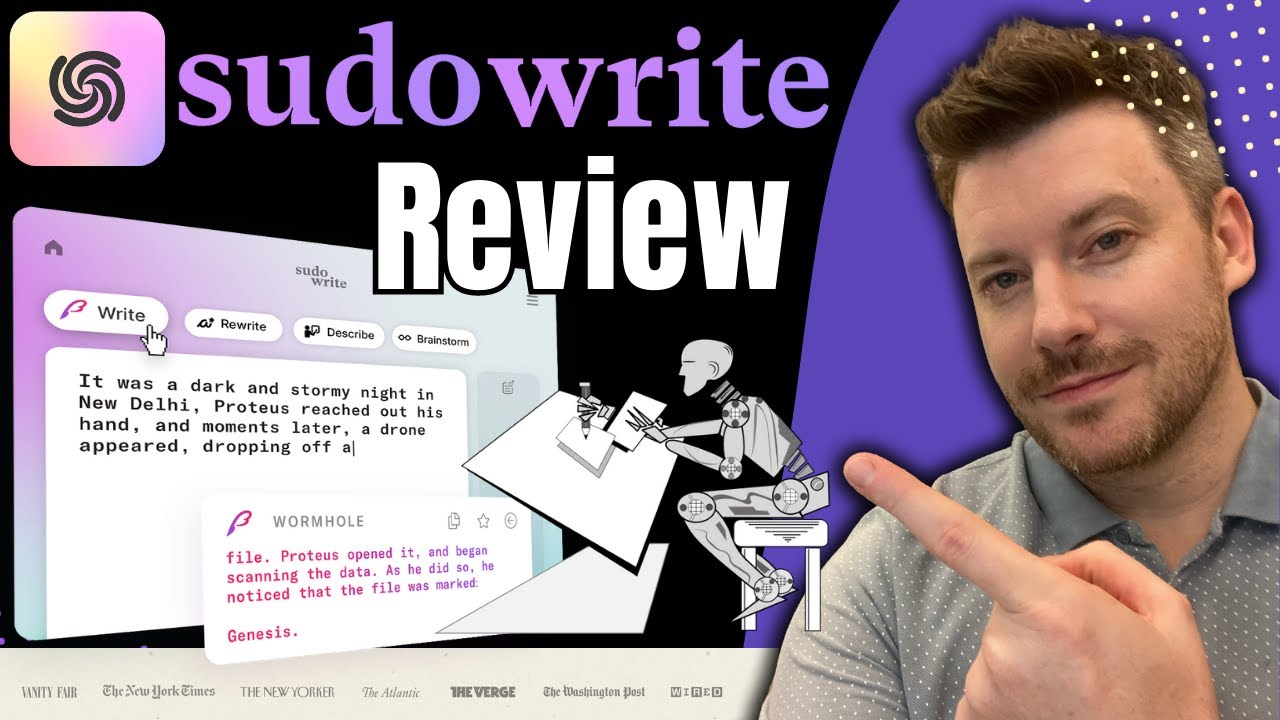
The AI writing boom brought many platforms promising to change creative writing. I tested Sudowrite, ProWritingAid, and AI tools like ChatGPT for writing help.
The key difference is manuscript awareness. Most AI tools suggest without reading your work. They produce generic content that sounds artificial and doesn’t match your voice.
Storyloft’s AI reads your manuscript before suggesting. It learns your writing style, understands your characters, and offers context-aware help. The quality and relevance of suggestions are immediately better.
Other AI tools are great at specific tasks. ProWritingAid checks grammar well, and Sudowrite creates creative prompts. But none integrate the whole writing process from start to publication.
I had to use multiple AI subscriptions for different tasks. Storyloft combines these functions into one platform that understands your project’s big picture.
Why I Made the Switch to Storyloft
My decision was about workflow integration. I was tired of using many tools for writing, editing, organizing, formatting, and collaborating.
Before Storyloft, my process was chaotic. I drafted in Scrivener, edited in ProWritingAid, formatted in Vellum, managed character details in spreadsheets, and shared files through Google Drive. Each tool needed separate learning, subscriptions, and file transfers.
The AI in Storyloft was the final reason I switched. After testing its manuscript-aware suggestions against generic AI tools, the quality difference was clear. An AI that truly understood my story and characters was a game-changer.
The character illustration feature also improved my writing. Having consistent visual references enhanced my descriptions and helped keep character details consistent in long manuscripts.
I appreciated the professional formatting tools too. Publishing my last book involved hiring a formatter and dealing with revisions. Now, I handle formatting myself with confidence.
The switch took time to learn but paid off quickly. Within two weeks, I was writing faster than ever. The integrated approach eliminated the friction that slowed my previous writing process.
| Feature | Storyloft | Scrivener | Google Docs | AI Writing Tools |
|---|---|---|---|---|
| Manuscript Organization | Advanced chapter and scene management | Excellent binder system | Basic document structure | Limited or none |
| Context-Aware AI | Reads entire manuscript | No AI features | No AI features | Generic suggestions without context |
| Professional Formatting | Print and ebook templates included | Compile feature requires learning | None | None |
| Character Illustration | AI-generated consistent artwork | Not available | Not available | Separate tools needed |
| Pricing Model | Monthly subscription | One-time purchase $50 | Free | Various subscriptions $10-30/month |
Looking at this comparison, no single tool is best at everything. Scrivener wins on pricing. Google Docs wins on accessibility. Other AI tools have specialized strengths.
But Storyloft wins where it matters most to me: complete workflow integration. It’s not the best at one thing but excels at bringing everything together in one platform.
The switch ended my software juggling act. I now spend more time writing and less time managing tools. For my workflow and priorities, this integration was more valuable than any feature advantage competitors offered.
Conclusion
My search for the perfect novel writing app ended with Storyloft. It truly gets the author’s journey. It changed how I create books at every stage.
The AI-powered writing features sped up my revisions. They kept my unique voice intact. The character tools made my characters come alive in ways I never thought possible. The formatting tools also saved me from weeks of publishing headaches.
No software can write your book for you. The creative work is always yours. The right tools just make it easier to do your best work.
Switching to this app made me more productive. I’ve also found joy in writing again. I no longer struggle with technical issues or use separate tools.
If you face similar challenges, try Storyloft. Use their trial to see how it works. You’ll find all the tools you need in one place.
The right writing software does more than save time. It changes how you work and create. It supports your dreams and helps you share your stories with eager readers.
FAQ
What makes Storyloft different from other novel writing apps?
Storyloft is unique because its AI reads and understands your book before suggesting changes. Unlike other AI tools, Storyloft’s AI learns your writing style and plot. It offers personalized suggestions, not generic ones.
It also has everything you need in one place. This includes writing tools, character illustration, formatting for print and ebook, and collaboration features. This makes your writing process smoother and less complicated.
Is Storyloft suitable for beginner authors who are writing their first novel?
Yes, Storyloft is great for new novelists. It has tools to help organize your manuscript and an AI assistant to improve your writing. The formatting tools also make your first book look professional.
While it might seem advanced, Storyloft is designed to help you publish a quality first novel. It offers professional tools from the start, not just later.
How does Storyloft’s AI preserve my unique writing voice?
Storyloft’s AI is impressive because it analyzes your entire manuscript before suggesting changes. It understands your writing style, vocabulary, and character voices. This means its suggestions feel like they came from someone who knows your book well.
Instead of imposing a generic style, Storyloft’s AI learns your preferences. It only suggests changes that improve your writing while keeping your voice authentic.
Can I use Storyloft to format my book for both print and ebook publication?
Yes, Storyloft makes formatting your book easy. It offers tools to create professional-looking print and ebook files without leaving the platform. You can customize fonts and margins for print books and handle ebook formatting challenges.
I was able to create publication-ready files that met Amazon KDP specifications without any technical knowledge.
How does the character illustration feature work in Storyloft?
Storyloft’s AI creates professional-quality character illustrations based on your descriptions. It can generate consistent images of the same character in different poses. These illustrations help with writing, beta reading, and marketing.
Can I collaborate with beta readers and editors directly in Storyloft?
Yes, Storyloft makes collaborating easy. You can invite beta readers and editors to access your manuscript with specific permissions. Their comments appear in context, and you can review and accept or reject their suggestions.
This makes the revision process smooth and keeps you in control of your work.
How much does Storyloft cost, and is it worth the investment?
Storyloft requires a subscription, which may be a challenge for some authors. But I see it as an investment in my writing career. It offers a more integrated experience than separate tools, saving me money in the long run.
For serious authors, the features justify the cost.
Can I import my existing manuscript from Microsoft Word into Storyloft?
Yes, importing your manuscript is surprisingly easy. Storyloft parses your Word document into chapters and scenes, saving you hours. It preserves your formatting and structure, making the transition smooth.
Does Storyloft work on mobile devices like tablets and smartphones?
Storyloft works on mobile devices, but its full feature set is optimized for desktop use. Authors will find the best experience on a computer for advanced features.
I use Storyloft on my laptop and occasionally on my tablet for quick edits.
How does Storyloft compare to Scrivener for novel organization?
Both Storyloft and Scrivener are great for organizing novels. Scrivener is known for its corkboard and binder features and has a one-time purchase price. Storyloft, on the other hand, offers AI assistance, character illustration tools, and modern formatting capabilities.
While Scrivener is a good choice for some, Storyloft’s integrated workflow won me over.
What happens to my work if I lose internet connection while using Storyloft?
Storyloft includes automatic backup and version control. This means you can always recover your work. While it doesn’t have offline capabilities, the version history gives you peace of mind.
Check Storyloft’s current technical specifications for offline access details.
Can I manage multiple novel projects simultaneously in Storyloft?
Yes, Storyloft makes managing multiple projects easy. You can see all your projects in one overview and switch between them without losing your place. Each project has its own characters and settings.
I’ve successfully worked on two novels at once, including a sequel that referenced my first book.
Does Storyloft replace the need for a professional editor?
No, Storyloft’s AI assistance is a tool, not a replacement for a professional editor. It helps identify issues and improve your writing before your editor sees it. This lets your editor focus on higher-level issues.
Storyloft’s collaboration features also make working with your editor more efficient.
How steep is the learning curve for Storyloft?
Storyloft’s interface is intuitive, but there’s a learning curve. Authors new to writing software might find it overwhelming at first. But the platform offers helpful tutorials that guide you through its features.
Once you get started, using Storyloft becomes easier.
Can I export my manuscript from Storyloft to other formats if needed?
Yes, Storyloft offers robust export options. You can create print-ready PDFs, ebook files, and standard document formats. This flexibility ensures you can share your work in different formats as needed.
Is Storyloft suitable for genres beyond fiction novels?
While I use Storyloft for fiction, it’s also great for creative nonfiction, memoirs, and other narrative projects. The character illustration features are most relevant for fiction, but the core tools apply broadly. Authors working on technical or academic writing might prefer specialized software.
How does Storyloft handle version control when collaborating with multiple people?
Storyloft’s version control system works well with multiple collaborators. You can review and accept or reject suggestions from beta readers and editors. The platform keeps a clear history of changes, ensuring you can always see what’s been modified.
This means you can collaborate without worrying about losing your work or making changes you didn’t approve.
What kind of customer support does Storyloft offer?
Storyloft offers integrated tutorials and support resources. These help you learn new features without searching for separate documentation. For specific technical questions or issues, check Storyloft’s current support offerings, which may include email support, knowledge base articles, and video tutorials.
Can I use Storyloft if I’m already working with a literary agent or book agent?
Absolutely! Storyloft’s collaboration features are great for authors with representation. You can share project progress and collaborate on publication-ready materials within one secure platform. The platform’s professional appearance helps present your work well to industry professionals.