Technical Illustration Software: A Complete Guide
You've finished a manuscript, but the illustrations are scattered across separate tools. Character sketches sit in one folder, diagrams in another application, the cover is being assembled somewhere else, and every formatting change creates another round of exports. The writing may be progressing, yet the production process feels like project management rather than publishing.
Technical illustration software helps bring that work into a more controlled visual workflow. Once associated mainly with CAD departments, engineering documentation, and manufacturing manuals, these tools now support authors who need diagrams, characters, scenes, covers, and reusable assets without becoming professional designers. Some integrated writing platforms, including Storyloft, place AI-assisted illustration alongside manuscript creation, editing, and publishing tasks.
The important question isn't whether you can create an attractive image. It's whether you can create the right image, keep it consistent, revise it efficiently, and deliver it in the format your book requires. This guide explains what technical illustration software does, which features matter to authors, how different publishing projects use it, and how to choose a platform that fits your workflow.
Table of Contents
- Why Authors Need Technical Illustration Tools
- What Technical Illustration Software Does
- Core Features That Matter for Authors
- Who Needs Technical Illustration Software
- Practical Workflows for Creating Book Illustrations
- How to Choose the Right Technical Illustration Platform
- Integrating Illustration into Your Publishing Workflow
Why Authors Need Technical Illustration Tools
A first-time author often discovers the same problem after drafting the book. Writing happens in one application, image generation in another, cover design in a third, and ebook or paperback formatting somewhere else. Each move introduces friction. Files need naming, dimensions need checking, styles drift, and a small change to the manuscript can force several manual updates.
That fragmentation is especially difficult for illustrated fiction. A fantasy author might create a hero with a distinctive coat, hairstyle, and weapon in one scene, then struggle to reproduce those details later. A nonfiction writer faces a different issue: a diagram may look clear on a screen but become awkward when resized for a printed page or adapted for an ebook.
The hidden cost of disconnected tools
Separate applications aren't automatically wrong. A professional illustrator may prefer a dedicated drawing suite, while an engineer may need a specialized CAD environment. Authors, however, often need a broader production path. They move from idea to manuscript, from manuscript to visual concept, from visual concept to page layout, and finally from layout to publication.
A useful platform should reduce unnecessary transfers without pretending that every project needs the same level of control. A children's book may depend on character consistency and expressive scenes. A technical nonfiction book may prioritize accurate lines, labels, reusable diagrams, and dependable exports. A memoir may need only a few maps, timelines, or location illustrations.
Practical rule: Choose tools based on the visual decisions your book requires, not on the longest feature list.
Technical illustration software has become more accessible because modern platforms can combine structured drawing, reusable visual elements, AI-assisted generation, and publishing outputs. You don't need to understand every engineering term to benefit from those capabilities. You do need to know whether the software preserves quality, supports revision, and keeps visual assets connected to the manuscript.
For authors comparing approaches, AI-generated illustration workflows for books show how visual creation can sit closer to the writing process instead of remaining a separate production task.
What Technical Illustration Software Does
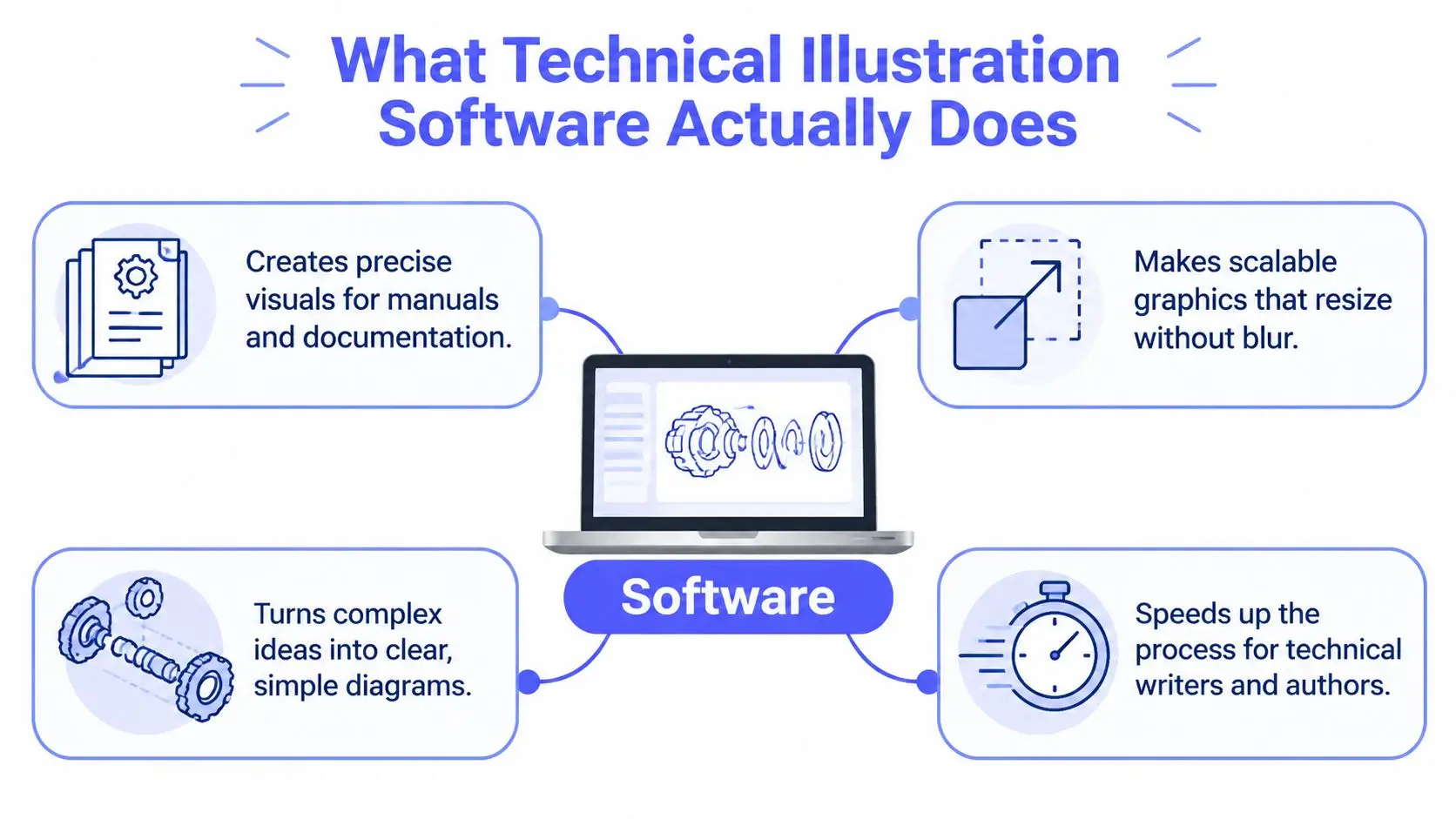
A technical illustration platform helps turn an object, process, idea, or scene into a precise, reusable visual for a manual, diagram, training resource, or book. For an author, its value is practical: the same image can remain clear as you revise labels, change its size, prepare different editions, or send it to publication.
Vector artwork works like a blueprint made from instructions rather than a photograph made from fixed pixels. A photograph may blur when enlarged because its pixels stretch. A vector drawing stores lines, shapes, and relationships, allowing the software to redraw it at another size. One illustration can therefore serve a paperback page, an ebook screen, a website, and a promotional graphic with fewer separate files to manage.
From drafting support to integrated production
Technical illustration software developed alongside computer-aided design. Industry summaries connect adoption with advances in CAD technology and growing demand for technical documentation and training materials. Modern platforms still support engineering teams, while their underlying methods also suit authors: begin with reliable source information, keep visual elements editable, and reuse those elements across outputs.
A typical workflow may start with a 3D CAD assembly, produce an exploded view, add labels, and export the result for a manual or parts catalog. An author can follow the same pattern for a nonfiction diagram, fictional machine, map, or explanation of a complex process. The subject changes, but the need to revise, label, and repurpose the artwork remains.
This shift also brings creation, editing, layout preparation, and export closer together. Earlier tools often assumed specialist engineering knowledge. Integrated platforms now let authors handle more of the process in one workspace, while AI-assisted features can help generate starting concepts or variations. Human review still determines whether the result matches the manuscript, communicates accurately, and respects the intended style.
Raster, vector, two-dimensional, and three-dimensional assets
Raster graphics are pixel-based images, including photographs and many generated pictures. They may look excellent at their intended size, but print preparation requires careful attention to resolution. Vector graphics use mathematically defined paths and shapes, making them useful for line art, diagrams, logos, maps, and technical callouts.
Three-dimensional tools let you position an object, rotate a model, inspect its parts, and create several views without redrawing the subject. Two-dimensional tools remain useful for labels, simplified diagrams, editorial graphics, and final page composition. Authors choosing a platform should understand which type of asset their book needs, rather than assuming one format suits every illustration.
The market reflects this broader role. One estimate valued the sector at US$4.82 billion in 2023 and projected US$7.52 billion by 2031, with a 5.7% compound annual growth rate, according to The Insight Partners' technical illustration software market overview. Another estimate placed it at about US$4.8 billion in 2024 and projected US$7.08 billion by 2029, at a 9.2% CAGR. The differing estimates still point to a field extending beyond specialist engineering use.
Authors looking for a publishing-focused process can also review book illustration art workflows to see how image creation can connect more closely with writing and production tasks.
Core Features That Matter for Authors
A platform can generate attractive pictures and still be a poor fit for book production. Authors need features that protect continuity, support revision, and deliver assets that remain useful after the first draft. The right evaluation starts with the work your book demands.
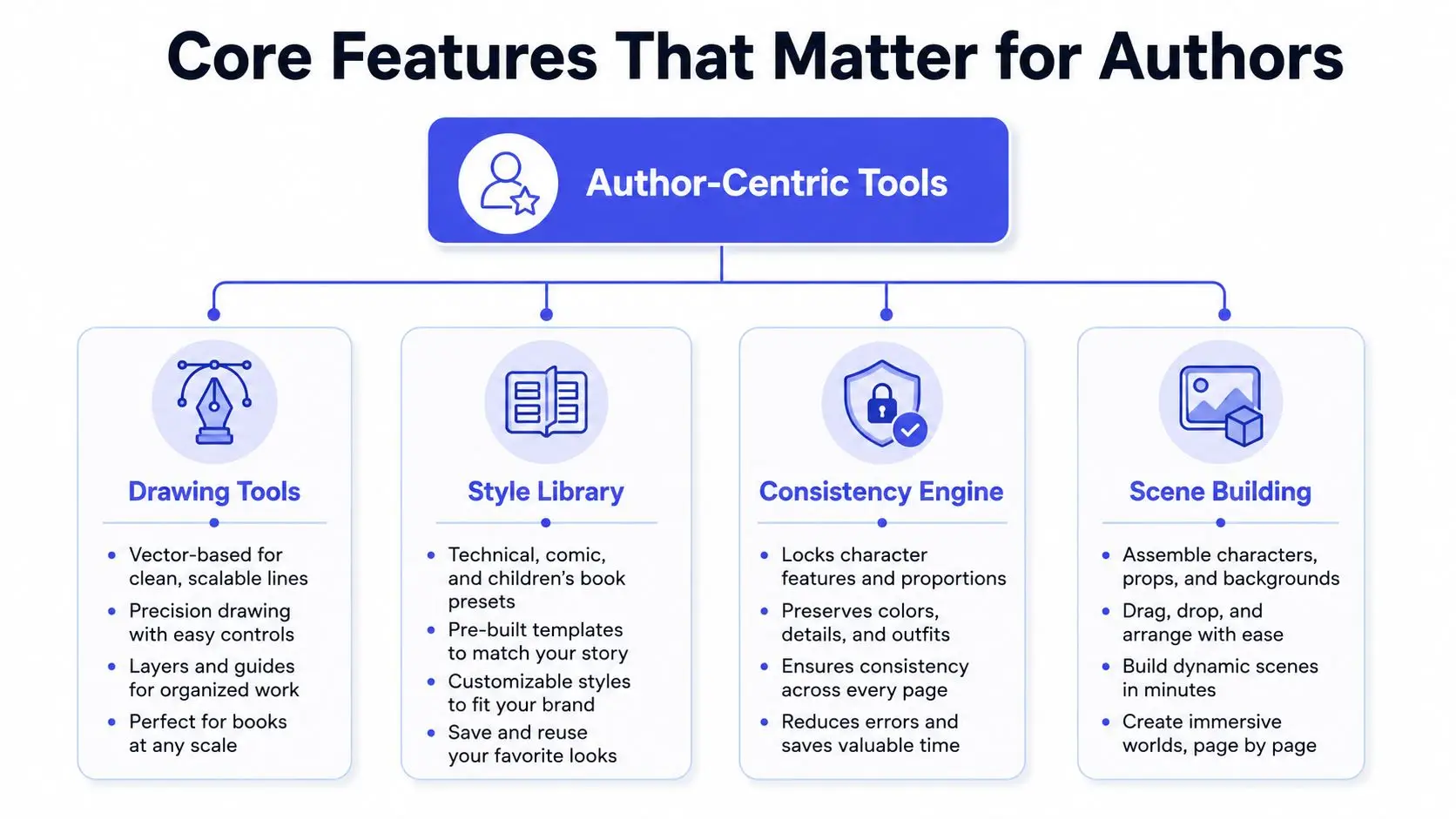
Drawing tools and scalable output
Vector-based tools matter when you're creating maps, diagrams, symbols, labels, timelines, or instructional art. They give you cleaner edges and more dependable resizing than a fixed raster image. Look for support for common outputs such as SVG and PDF, along with raster formats for web and ebook use.
Technical publishing also relies on broad interchange. Current technical suites advertise support for formats including CGM, SVG, DWG, DXF, PDF, AI, and EPS, with delivery paths that include print, PDF, HTML5, and 3D PDF, as described in CorelDRAW Technical Suite's documentation and feature overview. You may not use every format, but broad support reduces conversion problems when an editor, printer, or collaborator works in a different application.
Style controls that serve the manuscript
Style controls should do more than apply a decorative filter. They should help you establish a visual language and repeat it. A technical preset might simplify a mechanism into clear shapes and callouts. A comic style may emphasize expressive outlines and panels. A children's book style may use softer forms and a more illustrative finish.
AI-assisted creation can speed up exploration. You might select a passage describing a laboratory, ask for several scene concepts, and then refine the strongest option. That process is valuable because it separates ideation from final approval. The software creates possibilities, but you remain responsible for accuracy, tone, copyright review, and continuity.
Consistency across characters and scenes
Character tools solve a problem that ordinary image generation often leaves unresolved. Define a character's appearance, clothing, behavior, and visual cues once, then use that reference while developing later scenes. This doesn't guarantee perfect continuity, so inspect each image, but it gives the workflow a stable foundation.
For example, a children's chapter book may need the same child, dog, and backpack across several illustrations. A character consistency feature can reduce accidental changes in proportions, colors, or clothing. Manual controls still matter when the AI produces a plausible image that conflicts with the story.
Scene building and manuscript integration
Scene builders let you combine characters, props, backgrounds, and lighting rather than regenerating the entire image for every revision. That makes targeted changes easier. If the story changes the location but not the character, you should be able to update the setting without losing the established figure.
Integration matters just as much. An illustration tool inside the writing environment can use selected manuscript passages, keep assets near the relevant chapter, and reduce copy-and-paste work. A standalone application may offer deeper controls, but an integrated platform can make the overall process easier for authors who don't want to manage several disconnected production systems.
Who Needs Technical Illustration Software
Not every author needs the same kind of technical illustration software. The best fit depends on whether your priority is storytelling, explanation, visual identity, or collaboration.
Fiction authors
Fiction writers often need expressive scenes and dependable character continuity. A fantasy author might define a protagonist's facial features, armor, colors, and signature object before creating scenes across a manuscript. A science-fiction writer may need spacecraft interiors, technical props, maps, and diagrams that feel related rather than randomly generated.
These authors usually value AI-assisted concept generation, reference controls, scene composition, and style locking. They may not need the full precision of a professional CAD system, but they do need enough control to correct story-breaking details.
Nonfiction and technical authors
Nonfiction writers use visuals to explain relationships. A business author may need a process diagram. A history author may need maps or timelines. A technical writer may create an exploded view showing how product parts fit together.
Accuracy takes priority here. The workflow may begin with structured source information or a CAD model, then move through simplified views, labels, arrows, and export formats. Standards-driven technical publishing increasingly uses vector interchange. S1000D Issue 6.0 introduced an SVG profile that is progressively replacing legacy CGM in some technical illustration workflows, supporting interactive illustrations in electronic manuals, as described by CAD interoperability guidance on exploded views and SVG workflows.
Self-publishers and cover designers
Self-publishers need speed across several visual tasks. They may create interior illustrations, a cover concept, online graphics, and promotional assets without handing each task to a separate specialist. The useful features are templates, style control, layout support, image reuse, and exports suited to both digital and print production.
Collaborative teams
Editors, co-authors, illustrators, and beta readers don't all need design access. A good collaborative workflow lets reviewers comment or approve without accidentally changing the source asset. Teams working with complex technical content also need version control, auditability, and a clear record of which illustration belongs to which manuscript revision.
The distinction is simple: creative authors prioritize continuity and expression, technical authors prioritize fidelity and interchange, and teams prioritize control and traceability. Many projects need a blend of all three.
Practical Workflows for Creating Book Illustrations
A reliable illustration workflow begins with the manuscript, not with a blank image canvas. The text contains the character details, setting, sequence, and purpose that should guide each visual decision.
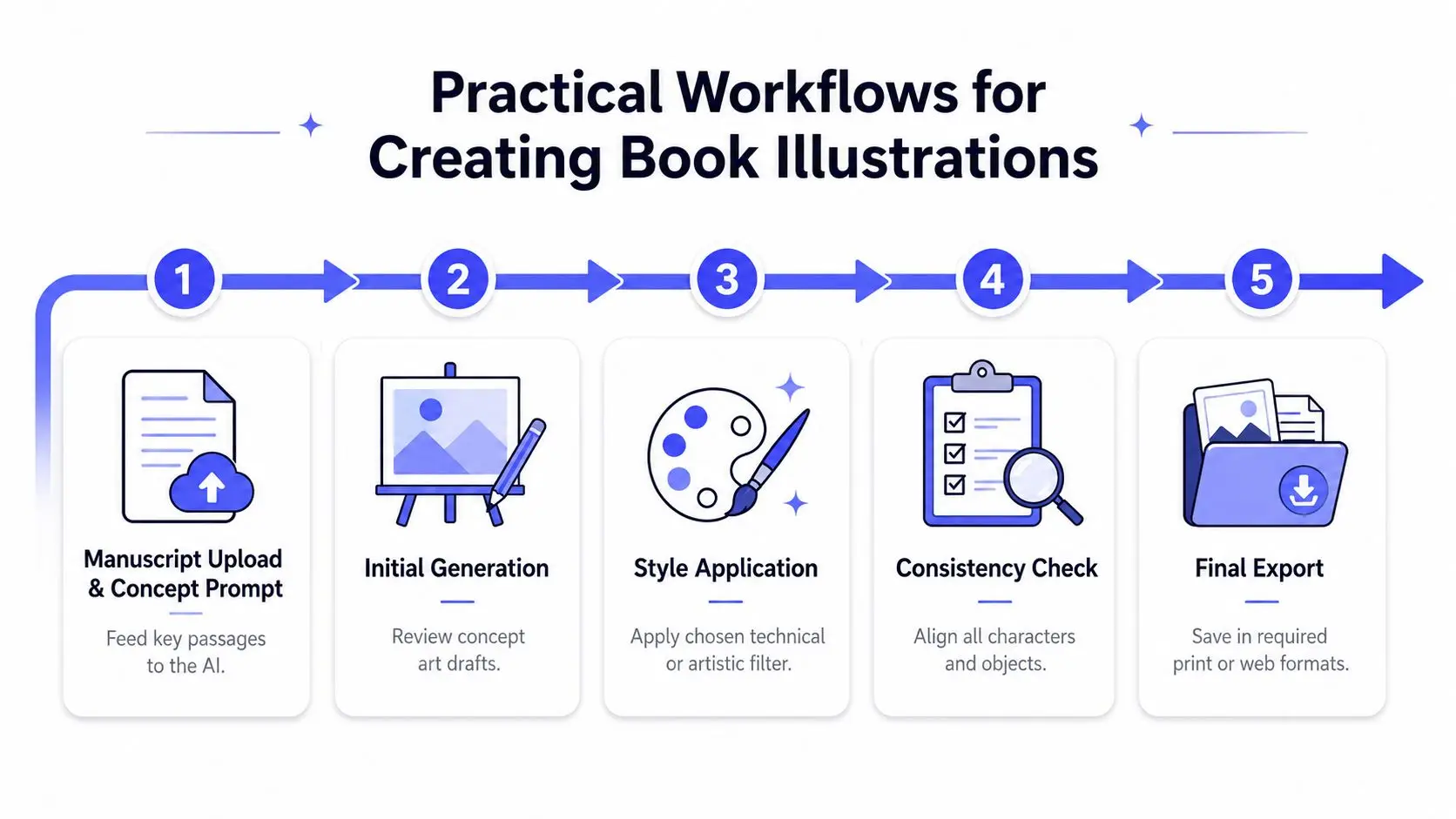
Start with a focused passage
Select the paragraph or scene that needs visual support. Extract the facts that must remain unchanged, such as age, clothing, object placement, historical period, or mechanical relationships. Then separate those requirements from flexible choices such as lighting, camera angle, and background detail.
A strong prompt isn't necessarily long. It's specific about what the image must communicate. For a nonfiction diagram, state the relationship between parts. For fiction, identify the action, emotional tone, viewpoint, and recurring visual references.
Generate concepts before polishing
Use AI-assisted generation to explore several directions, then choose one to refine. Early drafts can reveal whether the composition works, whether the scene has enough space for captions, and whether the image matches the chapter's tone.
Don't treat the first usable image as finished. Check hands, labels, object relationships, perspective, and details that conflict with the manuscript. Technical subjects require particular care because a visually attractive error can mislead readers.
Apply a repeatable visual system
Choose a style before producing a large set of illustrations. Define line weight, color treatment, background approach, and the level of detail. Templates can make that system easier to reuse, especially for recurring diagram types or chapter openers.
For children's projects, children's book illustration tools can help authors work from story passages while keeping the visual direction aligned with the manuscript.
Maintain references and batch related work
Create a reference record for recurring characters, locations, props, and symbols. Batch similar illustrations so you can make related decisions together. For example, produce all chapter maps in one session, then all character portraits, rather than switching styles repeatedly.
Consistency check: Compare every recurring element against a reference sheet before placing the image into the layout.
Export for its actual destination
An ebook, paperback, website, and social post may require different dimensions or formats. Keep an editable master whenever possible, then export delivery copies from that source. Review the result at its intended size, not only inside the illustration application.
An integrated platform reduces context switching by keeping the manuscript, visual references, and output tasks in one working environment. It won't remove the need for editorial judgment, but it can reduce the number of places where errors enter the process.
How to Choose the Right Technical Illustration Platform
An author may begin with a simple chapter diagram, then discover that each revision requires new labels, views, and exports. Choose a platform by identifying the project's greatest risk first. If an incorrect dimension could mislead readers, prioritize precision and editable vector output. If the challenge is producing a consistent set of story images, prioritize reference management and character continuity.
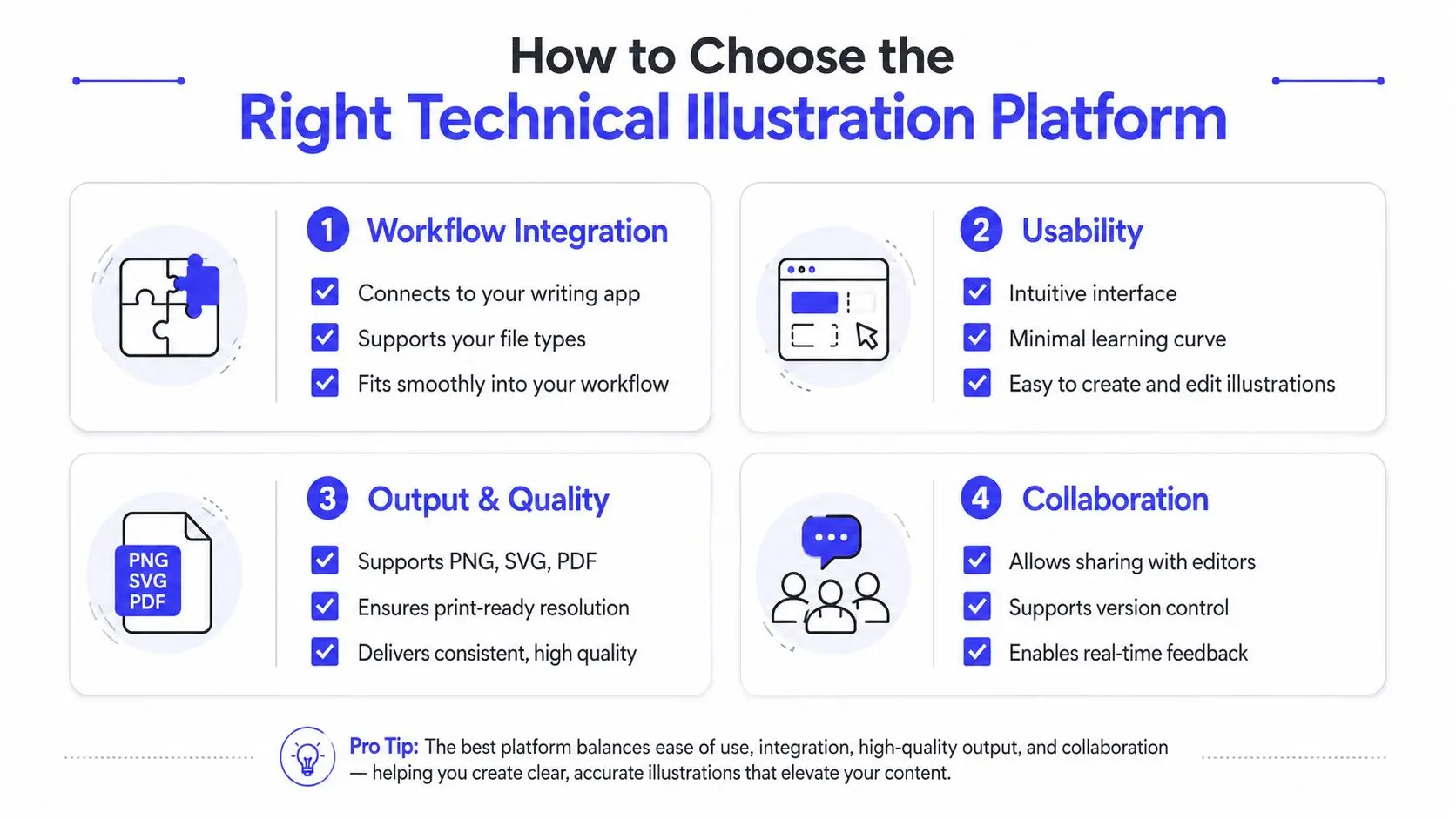
Match the workflow, not just the feature list
Start with the manuscript's location, the path images will take into the book, and the people who must review them. An integrated platform can reduce handoffs for a solo author by connecting visual work with drafting. A specialized engineering suite may fit projects requiring native CAD assemblies, strict standards, or detailed manual control.
Use this decision framework:
- Assess technical depth: Do you need simple diagrams, polished scenes, or CAD-linked exploded views?
- Define the production team: Will you work alone, or will editors, illustrators, and technical reviewers need access?
- Choose your control level: Do you want rapid AI-assisted iteration, precise manual construction, or both?
- Inspect the outputs: Can the platform produce the file types and quality required by your printer, ebook distributor, or website?
Compare convenience with precision
Standalone professional tools generally provide deeper control and specialized functions. They can also require more training and file management. Integrated platforms may offer fewer advanced engineering features while making manuscript-linked production faster and more accessible to authors without design expertise.
The right choice depends on the book. A novelist creating occasional scene art may lose time in a heavy CAD environment. A technical publisher producing regulated manuals may need traceability and dependable source updates more than rapid AI generation.
Check collaboration and privacy
Shared access alone does not make collaboration effective. Reviewers should be able to comment, compare versions, and approve the correct asset without creating duplicate files. Software is increasingly connecting CAD and product lifecycle data, with updates from changed 3D models helping reduce outdated illustrations and repeated work. The same principle applies to books. Keep visuals connected to the current manuscript and source version whenever possible.
AI-assisted creation can shorten the distance between an approved passage and a usable visual draft, but authors still need to check accuracy, permissions, and continuity. Read the privacy policy before uploading a manuscript. Confirm how files are stored, whether they are used for model training, how collaborators gain access, and what happens after a project is deleted.
Integrating Illustration into Your Publishing Workflow
Illustration works best when authors treat it as part of publishing rather than a final decoration. During drafting, mark passages that need visuals. During editing, confirm that every diagram and scene still reflects the revised text. During layout, check captions, margins, resolution, and placement. During final review, inspect the exported ebook and print files separately.
An integrated workflow can connect these stages:
- Draft and organize the manuscript.
- Flag visual opportunities while the text is still changing.
- Generate or draw visual concepts from approved passages.
- Review accuracy, tone, continuity, and permissions.
- Place the approved assets into the manuscript.
- Build the cover and supporting promotional visuals.
- Export and inspect the final print and ebook versions.
Keep assets organized
Use descriptive filenames or project labels that identify the chapter, scene, version, and status. Keep editable masters separate from delivery copies. Store character references, color decisions, diagram conventions, and approved style examples where collaborators can find them.
Version control becomes more important as the book changes. If a chapter removes a prop, changes a character's clothing, or reorders a process, the illustration should be reviewed rather than assumed to remain accurate. This is especially important for series fiction, where visual continuity extends across multiple books.
Protect quality during export
A high-quality source can still produce a poor result if the export settings are wrong. Check whether text remains legible, whether thin lines survive reduction, whether colors shift, and whether transparent backgrounds behave as expected. View the final files in the environments readers will use, including an ebook reader and a print-oriented PDF viewer.
Storyloft combines manuscript drafting, AI-assisted editing, illustration, cover design, and publishing workflows in one application, with tools for long-form projects, collaboration, and print-ready ebook and paperback outputs. Authors can review how to add illustrations to a Storyloft manuscript when they want to connect visual assets directly to their writing process.
The broader lesson is practical: the best workflow isn't the one with the most applications. It's the one that keeps source material, visual decisions, revisions, and final outputs aligned.
Storyloft brings manuscript writing, AI-assisted illustration, character and scene creation, cover design, formatting, and publishing tools into one cloud-based environment. If you want to reduce tool switching while building consistent visuals for a book, visit Storyloft and explore how its author-focused workflow fits your next project.