Book Cover Design App: The Author’s 2026 Guide
You finish the manuscript, read the last line twice, and feel the relief hit all at once. Then the next question lands hard, because a book doesn't look ready until the cover looks ready, and suddenly you're the one responsible for making it real.
If you're sorting through tools, templates, and export settings for the first time, you're not alone. The right book cover design app sits between creative intent and production reality, and that's where most first-time authors get stuck. A practical place to start is Breaker's guide to selling ebooks, which helps frame the broader path from file on your screen to book in a store.
Table of Contents
- That Moment When the Manuscript Is Done
- What a Book Cover Design App Actually Does
- Must-Have Features for Serious Authors
- Standalone Tools Versus All-in-One Platforms
- A Typical Cover Creation Workflow
- How Real Authors Use Cover Apps Differently
- Testing Covers for Genre Fit and Audience Response
- Choosing the Right Book Cover Design App
That Moment When the Manuscript Is Done
The manuscript is done, the file is saved, and the emotional high is real. Then comes the practical wall, because a finished draft still isn't a publishable package unless the cover can survive both a thumbnail view and a print upload. That's why authors start searching for a book cover design app at the exact moment when enthusiasm meets production pressure.
The gap between writing and publishing
Most first-time authors don't need a general design lesson. They need a bridge from “I wrote a book” to “I can upload a book.” The cover has to do more than look attractive, it has to signal genre, stay readable at small sizes, and meet export rules for the channel they're publishing into.
That's also where tool choice starts to matter. A browser editor can help you move quickly, but it won't automatically solve spine width, bleed, or file formatting. A dedicated app is useful because it reduces the number of separate decisions you have to make while you're already juggling editing, metadata, and launch prep.
Practical rule: if a tool can't tell you how your cover behaves in print and ebook formats, it's only helping with part of the job.
The market around cover design has already shifted toward digital workflows. The book cover design services market was valued at $1.2 billion in 2025 and is projected to reach $1.8 billion by 2034, with a 5.8% CAGR over the forecast period, while online platforms accounted for 78.7% of the market in 2025 (market report). That matters because it shows cover creation has become a digital workflow, not a one-off art project.
A good app doesn't remove judgment, but it does reduce panic. It lets you move from draft to cover to export without constantly asking, “Am I even using the right tool for this?”
What a Book Cover Design App Actually Does
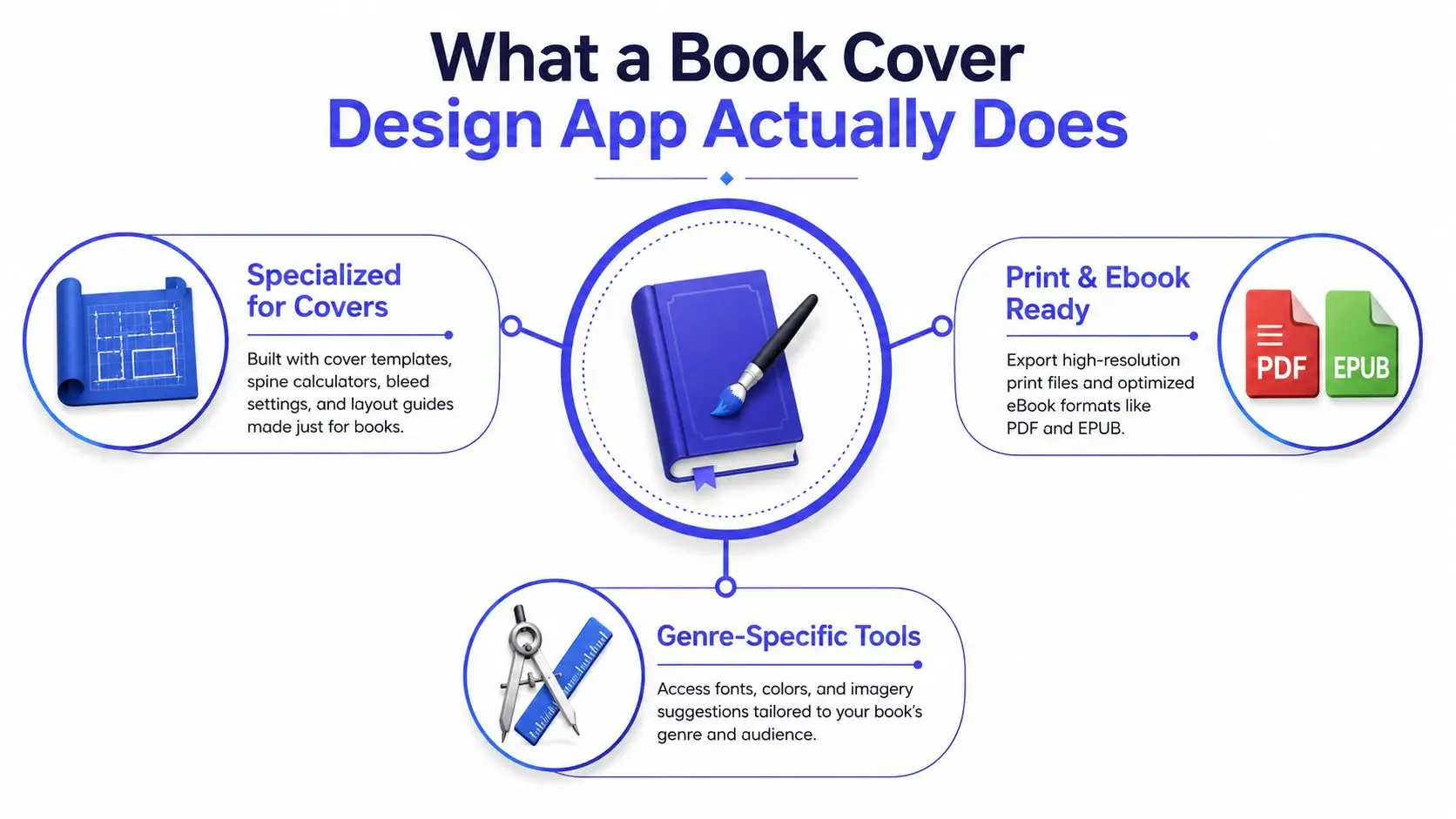
A book cover design app is software built to create covers that work as actual publishing files, not just nice-looking graphics. That means it helps with layout, typography, image placement, and export formats for ebook and print. It's closer to a specialized kitchen appliance than a full workshop, because it's designed for one job that has a lot of hidden constraints.
Why specialized tools matter
A general design program can absolutely be used to make a cover, but it forces you to assemble the workflow yourself. That means you're responsible for page sizes, wraparound calculations, typography choices, export settings, and format checks. A dedicated cover app packages those tasks so the author spends more time choosing the right look and less time reconstructing production steps.
This is one reason the category has matured. App Store availability for tools like Desygner's book cover maker shows that consumer cover creation has moved onto mobile and cloud platforms, while broader marketplace tracking for this app category treats book cover maker products like measurable software businesses, not casual utilities. Adobe Express also shows how far the category has evolved, with thousands of templates and a free entry point for quick creation, which reflects the shift from specialist desktop publishing toward self-serve cover tools (App Store listing).
What separates it from raw design software
Think about the difference between a chef's knife and a full kitchen. Photoshop, InDesign, or similar tools are powerful, but they're general instruments. A cover app gives you genre-aware starting points, easier typography control, and export presets that reduce the chance of a file failure later.
A cover tool should help you make decisions you'd otherwise have to research one by one.
That's especially useful for authors, because the question isn't just “Can I design this?” It's “Can I design this without creating extra production work for myself?” That distinction is what makes this category worth understanding before you commit to a platform.
Must-Have Features for Serious Authors
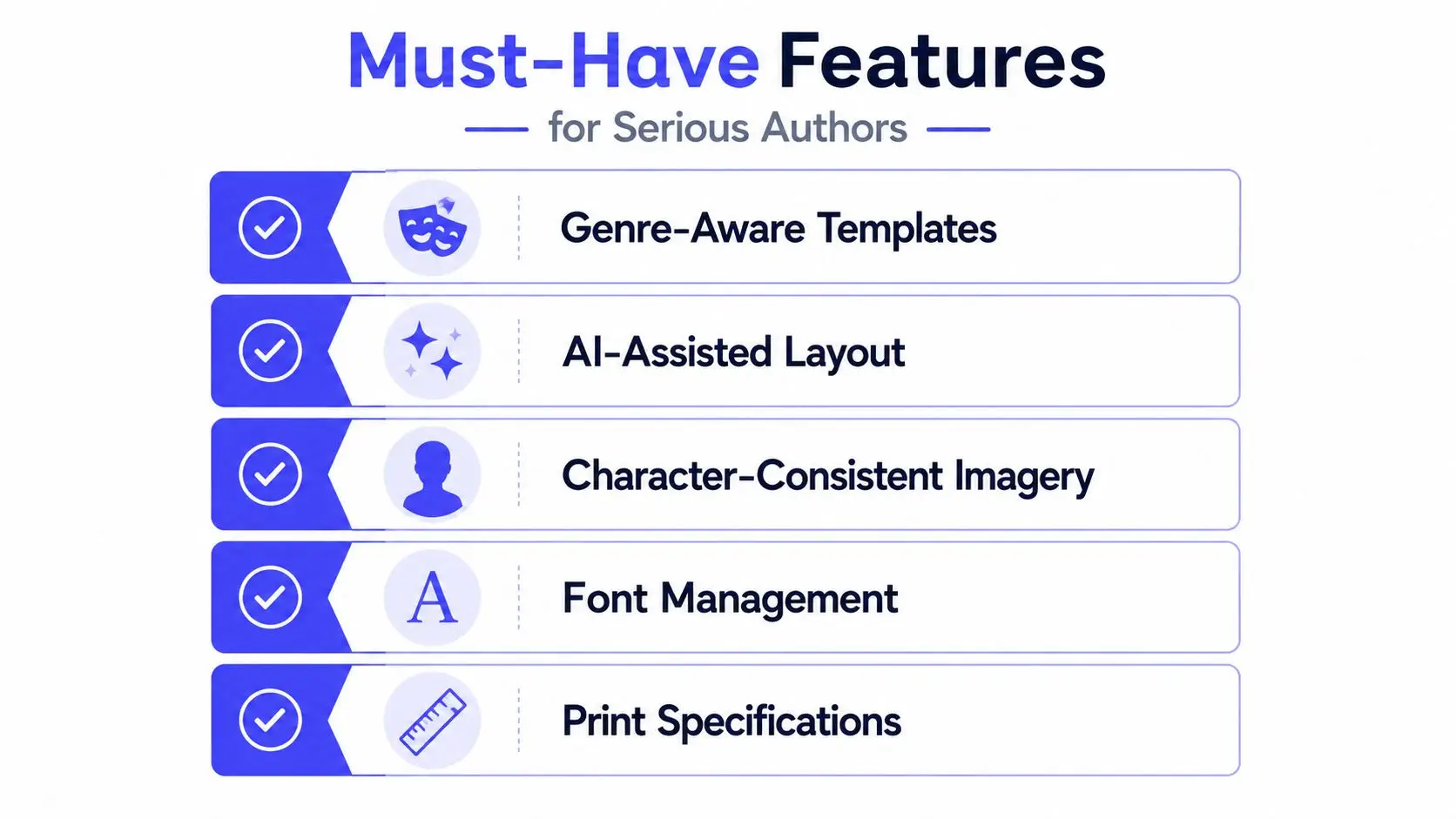
A credible book cover design app needs to do more than offer pretty templates. It should help you make a cover that looks good in marketplace thumbnails, survives platform checks, and exports cleanly for both ebook and print. If a tool can't handle those jobs, it's not really serving an author preparing to publish.
Print specs are not optional
Amazon KDP requires a single PDF for a paperback cover that includes the back cover, spine, and front cover, plus 0.125 in (3.2 mm) bleed on the top, bottom, and outside edges, 300 DPI minimum resolution, and spine text only when the book has at least 79 pages. KDP also requires at least 0.0625 in (1.6 mm) of clearance on each side of spine text so it doesn't wrap onto adjacent panels (KDP cover specs). If your app can't calculate those details accurately, you're left doing manual math and hoping the file passes upload.
That's why spine-width calculation matters so much. A small error can turn into a rejected file or a misprint, especially in print-on-demand workflows where the printer checks the file against exact dimensions. A strong app reduces that risk by building the technical requirements into the design process instead of tacking them on at the end.
Features that save rework
A serious author should look for a tool that supports:
- Genre-aware templates, because readers expect different visual signals in thriller, romance, nonfiction, and children's books.
- Typography control, because title hierarchy and font choice shape readability at thumbnail size.
- Print-ready export presets, because ebook and paperback files follow different rules.
- Spine and bleed handling, because wraparound files need correct measurements before upload.
- Custom imagery support, because many books need art or photography that goes beyond template stock.
The book cover workflow also splits across channels. Ebook covers are commonly exported as JPG files in a 1:1.5 aspect ratio, with a commonly recommended size of 2500×3750 px and a safe minimum of 666×1000 px, while print files need press-ready PDFs with bleed and color handling (Pressbooks guide). That's why export presets are so important, they keep you from using the wrong file type for the wrong channel.
If you're comparing tools, start with this internal resource on Storyloft's AI book cover design workflow. It shows what a cover feature set looks like when layout, export, and manuscript context sit in the same place.
Standalone Tools Versus All-in-One Platforms
Authors usually end up choosing between two models. One is a standalone cover app that does cover work only. The other is an all-in-one platform that keeps drafting, illustration, formatting, and cover design in the same workspace. The right choice depends less on style preference and more on how you publish.
| Criterion | Standalone Cover App | All-in-One Platform (e.g., Storyloft) |
|---|---|---|
| Workflow | Focused on cover creation only | Covers sit beside drafting, editing, and formatting |
| Context switching | Higher, because files move between tools | Lower, because the manuscript and cover stay connected |
| Collaboration | Often separate from writing feedback | Can include editors, co-writers, and beta readers in one place |
| Revision tracking | Usually handled outside the app | Often easier when cover edits stay tied to the manuscript |
| Cost structure | One tool for one task, plus others for the rest | One subscription may replace several separate tools |
| Best fit | Authors who already have a design workflow | Authors who want one environment from draft to export |
Where standalone tools still make sense
A standalone app can be the right choice if you already know design software, already have your editing workflow, and only need a cover tool. It's also useful if you want to separate visual work from writing work completely. That can feel cleaner for authors who prefer a tight, single-purpose interface.
The tradeoff is fragmentation. Once the cover lives in one app, the manuscript in another, and your notes somewhere else, you spend more time rechecking details. That gets painful when a character name changes, a subtitle shifts, or the final trim size changes after you've already built the jacket.
Where integration starts to pay off
An all-in-one platform matters most when the cover has to match the manuscript and the publishing plan. Storyloft, for example, combines manuscript drafting, illustration, cover design, and publishing workflows in one application, and its cover tools include AI-generated layouts plus print and ebook presets. That kind of setup helps when you want the cover to stay aligned with the current text instead of existing as a disconnected file.
The biggest cost in a fragmented workflow isn't money alone, it's attention.
If you're the kind of author who likes fewer moving parts, integration can feel less like a luxury and more like a safeguard. If you only need one-off cover work, standalone software may be enough. If you're building a repeatable author system, the all-in-one path usually removes more friction.
A Typical Cover Creation Workflow
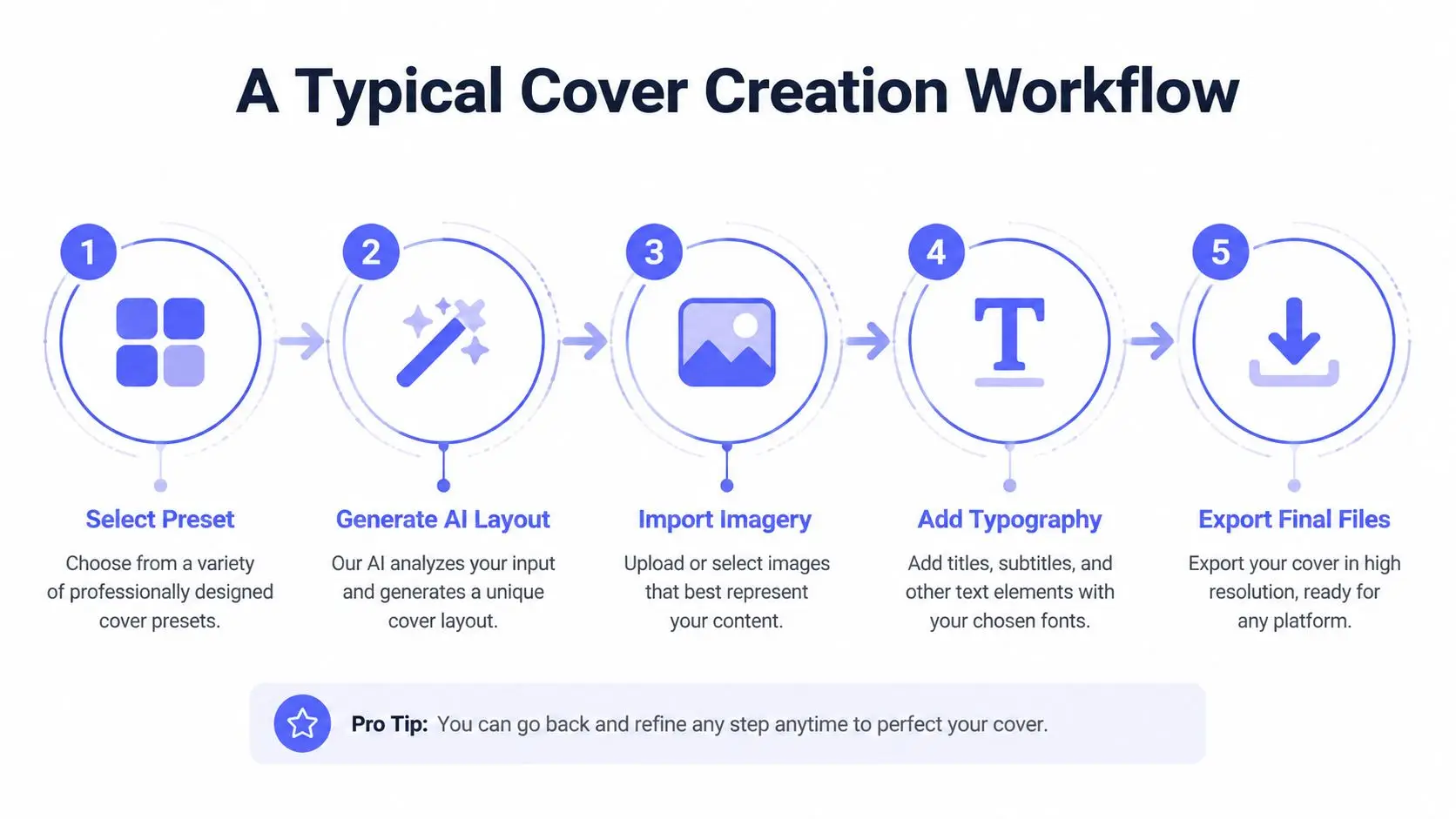
A practical cover workflow starts with a decision, not with decoration. You choose the format first, because ebook and print covers don't ask for the same file. After that, the app should help you move through layout, imagery, typography, and export without making you leave the project to check specs in another tab.
From preset to publishable file
A common integrated flow starts by selecting a preset or letting the app generate a layout from the manuscript. Then you bring in imagery, either from an illustration suite or from artwork you've already prepared. From there, typography becomes the main job, title, subtitle, author name, and hierarchy all need to read cleanly when the book is shrunk down in a store.
The final step is export. Ebook covers need screen-friendly files, while paperback covers need a print-ready PDF with wraparound dimensions and proper bleed. If the app synchronizes the active manuscript with the cover, you can test alternate layouts without losing track of which version belongs to which draft.
The process also gets easier when feedback stays inside the same workspace. Editors and beta readers can comment on cover direction without forcing you to send screenshots through email chains or rename files ten times. That keeps the cover discussion closer to the text, which matters when the story itself changes during revision.
You can also see how the concept translates in a step-by-step demo here: how to use a book cover maker to design a bestseller-worthy cover.
What the workflow feels like in practice
The biggest advantage of a unified system is momentum. You don't finish one task, export it, and then hunt for the next app. You keep shaping the same project until it's ready to ship.
That video format mirrors what many authors need, a visual path from idea to final file. It's especially useful if you're still learning the difference between a design mockup and a file that's ready for upload.
How Real Authors Use Cover Apps Differently
A debut fantasy novelist, a nonfiction expert, and a children's author all need different things from the same category of software. That's why “best app” is the wrong starting question. The better question is what job the cover has to do for this specific book.
The debut novelist
A fantasy writer often needs character imagery that stays consistent across scenes and series branding. If the app includes a character creator or image generation tied to named personas, the author can keep the hero, costume, and visual mood aligned from one illustration to the next. That matters when the same visual identity has to carry across sequels and promotional assets.
The nonfiction author
A nonfiction book usually needs clarity more than spectacle. Clean type, strong hierarchy, and a credibility-first layout matter because the cover has to feel organized before the reader opens the first page. For a print edition aimed at academic or professional distribution, the app's ability to export a ready PDF and handle typography with precision becomes more valuable than flashy art effects.
The children's book creator
Children's authors often need playful illustration and typography that feels lively without becoming hard to read. A cover app that offers style controls, custom artwork, and easy text placement can help the author explore a visual direction quickly. The key is making sure the design still works when reduced to a small online thumbnail, because a whimsical cover that collapses at small size won't help in the marketplace.
Match the tool to the book's promise, not to your favorite design style.
The useful pattern here is simple. Fiction leans harder on imagery and genre cues. Nonfiction leans harder on clarity and authority. Children's books need both visual energy and legibility. A good app helps each author solve the right problem instead of forcing all books through the same template logic.
Testing Covers for Genre Fit and Audience Response
A cover shouldn't be judged only by whether the author likes it. It should be judged by whether readers instantly understand the genre, tone, and promise of the book. That's why cover testing belongs in the workflow, not at the very end as an afterthought.
Why taste is a weak metric
Many cover guides focus on making something eye-catching, but eye-catching isn't the same as effective. A cover can be attractive and still miss the market if it doesn't communicate the right signals. For a deeper breakdown of genre cues and positioning, this guide on book cover design best practices is a useful companion.
Kindlepreneur recommends testing covers with both qualitative polling and quantitative A/B testing, which reflects a simple truth, readers respond to covers in different ways depending on genre expectations and browsing behavior. That's why a single “perfect” design is a shaky assumption. The better approach is to create variants and compare how they're received.
How integrated tools help testing
A platform that keeps the manuscript, character system, and cover design connected makes it easier to produce variants quickly. You can change typography, shift imagery, or adjust color balance without losing the thread of what the book is about. That speed matters when you're collecting feedback from genre readers and need to produce another version fast.
A useful testing routine usually looks like this:
- Qualitative polling, asking readers what genre they think the book belongs to and what mood the cover signals.
- Variant comparison, showing two or more cover directions side by side.
- Thumbnail check, shrinking the cover until the title and focal image are the only things that matter.
- Reader-fit review, making sure the design matches the audience you want to reach.
The goal isn't to make everyone agree. The goal is to make the right reader stop, recognize the book, and feel confident clicking it.
Choosing the Right Book Cover Design App
The right choice comes down to three questions. Are you publishing ebook, print, or both? Are you working alone or with other people? And how comfortable are you making design decisions without help? Once you answer those, the field gets much smaller.
A simple decision filter
If you're only experimenting with a single ebook, a lightweight cover tool may be enough. If you're preparing a paperback, you need more technical support for bleed, spine width, and PDF export. If you're working with an editor, illustrator, or beta readers, collaboration features start to matter more than a huge template library.
For authors who want one place for drafting, illustration, cover design, and publishing prep, an all-in-one platform is easier to keep aligned. Storyloft's internal structure is built for that kind of workflow, and its cover studio sits inside a larger writing environment, which helps when you want the manuscript and the cover to stay synchronized. You can compare it against a broader set of options through this overview of software for book cover design.
What to prioritize before you pay
A fair evaluation usually starts with these questions:
- Does it export the right file types? Ebook and print need different outputs.
- Does it understand production specs? Bleed, spine width, and resolution can't be guesses.
- Can it support your genre? Template style should match reader expectations.
- Can you test alternatives quickly? Cover work gets better when revision is easy.
- Does it reduce tool sprawl? Fewer apps often means fewer mistakes.
If you want to see a platform that combines manuscript work, AI support, and cover creation in one environment, it's worth taking a look at browse funded AI projects to understand how these integrated author tools are being positioned in the broader market. For authors trying to ship a professional cover without building a patchwork workflow, that kind of consolidation is the story.
The most useful book cover design app is the one that helps you finish the book without creating avoidable production errors. If you want your cover, manuscript, and export files to stay in one place while you write and publish, visit Storyloft and see how its cover studio fits into a full author workflow.