Character Creator Software for Authors and Creators
You're halfway through a novel when a small problem becomes impossible to ignore. Your protagonist had cropped black hair in the opening chapters, but the latest illustration shows shoulder-length brown hair. The scar that once crossed the left eyebrow has moved to the cheek. Worse, the character's behavior has drifted too: a careful, observant hero suddenly makes reckless decisions without any change in the story explaining why.
This is the author's real challenge with character design. You don't only need a memorable face. You need a stable visual and behavioral reference that can survive dozens of chapters, illustrations, revisions, collaborators, and perhaps a sequel. Character creator software can provide that reference by bringing appearance, personality, relationships, voice, and story development into one reusable profile.
Table of Contents
- When Your Protagonist Stops Looking Like Themselves
- What Character Creator Software Actually Is
- Core Features That Matter to Writers
- Why Authors and Creators Lean In
- A Real Workflow From Idea to Illustration
- Choosing Standalone Tools Versus Integrated Platforms
- Choosing Your Starting Point
When Your Protagonist Stops Looking Like Themselves
By chapter twelve, you've learned your protagonist well enough to write quickly. You know how they stand when they're nervous, which subjects they avoid, and what their hair looks like after a night in the rain. Then you ask an illustrator for a cover mockup and receive a beautiful image of someone who seems only vaguely related to the person in your manuscript.
The mismatch may look minor at first. Hair length changes. Eye color shifts. A birthmark disappears. A favorite coat becomes a different color. Yet readers use these details to build a mental version of the character. When the details keep changing, that mental picture becomes unstable.
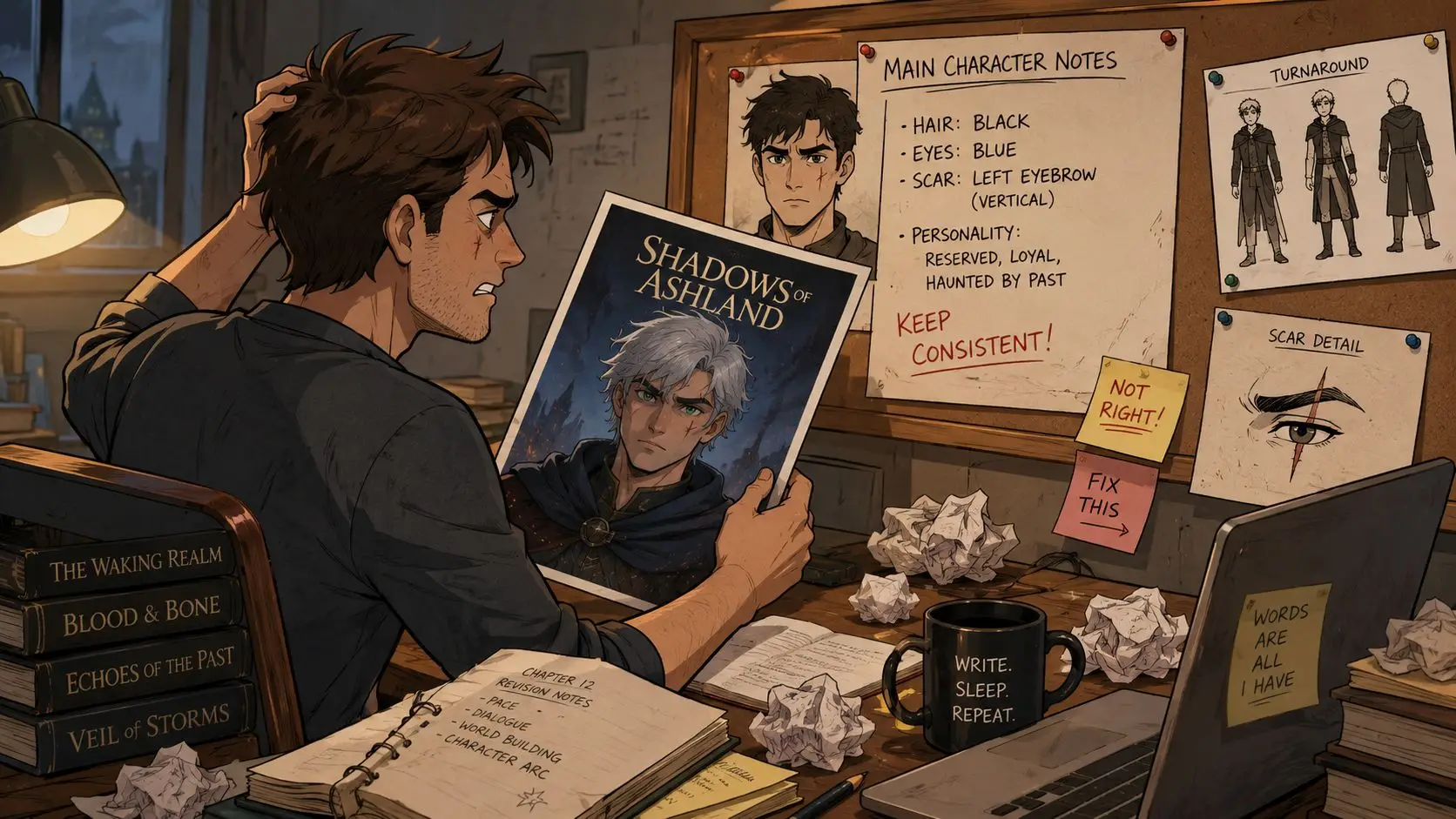
The same problem affects behavior. A sarcastic mentor may begin answering questions earnestly. A cautious investigator may trust a stranger without evidence. A protagonist defined by patience may start shouting in scenes because the plot needs faster conflict. You can repair each inconsistency manually, but the repairs become harder as the manuscript grows.
One source of truth
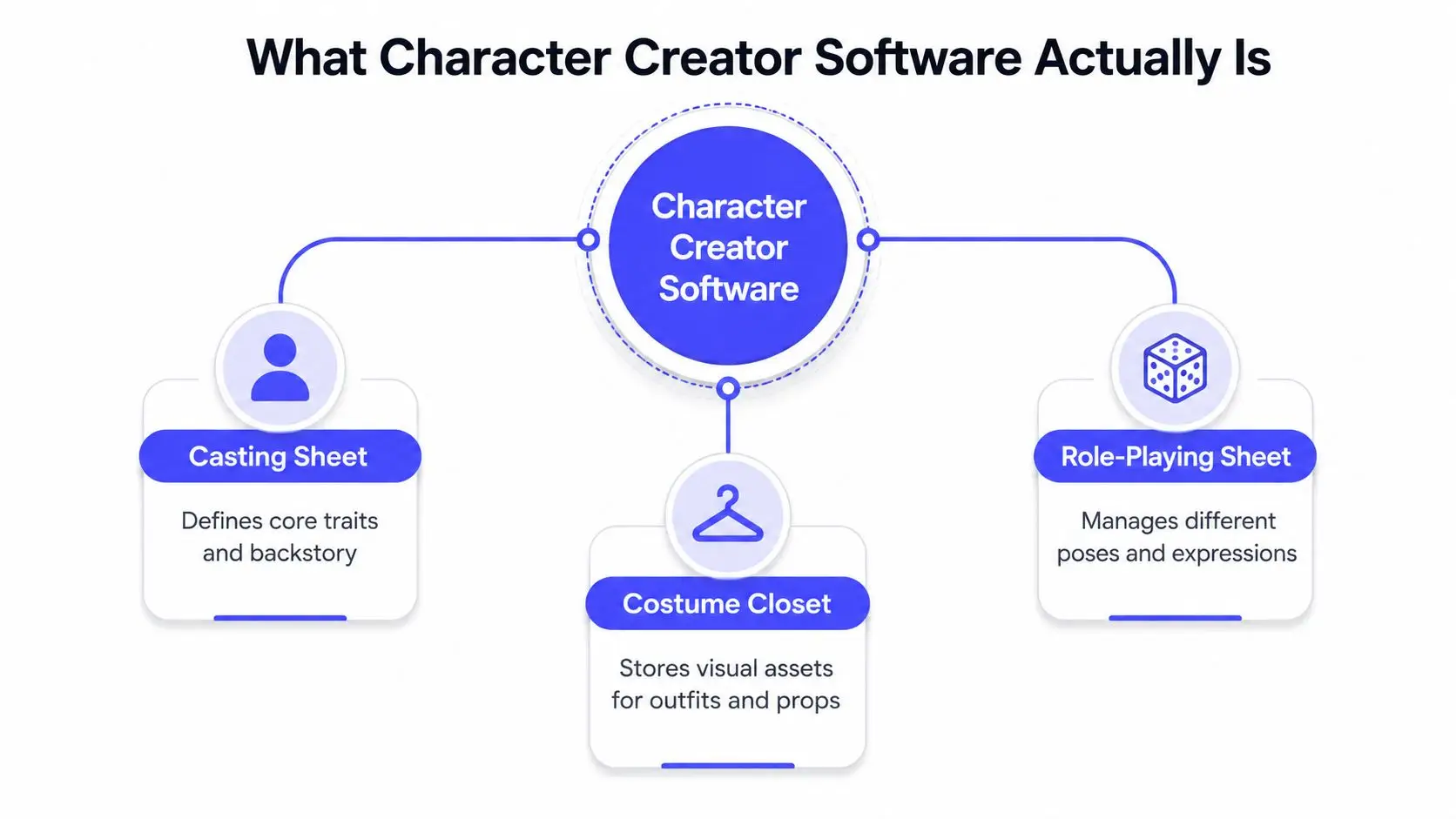
A useful character profile combines the functions of a casting sheet, a costume closet, and a role-playing character sheet. It records what the character looks like, how they respond, what they want, and which details must remain fixed.
That record gives you something concrete to consult before drafting a scene or briefing an artist. A cover designer can check the same portrait reference as an illustrator. A co-author can review the same voice notes. You can also use the profile to create a more reliable character profile for your story instead of scattering details across notebooks and old drafts.
Practical rule: If a character detail would frustrate a reader when it changes, store it somewhere you can find before writing the next scene.
Character creator software doesn't replace judgment or imagination. It reduces avoidable drift. The important question isn't whether a tool can generate an attractive portrait. It's whether the tool helps you preserve identity across the entire life of the character.
What Character Creator Software Actually Is
For a writer, character creator software is a structured workspace for defining and reusing a character. Think of it as a casting sheet containing the person's essential traits, a costume closet holding visual references, and a role-playing sheet describing motivations, habits, relationships, and reactions.
That analogy matters because many first-time users misunderstand the category. They expect one button to produce a finished fictional person. In practice, the strongest tools help you make decisions, save them, and apply them repeatedly.
What it isn't
It isn't necessarily a full 3D modeling suite. A production program may let a specialist sculpt a high-detail body, build topology, create materials, rig a skeleton, and prepare animation files. That can be valuable for game development, but most novelists don't need that level of technical control.
It also isn't a game engine. Engines such as Unreal Engine and Unity are built to run interactive experiences. Character creator software may export assets into those environments, but an author working on a novel usually needs a reference system rather than a playable digital actor.
Finally, it isn't just a generic AI image prompt box. A prompt box can produce an appealing image, but it may not remember that the character has a chipped front tooth, avoids eye contact when lying, and wears the same brass ring in every important scene. Without a stored profile, each new generation can reinvent the person.
Three common forms
You'll usually encounter three broad versions:
- Reference applications focus on profiles, notes, images, and searchable character databases.
- Visual design tools emphasize portraits, body controls, clothing, poses, expressions, and illustration references.
- Integrated writing platforms place character records beside the manuscript and connect them to prompts, scene generation, editing, or illustration features.
Modern tools may also offer AI assistance. You might enter stored attributes and receive a portrait prompt, a scene description, or a dialogue starting point. The useful distinction is that the AI works from a saved identity rather than from a fresh description every time.
For a broader writing-focused option, an AI character creator for writers can be evaluated by how well it connects persona details to the actual manuscript. The best fit depends on whether your priority is prose continuity, visual experimentation, or a production-ready asset pipeline.
Core Features That Matter to Writers
A feature list can become distracting quickly. Novelists don't need every technical control offered to a game studio. They need the controls that prevent identity drift and make recurring decisions easier.
| Feature Bucket | What It Stores | Author Benefit |
|---|---|---|
| Persona profile | Name, age, history, motives, voice, and physical traits | Keeps foundational information in one place |
| Appearance controls | Hair, build, clothing, colors, marks, and accessories | Aligns portraits, covers, and scene illustrations |
| Behavior profile | Speech patterns, fears, habits, relationships, and reactions | Supports consistent dialogue and decisions |
| Exportable assets | Reference sheets, portrait images, prompts, and text blocks | Moves character information into other writing and art workflows |
Persona profiles
Start with the person beneath the image. A useful profile can hold a name, age, backstory anchors, central motivation, internal conflict, and the contradiction that makes the character feel human.
Suppose your protagonist is a public defender who believes rules protect vulnerable people but secretly falsifies evidence when someone she loves is threatened. That contradiction belongs in the profile because it can guide plot choices, not merely decorate a biography.
During a mid-draft scene, you can check whether a proposed action fits her values. If it doesn't, you either revise the action or create a story event that explains the change.
Appearance controls
Appearance fields should make visual decisions explicit. Record hair texture and length, body shape, skin tone, eye color, clothing preferences, posture, visible injuries, and recurring objects. Sliders can help when you're building a visual model, while text fields may work better for details such as “keeps sleeves pulled over her hands.”
A novelist might use the profile to brief a cover artist, then reuse the same details for a rainy street illustration. The point isn't perfect automation. It's giving every visual collaborator the same starting information.
A character design template can also help you separate permanent traits from details that change by scene, season, disguise, or character arc.
Behavior profiles
Visual continuity gets attention because it's easy to see, but behavioral continuity often determines whether readers trust a character. Store how the person reacts under pressure, around allies, while hiding information, and after failure.
For example, a guarded detective may become more formal when frightened rather than more emotional. A generous friend may offer practical help but avoid verbal reassurance. These patterns become useful prompts during dialogue revision.
Exportable assets
Look for ways to export a compact reference sheet, a portrait, and a reusable text description. A novelist can paste that block into an illustration brief, an AI art tool, a query package, or a scene-planning note.
Some impressive features may produce little value for prose writers. Advanced mesh controls, elaborate animation systems, and large libraries of decorative accessories can be unnecessary if you only need a stable face, wardrobe logic, and behavior guide. Choose the feature that reduces a recurring writing problem, not the feature that looks most technical in a product demonstration.
Why Authors and Creators Lean In
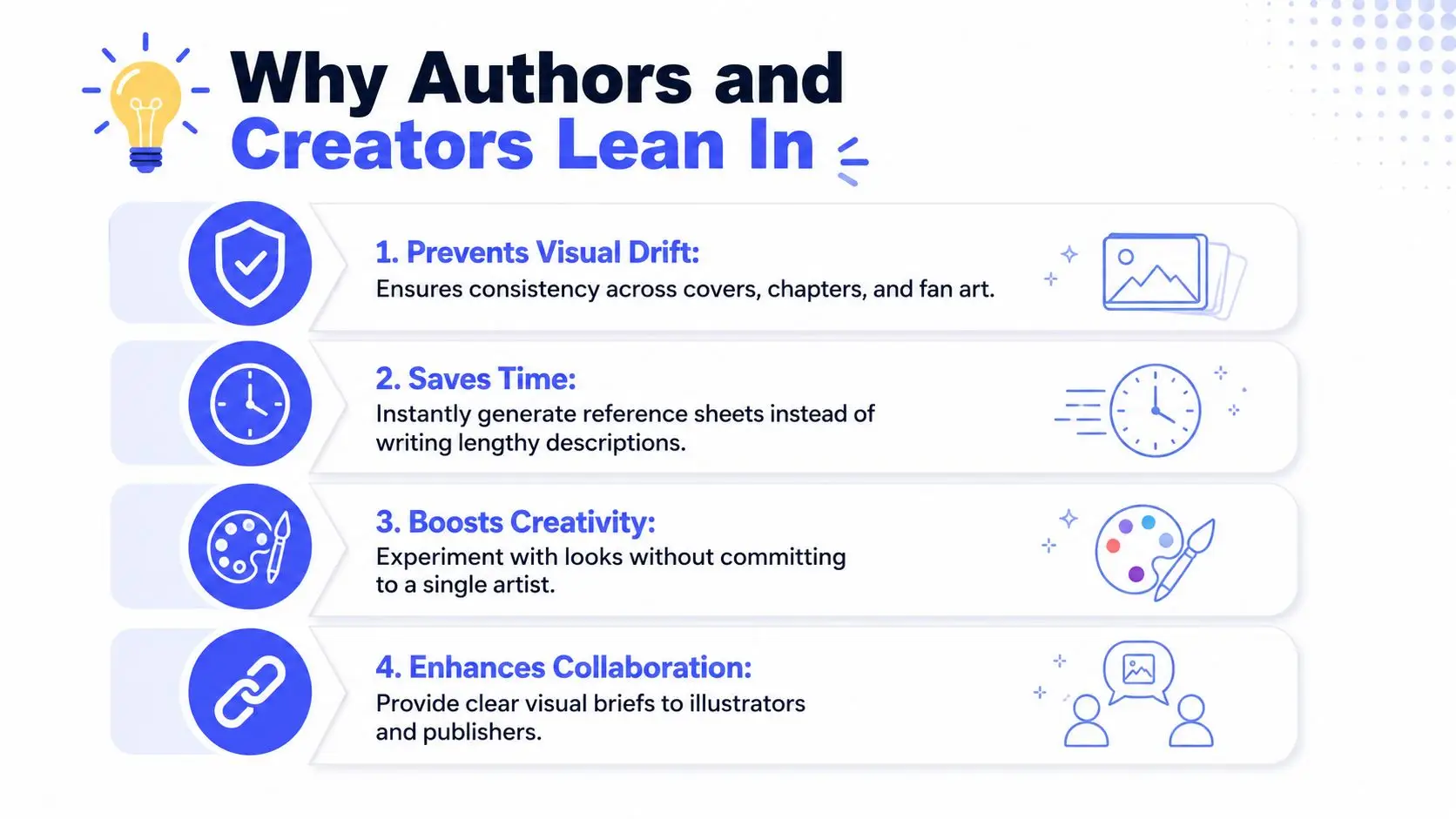
The strongest argument for character creator software is practical. It removes repeated decisions that authors otherwise make from memory, and memory becomes unreliable across a long manuscript.
A stored persona can keep a cover portrait, chapter illustration, mood board, and generated scene aligned. You can still change the character deliberately, but the change becomes a choice rather than an accident. That distinction protects the reader's mental image and saves you from revising descriptions after every new illustration.
Consistency supports better prose
A behavior profile performs the same job for voice and action. If your protagonist is measured under stress, the profile can remind you to show clipped sentences, delayed responses, or careful questions instead of unexplained outbursts. If a mentor uses humor to avoid vulnerability, that pattern can shape both dialogue and scene blocking.
Character-driven prompts become more useful when they contain more than adjectives. “Brave and clever” gives an assistant little to work with. “Avoids direct requests, notices exits first, and jokes when ashamed” provides behavior that can influence dialogue, conflict, and scene ideas.
Visual work becomes easier to revise
Authors often need several visual options before settling on a cover direction or promotional image. A reusable character reference lets you explore clothing, lighting, setting, and mood without rewriting the entire description from memory each time.
That flexibility doesn't eliminate the value of an illustrator. It can make the illustrator's brief clearer, especially when you need to explain which visual traits are fixed and which are open to interpretation. If you're preparing a manuscript package or reviewing artwork in PDF form, a resource for editing PDFs as a writer can help you mark changes and keep feedback in one working document.
Collaboration gains a shared language
Co-authors, critique partners, editors, and illustrators may each imagine the same character differently. A profile gives them a shared reference sheet that includes both appearance and behavior. That prevents the common situation in which one collaborator writes a bold, impulsive hero while another edits the character as cautious and analytical.
The benefit compounds over time. Once a character exists as a reusable profile, you can adapt it for a scene draft, illustration prompt, marketing description, sequel outline, or series bible without starting from a blank page.
A Real Workflow From Idea to Illustration
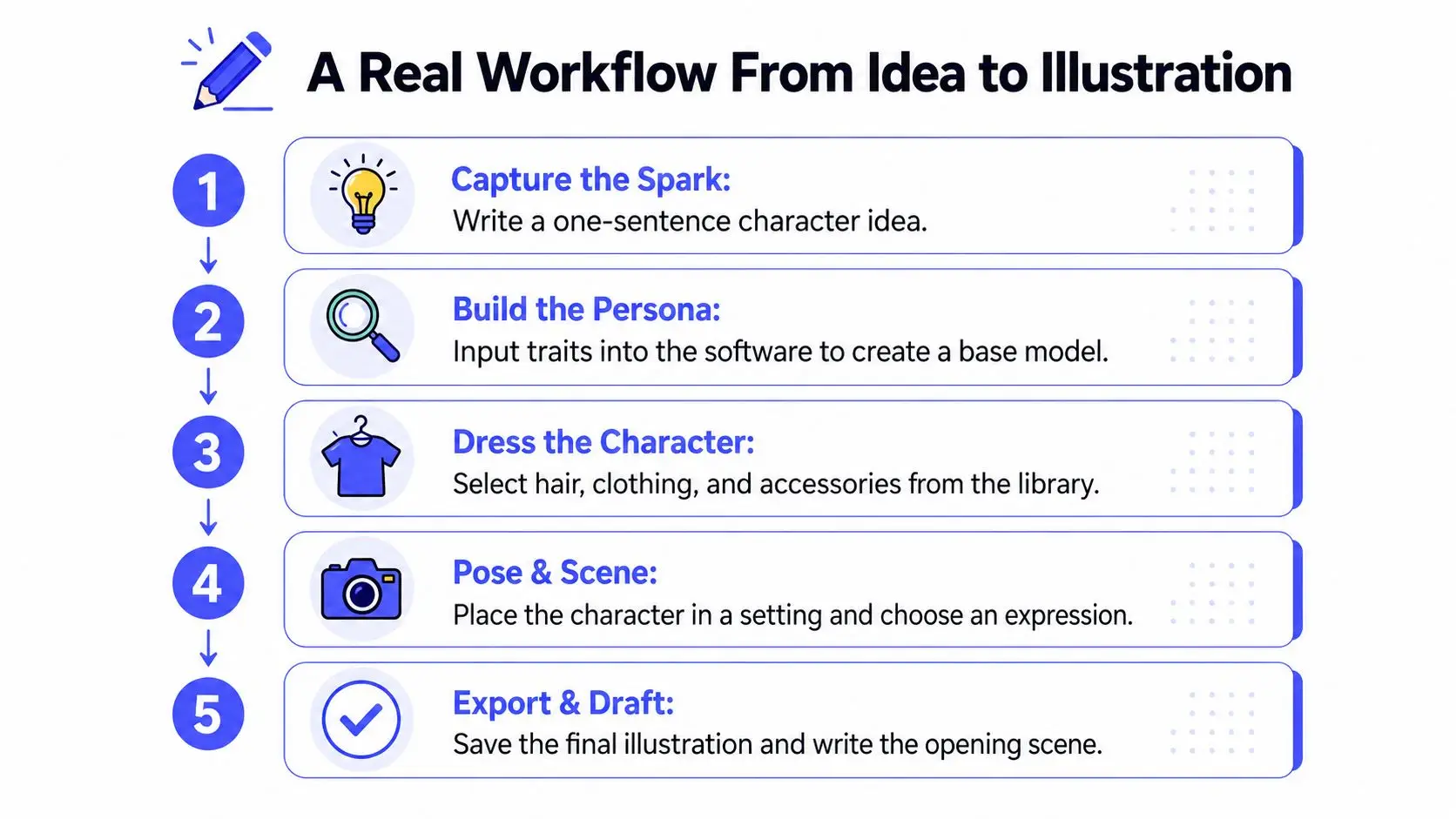
A useful workflow begins before you open an image generator. First, decide what the character means to the story. Then record the details that should remain stable, add the behavior that drives scenes, and only afterward produce visual material.
Start with a spark
Write one sentence that contains a person, a pressure, and a contradiction:
A meticulous archivist must forge historical records to save the brother she refuses to forgive.
Don't polish it yet. The sentence gives you a dramatic center before appearance fields tempt you into choosing eye color and clothing.
Build the persona
Open the character creator and record the foundation:
- Identity: Name, age, role, and current situation.
- Backstory anchors: Events that shaped trust, fear, ambition, or shame.
- Contradiction: The belief or trait that conflicts with the character's actions.
- Voice: Sentence length, favorite evasions, vocabulary, humor, and silences.
- Physical traits: Face, hair, build, posture, marks, and recurring objects.
Keep permanent facts separate from changeable presentation. A disguise, damaged coat, or new haircut belongs to a scene state. A distinctive scar or habitual posture may belong to the core identity.
Add behavior under pressure
Now define reactions rather than labels. What does the archivist do when accused? She may become excessively precise. What happens when she lies? She answers a different question. How does she behave with her brother? She corrects his facts because correcting his feelings feels unsafe.
These details give you usable material for scenes. They also help an illustrator or writing assistant understand that the character's personality appears through actions, not just through descriptive adjectives.
Export, generate, and compare
Export the profile as a concise text block. Use it first for a neutral reference portrait, then for a scene image that places the character in a meaningful setting. Check the output against the fixed traits before accepting it. If the scar, posture, or clothing logic changes, revise the prompt or reference rather than accepting the drift.
Technical artists often distinguish detailed high-poly creation from optimized low-poly delivery, with retopology and normal-map baking used before rigging and export. That production context is different from novel writing, but authors who want to understand the visual side can consult this Sculpty low poly character guide.
Place the same text block beside your writing workspace and draft the chapter opening. A manuscript-centered character tool can help you use character illustrations in Storyloft as part of the same planning process rather than treating the image as a disconnected decoration.
Here's the embedded workflow video for readers who prefer to watch the process:
The finished profile can support more than one chapter. You can adapt it for a query letter, a back-cover description, a sequel outline, or a promotional image while preserving the same identity.
Choosing Standalone Tools Versus Integrated Platforms
The choice usually depends on where you already work. A standalone character creator makes sense when your manuscript lives happily in another application and you want a dedicated database for appearance, behavior, and visual references. An integrated writing platform makes more sense when you want the character record beside the scene, with prompts and illustrations generated from the same workspace.
| Factor | Standalone Tool | Integrated Platform |
|---|---|---|
| Manuscript connection | Usually requires copying or exporting details | Places character information near the draft |
| Asset portability | Often designed for reuse across applications | Convenient inside the platform, portability varies |
| Switching cost | Adds another application to your routine | Reduces tab switching but creates platform dependence |
| Subscription planning | May add a separate cost to your writing stack | May combine writing and character features |
| AI prompt use | You may prepare and paste prompts manually | Prompts can draw from the manuscript and profile |
| Best fit | Authors with an established writing setup | Authors building a unified writing workflow |
Choose based on friction
Standalone tools win for illustrators, game writers, and authors who need deep visual controls. They also suit novelists who already love their manuscript editor and don't want to move their drafting routine.
Integrated platforms win for writers who want auto-populated character sheets beside scenes, shared project context, and fewer copy-and-paste steps. The trade-off is that you should check how easily you can export profiles, images, and notes if you later change tools.
Test a scene, not a feature list
Before committing, write one short scene in each candidate environment. Give the character a simple objective, a social obstacle, and a moment of pressure. Then inspect whether the tool preserves the character's appearance and behavior without forcing you to restate everything manually.
Decision test: The right tool is the one that makes the next scene more consistent, not the one with the longest menu.
If you already love your writing application, pick a standalone character creator that can export clean reference material. If you're still assembling your writing stack, an integrated platform may reduce the coordination work between drafting, character planning, illustration, and revision.
Choosing Your Starting Point
Your writing style should determine your first tool, not the software's most impressive demonstration.
The pantser, or discovery writer, usually meets characters on the page. Start with a lightweight persona profile inside your existing writing tool. Record the traits that emerge naturally, then add detailed appearance controls when covers, illustrations, or recurring visual references become important.
The plotter builds before drafting. A standalone character creator with deep appearance controls and exportable reference sheets may suit this approach. You can establish the cast, compare relationships, test visual distinctions, and enter chapter one with a more dependable story bible.
The hybrid author moves between prose, artwork, and AI prompts. An integrated writing platform can reduce the friction of carrying a character from profile to scene to illustration. Keeping those materials together also makes it easier to notice when the visual version no longer matches the written one.
Use four questions to choose your starting point:
- Budget: Do you need one focused tool, or are you willing to maintain a broader writing stack?
- Illustration needs: Will you create occasional references, or will visuals support covers, scenes, and promotion?
- Existing workflow: Do you already have a manuscript editor you don't want to replace?
- AI prompt plans: Will you reuse character information for dialogue, scene ideas, and image generation?
Begin with one recurring character rather than your entire cast. Build the profile, draft a scene, create one reference image, and check whether the process prevents the drift that prompted your search. If it does, expand the system. If it doesn't, you've learned which missing feature matters before investing more time.
Storyloft brings manuscript drafting, character profiles, AI-assisted editing, illustration, cover design, and publishing workflows into one writing environment. Visit Storyloft to create a reusable character reference and test it against your next scene, illustration, or long-form project.