Manuscript Formatting Guidelines: A 2026 Guide
You've finished the draft, and now three different files seem to be waiting for you: a submission manuscript for an agent, a print interior for a paperback, and an ebook that must reflow across screens. The temptation is to format each one from scratch. That approach creates duplicated work, inconsistent chapter titles, drifting corrections, and last-minute surprises.
A better system starts with one clean master manuscript. You establish a stable editorial baseline, keep the content separate from destination-specific layout, then create controlled exports for submission, print, and ebook. These manuscript formatting guidelines will help you do that without confusing a review document with a finished book interior.
Table of Contents
- What Manuscript Formatting Guidelines Actually Require
- Page Layout and Typography Foundations
- Front Matter, Chapter Pages, and Readable Architecture
- Adapting Your Manuscript for Submission, Print, and Ebook
- Citations, References, and Image Handling Across Formats
- Export, File Types, and Pre-Submission Validation
- Final Manuscript Checklist Before You Hit Submit
What Manuscript Formatting Guidelines Actually Require
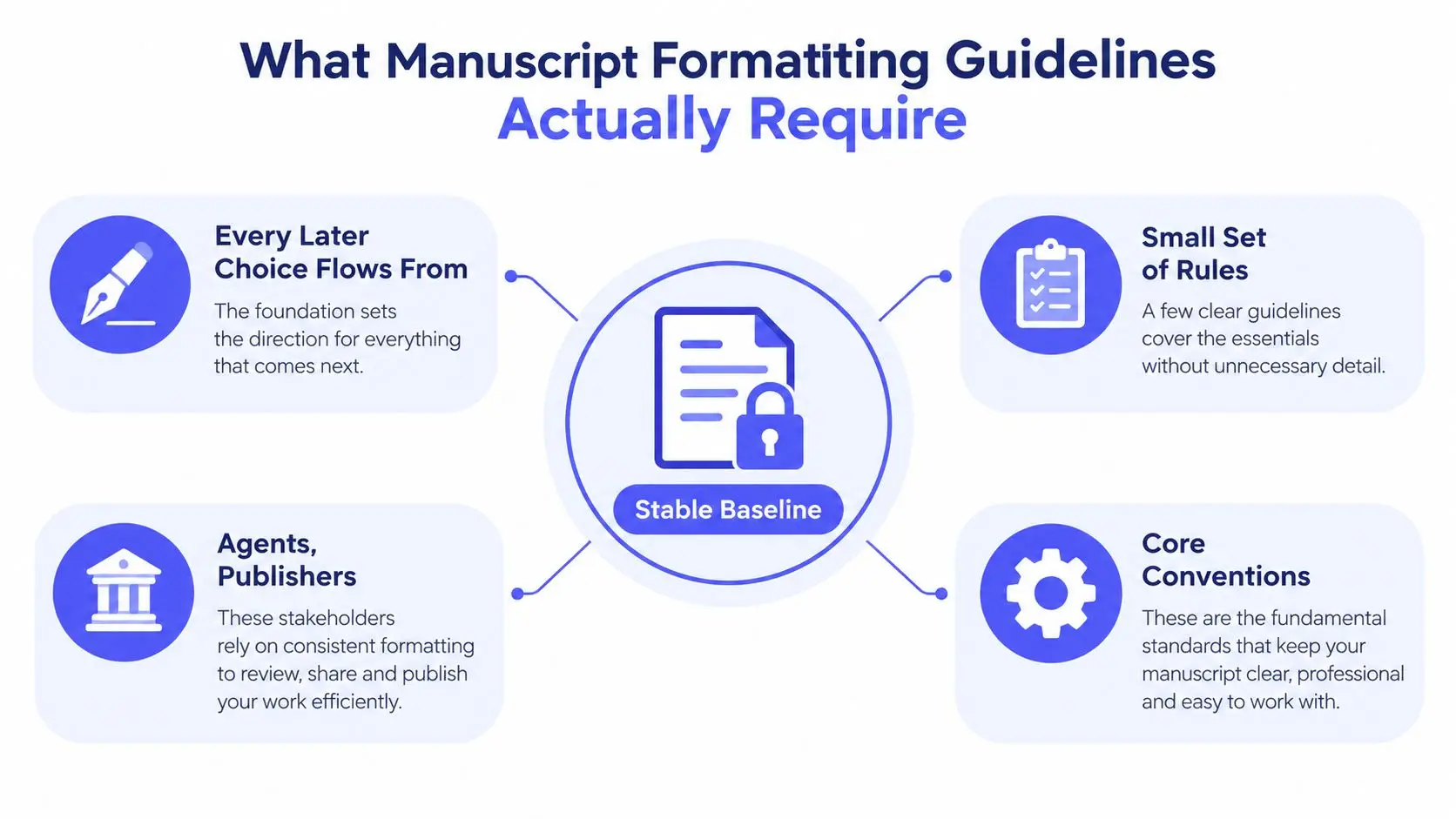
Manuscript formatting guidelines are a working standard, not a design contest. Their purpose is to give agents, editors, reviewers, and production teams a predictable file to read, annotate, estimate, and hand forward. Contemporary guidance continues to converge around 8.5 by 11 inch pages, 1-inch margins, double spacing, a readable standard font, and 0.5-inch first-line indents, as summarized in the standard manuscript format guidance from Midwest Writers.
Start by treating those settings as your baseline:
- Page size: Use Letter, 8.5 by 11 inches, unless the target venue specifies A4.
- Margins: Set all sides to 1 inch for a submission manuscript.
- Typeface: Choose a readable serif or monospaced font, commonly 12-point Times New Roman or a comparable standard typeface.
- Line spacing: Use double spacing for agent, publisher, and academic submissions unless the instructions say otherwise.
- Paragraphs: Apply a 0.5-inch first-line indent through paragraph settings, not repeated spaces or tabs.
- Alignment: Keep body copy left aligned with a ragged right edge.
- Breaks: Use consistent chapter starts and scene-break markers.
The important distinction is between content rules and presentation variables. Your chapter text, heading hierarchy, scene-break markers, notes, citations, and image references belong in the master. Page size, running headers, gutter, folios, and ebook styling change according to destination.
Practical rule: Build one reliable text structure first. Apply destination-specific layout only after the manuscript's content and styles are stable.
This workflow reflects why the standard survived the move from typewriters to digital submissions. Historical summaries connect the familiar format to older practices built around legibility, manual markup, and predictable page estimation, while modern instructions preserve the same foundation for digital review. Current author-resource guidance also shows that journals may add requirements such as line numbering, title pages, page limits, and editable Word files on top of the baseline, as described by ASHA's manuscript preparation guidance.
Page Layout and Typography Foundations
Set up the document before you polish individual chapters. In Microsoft Word, Scrivener, or Google Docs, define the page size, margins, paragraph style, font, and line spacing at the document-style level. Fixing isolated paragraphs by hand feels fast, but it leaves hidden inconsistencies that surface during editing and export.
For a submission, choose Letter or A4 as required, set each margin to 1 inch, use 12-point Times New Roman or another approved standard font, and apply double spacing. Keep the text black on a white background, disable automatic hyphenation for the review file, and use left alignment. A manuscript should be easy to mark up, not visually resemble a finished paperback.
Apply paragraph rules before chapter styling
Set the first-line indent to 0.5 inch through the paragraph dialog. Don't press Tab, insert multiple spaces, or add blank lines to imitate indentation. Those manual fixes become unstable when paragraphs move, and they create unnecessary cleanup during typesetting.
Turn off extra spacing before and after body paragraphs. Use one consistent space after terminal punctuation, then run Find and Replace if the draft contains doubled spaces. Enable widow and orphan control where your editor supports it, but inspect the result manually because automatic pagination can occasionally create awkward page turns.
The destination changes the settings that should remain flexible. A print interior may use a smaller trim size and a binding allowance, while an ebook should rely on semantic styles rather than fixed page geometry. The book layout design guide for print and ebook reading flow is useful when deciding which choices belong to content and which belong to output.
| Setting | Submission to Agent | Trade Paperback | Ebook |
|---|---|---|---|
| Page size | Letter or A4 as requested | Chosen trim size, such as a standard paperback format | Flexible, controlled by the reader's device |
| Margins | 1 inch on all sides | Mirrored margins with an allowance for the binding side | Avoid fixed page assumptions |
| Body type | 12-point readable serif or approved font | Chosen for the trim size and reading comfort | Theme and device controlled |
| Spacing | Double spaced | Book-style spacing, usually compact and consistent | Reflowable paragraph spacing |
| Indents | 0.5-inch first-line indent | Applied through paragraph styles | Semantic styles and CSS |
| Alignment | Left aligned, ragged right | Often justified after careful hyphenation review | Reader or stylesheet controlled |
| Headers and folios | Minimal header and page numbering if requested | Running headers and page numbers as designed | Usually omitted or handled through navigation |
A print file needs a binding-aware inner margin, but don't apply that gutter to your submission manuscript. It's a production setting, not an editorial requirement. Likewise, don't force paperback pagination into an ebook source. Keep the manuscript architecture clean so each export can reflow without rewriting the book.
Front Matter, Chapter Pages, and Readable Architecture
A polished file tells the reader where the book begins, how its parts relate, and which pages belong to the story rather than the production apparatus. For an agent submission, keep the front matter restrained. A title page generally carries the title, author name, category or genre, and approximate word count, with the exact contact details determined by the recipient's instructions.
A trade or self-published interior may include a copyright page, dedication, acknowledgments, epigraph, contents page, and other opening material. Don't add every possible page just because a template offers it. Each front-matter element should serve the reader or the publishing record.
Use styles and real breaks
Every chapter should begin with a real page break. In Word, use Insert > Page Break or the relevant keyboard shortcut. Don't press Enter repeatedly until the chapter title moves to the next page. Soft returns collapse as soon as earlier text changes, which means the chapter opening can land halfway down a page after a minor edit.
Use a consistent chapter style. The chapter number or title can sit lower on the opening page, often around the upper-middle area of a book page, but the exact position belongs to the print design rather than the submission file. Keep the typeface related to the body type, and avoid decorative treatments that distract from the manuscript itself.
Running headers and pagination also depend on destination. A submission may use a simple surname, shortened title, and page number after the title page. A finished book can use alternating running heads, drop folios, or no header on chapter-opening pages. Front matter in a traditional interior may use lowercase Roman numerals, while the main text begins with Arabic page numbers.
Mark scene changes consistently
A scene break needs to remain visible when paragraph indentation disappears or the file is converted. You might use a centered blank line, a simple asterisk, or another restrained marker. Pick one method and apply it consistently. Avoid relying on several empty paragraphs because those disappear or expand unpredictably during reflow.
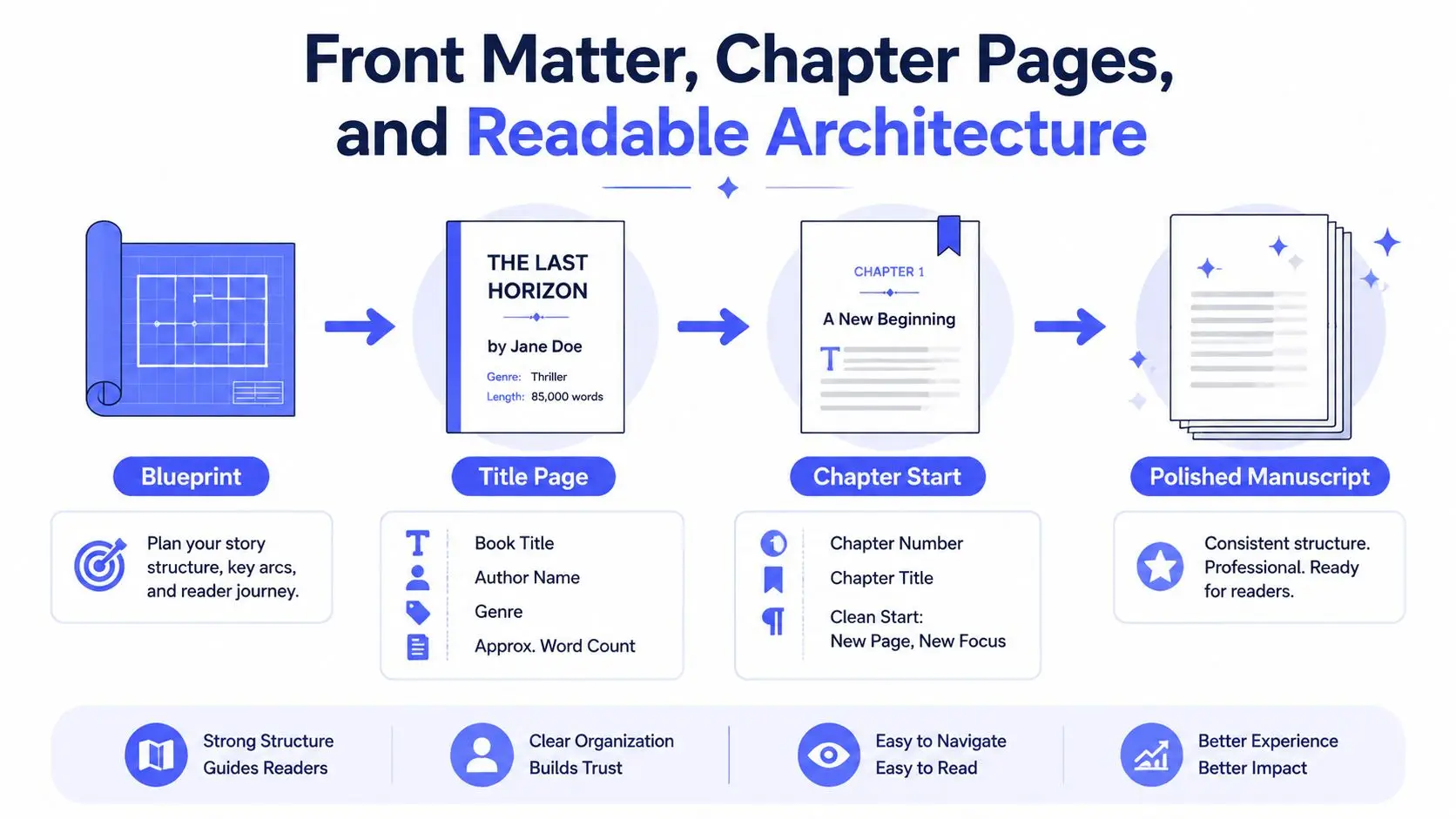
For practical front- and back-matter setup, use this guide to formatting front and back matter with publisher-style templates. The principle is simple: keep front matter structurally separate from the body, use named styles rather than manual decoration, and make every break intentional.
Adapting Your Manuscript for Submission, Print, and Ebook
The same story needs different physical instructions depending on who will handle it next. An agent wants a clean, readable review document. A printer needs a page geometry file. An ebook reader needs semantic structure that can reflow without destroying hierarchy.
| Element | Submission, Agent or Publisher | Trade Paperback Interior | Ebook, EPUB |
|---|---|---|---|
| Primary purpose | Reading, annotation, and evaluation | Fixed-page production | Reflow across devices |
| Page geometry | Letter or A4, according to instructions | Selected trim size with mirrored margins and gutter | No fixed page geometry |
| Chapter treatment | New page with simple heading | Designed opening, often with controlled recto placement | Heading style and navigation target |
| Headers | Surname, title, and page number when requested | Running heads and folios as designed | Usually removed |
| Front matter | Usually limited to title page | Copyright, dedication, contents, and other selected pages | Semantic front matter with navigation |
| Table of contents | Usually unnecessary unless requested | Optional, depending on the book | Navigable contents is essential |
| Source format | Often editable DOCX or requested PDF | Print-ready PDF | EPUB, with validated structure |
| Images | Placed and labeled for review | Prepared at final print size | Alt text and logical reading order |
Submission files favor restraint
For a query or publisher submission, don't imitate the finished book. Use the requested file type, standard page setup, double spacing, readable typography, and minimal front matter. A title page and clean headers are usually enough when the recipient hasn't specified anything more detailed.
The submission file should also make editorial discussion easy. Page numbers need to remain stable during review, and chapter headings should be clear without competing with the prose. Elaborate fonts, justified text, background colors, and decorative ornaments work against you.
Print interiors require deliberate design
A paperback is a fixed-page object. Choose trim size, margins, gutter, body type, chapter-opening behavior, running headers, and folio placement before final export. Once those decisions are made through styles and master pages, corrections in the master manuscript can flow into a new print proof without rebuilding every chapter manually.
Keep print-specific settings out of the editorial master. That separation prevents a gutter adjustment from changing the submission layout and avoids carrying print-only headers into the ebook.
Ebooks depend on semantic structure
An EPUB doesn't preserve your page exactly as it appears in Word. Readers can change font size, orientation, and line spacing, so manual page breaks and visual spacing need careful treatment. Use Heading 1 for chapter titles, Heading 2 for meaningful internal divisions, and clean paragraph styles for body text.
A navigable table of contents should be generated from those headings. Images need descriptive alt text, and the reading order must make sense when the file is interpreted by assistive technology. This manuscript formatting workflow helps frame the central production decision: maintain one content source, then branch into controlled outputs rather than editing three unrelated files.
Citations, References, and Image Handling Across Formats
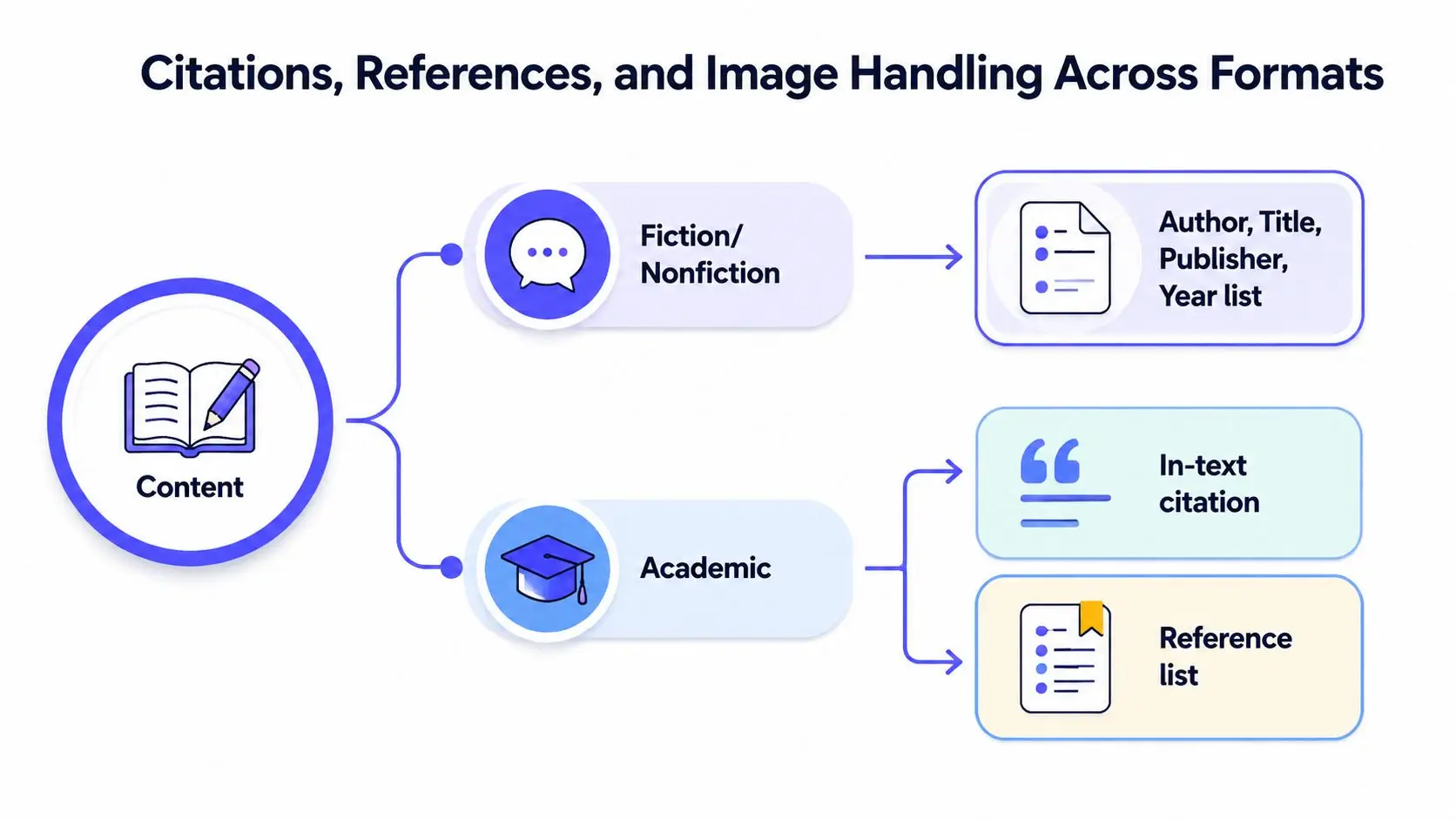
Citation style belongs to the content layer, but its survival depends on disciplined formatting. A novel normally doesn't need academic-style citations. Narrative nonfiction may use a selected bibliography or source note, while scholarly and prescriptive nonfiction often requires in-text citations, footnotes, endnotes, or a full reference list.
Choose the style before the final editorial pass. Chicago, APA, MLA, and house styles make different decisions about author names, dates, titles, punctuation, and note placement. Don't manually retype references after converting a DOCX to PDF. Use a reference manager or a controlled source database so updates remain connected to the citations they support.
Match the reference system to the book
For fiction and narrative nonfiction, a back-of-book list can often present sources in a clean Author, Title, Publisher, Year pattern when the project requires documentation. Academic work needs tighter consistency across every section. One current academic author guide emphasizes that numerical values must remain consistent throughout a manuscript, while specialized statistical conventions may also govern decimal presentation and mathematical notation. Follow the target publication's instructions over any general template.
Footnotes and endnotes need a conversion test. Check superscript markers, note numbering, linked references, and bibliography spacing in both the editable source and the final PDF. A note that looks correct in Word can break when a conversion tool changes fonts, pagination, or field behavior.
Treat images as managed assets
Image handling differs sharply between print and ebook. A print interior needs artwork prepared for its final physical size, with captions and figure numbers placed consistently. An ebook needs descriptive alt text, a sensible reading order, and enough resolution for the intended display without making the file unnecessarily heavy.
Keep originals outside the manuscript in a parallel assets folder. Name files by figure number or chapter, preserve editable source artwork, and record the intended caption and credit beside each file. Embedding an image in a DOCX without retaining the original makes later revisions harder for a designer or formatter.
Asset rule: The manuscript should tell the production team what belongs where. The assets folder should preserve the files needed to make that instruction real.
Review captions, credits, permissions, and placement after every export. For an ebook, inspect whether the image appears immediately after the related text. For print, confirm that captions don't separate from their figures and that no illustration is clipped by the trim or gutter.
Export, File Types, and Pre-Submission Validation
A manuscript can look correct in the editor and fail after export. Use one clean master, create proofs for each destination, and inspect every output as a reader would. That workflow lets the same manuscript move from agent submission to print and ebook production without rebuilding it from scratch.
Start with a clean master
Save a new DOCX from the master after accepting tracked changes, deleting comments, and normalizing styles. Keep the style set deliberate, with formats such as Normal, Heading 1, and Heading 2. Check chapter titles, scene markers, notes, and references for accidental direct formatting.
Export a PDF through the editor's native function. It usually preserves links, bookmarks, and font behavior more reliably than printing through a driver. For detailed PDF export steps, see this guide to exporting to PDF. Read the PDF at normal size, searching for missing characters, blank pages, displaced headings, and substituted fonts.
Validate each publishing output
For an EPUB, build the file with a tool such as Sigil, Calibre, or Vellum, then run EPUBCheck and Ace by DAISY. Resolve every structural or accessibility issue before generating another proof. A file that opens in one ebook app may still contain broken navigation, invalid markup, or missing alternative text.
For print, export a PDF using the selected trim size and production specifications. Confirm bleed, crop marks, embedded fonts, image placement, and the printer's requested color settings. A submission manuscript and a print-ready paperback interior serve different workflows, so do not assume one PDF can perform both jobs.
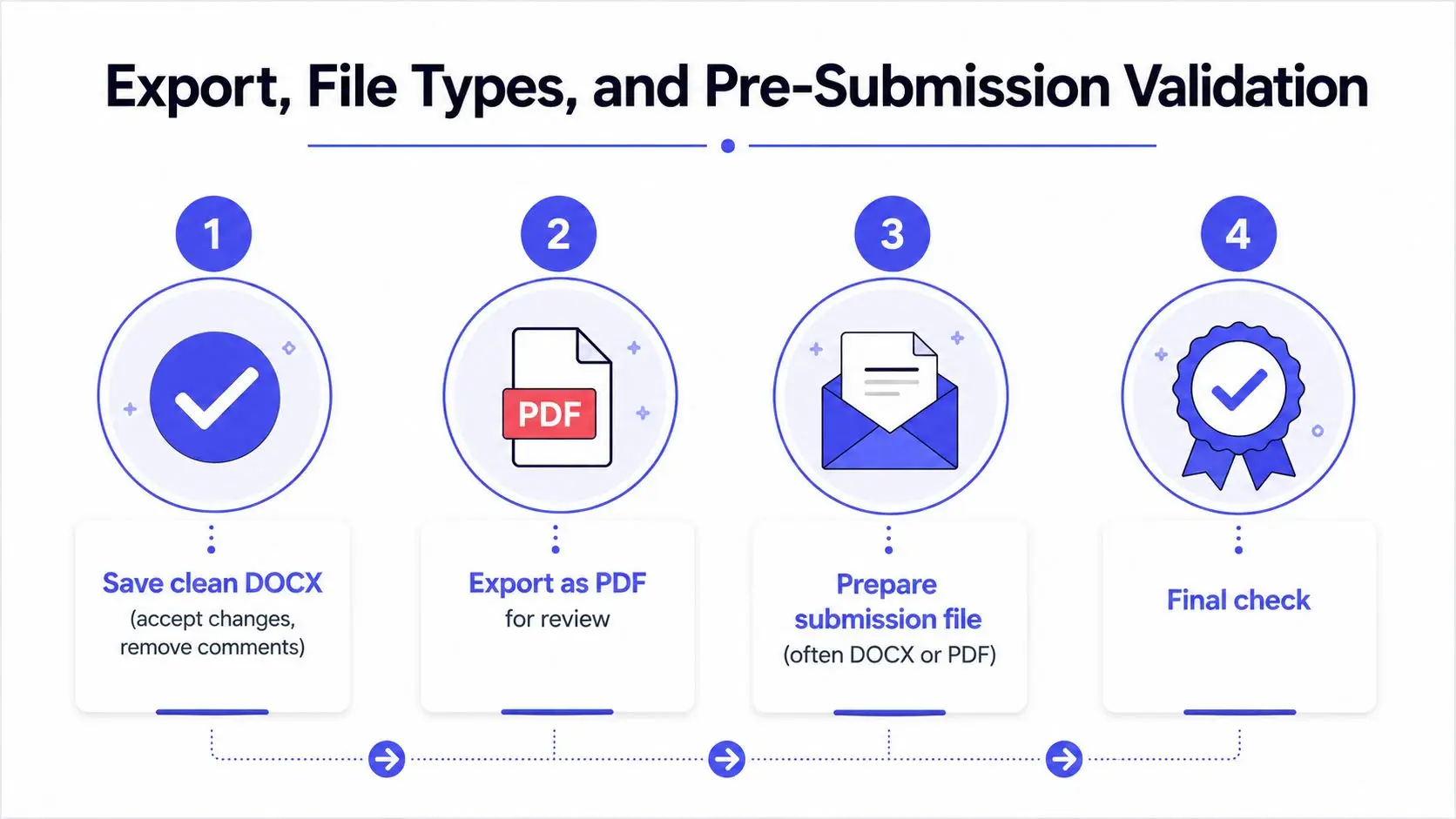
Use predictable file names such as Author_Title_Version_Date, and keep related assets in a clearly labeled folder. Before uploading, check page numbers, internal links, cross-references, chapter sequence, colored highlights, and metadata spelling. The production readiness checklist for Australian businesses reinforces the value of validating an output systematically rather than relying on a final glance.
Final Manuscript Checklist Before You Hit Submit
Run this sweep after the last editorial change, not before. Start with structure, then inspect file hygiene, then review the destination-specific output.
- Chapter sequence: Confirm every chapter is present, numbered correctly, and begins with a real page break.
- Styles: Check headings, body paragraphs, scene breaks, notes, and references for consistent styles.
- Headers and folios: Verify that headers start on the intended page and that page numbers progress correctly.
- Revision cleanup: Accept tracked changes, remove comments, and grant editing access if it is required.
- Export choice: Send the file type the recipient requests. A submission may require DOCX or PDF, while a print platform needs a print-ready PDF and an ebook workflow may require EPUB or another platform-specific package.
- Images: Confirm placement, captions, credits, alt text, and print suitability.
- Metadata: Check the title, author name, ISBN information, categories, and spelling everywhere they appear.
Rejectable presentation problems often hide in small details, including broken hyphenation, justified text with uneven word spacing, doubled spaces after periods, locked files, oversized uploads, and naked links that lose their intended formatting. Remove them before someone else has to flag them.
For an agent submission, make sure the query, synopsis, stated word count, comparable titles, and pitch all describe the same manuscript. Keep the pitch concise and ensure the genre and category match the pages you're sending.
For self-publishing, verify the trim size, cover-to-interior alignment, ISBN placement, categories, and price before uploading. Finally, read the finished PDF or EPUB on at least two devices or viewing environments. Desktop previews routinely hide pagination shifts, missing navigation entries, and awkward chapter openings that become obvious on an ereader or phone.
Storyloft brings drafting, structured manuscript editing, front matter, chapter formatting, and ebook or paperback export into one writing environment, so you can maintain a master project instead of juggling disconnected layout files. Visit Storyloft to prepare your manuscript for its next destination while keeping the underlying book structure intact.