Best Write Book App for Authors in 2024

I used to juggle five different programs to finish one manuscript. I had one for drafting, another for character notes, and a third for timelines. Formatting was a nightmare.
This scattered approach killed my creative momentum. Switching between apps wasted minutes and disrupted my flow. I knew successful authors had written novels without book writing software. But I also knew tech could help if I found the right tool.
That’s when I found Storyloft, an AI-powered platform for modern authors. It combined outlining, drafting, editing, illustration, and formatting into one solution.
Today, authors need all-in-one platforms like Reedsy Studio and Werdsmith. We shouldn’t have to switch between programs just to write and publish.
In this guide, I’ll share what makes a writing app for authors effective. You’ll learn about important features, AI assistance, and how the right platform saves time and boosts productivity.
Key Takeaways
- Scattered tools across multiple applications kill creative momentum and waste valuable time during the drafting process
- Storyloft combines outlining, drafting, editing, illustration, and formatting into one AI-powered platform designed for modern authors
- The right software enhances your unique voice through AI assistance, not replacing your creative authenticity
- All-in-one solutions eliminate the frustration of context-switching between separate programs during manuscript development
- Comprehensive platforms like Storyloft, Reedsy Studio, and Werdsmith represent the future of professional authorship
- Today’s technology offers legitimate productivity advantages when chosen wisely as genuine tools, not distractions
1. Why I Needed a Dedicated Write Book App
I remember the day my writing tools stopped helping me. It was a Tuesday afternoon, and I was writing chapter twelve of my fantasy novel. I was trying to describe my protagonist’s childhood friend but couldn’t remember her eye color.
This simple question led to a 15-minute search through scattered files. I checked my character notes in Google Docs, then my outline in Scrivener. I found the detail in chapter three of my Word document. By then, the scene’s momentum was completely gone.
I was writing chapters in one app, keeping character profiles in another, and storing research in a third. Switching between them wasted my creative time and mental energy.
Many writing experts say you can write great novels with basic tools. Some writers get caught up in researching software, avoiding the real work of writing.
This criticism is true. Looking for tools can be a way to avoid writing.
But, there’s a difference between avoiding writing and choosing the right writing productivity tools. I wasn’t looking for excuses. I wanted tools that would help me write more effectively and stay in the creative flow.
As my projects grew, so did my needs. Simple word processors were enough for short stories. But novels with complex characters and plots needed more.
The challenges grew too:
- Tracking character arcs across thirty chapters without losing consistency
- Managing research materials that informed my fictional world
- Organizing scene-by-scene outlines that connected to actual chapter drafts
- Setting and tracking daily word count goals to maintain momentum
- Keeping revision notes separate from clean manuscript text
Each challenge needed a different solution. Juggling multiple platforms was exhausting. I spent more time managing my writing system than writing itself.
The turning point was realizing I needed novel writing tools designed for authors. A dedicated write book app that understood how authors work.
I wanted chapter-by-chapter organization and file management for manuscripts. I needed features like daily goal setting to motivate me without extra spreadsheets.
This realization changed everything. I wasn’t avoiding writing by looking for better tools. I was recognizing my writing process had grown beyond basic software, and I deserved better.
2. What Makes a Great Write Book App for Authors
Looking for the perfect writing app, I found that a great one balances simplicity with powerful features. It’s not about fancy features that look good but don’t help in real projects. I needed practical tools that solve everyday challenges writers face.
After testing many platforms, I found three key areas that make writing software stand out. These areas cover different stages of writing a book. The best apps excel in all three areas.
2.1. Writing and Organization Tools
The best write book app starts with how it handles writing. I needed more than just a blank page. My manuscript needed intelligent chapter organization to reorder scenes easily.
Word processors like Google Docs and Microsoft Word failed me. They’re great for business and academic papers, not novels. I spent hours searching for scenes I wrote weeks ago.
I needed a system that understands book structure. Chapter-by-chapter navigation was key. Being able to organize research notes alongside my manuscript saved me hours of frustration.
Apps like Werdsmith offer good project organization. You can find more options through comprehensive software comparisons. But I wanted more than basic folders. A distraction-free writing space with goal tracking helped me stay focused.
The right tools make chaos clear. Instead of drowning in files, I could see my story and jump to any section instantly.
2.2. Editing and AI Assistance
Once I had words, making them good was the next challenge. I needed smart editing support, not just spell-check. Tools like Grammarly and Hemingway Editor helped with basic issues but missed the story’s deeper context.
I found a big difference between basic editing tools and a true manuscript editor for authors. Generic tools flag passive voice without understanding its role in the story. They suggest changes that could lose the author’s unique voice.
I wanted an AI writing assistant that knew my manuscript. One that understood my characters and plot. This kind of help could offer suggestions while keeping my writing unique.
The ideal editing features included smart rewriting and brainstorming support. I didn’t want an AI to write my book. I wanted a collaborative partner that enhanced my writing without taking over.
This kind of help was invaluable during revisions. It could highlight issues like character consistency and plot holes, letting me keep creative control.
2.3. Formatting and Publishing Features
Preparing my manuscript for publication was surprisingly hard with most apps. Book formatting software became critical at this stage.
Formatting for print and ebooks requires specific knowledge. Margins, headers, and typography all need to follow industry standards. Traditional word processors can’t handle this well.
Exporting to another formatting tool was risky. I saw formatting disasters like scene breaks disappearing. The technical complexity felt overwhelming.
Tools like Reedsy Studio offered automatic typesetting. But I needed more integration. The ideal app would generate both print-ready layouts and ebook-ready formats without making me a typography expert.
Professional formatting shouldn’t require technical skills. Authors should focus on storytelling. The software should handle the technical needs of publishing.
| Feature Category | Basic Tools | Advanced Write Book Apps | Impact on Authors |
|---|---|---|---|
| Writing Organization | Simple folders and files | Chapter navigation, integrated notes, research management | Reduces time spent searching, improves story coherence |
| Editing Assistance | Spell-check and grammar corrections | Context-aware manuscript editor with AI writing assistant capabilities | Preserves author voice while improving quality |
| Formatting Tools | Manual formatting in word processors | Automated book formatting software for print and ebook | Eliminates technical barriers to publication |
| Workflow Integration | Multiple separate applications | Unified platform from draft to publication | Streamlines entire creative process |
Writing organization, intelligent editing, and professional formatting are key. The best write book app combines these in one platform. This eliminates the frustration of using many apps during the creative journey.
3. My Top Pick: Storyloft as the Best Write Book App
When I first opened Storyloft, I felt a rare sense of relief. It wasn’t just another tool. It was a complete solution for authors who want to write without worrying about technology.
Storyloft is not just another word processor. It’s a creative writing app made for novelists and fiction writers. The difference was clear right away.
I was amazed when I could do everything in one place. Draft chapters, organize notes, edit with AI, create artwork, and format for publication without leaving the platform. It was all in one workspace. No more switching between apps or managing subscriptions.
Unlike tools that focus on one thing, Storyloft does it all. It’s story development software that combines traditional writing tools with AI assistance. It knows that modern book creation needs both.
I used to use five different apps for one manuscript. Word processors for drafting, spreadsheets for plot threads, and more. It was exhausting and wasted hours.
Storyloft changed this. It offers powerful features without being too rigid. It lets me write my way, whether outlining or drafting.
What makes Storyloft stand out is its support for professional authors. It includes:
- Intuitive writing and organization tools that keep everything in order
- Manuscript-aware AI assistance that learns and helps with editing
- Character illustration features for visual story development
- Professional formatting options for print and digital publishing
- Collaboration capabilities for working with editors and beta readers
Some writers might not need all of Storyloft’s features. But for complex novels, it’s a game-changer. It saves time and reduces frustration.
This isn’t a paid endorsement. I’m sharing Storyloft because it changed my writing life. After trying many apps, I found one that truly understands book creation.
4. How Storyloft Transforms the Writing Process
Every morning, Storyloft turns writing into a fun and manageable task. It changes how I prepare my manuscripts, making them organized and easy to follow. This has made my writing sessions more productive and less stressful.
Before Storyloft, finding files and keeping track of details was a big challenge. Now, everything is in one place. This lets me focus more on telling my story.
Drafting Chapters with Intuitive Tools
The interface makes writing chapters easy and natural. I can see my chapter structure in the sidebar, helping me stay on track. Switching between scenes is simple, avoiding the hassle of endless scrolling.
With Storyloft, I spend less time managing files and more time writing. Unlike other tools, it keeps everything organized and easy to find.
Reorganizing chapters is also easy. I can move sections around without the hassle of copy-pasting. This makes it simple to change my structure without interrupting my writing.
This level of organization makes writing smoother. I’m not fighting with technology; I’m just writing.
Organizing Notes and Research Seamlessly
Having research and notes next to my manuscript is a favorite feature. It lets me check details without breaking my flow. I can access world-building elements easily, without losing my place.
This approach is similar to Werdsmith’s tabs, but Storyloft does it better. It integrates notes into the writing process seamlessly.
Recently, I needed to check a location detail from chapter three while writing chapter fifteen. I found it instantly, without scrolling through pages or opening files.
This way of organizing notes and research changes how I write. It keeps my ideas connected, details consistent, and momentum going. It’s made me a faster and more confident writer.
5. AI-Powered Writing That Preserves My Voice
When I first looked into AI writing tools, I worried they’d make my manuscript sound generic. I’d heard stories of authors losing their unique voice with AI. I didn’t want to lose the style I’d worked so hard to develop.
Then I found Storyloft, and everything changed. Unlike other AI tools, Storyloft knows your story before making suggestions. This means it helps enhance your work, not replace it.
Generic AI tools can write grammatically correct text but lack context. Storyloft’s editor reads your work first. It then offers suggestions that fit your story perfectly.
Manuscript-Aware AI Technology
Storyloft’s AI writing assistant is a game-changer. It processes your manuscript before responding to your queries. This means it understands your writing style, character voices, and story elements.
This results in suggestions that sound like you wrote them. The AI doesn’t impose a generic voice. Instead, it mirrors the tone and style you’ve established.
I’ve tried other AI tools that don’t understand context. They produce content that feels emotionally flat. One app suggested dialogue that didn’t match my character’s personality. Storyloft’s approach ensures suggestions align with your work.
The AI analyzes your writing patterns, including sentence rhythm and vocabulary. It offers alternatives that maintain consistency with your voice. This addresses the concern of AI making work feel non-original.
Brainstorming and Story Development
Brainstorming with AI is one of my favorite uses. The difference between generic AI and Storyloft’s approach is clear during brainstorming.
When I ask for plot possibilities, Storyloft suggests ideas that fit my story. It remembers my characters’ motivations and the world I’ve built. Generic AI tools suggest random twists without context.
Here’s how I use brainstorming for story development:
- Asking “what if” questions about character decisions and receiving responses grounded in established motivations
- Exploring alternative plot directions while maintaining consistency with previous chapters
- Generating backstory ideas that complement existing character arcs
- Testing dialogue variations that preserve individual character voices
- Developing subplot possibilities that enhance main themes
This is collaborative brainstorming, not content replacement. I make all final creative decisions. The AI serves as a sounding board that understands my story deeply.
Smart Editing and Rewriting Assistance
During revisions, Storyloft’s editor is incredibly valuable. I can ask for help with tightening prose or finding stronger word choices. It offers suggestions that keep my voice distinct.
This is different from tools like Grammarly or Hemingway Editor. They offer grammatical corrections but don’t understand narrative context. They can’t tell if a sentence fragment is a stylistic choice or an error.
Storyloft’s AI understands the difference because it knows your manuscript. When I ask for rewriting assistance, it considers the scene’s emotional arc and my writing style.
I recently used the editing assistance to revise a confrontation scene. The AI suggested dialogue that sounded like my characters. It also tightened descriptive passages without losing the atmosphere.
The manuscript-aware technology means I get smart editing that enhances my work. My voice remains intact while my writing quality improves. This balance is exactly what I need—powerful assistance that respects my authorship.
6. Professional Formatting Without the Headache
Turning my manuscript into a professional book was daunting before I found Storyloft. I had spent months writing and revising. But, professional book formatting was a skill I didn’t have. The technical needs were endless, and hiring a formatter was too expensive.
Storyloft changed how I see formatting. It’s not just a final step anymore. The platform has tools right in the writing space. I see my manuscript turn into professional layouts without leaving the app.
This means I’m always working with a book-ready format. There’s no sudden switch from plain text to a finished book.
Print-Ready Layouts
My first try with print book formatting in Storyloft was amazing. The platform took care of all the technical stuff that worried me. Margins and chapter headings were set right, without me doing the math.
I didn’t need to learn InDesign or hire someone for basic layouts. Storyloft knows book formatting rules, just like Reedsy Studio. The big difference is it all happens in the same place I wrote my book.
The platform handles key elements smoothly:
- Correct margins and spacing for print production
- Professional chapter headings and page breaks
- Automatic headers and page numbers
- Industry-standard typography and line spacing
- Section divisions that match publishing conventions
Seeing my manuscript turn into book pages boosted my confidence. I could see how my book would look as I wrote. This helped me make better choices, not after it was done.
Ebook-Ready Formatting
Digital publishing was just as easy. I learned that ebook formatting has its own rules. Things like reflowable text and navigation need to be set up differently.
Storyloft makes these digital needs easy. I don’t have to be an ebook formatting expert. The system gets files ready for Kindle, Apple Books, and more, without me needing to know the technical details.
The platform takes care of important ebook elements:
- Reflowable text that adapts to any screen size
- Embedded table of contents and navigation
- Proper metadata for discovery and categorization
- Compatible formatting across multiple platforms
- Optimized file structures for digital readers
This all-in-one professional book formatting changed my workflow. Formatting is no longer a scary final step. I can focus on writing, knowing the platform handles the tech stuff. I see professional layouts as I write, which helps my writing.
Having both print and ebook formatting in one place makes things easier. I write, edit, and format in the same place. My book looks professional from the start to the end.
7. Character Artwork and Visual Storytelling
At first, I doubted the value of character illustration tools. I thought they were just extra, not needed for writing. But Storyloft’s AI-generated artwork changed my mind.
Writing apps usually focus only on text. They see visuals as something to add later. But Storyloft shows how visuals can be part of the creative process.
With character development tools, I see my characters come to life. It’s not just about writing anymore. It’s about seeing them too.
Generating Consistent Character Illustrations
In Storyloft, creating character artwork starts with details. I define things like hair color and clothes. Then, the AI makes pictures that match my descriptions.
The consistency amazed me. Once a character’s look is set, the AI keeps it the same. This is key because different looks can confuse readers.
The AI remembers all the details. So, even if I make a new picture of the same character, they look the same. This helps keep my story looking good.
Seeing my characters in pictures helped my writing. The AI caught a vulnerability in my protagonist’s face. This made me understand her better and write her scenes more deeply.
For another character, the artwork showed his tough look didn’t match his gentle personality. This made me change how I wrote him to fit better.
Visual Planning for My Story
Visual elements do more than just show characters. They help with world-building and planning too. I use them to keep my story consistent.
I use images to keep settings the same. For action scenes, I make storyboards to plan movements. These visuals help me plan better.
Visual planning is key in the early stages. I make concept art for settings and characters. This helps me stay focused as I write.
Not every writer needs this. Some prefer text only. But for those who think visually, it’s very valuable.
The convenience is a big plus. I don’t have to switch to other software or hire artists. I can make visuals right in my writing app.
What started as a doubt became something I value. The visual tools don’t replace writing, but they make it better. They enrich my writing experience.
8. Collaboration Features That Actually Work
Storyloft has changed how I work with others on my book. Writing alone is one thing, but turning a manuscript into a book needs input from many. I needed a way to work with beta readers, editors, and agents without email chaos.
The tools in Storyloft have made feedback and editing easier. Now, all feedback stays in one place. No more scattered comments across different documents.
Getting Valuable Input from Early Readers
Inviting beta readers used to be stressful. I’d send Word documents via email, then get feedback in replies or separate documents. Tracking changes was hard.
Storyloft’s beta reader platform fixed this. I can invite readers directly and control what they see. I share specific chapters or the whole manuscript with trusted readers.
Beta readers comment right in the manuscript. I can reply and mark comments as resolved. This helped me improve a major character arc in my novel.
One beta reader pointed out my protagonist’s unclear motivation in chapter seven. The comment was right there in the manuscript. I could revise that section immediately. The feedback loop became productive.
Professional Editing Without the Confusion
Working with my editor is much easier now. She can access my manuscript, leave comments, and suggest changes. We see the same version in real-time, avoiding version control issues.
My editor likes the tools because she can organize feedback by priority. Critical issues are flagged differently. I can filter comments and tackle them systematically.

The revision history feature lets me accept bold editing suggestions. If a major rewrite doesn’t work, I can always go back to previous versions. This encourages me to take creative risks.
Real-time collaboration means we can discuss changes through the platform’s messaging. No more switching between email, the manuscript, and notes. Everything is in one place.
Making Professional Impressions on Publishing Professionals
When I started querying agents, I worried about sharing my work professionally. Storyloft lets me create polished previews. I can share the first three chapters with agents and give them a sense of the finished product.
The access controls mean I decide what each person sees. A book agent reviewing my manuscript gets different permissions than a beta reader. This protects my work while enabling collaboration.
Several agents have complimented me on how easy it is to review my manuscript through Storyloft. The professional formatting and clean interface make their job easier. This shows I’m committed to quality.
I can track when agents or editors view my work. This helps me follow up without being pushy. If an agent hasn’t accessed the shared manuscript, I know my query might have gotten lost.
The ability to update shared content is another advantage. When I made minor revisions, those changes automatically appeared in the version shared with my agent. No need to resend files or worry about whether she had the latest draft.
Collaboration has become something I look forward to. Feedback feels constructive, and working with professionals is easier. The built-in features make the process smoother, faster, and more professional.
9. From First Draft to Published Book in One Platform
I finished my recent project and found something amazing. I never left Storyloft during the whole process. From the first idea to the final manuscript, it all happened in one place.
This self-publishing platform gave me a complete book publishing workflow. It eliminated the chaos I used to face. Let me share my journey with my latest novel.
I started brainstorming in Storyloft. The platform captured my ideas and helped me create a structured outline. I didn’t need to use a separate mind-mapping tool or sketching app.
Once my outline was ready, I began drafting. The AI assistance helped me with tough scenes. But I never had to export my work to another editor. My manuscript grew chapter by chapter in the same interface.
My complete book creation journey included these stages:
- Initial brainstorming and story development
- Detailed outline creation with chapter breakdowns
- Drafting with AI-powered writing assistance
- Research organization and character note management
- Beta reader collaboration and feedback collection
- Revision rounds with editor input
- Character artwork generation for marketing
- Professional formatting for print and ebook formats
The beauty of this unified platform approach was that I never exported a single file. I never lost formatting during translation between tools. I never struggled with version confusion across different applications.
Before, I used at least six different programs. I wrote in one app, outlined in another, stored research in a third, formatted in a fourth, managed illustrations in a fifth, and coordinated feedback in a sixth. The constant switching created countless opportunities for mistakes.
Storyloft changed how I think about book creation. Instead of working in disconnected stages, I maintained a fluid workflow. I could preview final formatting while drafting chapters. I accessed character notes instantly while editing dialogue. Everything stayed connected.
This integration actually improved my final book quality. I maintained a holistic view throughout the publishing process. When I revised a character trait in chapter three, I could immediately check how that affected their introduction in chapter one and their climactic moment in chapter twenty.
The complete workflow approach isn’t just about convenience. It fundamentally transforms the experience of bringing a book to life. I felt more connected to my project because I never broke the creative flow by switching contexts.
I remember formatting my previous book. I exported from my writing software, imported into formatting software, discovered issues, went back to fix them, re-exported, re-imported, and repeated the cycle multiple times. With this self-publishing platform, I simply clicked the formatting tab and adjusted settings while viewing real-time previews.
Traditional publishers might require specific file formats or submission workflows. Even then, having this complete book publishing workflow during writing and revision stages proved invaluable. I could always export the final manuscript in whatever format they needed.
The relief I experienced during my first complete project in Storyloft was incredible. No more file management headaches. No more wondering which version was current. No more reformatting disasters right before publication deadlines.
My efficiency gains were substantial. What used to take weeks of technical wrestling now happened in days. I spent more time writing and less time managing tools. That’s exactly what I needed as an author focused on storytelling.
The unified platform kept my creative energy focused where it belonged—on the story itself. Every technical element supported my writing instead of interrupting it. That seamless experience made the entire journey from first draft to published book genuinely enjoyable.
10. How I Use Storyloft for Novel Outlining
Storyloft became my favorite book outlining software. It grows with my story. I need structure before starting my first draft. Without it, I get lost in plot holes and forget character motivations.
I love that my outline and manuscript are in one place. I don’t have to switch between documents or apps. When I get inspired, I can update my outline right away, keeping my flow.
The platform supports any outlining style. Whether you’re detailed or loose, it adapts. This flexibility is key as my approach changes with each book.
Building Your Framework
I start with the big picture of my story. I map out major plot points, character arcs, and themes before writing. Storyloft makes this process easy and visual.
I create sections for act breaks and mark key turning points. This gives me a clear view of my story arc. Seeing everything at once helps me spot pacing issues early.
Using Storyloft keeps my outline connected to my draft. When my story changes, I can adjust my plan easily. This keeps me focused, even when characters surprise me.
A writer who waits for ideal conditions under which to work will die without putting a word on paper.
I also like how Storyloft handles different levels of detail. Some chapters I outline in detail, while others I leave open. This lets me trust my instincts during drafting.
Getting Granular with Scenes
Once I have my structure, I break it down into scenes and chapters. This is where Storyloft shines. I can plan scene objectives, conflicts, and character development all in one place.
Switching from planning to drafting is seamless. I expand my scene notes into full text when ready. No copying and pasting between apps, no losing my place, no friction.
One of my favorite features is dragging and dropping scenes. Last year, I moved a chapter from the start to chapter five in seconds. This saved me hours of cutting and pasting.
I can try different chapter breaks without worry. If it doesn’t work, I can easily change it. This lets me take creative risks I avoided with rigid structures.
Here’s how I plan scenes:
- Scene objective: What must happen for the plot to advance
- Character goal: What my protagonist wants in this specific moment
- Conflict source: What stands in their way
- Emotional arc: How the character changes by scene end
- Setup/payoff notes: Connections to other scenes or future chapters
I used to manage this in separate spreadsheets or notebooks. But now, all this information is right with my manuscript. This keeps me from losing important details.
The real test was when I restructured my second act. I had written 30,000 words that didn’t work. Storyloft’s tools helped me see the problem, try different orders, and make a big change without losing my mind.
What took days of document wrangling took an afternoon. I could see my whole story, find weak points, and rebuild with confidence. This experience made me switch to dedicated novel writing tools.
Different writers outline in different ways, and that’s okay. Some are pure pantsers, while others create detailed outlines. Storyloft works for everyone.
It offers structure when you need it but doesn’t force a specific method. Your outline can be as detailed or loose as you like.
11. Preparing My Manuscript for Publication
After months of writing and revising, I reached the final stage. My manuscript needed a professional touch. I was worried about formatting and submission standards.
Storyloft changed everything. It made the final preparation easy. I could focus on my story, not technical issues.
Going from draft to publication-ready was easy. I didn’t need different software or expensive help. Everything was in one place.
Polishing Your Work to Perfection
The review phase caught errors I missed before. Reading my manuscript in Storyloft’s formatted view helped me find problems. The difference is remarkable—seeing your work as it will appear helps spot issues.
I checked for consistency and pacing issues. Storyloft’s features made these reviews thorough. I could easily jump between chapters and check details.
The AI assistance during final edits was a big help. It helped me improve my writing. I could quickly find and fix problems.
Version history was my safety net. I could make big changes without worrying. This feature gave me the confidence to try new things.
Working with my editor was seamless. We made changes together, in real-time. No more emailing documents back and forth.
Getting Your Manuscript Out the Door
Export options are important. Different paths require different formats. Storyloft handles all these needs with ease.
For agent submissions, I exported in the right format. The system applied the standards for me. I didn’t have to worry about formatting.
When self-publishing, the print-ready PDF option saved me money. I didn’t need to hire a formatter. The export was ready to go.
Ebook formatting used to be a nightmare. But Storyloft makes it easy. It generates files that work on all devices.
| Publishing Path | Export Format | Key Features | Best For |
|---|---|---|---|
| Literary Agent Submission | Standard Manuscript (.DOCX) | Industry-standard margins, fonts, spacing, page numbers | Traditional publishing queries and submissions |
| Print Self-Publishing | Print-Ready PDF | Professional layout, trim size options, printer specifications | POD services like IngramSpark, KDP Print |
| Ebook Distribution | EPUB/MOBI Files | Responsive formatting, working table of contents, metadata | Kindle, Apple Books, Kobo, other ebook platforms |
| Publisher Submission | Custom Format (.DOCX) | Adjustable to specific publisher requirements | Contracted authors with specific format needs |
The flexibility matters. Publishing isn’t one-size-fits-all anymore. I’m ready for whatever path opens up.
Some publishers have specific needs. Storyloft meets these needs without making me a formatting expert. I can adjust settings and export a compliant manuscript in minutes.
The peace of mind is worth everything. I know my manuscript is ready for any path. The technical barriers are gone.
This phase is no longer overwhelming. With the right tools, getting my manuscript ready is straightforward and enjoyable. I can focus on my story, not technical details.
12. Why I Stopped Switching Between Multiple Tools
I used to juggle five different apps to write one book. My desktop was cluttered, with nothing fitting together. Every morning, I’d open Google Docs for drafting, Scrivener for organization, a notebook app for character details, Grammarly for editing, and then struggle with formatting software when publication time rolled around.
This approach to writing productivity tools was exhausting. I spent mental energy remembering where I stored each piece of information. Was that physical description in my notes app or buried in a Scrivener file? Did I update the character’s backstory in all the places I mentioned it?
The cognitive load was immense. Every time I switched contexts, I lost creative momentum. I’d be deep in a dramatic scene, then need to check a character detail, which meant leaving my word processor, opening another app, searching through notes, and trying to find my emotional place in the scene again.
I remember one frustrating experience that made me rethink everything. I was implementing feedback from my editor about a secondary character’s motivation. The problem? Her backstory lived in three different places.
I had initial notes in one app, scene references in Google Docs, and detailed timeline information in Scrivener. Trying to make consistent changes across all these platforms took hours. I spent more time managing my tools than actually improving my manuscript.
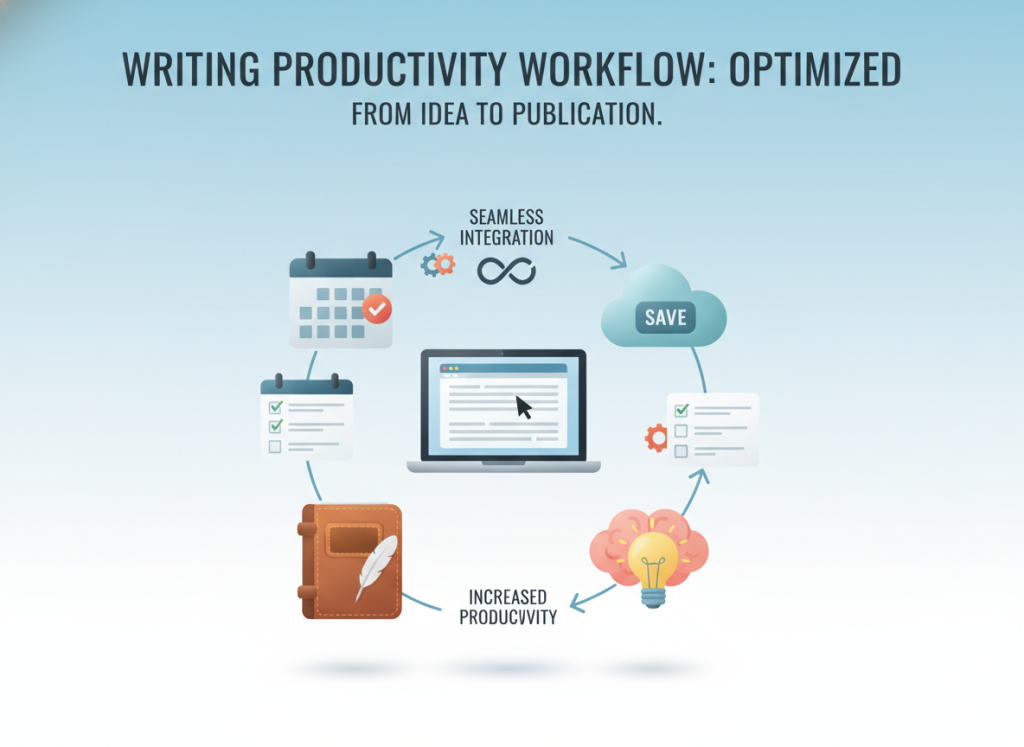
The moment I consolidated everything into Storyloft changed my entire creative process. Now I open one platform and everything lives right there. My chapters, character profiles, research notes, and formatting tools exist in one integrated space.
This shift wasn’t just about saving time, though it absolutely does that. It’s about maintaining creative flow without the constant interruption of context switching. When I’m writing and need to reference a character detail, it’s right there in the same interface. No app switching, no momentum loss, no mental overhead.
My current workflow with book writing software looks completely different:
- All drafting happens in one unified writing environment
- Character details and research notes sit alongside my manuscript
- Editing tools integrate directly into my writing space
- Formatting options are ready when I need them, not in separate software
- Everything syncs automatically without manual file management
I acknowledge that some writers thrive with specialized tools for each task. They enjoy curating a personalized toolkit and don’t mind the complexity. That’s completely valid, and if it works for you, fantastic.
But for me personally, that approach was exhausting. I found myself spending more time managing my writing ecosystem than actually writing. The irony is that I thought using multiple specialized writing productivity tools would make me more productive.
One insight really resonated with me: don’t let tool obsession distract from actual writing. I realized I was guilty of exactly that. I’d research new apps, watch tutorials, optimize my setup, and convince myself this was productive work.
The truth? I was procrastinating. Consolidating into one platform actually helped me focus more on writing because I’m not constantly managing my toolset. The mental space I used to dedicate to remembering which app does what now goes into my story.
Reducing friction in my writing process made a tangible difference in my output. I complete drafts faster, implement revisions more smoothly, and maintain better consistency across my manuscript. The simplified workflow removes barriers between my ideas and the page.
This transformation from scattered tools to an integrated approach represents more than just technical efficiency. It represents reclaiming creative energy that was being drained by unnecessary complexity. Every minute I don’t spend managing multiple apps is a minute I can spend developing characters, crafting dialogue, or refining my plot.
The relief of opening one application and having everything I need right there cannot be overstated. It’s the difference between feeling like a project manager coordinating multiple systems and feeling like a writer focused on storytelling. That shift in mental state has been transformative for my creative process.
13. The All-in-One Advantage of This Write Book App
Having everything in one place is a game-changer. Before this app, my work was a constant fight against switching between tools. I’d write in one, edit in another, and format in a third.
Storyloft changed the game by combining all I needed in one spot. No more juggling subscriptions or learning new interfaces. Now, I work in one app that does it all. This change has made my book-making process much smoother.
This isn’t just about having many features in one place. It’s about how they work together. My work flows smoothly, and I focus on writing, not managing files.
Seamless Transitions Between Creation and Refinement
Writing and editing in the same app has been a huge help. I can switch between drafting and editing without opening a new program. My notes and research are always there, no matter what I’m doing.
This software keeps everything connected in ways separate tools can’t. When the AI suggests an edit, I can make it right away. I can also check my character profiles and plot notes without leaving the app.
Writing in one app and editing in another used to cause problems. Formatting issues and lost changes were common. But with everything in one place, those problems are gone.
Visual and Technical Features Working in Harmony
This app stands out because it integrates illustration and formatting into the writing process. I can create character artwork as I write, seeing my characters come to life.
Formatting previews work the same way. I can see how my book will look as I write it. This isn’t something I access later; it’s part of my writing environment.
These features aren’t just added on. They’re part of the app’s design. I can use my character illustrations for inspiration and check the chapter layout as I review.
This integration has given me confidence in my work. I don’t worry about formatting or aesthetics anymore. I see everything coming together in real-time.
From Concept to Publication Without Leaving the Platform
This app supports the entire writing process. From brainstorming to publication-ready files, Storyloft has me covered. I start with story development tools, draft and revise, add visuals, format, and export in one place.
This isn’t just about having many features. It’s about having the right features work together seamlessly. Each tool builds on the last, making the process smooth.
Before this app, I worried about moving to the next phase of my project. Would my manuscript export right? Would my formatting work? These worries are gone now.
The app’s all-in-one nature was overwhelming at first. But it’s designed to be easy to use. I started with the basics and added more features as I needed them.
Choosing an all-in-one platform over a fragmented workflow has made me a better writer. I focus on writing, not on moving files between programs. That’s what an integrated platform offers.
14. Who Should Use Storyloft
I’ve suggested Storyloft to writers at all stages of their careers. It has transformed their writing in unique ways. The platform meets you where you are and allows you to grow.
It’s perfect for both new writers and seasoned authors. If you’re starting your first story or managing multiple tools, Storyloft is here to help. Let’s explore how it benefits different writers.
14.1. Getting Started as a New Writer
Starting your first book can seem daunting with Storyloft. It might look overwhelming at first. But, it’s designed to guide you, not overwhelm you.
Begin with a simple project. Just start drafting your first chapter. You can always add more features later.
As you get more comfortable, you’ll discover its tools. You might create a character profile or use the scene planner. The AI assistance will help when you’re stuck.
Learning these tools early on is a big advantage. You’ll develop good habits with a platform that supports your career. You won’t need to switch tools later.
There’s a learning curve, but it’s worth it. You’re learning one system that will grow with you.
14.2. Streamlining Your Established Process
Experienced writers want to write more efficiently. I was hesitant to change my workflow after years of doing it my way.
Storyloft respects your process while making it smoother. You can keep your favorite ways of outlining and drafting. It just makes everything more connected.
Instead of jumping between apps, everything is in one place. Your workspace becomes more unified. This makes your writing more efficient.
I was worried about the learning curve. But starting with one project helped me see its benefits. Within two weeks, I was using it more and switching apps less.
14.3. Supporting Different Publishing Paths
Storyloft supports both self-publishing and traditional publishing. This flexibility is key for many writers.
Self-publishers get full control over their work. They can create professional-looking books without outside help. The character generator is a big plus.
Traditional publishing authors focus on manuscript prep and collaboration. You can format your work exactly as agents want. The platform also helps with version control.
What’s great is that you’re not tied to one path. You can explore both self-publishing and traditional publishing. Storyloft supports both paths well.
The formatting and collaboration tools work for both markets. You can choose your publishing path based on your book’s needs, not your tools.
Authors can prepare submissions for agents while also creating self-publishing editions. This flexibility gives you more options and power.
15. Getting Started with Storyloft
Starting with a new creative writing app can be tough. But Storyloft made it easy for me. It has a clean interface that’s easy to understand right away. I had my first project up and running in minutes, which was a big relief.
Storyloft lets you start writing right away. You don’t need to learn every feature first. It grows with you as your writing needs change.
Starting Your First Writing Project
Starting my first project in Storyloft was simple. After signing up, I clicked “New Project” and chose my project type. It asked for basic info like my project title and genre, which was quick and easy.
I suggest adding character profiles early on, even if they’re rough. This saved me a lot of time later. The manuscript editor makes it easy to add these profiles as you go.
Setting up your chapter structure early is a good idea. Even if it’s just placeholder titles. This helps you see your book’s flow and makes it easier to jump between sections. You can always change it later as your story grows.
Storyloft is like Reedsy Studio in that you can start writing right away. It removes barriers between you and your creativity. Within five minutes, I was drafting my opening scene.
Here are the initial setup steps that worked best for me:
- Choose your project type based on what you’re writing (novel, short story, screenplay)
- Add basic project details like title, genre, and target word count
- Create placeholder chapters to establish your book’s skeleton structure
- Set up main character profiles with key traits and background information
- Configure your writing preferences such as font, spacing, and autosave settings
Finding Your Way Around the Platform
The Storyloft interface is easy to navigate. It has clear sections that make sense once you explore a bit. The main writing area is in the center, keeping distractions away.
I usually start in the manuscript editor section. From there, I can access chapters, scenes, and see my progress. The left sidebar shows my project structure, and the right side has character notes and research.
The AI features are in their own panel. I like this because they’re available but not intrusive. When I need brainstorming help or editing suggestions, they’re just a click away.
Formatting options appear when you’re ready to publish. Until then, they’re hidden, letting you focus on writing. This thoughtful design prevents the feeling of being overwhelmed that I’ve had with other platforms.
Here’s how the platform compares to tools you might already know:
- Simpler than Scrivener with its complex binder system and steep learning curve
- More structured than Google Docs which lacks dedicated book writing features
- More focused than Notion which is a general productivity tool, not writing-specific
- More integrated than Word combined with separate editing and formatting software
My navigation habits developed naturally over the first week. I’d review my outline, jump into writing, and occasionally check my character profiles. The AI panel was for quick brainstorming. This workflow felt natural, not forced.
The collaboration features are in their own section. I didn’t explore them until I was ready to share my work. This gradual introduction helps avoid feeling overwhelmed. You discover new features as you need them.
Don’t feel pressured to learn everything at once. I spent my first few days just writing and organizing notes. Then, I explored the AI assistance, formatting features, and collaboration tools gradually. The platform supports this natural learning progression.
The mobile accessibility impressed me too. I can review my manuscript on my phone during commutes or jot down ideas when inspiration strikes. The interface adapts well to smaller screens without losing functionality.
Pro tip: Bookmark the sections you use most frequently. I bookmarked my current chapter, character profiles, and the scene planning board. This customization made my daily workflow even smoother and saved me several clicks each session.
After a week with Storyloft, navigating felt second nature. The platform respects your creative process, not forcing you to adapt to arbitrary systems. This flexibility is what makes it work for both new and experienced writers.
16. Conclusion
My journey from juggling multiple platforms to discovering Storyloft changed how I approach book creation. I used to lose creative momentum switching between different tools for writing, editing, formatting, and illustration. Finding the right write book app meant finding something that understood the complete process.
Storyloft delivers everything I needed: manuscript-aware AI that respects my voice, professional formatting without technical headaches, character artwork tools, and seamless collaboration features. The best writing software eliminates unnecessary complexity while providing genuinely useful features.
I’ll be honest—no single tool works perfectly for everyone. Some writers prefer specialized applications for each task. Others do their best work with simple word processors. That’s completely valid.
But if you’ve been frustrated with fragmented workflows, if technical hassles kill your creative flow, or if you want a book writing software without overwhelming complexity, Storyloft is worth exploring.
The most important thing isn’t finding the perfect write book app. It’s actually finishing your book. If integrated tools help you maintain momentum from first draft to published manuscript, that’s what matters.
I encourage you to try Storyloft yourself. See if it transforms your writing process like it did mine. Your story deserves tools that support your creativity, not complicate it.
FAQ
What makes Storyloft different from using Microsoft Word or Google Docs for writing my book?
Word and Google Docs are great for general documents. But, they don’t offer the structure novelists need. I found myself scrolling through big documents, losing track of details, and struggling to keep research organized.
Storyloft gives you dedicated spaces for chapters, character notes, research, and world-building. You can jump between scenes easily, reference character backstories without leaving your writing, and organize complex narratives without drowning in a single document. It’s like having a tool designed just for book authors, not a general-purpose word processor.
Will the AI assistance make my writing sound generic or replace my unique voice?
Absolutely not. This was my biggest concern at first. Storyloft’s AI is manuscript-aware, meaning it reads your existing work before suggesting anything. When I ask for help, the AI understands my tone, characters, and story context.
The suggestions feel like they belong in my book, not generic AI content. I maintain complete creative control. The AI is a brainstorming partner and editing assistant, not a ghostwriter. It enhances my process without replacing my authorship, which is exactly what I needed.
Is Storyloft only for self-published authors, or can I use it for traditional publishing too?
I use Storyloft for both self-publishing and traditional publishing. It works beautifully for both. For traditional publishing, I can export manuscripts in industry-standard formats for agent submissions, collaborate with editors, and maintain professional organization.
For self-publishing, I get the added benefit of complete formatting control for both print and ebook formats. The platform doesn’t lock you into one approach—you can pursue traditional deals while maintaining the flexibility to self-publish if you choose. I’ve used it for both paths successfully.
I’m a complete beginner to novel writing. Will Storyloft be too complicated for me?
I was worried about Storyloft being too complex for beginners. But, it’s surprisingly approachable. You can start simply—just create a project and begin drafting chapters—without touching advanced features.
As you become comfortable, you can explore organization tools, AI assistance, and formatting options at your own pace. Starting with professional-grade tools helps you develop good writing habits from the beginning. The learning curve exists, but it’s manageable, and the platform guides you through the book creation process.
How does the manuscript-aware AI actually work in Storyloft?
The AI reads your existing manuscript before suggesting anything, which fundamentally changes how helpful it can be. When I’m writing chapter twenty and ask for help with a scene, the AI already knows my characters’ personalities, my world-building details, my narrative voice, and my plot developments.
This context means suggestions actually fit my story. If I ask for dialogue options, the AI suggests lines that sound like my characters would say them. If I request plot ideas, I get possibilities that make sense within my established story framework. This is completely different from generic AI tools that generate content without understanding your specific work.
Can I import my existing manuscript from Word or Scrivener into Storyloft?
Yes, Storyloft supports importing existing work. This was essential for me because I had projects already in progress when I discovered the platform. I was able to bring in my Word documents and continue working within Storyloft’s more organized environment.
The import process preserves your text and basic formatting, then you can take advantage of Storyloft’s organizational features to structure your imported content into chapters, add character notes, and enhance your workflow. I didn’t have to start from scratch, which removed a major barrier to switching platforms.
What kind of formatting can I do for print books in Storyloft?
Storyloft handles all the technical formatting that makes a manuscript look like a professional printed book: proper margins, chapter headings, page breaks, headers, page numbers, and industry-standard layouts. I can preview my book in actual print layout while I’m writing, which helps me see the final product taking shape.
When I’m ready to publish, I can export print-ready PDF files suitable for services like Amazon KDP, IngramSpark, or any print-on-demand platform. This eliminated my need to learn complex design software or hire a formatter for standard layouts, saving me both time and money.
How does the character artwork feature work, and do I need to use it?
The character artwork feature uses AI to generate consistent visual representations of your characters based on descriptions you provide. I define appearance details—hair color, facial features, clothing style, etc.—and Storyloft creates illustrations that maintain consistency across multiple images.
This is completely optional; plenty of authors use Storyloft without touching this feature. But, I found it surprisingly valuable for my own character development (seeing visualizations helped me write more vividly) and for marketing materials once my book was published. It’s a bonus feature that adds dimension but isn’t required for the core writing experience.
Can I collaborate with my editor and beta readers within Storyloft?
Yes, and this transformed my revision process. I can invite my editor and beta readers directly into the platform, giving them access to specific sections or my entire manuscript. They can leave comments and feedback right within the text, and I can track which suggestions I’ve addressed.
This beats emailing Word documents back and forth or managing shared Google Docs links because everything stays within the organized Storyloft environment. My editor can see my character notes and outline for context, and I can control access levels precisely. The collaboration happens in real-time without version confusion or lost feedback.
Does Storyloft work offline, or do I need constant internet connection?
Storyloft is a cloud-based platform, which means you do need internet connection to access it. This was initially a concern for me because I sometimes write in locations without reliable internet. But, the cloud-based approach also means I can access my work from any device—my desktop at home, my laptop at a coffee shop, even my tablet when traveling—without worrying about syncing files or carrying specific devices.
The platform automatically saves my work as I write, which has saved me from losing progress more than once. For most authors, the accessibility advantages outweigh the online requirement.
How much does Storyloft cost, and is there a free trial?
Storyloft offers different pricing tiers based on your needs, and there is a free trial available so you can test the platform with your own writing before committing financially. I recommend starting with the trial to experience the integrated workflow firsthand.
The subscription investment replaced what I was previously spending on multiple tools—separate apps for organization, AI assistance, and formatting—so for me, consolidating into one platform actually reduced my overall software costs. The pricing structure rewards authors who are serious about their writing process and value professional tools that support the complete book creation workflow.
I’ve used Scrivener for years. Why should I consider switching to Storyloft?
I respect Scrivener—many authors love it—but I personally found it overly complex with features I never used and a steep learning curve that distracted from actual writing. Storyloft provides powerful organization without the overwhelming interface, integrates AI assistance that Scrivener lacks, includes professional formatting for both print and ebook that Scrivener doesn’t handle as smoothly, and adds unique features like character artwork generation.
The biggest difference for me was the manuscript-aware AI and the complete publishing workflow in one platform. If Scrivener works perfectly for you, that’s wonderful. But if you’ve found it cumbersome or if you’re curious about AI-assisted writing with context awareness, Storyloft offers a more streamlined, modern alternative designed for today’s authors.
Can I use Storyloft for non-fiction books, or is it only for fiction?
While my experience focuses on fiction writing, Storyloft absolutely supports non-fiction authors as well. The organizational tools work beautifully for structuring non-fiction chapters, managing research and sources, and developing arguments or teaching points. The AI assistance can help with clarity and readability in non-fiction prose.
The formatting features produce professional layouts for non-fiction books just as effectively as fiction. The main features designed for fiction (like character artwork and certain story development tools) simply become optional features you wouldn’t use, but the core writing, organization, editing, and publishing capabilities serve non-fiction authors equally well.
What export formats does Storyloft support for publishing?
Storyloft exports to all the formats you need for different publishing scenarios. For traditional publishing submissions, you can export industry-standard manuscript format (typically .docx). For self-publishing print books, you can export print-ready PDF files formatted to your specifications.
For ebook publishing, you can export files compatible with Amazon Kindle (KDP), Apple Books, and other major ebook platforms. I’ve used all these export options for different projects, and they’ve worked seamlessly with every publishing service I’ve tried. The platform understands what each publishing path requires and provides appropriate formatting automatically.
How secure is my manuscript in Storyloft? What if the platform shuts down?
Manuscript security was a major concern for me too—my work represents months or years of creative effort. Storyloft maintains cloud backups and version history, so you can recover previous versions if needed. You can also export your complete manuscript at any time, giving you local backup copies.
I maintain a personal practice of periodically exporting my work-in-progress to my own storage as additional insurance. While no platform can guarantee eternal existence, Storyloft provides standard data protection practices, and the ability to export means your work isn’t locked into a proprietary format. Your manuscript remains yours, accessible and portable.
Does Storyloft have a mobile app for writing on my phone or tablet?
Storyloft is web-based, which means you can access it through a browser on your phone or tablet without needing a separate native app. I’ve written on my iPad when traveling and even edited on my phone during unexpected waiting time.
The experience isn’t quite as polished as on a full computer—mobile writing never is—but it’s functional for capturing ideas, making edits, or continuing work when you’re away from your primary device. The cloud-based architecture means whatever you write on mobile immediately syncs to your desktop version, maintaining continuity across all your devices.
Can I organize multiple book projects within Storyloft?
Absolutely, and this was essential for me because I typically juggle multiple projects at different stages. Each book project lives in its own workspace within Storyloft, completely separate from your other projects.
I can switch between my current novel-in-progress, a completed manuscript I’m revising based on editor feedback, and early outlining for my next book—all within the same platform but with no risk of accidentally mixing content between projects. The platform makes it easy to navigate between different books, and each project maintains its own characters, notes, research, and organization structure.
What’s the learning curve like for someone switching from basic word processors?
If you’re comfortable with basic word processing, you’ll find Storyloft approachable but with a learning period for the organizational features. I’d estimate spending a few hours exploring the platform and watching any available tutorials, then a week or two of active use to feel truly comfortable with the full feature set.
The key insight is that you don’t need to master everything immediately—start by just writing chapters, then gradually explore notes, AI assistance, and formatting as you’re ready. The learning investment pays off quickly in improved workflow efficiency. Coming from Word or Google Docs, the biggest adjustment is thinking in terms of chapters and sections, not one long document. This organizational shift actually makes complex projects more manageable.
Does the AI assistance cost extra, or is it included in the subscription?
The AI features are integrated into Storyloft’s subscription, not separate add-on costs. This was a relief for me because I was previously paying for multiple AI writing tools separately. The manuscript-aware AI assistance, brainstorming support, and smart editing capabilities are all available as part of your Storyloft access.
This bundled approach means you can use AI assistance as much or as little as you want without worrying about per-use charges or hitting usage limits that would interrupt your creative flow. The pricing structure reflects the complete nature of the platform, not nickel-and-diming for individual features.
Can I customize the writing interface to match my preferences?
Storyloft offers customization options for the writing environment, allowing you to adjust the interface to support your personal preferences. I’ve customized font choices, spacing, and display settings to create a distraction-free writing space that works for my eyes and concentration style.
You can adjust how much or how little of the organizational structure is visible while you’re actively drafting, allowing for focused writing sessions when you want them or complete project views when you’re planning and organizing. While it’s not infinitely customizable like some tools, it provides enough flexibility that most authors can create a comfortable working environment.