How I Use Manuscript Editing Software to Improve Writing

Many dream of writing a book, but the cost of professional help can be too high. I found that relying only on human editors is not affordable for many writers.
So, I started using manuscript editing software as a cost-effective solution. These tools help me refine my writing without breaking the bank.
For any aspiring author platform builder, using these programs is key. They help spot typos and grammar mistakes early. This lets me focus on author self-promotion and connecting with readers.
While these tools can’t replace a human editor’s touch, they offer the consistency I need. They make sure my work looks professional before I publish it.
Key Takeaways
- Professional services are often too expensive for long-term writing projects.
- Digital tools provide a necessary safety net for writers on a tight budget.
- Using technology helps maintain high quality across all your written drafts.
- Automated checks allow you to dedicate more time to building your brand.
- Software is a foundational step for any serious author platform builder.
Understanding Manuscript Editing Software
I’ve found that the right software is key to a polished manuscript. When I write, I need tools that catch errors I might overlook.
What is Manuscript Editing Software?
Manuscript editing software is a digital tool set for refining my writing. It checks for grammar, punctuation, and style issues that could pull a reader out of the story.
For any author platform builder, looking professional is crucial. These tools help keep my content clean and authoritative, building trust with my readers.
There are many great tools to help me get started. Grammarly, Hemingway Editor, and After the Deadline are top picks. They offer strong proofreading for free.
Key Features to Look For
When I check out new tools, I look for certain features. Real-time grammar checking is a must, as it lets me fix errors as I write. I also value readability scoring to make sure my writing is clear to my audience.
Passive voice detection is another key feature. It helps me keep my writing lively and engaging, which is important for quality.
The table below compares some tools I use to keep my writing sharp.
| Tool Name | Primary Strength | Best For |
|---|---|---|
| Grammarly | Grammar & Tone | General Proofreading |
| Hemingway Editor | Readability | Simplifying Prose |
| After the Deadline | Spelling & Style | Quick Checks |
The Benefits of Using Manuscript Editing Software
Creating professional books needs more than just creativity. It also requires the right tools. I’ve found that using specialized software helps me keep a high quality level that readers expect. This way, I can focus on my stories while the software takes care of the technical parts.
Enhancing Clarity and Cohesion
Keeping my stories logical from start to finish is a big challenge. Clarity is the backbone of a great story. Software helps me find sentences that might confuse readers. It points out awkward phrasing and offers ways to make my writing flow better.
Cohesion is also key to keeping readers interested. With these digital tools, I can spot gaps in my logic or abrupt transitions. This makes sure my message stays consistent throughout the manuscript.
Time-Saving Editing Solutions
Automating proofreading has changed my productivity. By letting software catch minor errors, I save hours. I can then use this time for author self-promotion and building author platform visibility.
This saved time lets me connect more with my audience on social media. Instead of fixing typos, I’m networking and planning my next marketing move. This balance is crucial for writers in today’s competitive market.
Improving Grammar and Style
Keeping a consistent voice is important for professional writers. My software checks my grammar and style, ensuring they’re sharp and consistent. It helps me avoid repetitive words and suggests better alternatives to improve my writing.
These tools are great for catching mistakes I might miss after reading my work too many times. By improving my grammar and style, I feel more confident in what I deliver to my readers.
| Feature | Manual Editing | Software-Assisted |
|---|---|---|
| Speed | Slow and tedious | Fast and efficient |
| Accuracy | Prone to human error | High precision |
| Focus | Limited to surface errors | Covers style and tone |
| Result | Variable quality | Consistent professional output |
Using these tools is a smart choice for building author platform credibility. It lets me focus on author self-promotion while knowing my manuscript is perfect. I believe combining technology and creativity is the secret to my success.
Choosing the Right Manuscript Editing Software
Finding the perfect software can be tough with so many options. I think choosing wisely is a strategic move for anyone wanting to build their author platform. The right tools help keep your writing consistent and professional.
Popular Options Reviewed
Grammarly is great for quick grammar checks, perfect for emails and short content. But for big projects, I look at other tools.
ProWritingAid is amazing for deep editing. It gives detailed reports on style, grammar, and pacing that help novelists. It helps spot repetitive phrases and weak sentences.
Comparing Pricing and Features
Choosing a tool depends on your budget and needs. Some writers like monthly plans, while others prefer lifetime licenses. Here’s a comparison to help you decide.
| Feature | Grammarly | ProWritingAid |
|---|---|---|
| Best For | Quick Grammar | Deep Fiction Editing |
| Style Reports | Basic | Advanced/Detailed |
| Pricing Model | Monthly/Annual | Monthly/Lifetime |
The best software fits your daily workflow. Try the free versions first. See which one works best for you.
Setting Up Your Manuscript Editing Software
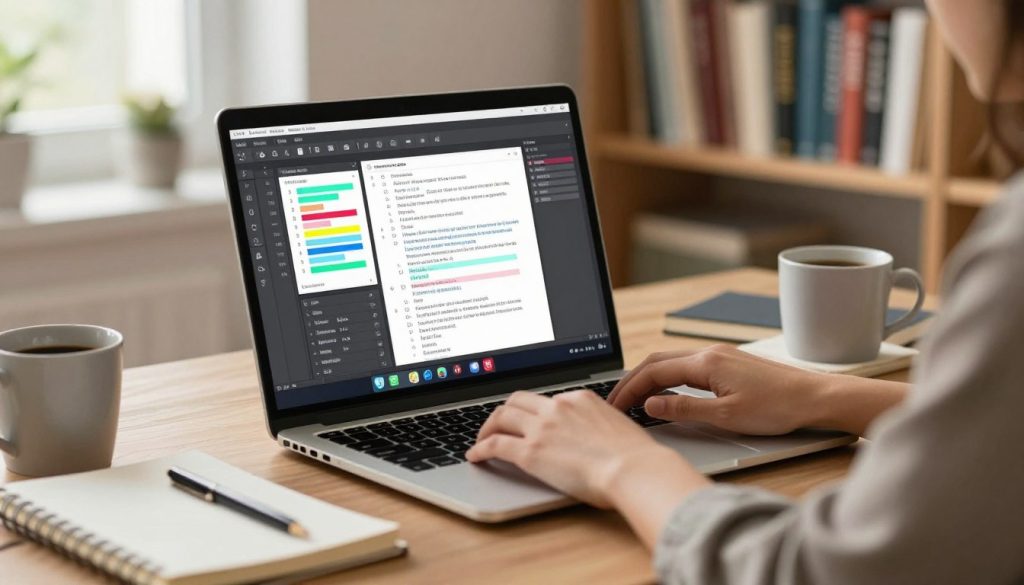
How I set up my writing tools greatly affects my work. It’s important to make sure your manuscript editing software helps you, not hinders. This setup time is key to keeping your author brand consistent in all your projects.
Installation Guidelines
Most tools are easy to install and work well with your favorite word processor. Always get the official plugin or extension for the best results with Microsoft Word or Google Docs.
After installing, restart your word processor. This lets the software check your text as you write. Getting it set up right is the first step to success.
Customizing Settings for My Needs
Next, I tweak the settings to fit my writing style. Changing the formality level helps with author branding. It keeps your writing consistent, whether it’s a blog or a novel.
It’s also smart to set specific goals in the app. This helps you establish author brand identity. When you tailor your manuscript editing software to your needs, it becomes a valuable tool.
Don’t forget to update your settings as your projects change. Keeping your manuscript editing software up to date helps your author branding stay sharp and professional.
Integrating Software into My Writing Process
Automated tools help me focus on storytelling while avoiding errors. Making these tools part of my daily routine keeps my creativity flowing. This way, I can focus on the story while the software checks for mistakes.
Using Software for First Drafts
I start editing with manuscript editing software from the beginning. This catches small mistakes early, preventing them from becoming habits. It’s crucial for author branding to keep my work polished and professional.
“The first draft of anything is shit.”
While early drafts are messy, software helps me avoid unnecessary clutter. It fixes syntax errors without losing the energy of my ideas. This balance keeps my work readable from the start.
Continuous Editing Techniques
I use continuous editing to keep my momentum going. The software points out issues as I write, letting me fix them quickly. This way, I can keep writing without stopping or losing my flow.
It’s important to balance software suggestions with my own creative choices. I override it when I want to keep a unique voice or style. The manuscript editing software is a guide, not a rulebook. It helps make my work accurate and true to myself.
Client and Reader Feedback
When I get feedback from beta readers, I see my manuscript in a new light. These readers are invaluable for spotting big issues I might overlook. Their comments help me see where my story needs more clarity or emotion.
Incorporating Suggestions into My Work
I see every feedback as a guide to better my work. If many readers mention a confusing plot point, I know it’s time to use my manuscript editing software. This ensures my story connects with readers and stays true to my voice.
At times, getting professional advice is key. I look for the best manuscript critique services to add to my personal feedback. This mix of opinions helps me polish my work to perfection.
How Feedback Influences Software Usage
My software settings change based on what my readers say. If they mention my story moves too slow, I tweak my software to highlight long passages. This back-and-forth is crucial for establish author brand loyalty, showing readers I care about their experience.
This feedback loop also shapes my author website design. I make sure my online presence matches my writing’s tone. A well-designed website strengthens my bond with my audience.
| Feedback Type | Software Adjustment | Goal |
|---|---|---|
| Pacing Issues | Adjust sentence length alerts | Improve flow |
| Repetitive Phrasing | Enable vocabulary variety checks | Enhance style |
| Clarity Concerns | Increase passive voice detection | Boost readability |
Collaborating with Editors Using Software
Working with a professional editor is key to making my manuscript shine. They help refine my writing and keep the story structure strong. With manuscript editing software, I can share my work with experts. They offer feedback and line edits, keeping my creative spirit alive.
Working Together in Real-Time
Today’s tools let me see edits live. This real-time interaction avoids the mess of sending many versions by email. It helps me fix story issues while the ideas are still fresh.
Collaboration is as crucial as a good author website design for a professional look. When my writing is polished, my online presence feels real and trustworthy. It makes a smooth journey for readers from start to finish.
Tracking Changes and Comments
Keeping my vision intact is crucial during editing. I use software to track every change my editor suggests. This lets me decide on each edit and keep a record of the reasons behind them.
Being able to comment on specific parts of the text helps me and my editor stay in sync. I can ask about style choices or clarify my goals. This structured method ensures the final product is truly mine but also benefits from expert input.
| Feature | Manual Editing | Software Collaboration |
|---|---|---|
| Version Control | High Risk of Errors | Automated History |
| Feedback Speed | Slow Email Cycles | Instant Updates |
| Comment Clarity | Fragmented Notes | Contextual Threading |
| Final Accuracy | Manual Verification | Integrated Review |
Overcoming Common Challenges
Even with digital assistants, I sometimes find their logic doesn’t match my creative vision. No manuscript editing software is perfect. I’ve learned that trusting automated feedback too much can water down my writing’s unique flavor.
I see these tools as helpful partners, not the last word. Keeping a critical eye helps me keep my creative decisions in my hands.

Dealing with Inaccuracies in Suggestions
Algorithms might flag certain stylistic choices as wrong, just because they’re not standard. I find this happens when I’m using a specific rhythm or voice for a character.
When a suggestion doesn’t feel right, I ignore it. Keeping my narrative voice intact is key, part of my author marketing strategy. If a change feels unnatural, I trust my gut over the software.
Managing Software Limitations
Every tool has its limits that can affect my writing. Knowing these limits helps me avoid getting frustrated during editing.
If the manuscript editing software can’t handle complex sentences or specific terms, I adjust my approach. I see these limits as part of the editing process, not a failure of the tech. This way, I stay focused on my author marketing strategy, even with minor tech issues.
| Common Challenge | Impact on Writing | Recommended Action |
|---|---|---|
| Over-correction | Loss of unique voice | Review and ignore |
| Context Blindness | Misinterpreted tone | Manual override |
| Technical Lag | Workflow disruption | Save and restart |
| Limited Vocabulary | Repetitive phrasing | Use manual thesaurus |
Tracking My Progress Over Time
Using analytical tools lets me see how my writing changes over time. I look at reports from my manuscript editing software to see my growth. This makes the editing process a measurable journey of getting better.
Measuring Improvement in My Writing
I use these tools to find my writing’s weak spots. The software shows me patterns in my sentences, word choices, and punctuation. Seeing these trends clearly helps me know where to improve next.
When I compare reports from different months, I see my mistakes decrease a lot. This feedback loop gives me the encouragement to keep improving. It’s rewarding to see my writing quality improve with each revision.
Setting Goals with Software Features
I use the best software for tracking writing progress to set goals. I aim for word counts or fewer errors. These goals help me stay on track with my author marketing strategy.
Keeping up with these goals helps me write regularly. I see my writing as a business, where every edit moves me closer to my goals. This analytical mindset makes sure my books are the best before they’re published.
Utilizing Advanced Features
Keeping your writing top-notch means using every tool at your disposal. Basic spell-checkers are good, but I turn to manuscript editing software for more. These tools offer advanced features that do more than just fix punctuation.
Using Plagiarism Checkers
Keeping your reputation safe is crucial for writers. I often use plagiarism checkers in tools like Grammarly and ProWritingAid. Ensuring your content is original is key for a strong online presence for authors.
These tools scan millions of web pages to check if your writing is unique. They help me avoid accidental plagiarism, so I can publish with confidence. This protection is essential for any writer serious about their craft.
Exploring Style Guides and Templates
Being consistent is what makes a writer professional. I use style guides and templates in my manuscript editing software to keep my writing consistent. Whether it’s a blog post or a book, these tools help me stay on track.
Templates save me time by formatting my documents according to industry standards. This lets me focus on the creative part, not the formatting. These advanced features are crucial for boosting my online presence for authors and making my work stand out.
Enhancing Creative Choices
Many writers see technology as just a tool, but I see it as a creative partner. It sparks my imagination. With manuscript editing software, I can explore new paths without being stuck in old habits. These tools help me try out different tones and structures while keeping my voice unique.
Finding Inspiration Through Software
When I’m stuck, my software gives me a new view. It points out patterns and suggests changes I might not see. This is incredibly freeing, as it helps me find new ways to tell a story.
These ideas often spark my own creativity. Instead of just taking a suggestion, I use it to think of even better ideas. This way, my stories stay fresh and exciting for my readers.
Expanding My Vocabulary
Using these tools also helps me choose better words. I swap out common words for more precise ones. This makes my writing richer and more polished.
Having a wide vocabulary is key for a strong online presence for authors. When my writing is clear and vivid, it connects with my audience more. Manuscript editing software helps me find the right balance of accuracy and creativity.
| Feature | Creative Benefit | Impact on Writing |
|---|---|---|
| Synonym Finder | Increases word variety | Higher engagement |
| Pacing Analysis | Improves narrative flow | Better reader retention |
| Tone Detection | Ensures consistent voice | Stronger brand identity |
Conclusion: Embracing Manuscript Editing Software
My writing journey changed when I started using digital tools. Manuscript editing software has been key in my growth. It helps turn rough ideas into polished stories.
Reflecting on My Creative Growth
I now share work I’m proud of with my audience. The mix of human creativity and automated precision is powerful. My confidence grew as I learned to trust the feedback from these systems.
Preparing for Future Publishing Success
I suggest you use these tools in your daily writing. Your next project needs care and attention. By using manuscript editing software, you build a strong foundation for your writing career. You can make your future projects professional and impactful.
Can manuscript editing software truly replace a human editor for my author self-promotion needs?
In my experience, tools like Grammarly and ProWritingAid are great for catching errors and improving readability. But, they can’t replace a professional editor’s eye. As an author platform builder on a budget, these tools are a must. They help me polish my work before sharing it, keeping my author branding professional and error-free.
How do these digital tools help me establish author brand loyalty?
Consistency is key to building trust with my readers. I use style guides and templates in my editing software. This ensures my voice stays consistent across all my content. When readers see quality in every piece I produce, they stay loyal to my work.
Which software is better for fiction writers looking to build author platform authority?
For fiction writers, I recommend ProWritingAid. It offers reports on sensory details, dialogue tags, and pacing. Choosing the right tool is strategic for me. It helps me create high-quality narratives that resonate with my audience and build my authority.
Does using editing software impact my online presence for authors?
Absolutely. My online presence for authors relies on the quality of my posts. Editing software helps me avoid typos that could harm my credibility. It also includes plagiarism checkers to ensure my content is original, crucial for my author marketing strategy.
How do I incorporate reader feedback into my software settings?
I use feedback from beta readers to adjust my software settings. For example, if they say my writing is too wordy, I make my settings stricter. This feedback loop is vital for my author marketing strategy. It helps me tailor my writing to what my audience wants.
Is manuscript editing software difficult to integrate into my writer platform development?
Not at all! Most tools integrate easily with Microsoft Word, Google Docs, and web browsers. This makes it simple to maintain a professional author branding image across all platforms. Integrating these tools was a key step in building my author platform foundations.
Can these tools help me with the text elements of my author website design?
Yes, they are a lifesaver for author website design! I use them to check every “About Me” page and book blurb on my site. Professionalism in web copy is as important as the visual layout. By ensuring my site’s text is crisp and compelling, I present a polished image that boosts my author self-promotion efforts.