Nonfiction Book Software: What to Look For Before You Start
Home › AI tools for authors › Nonfiction book software
Good nonfiction book software handles four jobs: structuring your argument, keeping research and sources organized, tracking citations and notes, and exporting a clean book. Few tools do all four. Pairing a reference manager with a writing app works, and all-in-one platforms such as Storyloft combine them in one place.
- What nonfiction authors need that novelists do not
- The four jobs your software has to do
- Your main options
- Where AI helps nonfiction, and where it hurts
- How Storyloft handles nonfiction
- Decide your citation style before you draft
- A fact-checking routine
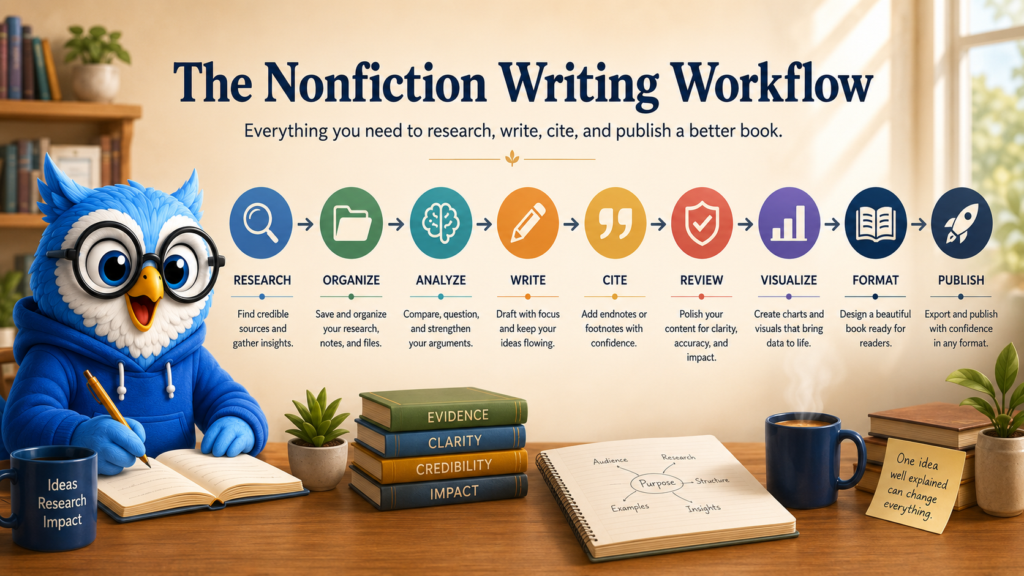
- A nonfiction workflow you can copy
- Questions to ask before you commit
- Frequently asked questions
A nonfiction book is a pile of claims, each of which has to come from somewhere. That is why the software that suits a novelist can frustrate a nonfiction author. You are not only tracking scenes. You are tracking sources, quotes, statistics, permissions and the chapter where each one belongs.
This guide is part of our AI tools for authors hub, because the research and revision side of nonfiction is where AI can help most and where it can do the most damage if it invents things. We will cover what to look for, the realistic options, and a workflow you can copy.
What nonfiction authors need that novelists do not
Most writing software is designed around fiction: scenes, characters, timelines. Nonfiction has different pressure points.
- Structure that carries an argument. Chapters need to build on each other, and you need to see the whole shape without rereading everything.
- Research you can find again. Six months in, you should be able to locate the study behind a claim in seconds.
- Citations, footnotes or endnotes. Many nonfiction books need them, and moving them by hand between tools is where errors creep in.
- Quotes and permissions. You need a record of what you quoted, from where, and what you cleared.
- Tables, lists and images. Nonfiction leans on them far more than fiction does.
- A clean path to publication. Notes, front matter, back matter and exports should not need a second tool and a weekend of cleanup.
The four jobs your software has to do
| Job | What good looks like | Common failure |
|---|---|---|
| Structure | An outline you can drag around, with chapters that map to the draft | Outlines that live in a separate file and drift from the manuscript |
| Research | Sources saved next to the chapter that uses them | Bookmarks, PDFs and notes scattered across five places |
| Citations | A source becomes a note in the text without retyping | Hand-built endnotes that fall out of order |
| Output | EPUB, print PDF and DOCX that look like a book | Word documents patched together at the end |
Judge any tool by how many of these it handles, and how much it hands off to something else.
Your main options
| Option | Strengths for nonfiction | Trade-offs |
|---|---|---|
| Word or Google Docs | Familiar, with footnotes and citation tools built in, and easy to share with editors | Long manuscripts get unwieldy, and book formatting is a separate job |
| Scrivener | A research folder, split-screen reference and strong organization for long projects, $59.99 as last reported | Learning curve, and formatting for publication takes extra steps. See our Scrivener alternatives guide |
| Zotero plus a writing app | Zotero is a free, open-source reference manager that handles source collection well | Two tools to keep in sync, and nothing connects the sources to your book exports |
| Atticus or Vellum | Good formatting for finished manuscripts | Built for output rather than research and drafting |
| All-in-one platforms | Writing, research, editing and formatting in one place | A bigger commitment, and a subscription |
Prices are as reported on vendor pages in late 2026 and may change. Confirm before you buy.
Where AI helps nonfiction, and where it hurts
AI is useful in nonfiction for the jobs that are tedious rather than creative: finding relevant studies, summarizing a paper so you can decide whether to read it, spotting a claim that has no source, and checking that chapter three does not contradict chapter nine.
It is dangerous in one specific way. Language models can produce confident citations to studies that do not exist. In a novel that is an annoyance. In a nonfiction book it is a credibility problem you publish under your name. Any AI tool you use for nonfiction should ground its research in real, checkable sources, and you should still open every source you cite.
Our guide to AI book writing software covers the wider tool landscape, and our comparison of AI manuscript editors and book generators explains why an editor that marks up your text is a safer fit for nonfiction than a generator that writes it.
How Storyloft handles nonfiction
Storyloft is book writing software with research built in. Its research tools search scholarly sources, including OpenAlex and Semantic Scholar, and let you save the sources you choose to your manuscript so they stay with the book. Claims that need a source can be flagged, and a saved source can become an endnote, which keeps your notes tied to the places you cited them.
Eddy, the AI editor, reads the whole manuscript, so it can point out where an argument repeats, where a chapter claims something an earlier chapter undercut, and where a statement has no support. It suggests changes as redlines you accept or reject, and it does not write your chapters. If you want no AI involved at all, AI Off Mode switches Eddy off, which our guide to writing software with an AI off switch covers.
When the draft is done, you can export EPUB, PDF and DOCX from the same manuscript. The trade-off is that Storyloft is a subscription and a larger platform than a plain editor. Research tools support your judgment rather than replace it, so you still need to read your sources.
Decide your citation style before you draft
Changing citation style late is miserable, so decide early.
- Footnotes: notes at the bottom of the page. Readable, but they take space in print.
- Endnotes: notes collected at the end of a chapter or book. Common in trade nonfiction, and easier to lay out.
- In-text citations: author and date in parentheses, with a reference list. Common in academic work.
- Style guide: Chicago and APA are common choices. Ask your publisher or audience which they expect.
Whatever you choose, keep source details as you go. Rebuilding a citation from memory a year later is how errors happen.
A fact-checking routine
- Open every source you cite. Do not rely on a summary, yours or a tool’s.
- Check the numbers and dates against the original, not a secondhand article.
- Quote accurately. If you use a direct quote, copy it from the source and note the page.
- Note the date you accessed web sources, because pages change.
- Log permissions. Record what you quoted at length, and what you cleared.
- Do one pass just for claims. Read the manuscript looking only for statements that need support.
This is the routine that catches an invented citation before a reader does.
A nonfiction workflow you can copy
- Outline the argument first. Write the one-sentence promise of the book, then a one-line claim for each chapter.
- Collect sources as you go. Save each source next to the chapter it supports, with a note on why it matters.
- Draft with placeholders. Mark claims that still need support instead of stopping to hunt.
- Close the gaps. Search for sources, replace placeholders and cut claims you cannot support.
- Convert sources to notes. Build footnotes or endnotes from the saved sources so the list stays accurate.
- Revise for the whole book. Check repetition, contradictions and pacing across all chapters.
- Check permissions. Keep a record of quotes and images you cleared or still need to clear.
- Format and export. Our book formatting hub covers the final steps.
Questions to ask before you commit
- Can I keep my sources inside the manuscript, or only in a separate tool?
- Does the AI cite real sources I can open, or does it generate references from memory?
- How are notes handled in each export format?
- What happens to my manuscript if I stop paying? Can I export everything?
- Is my manuscript used to train models? Our AI for authors page explains how Storyloft handles it.
Frequently asked questions
What is the best software for writing a nonfiction book?
It depends on how much research and formatting you need. Word or Google Docs work for short books, Scrivener suits long research-heavy projects, and all-in-one platforms such as Storyloft combine writing, research and formatting.
Do I need a reference manager for a nonfiction book?
If you will cite many sources, it helps. Zotero is a free option. All-in-one tools that save sources inside the manuscript can remove the need for a second tool.
Can AI find sources for my nonfiction book?
It can help you search, but you must verify everything. Language models can invent citations, so use tools that ground results in real databases and open every source you cite.
How do I handle footnotes and endnotes in a book?
Build them from your saved sources rather than typing them by hand, and check how each export format handles them. Storyloft can turn a saved source into an endnote.
Can Storyloft write my nonfiction book?
No. Eddy suggests changes to your writing, and you accept or reject each one. It does not write your chapters.
Write, edit, illustrate and format the whole book in one place.
Storyloft takes you from first draft to a print-ready book without moving your manuscript between apps.
$0 today. $39/month after 14 days. Cancel anytime.