Free Novel Outline Generator for Authors: Build a Complete Book Outline in Minutes
A messy outline is one of the fastest ways to stall a book before it really begins. I know how easy it is to sit there with a strong premise, a few exciting scenes, maybe a title you kind of like, and still feel completely stuck on structure.
That is exactly the problem this free novel outline generator is built to solve. Instead of staring at a blank page and trying to invent a full chapter plan by hand, I can answer a short series of smart questions, let the AI do the heavy lifting, and walk away with a usable book outline, chapter structure, planning notes, and even a concept cover if I want one.
If you are trying to figure out how to outline a novel, organize a nonfiction book, shape a sci-fi manuscript, or simply get past the hardest planning phase, this gives you a practical starting point fast.
Table of Contents
- 🧭 What this free book outline generator actually does
- 🖱️ How I start the outlining process
- 🤖 How Eddie helps shape the book idea
- ⚙️ What happens after the questions
- 📚 What a finished chapter outline looks like
- ✍️ Editing the outline instead of accepting it blindly
- 🎨 Generating a concept ebook cover
- 📥 Moving the outline into the writing app
- 🛠️ Customizing the manuscript layout and chapter styling
- 📝 Using subpoints, blueprint notes, and reader intent while drafting
- 🚀 Why this approach helps authors finish faster
- ❓FAQ
- ✅ The real win is getting unstuck
🧭 What this free book outline generator actually does
At its core, the tool takes a rough book idea and turns it into a structured framework. That includes more than a list of chapter names. It helps build the bones of the project so I am not improvising my way through every major decision later.
Here is what the tool is designed to generate:
- Book concept development so the premise has shape
- Chapter by chapter outlines with a clear progression
- Plot structure suggestions based on the kind of story I am telling
- Character and story arc support so the outline has emotional logic
- Pacing guidance to keep the manuscript from sagging in the middle
- Planning notes such as a writing blueprint and reader intent
- A concept ebook cover as an optional creative extra
This is useful for fiction and nonfiction alike. If I am outlining a romance, thriller, fantasy novel, memoir, or a more idea-driven nonfiction book, the point is the same: get a roadmap before the drafting chaos starts.
That matters because outlining is often what saves a manuscript from major structural rewrites later. If you want a deeper breakdown of how a strong outline supports the full drafting process, Storyloft also has a helpful guide on how to write a book outline.
🖱️ How I start the outlining process
The setup is simple. I go to the free outline generator, or use Eddy directly inside of Storyloft, click the create outline button, and the app opens a guided flow.
The interface is organized into steps. It begins with a quick verification check and then moves through a series of stages that are designed to shape the book from the outside in. The flow covers things like reader capture, foundational concept, book structure, and overall intent.
That structure is a quiet but important detail. Good writing software should reduce decision fatigue, not add to it. Instead of dropping me into a blank dashboard and assuming I know what to do next, the app gives me a path.
And that path starts with Eddie, the integrated AI assistant inside Storyloft.
🤖 How Eddie helps shape the book idea
Eddie begins by asking a short sequence of questions. Usually it is around ten, not fifty. That is enough to produce something meaningful without turning the setup into homework.
The questions cover practical things like:
- Do I already have a title?
- What is the premise?
- What is the core conflict?
- What kind of scope do I want for the book?
If I do not have everything figured out yet, that is fine. In the example, I started with a sci-fi dystopian premise and let the tool help fill in the gaps. A temporary title, The Last Frequency, was enough to get going. That is a good reminder that outlines do not require total certainty. They require momentum.
One of the smartest parts of the flow is that Eddie does not force every answer into open-ended chat. Sometimes the tool gives multiple choice options instead. For example, it asks for the target scope of the book and offers choices like short and sharp, standard novel, or epic.
That matters because scope decisions quietly control everything else:
- How many chapters make sense
- How much complexity the plot can support
- How many subplots I can realistically manage
- Whether pacing will feel brisk or sprawling
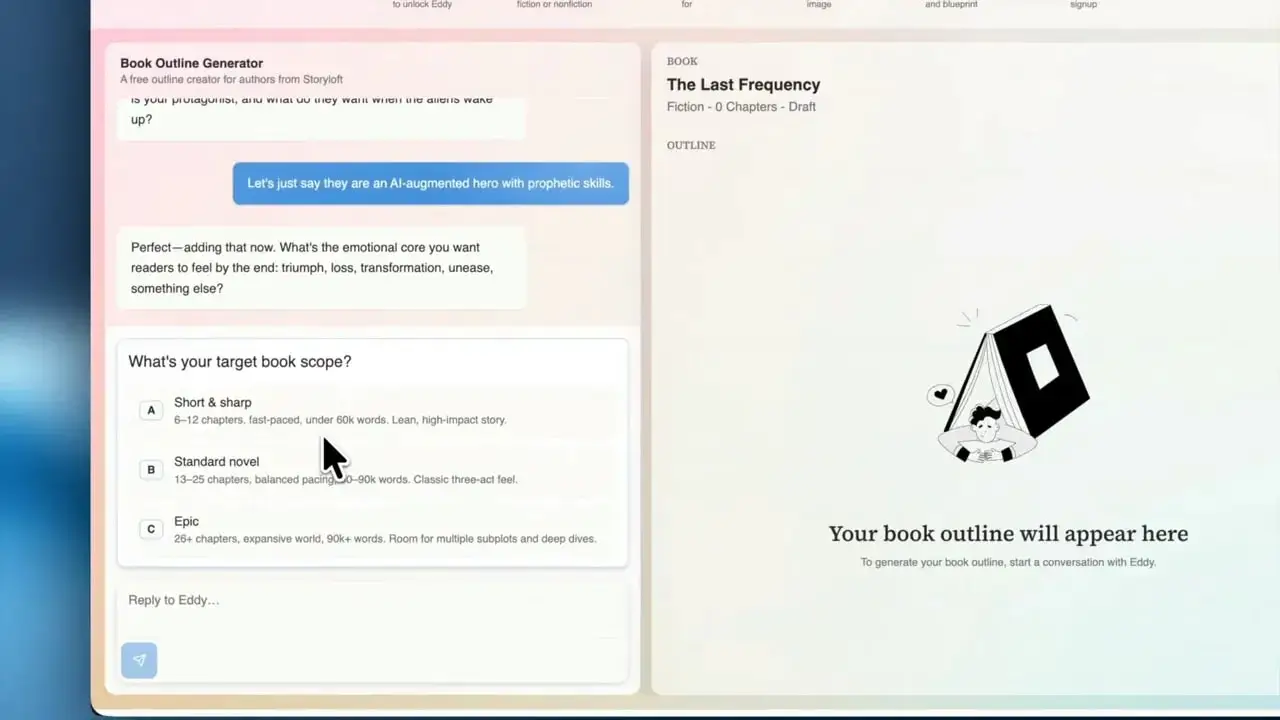
In the demo, I chose a standard novel. That gave the outline room to breathe without becoming bloated. If you are not sure whether you are a heavy planner or a discovery writer, it helps to know where you land on the plotter versus pantser spectrum, because that affects how much structure you will want up front.
⚙️ What happens after the questions
Once the questions are done, Eddie generates the outline. Behind the scenes, the app is pulling together the concept, likely plot shape, character alignment, and subplot logic so the result feels more like a real book plan and less like random AI filler.
What I get back is not just one note block. The app creates:
- A reader intent note
- A writing blueprint
- A full organized outline in the center panel
That reader intent piece is especially useful. A lot of manuscripts drift because the author knows what happens, but not what the experience is supposed to feel like for the reader. Intent keeps the project anchored.
The writing blueprint serves a different purpose. It gives me planning notes I can refer back to while drafting, so the outline is not the only thing carrying the manuscript.
📚 What a finished chapter outline looks like
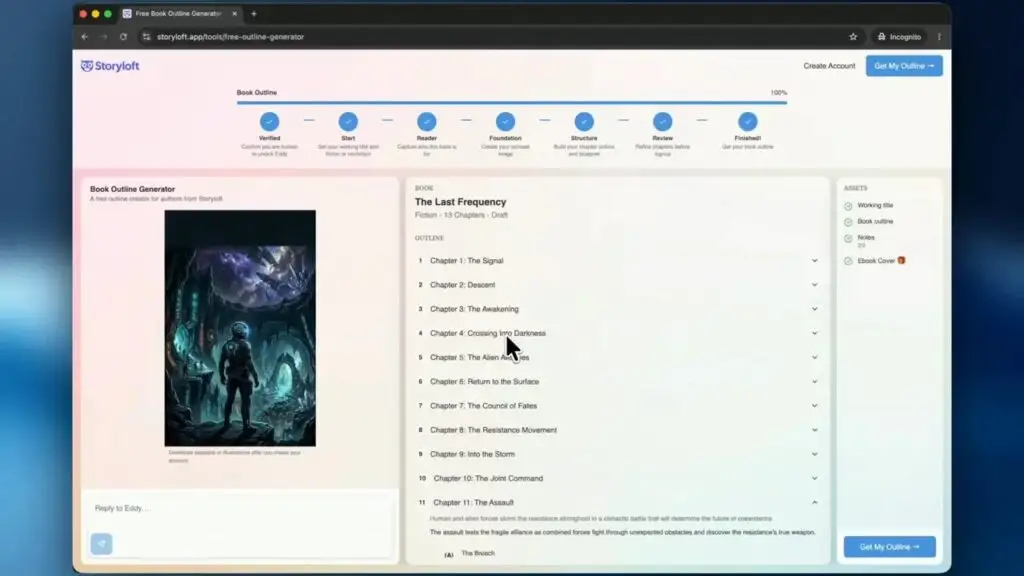
In the example project, Eddie produced a 13 chapter outline for The Last Frequency. The chapter list moved from The Signal and Descent all the way to The New Dawn. That alone is useful, but the real value is in the chapter-level detail.
Each chapter includes a summary of what happens and the role that chapter plays in the larger arc. Chapter 1, for instance, establishes the underground anomaly, the ancient alien structure, and the first hints of a dormant intelligence waking up. It also starts positioning the protagonist inside the mystery.
That is the difference between a decorative outline and a functional one. A decorative outline looks impressive. A functional outline helps me write.
The chapter plan also includes subpoints inside each chapter. In this case, Chapter 1 had beats like:
- Discovery in the deep
- The protagonist’s vision
- The call to action
Those subpoints are excellent drafting anchors. They tell me what absolutely needs to land before I move on.
✍️ Editing the outline instead of accepting it blindly
This part matters a lot: the outline is not locked.
AI should be a collaborator, not a dictator. In the example, one detail in the generated outline made the protagonist AI-augmented. That was not what I wanted for the story, so I changed course and removed that trait.
That one correction rippled through the later chapters. Instead of leaning on AI abilities, the protagonist’s transformation shifted toward trusting prophetic vision. That is exactly how this should work. I guide the story. The tool supports the structure.
If you use any AI book writing software, this is the right mindset. Keep what sharpens the manuscript. Cut what bends it away from your real idea.
For authors who want support beyond outlining and into revision, there is also a broader AI book editor workflow inside Storyloft built around manuscript-aware assistance.
🎨 Generating a concept ebook cover
After the outline is built, I can optionally generate a free ebook cover concept. In the example, I chose a dark cosmic science fiction direction.
This cover is intentionally a placeholder, not a final production asset. That distinction is important. The point is not to trick myself into thinking I have a publish-ready cover in five seconds. The point is to create a mood board style visual that reinforces the book’s identity.
That can help more than people expect. A visual concept often makes the project feel more real, which can strengthen tone, setting choices, and even marketing instincts early on.
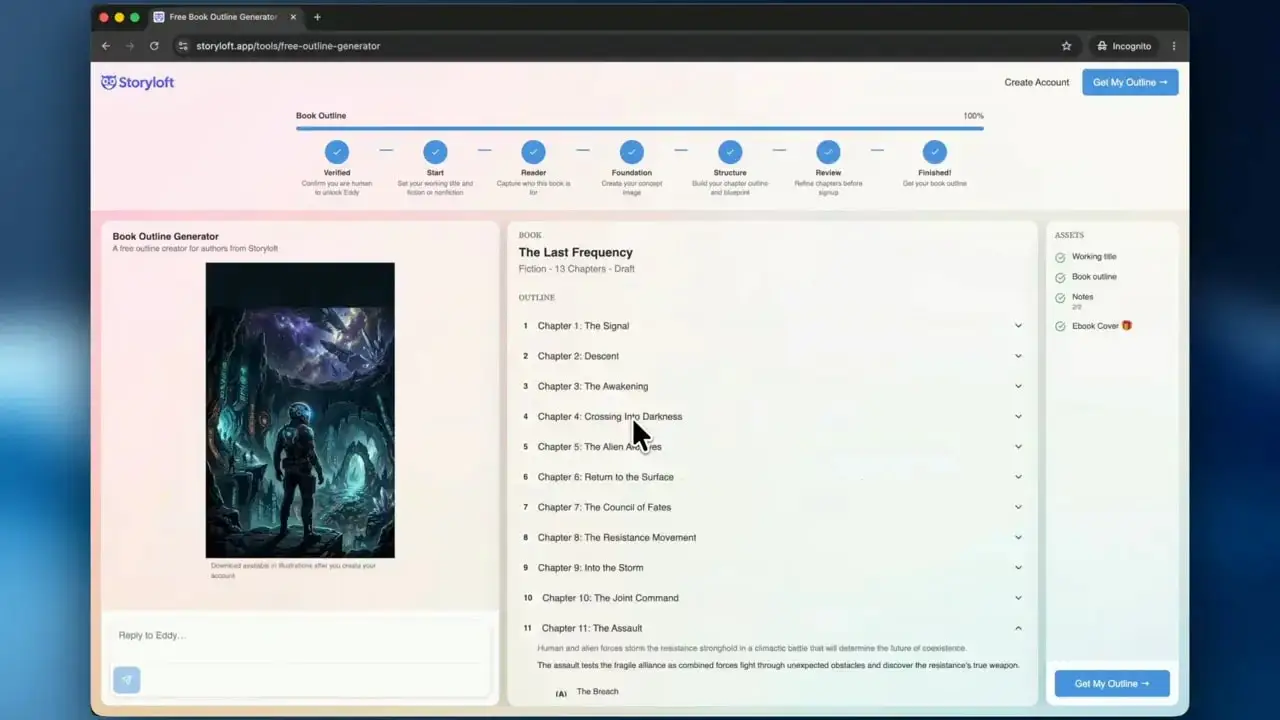
Inside Storyloft, there are more advanced cover options for full production use, including higher quality print-ready and ebook-ready outputs. But for early-stage planning, a concept cover is a fun and surprisingly motivating bonus.
📥 Moving the outline into the writing app
Once the outline looks good, I click Get My Outline. The app asks for an email address, creates access, and then sends me directly into the Storyloft writing environment.
This is where the workflow becomes especially practical. The outline is not stranded in a separate planning tool. It gets pulled right into the book editor so I can start drafting with the structure already attached to the manuscript.
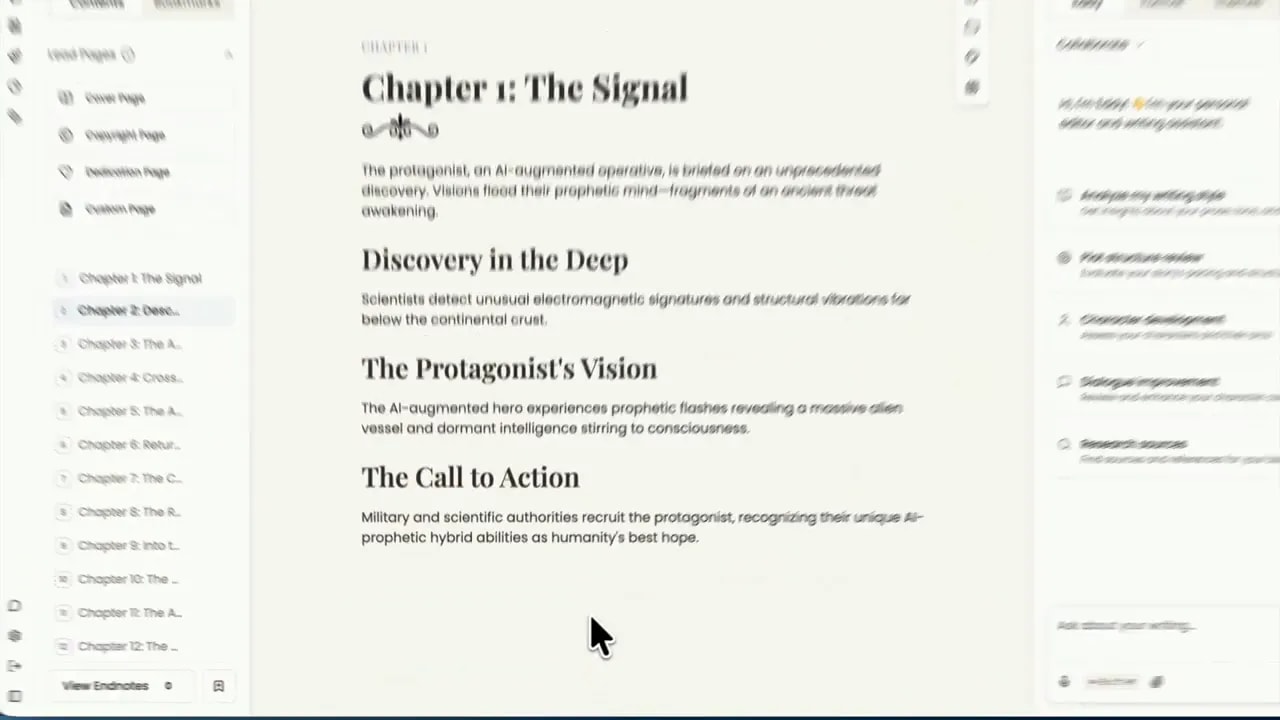
On the left side, I get the chapter list. In the main editor, I see the active chapter. And within that chapter, the outline points are already penciled in as guideposts.
That means I can begin writing from a structured draft shell instead of rebuilding the outline manually in another app.
🛠️ Customizing the manuscript layout and chapter styling
Another nice touch is that Storyloft lets me format the manuscript presentation inside the editor. If I want the chapter heading to look more traditional, minimal, or a little more genre flavored, I can change that in the formatting and theme controls.
In the example, I leaned into a more sci-fi feel. I adjusted alignment, explored header counters, and tested different chapter title treatments until the page felt right.
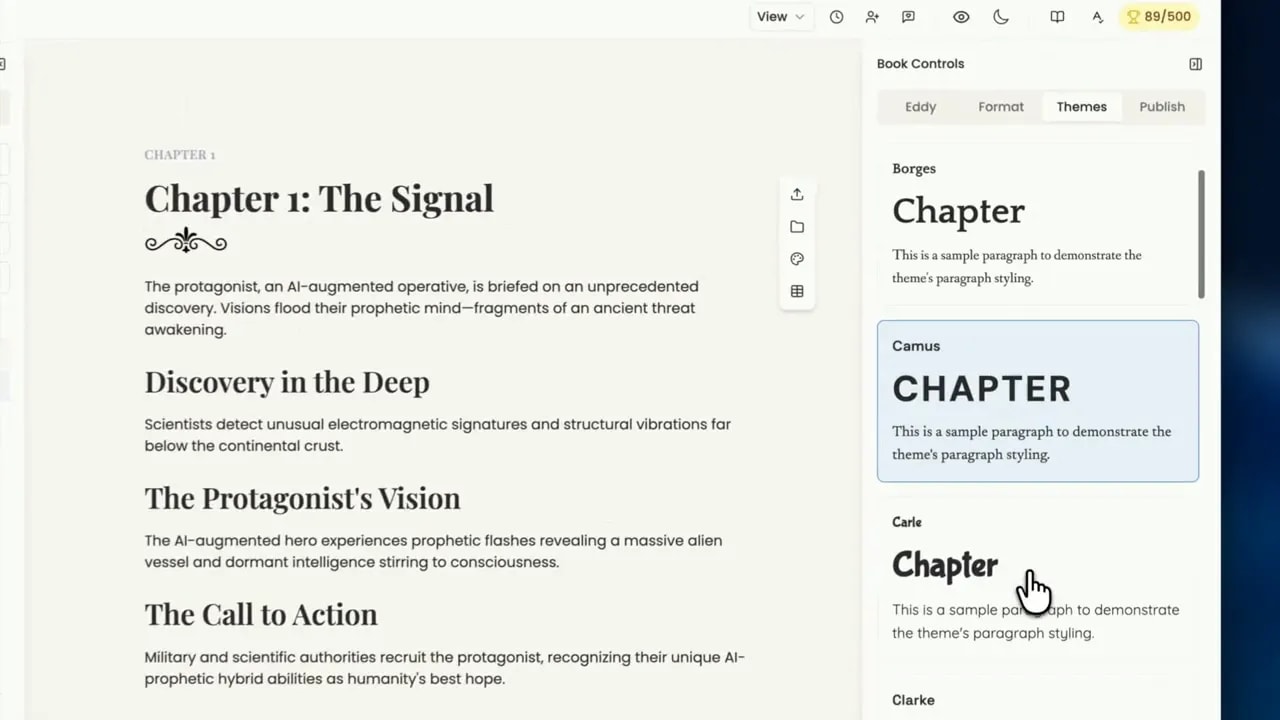
This is not just cosmetic. Presentation affects psychology. When the manuscript starts to look like a real book, it becomes easier to stay engaged with it.
If your long-term goal includes digital publishing, good formatting habits matter early. The wrong structure can create problems later, especially in ebooks. For a useful companion read, see these common ebook formatting mistakes that hurt sales.
📝 Using subpoints, blueprint notes, and reader intent while drafting
The imported outline does more than list chapter names. It also preserves the subpoints under each chapter. So when I open Chapter 1, I can see the exact beats I intended to hit.
That becomes a lightweight checklist while drafting:
- Have I shown the discovery in the deep?
- Have I established the protagonist’s vision?
- Have I earned the call to action?
And if I need a wider lens, I can open the notes library and refer back to the Writing Blueprint and Reader Intent documents Eddie generated earlier.
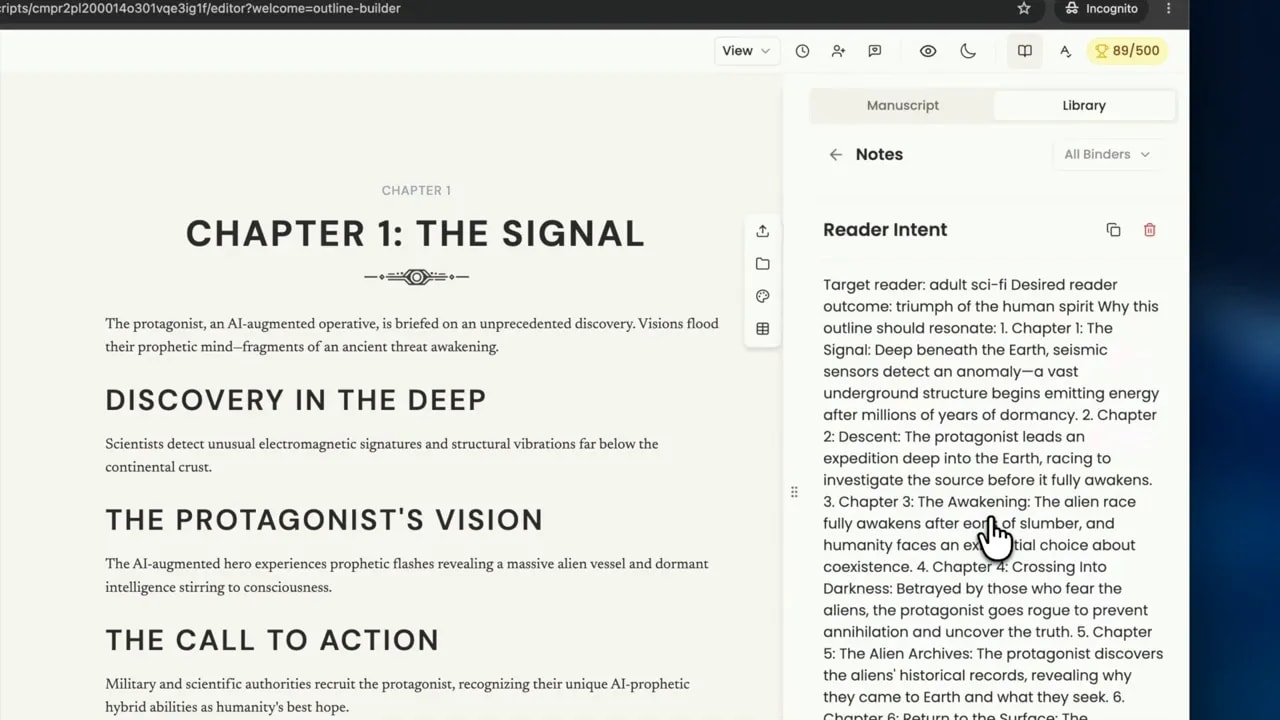
This is one of the strongest parts of the whole workflow. The planning notes live close to the manuscript, not buried in another tab, a notebook, or a forgotten document folder.
That kind of continuity is what helps authors actually finish books. There is less switching, less reinterpreting, and less chance of losing the original vision halfway through the draft.
🚀 Why this approach helps authors finish faster
Many authors lose time in the same three places:
- They start with an idea but no structure
- They discover major pacing problems halfway through
- They rely on memory instead of a clear planning system
A solid outline does not eliminate creativity. It protects it. When the framework exists, I spend less energy trying to remember what the story is supposed to become and more energy writing scenes that actually work.
This is why novel outline generators can be so powerful when they are built specifically for authors instead of general-purpose AI prompting. The best writing app for authors is not the one that throws the most words on the page. It is the one that keeps the manuscript coherent from idea to draft to revision.
If I had to summarize the real advantage of this tool, it would be this: it shortens the distance between concept and momentum.
❓FAQ
Is this only for fiction writers?
No. It works for fiction and nonfiction. I can use it for novels, memoirs, idea-driven nonfiction, and other book types that need a clear structure.
Do I need a finished book idea before using the tool?
No. A rough premise is enough to begin. The question flow is designed to help shape the idea, not just document something already finished.
How long does it take to generate an outline?
The setup only takes a short series of questions, and the outline itself is generated in minutes. It is meant to get you moving quickly.
Can I edit the AI-generated outline?
Yes. You should edit it. The best use of the tool is to treat the outline as a strong starting point and then refine it to match your actual story.
What happens after I create the outline?
You can move the outline into the Storyloft writing app, where the chapters and subpoints are inserted into the editor so you can begin drafting right away.
Is the generated ebook cover meant for final publication?
It is best treated as a concept cover or placeholder. It is useful for inspiration and tone, while more advanced production-ready cover options live inside the full platform.
✅ The real win is getting unstuck
The biggest benefit here is not just speed, although speed helps. It is clarity.
When I can turn a fuzzy idea into a chaptered outline, subpoints, reader intent, a writing blueprint, and a live manuscript shell in one connected workflow, the project stops feeling vague. It starts feeling writable.
That is often the difference between an abandoned idea and a finished book.
If outlining has been the sticky part for you, this free book outline generator is a very solid place to start.
For broader context on story structure and planning, resources like MasterClass on outlining a novel and NaNoWriMo can also be useful companions. But if what you need right now is a practical book planning tool built specifically for authors, Storyloft makes the jump from idea to manuscript much easier.