
Can a Book Writing App Handle a 250,000-Word Novel?
Most writing apps feel fine right up until a manuscript becomes real. A handful of chapters? Sure. A light draft? No problem. But a production-scale book with more than 230,000 words, dozens of chapters, formatting demands, cover work, print export, and ebook conversion? That is where a lot of tools start wheezing.
I wanted to test that pressure point properly, so I used The Three Musketeers as the benchmark. It is huge, familiar, structurally complex enough to be useful, and large enough to expose weaknesses fast. The goal was simple. Import the full DOCX, move around the manuscript, edit it, style it, build a cover, export it for print, and generate an EPUB. No hand waving. No tiny sample file pretending to be a serious book.
The result was exactly the kind of test I care about as an author. Not whether a tool looks clever in a demo, but whether it can survive a real publishing workflow.
Table of Contents
- 📥 Importing a massive manuscript without drama
- ⚡ Performance that actually holds up
- 🎨 Styling chapters without breaking flow
- 🤖 Testing AI on a document this big
- ✍️ Can AI make edits in a 230,000-word manuscript?
- 🖼️ Building a matching cover fast
- 📚 Formatting a massive print book
- 🧾 Exporting a print-ready PDF in minutes
- 📱 Exporting EPUB for ebook distribution
- 🛠️ What this test actually proves
- 🏁 Final thoughts for serious authors
- ❓ FAQ
📥 Importing a massive manuscript without drama
The first hurdle for any book writing app is import. If a giant DOCX file gets mangled, slowed down, or flattened into something unusable, the rest of the workflow does not matter. In this case, the manuscript loaded cleanly, and more importantly, it did something genuinely useful right away. It automatically identified the book’s chapter structure.
That matters more than it sounds. When a large novel lands in your workspace and the chapters are already separated in a navigable sidebar, you skip a ton of cleanup work. You are not stuck manually rebuilding the skeleton of the book before you can even begin writing or editing.
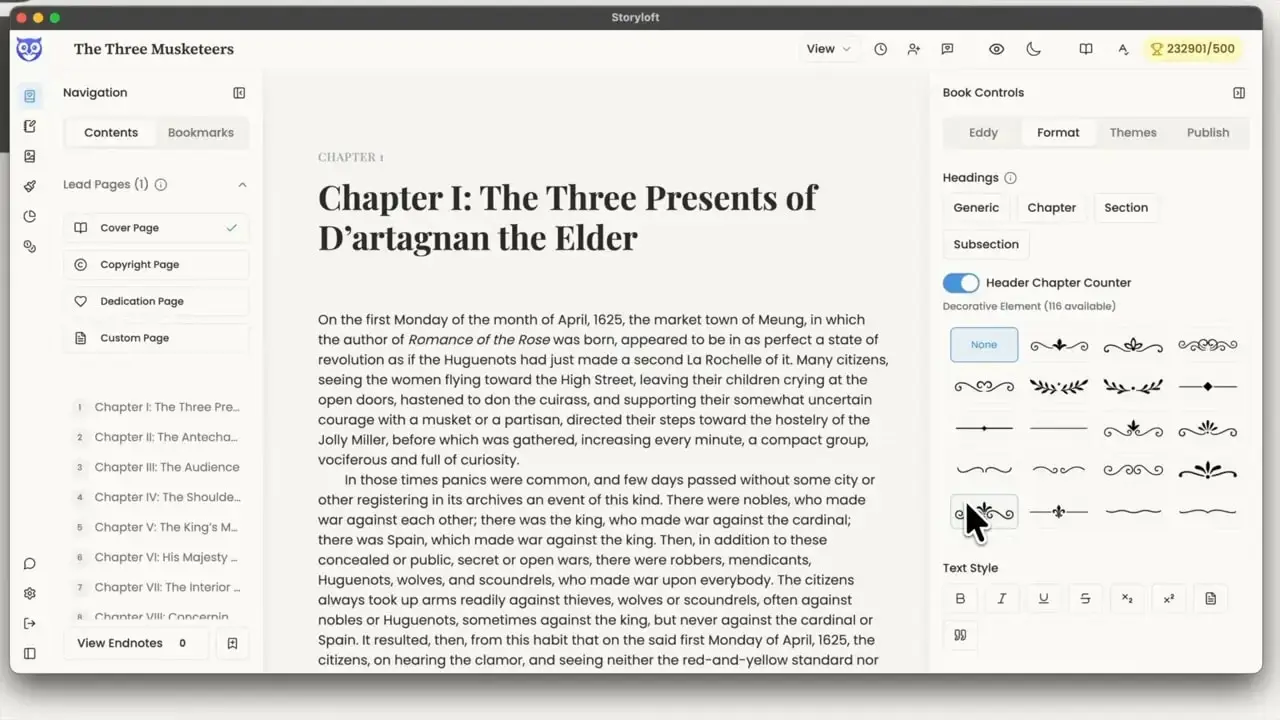
That immediate structure is a practical advantage for long form work. It lets me jump chapter to chapter without friction, which is essential when I am revising out of order, checking continuity, or tracing a character thread across a sprawling manuscript.
For authors dealing with long books, this is the difference between a writing app and a book app. A book has hierarchy. It has front matter, chapters, layout logic, and publishing constraints. A generic editor just has text.
⚡ Performance that actually holds up
Once the manuscript was in, the next question was speed. Big files can fake competence at rest. The real test begins when I start moving around, selecting, typing, and making changes.
Here, navigation across the manuscript felt nearly instant. Jumping between chapters was quick, and typing into the document had immediate response. That may sound like a basic expectation, but anyone who has wrestled with sluggish editors knows it is not a given once a manuscript becomes large.
This is especially important for novelists and nonfiction authors who do not write linearly. Real projects are messy. I may need to rewrite chapter one, then skip to chapter twenty, then adjust a callback near the end, then return to the opening. Lag kills momentum. Smooth movement preserves it.
That is one reason I think authors should be wary of tools designed primarily for generic notes or short documents. Long form writing has different needs. When the manuscript is the size of a small universe, stability and responsiveness stop being luxury features.
If you are curious how this holds up under a truly large workload, I also recommend reading this deeper breakdown of the 250,000-word novel test, which follows the same question from draft to export.
🎨 Styling chapters without breaking flow
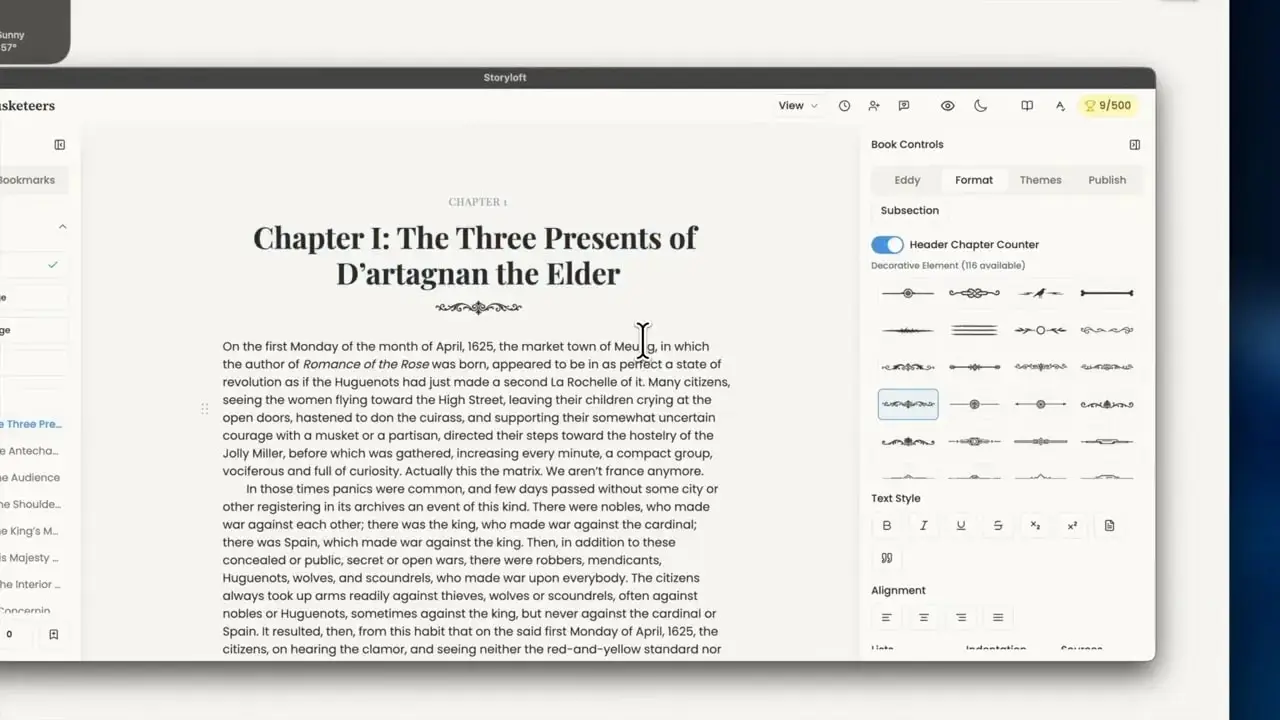
Once I knew the manuscript was stable, I moved into presentation. I adjusted the chapter styling, centered the headings, and experimented with decorative elements. This part is easy to dismiss as cosmetic, but it is not. Visual hierarchy matters in books. Chapter openings set tone. They create pacing. They make the interior feel intentional rather than merely assembled.
What I liked here was the speed of iteration. I could tweak the chapter look and immediately see the result. For a historical novel like The Three Musketeers, a slightly more ornamental chapter treatment makes sense. It helps the book feel like itself.
This is also where all-in-one tools start showing their value. When writing, editing, design, and publishing are connected, changes do not get stranded in separate apps. The formatting decisions I make now can carry through later into print and ebook output.
🤖 Testing AI on a document this big
A lot of AI writing features are impressive only when the context is tiny. Ask them about a sentence or a paragraph and they perform nicely. Ask them to understand a giant book, and suddenly they get vague, generic, or just wrong.
So I tested the integrated AI, Eddy, against the full manuscript. I asked for character insight, specifically around d’Artagnan, and the response came back with sharp, contextual observations. It recognized his sensitivity to slights, his tendency toward impulsive interpretation, and details from the opening that showed it was not just guessing from a summary.
That kind of contextual understanding is what makes AI useful to serious authors. I do not need a machine to pretend it wrote my novel. I need something that can read deeply enough to function like an editorial assistant.
Eddy’s role is much closer to that. It can analyze, suggest, and revise while leaving me in control of the manuscript. If you want a fuller sense of how that editorial side works, this overview of Eddy explains the philosophy behind it well. The point is not replacing the writer. The point is giving the writer better tools.
✍️ Can AI make edits in a 230,000-word manuscript?
Understanding a large manuscript is one thing. Making targeted edits inside it is another.
I tested that by asking for a rewrite of the opening paragraph with a little more humor. The system asked for a specific selection first, which I actually appreciate. Boundaries matter. Once the text was selected, the revision came back quickly and stayed faithful to the original content while nudging the tone toward something lighter.
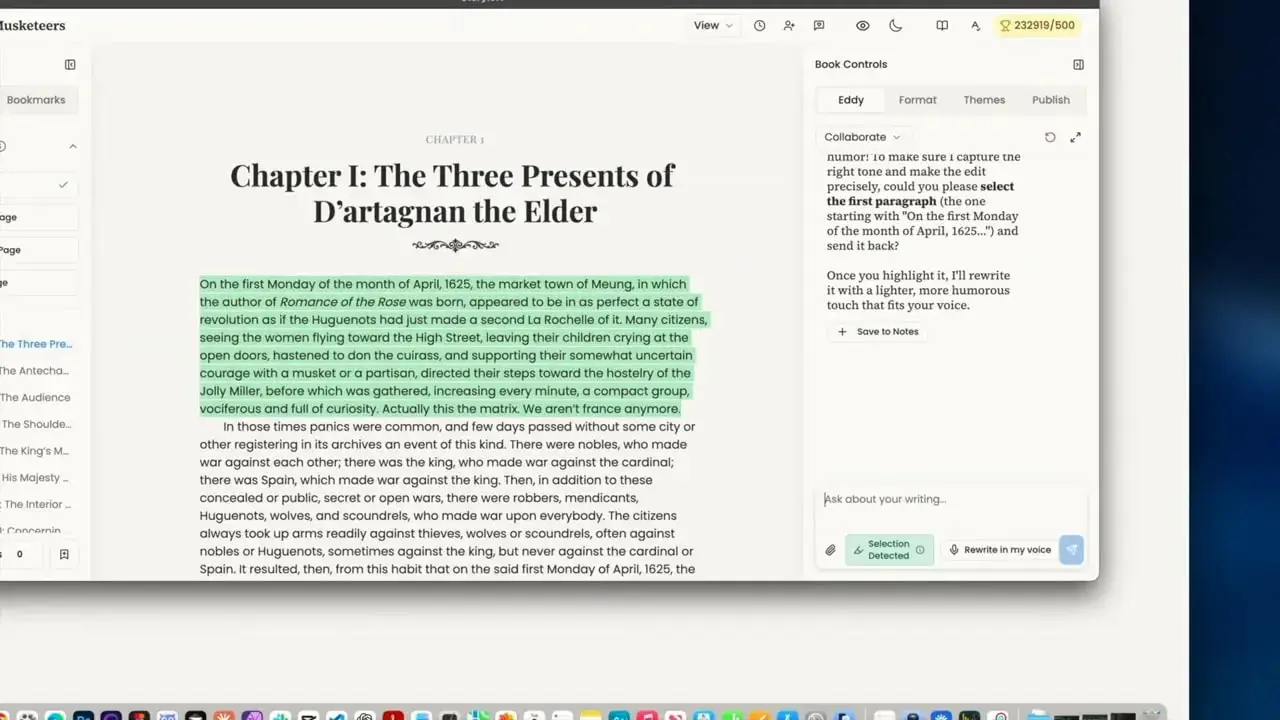
That is the sweet spot. I want AI to be helpful, not invasive. I want it to preserve tone, context, and narrative intent. On a large manuscript, that becomes even more important because one clumsy rewrite can create ripple effects in voice and consistency.
The fact that the edit happened fast, inside a document well over 200,000 words, is a strong signal that the system is not buckling under scale.
🖼️ Building a matching cover fast
After the manuscript and editing tests, I moved to cover creation. Not because every author wants AI-generated cover art, but because it is part of the full production chain. If a platform claims to support the complete workflow, cover generation and title treatment are part of the story.
I generated a quick concept for The Three Musketeers, then added a title using the title graphic tools. What stood out was cohesion. The typography, contrast, and imagery snapped together quickly enough to produce a usable concept without a lot of fiddling.
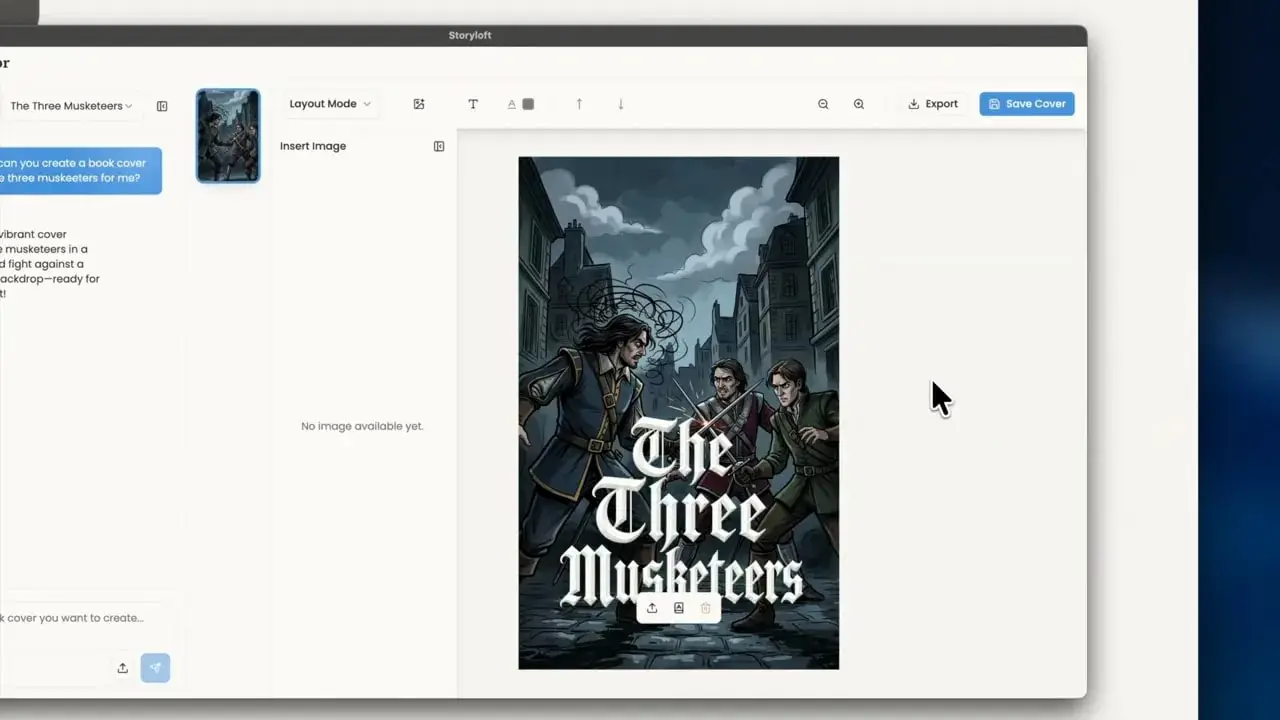
Would I personally keep iterating on it for a final commercial release? Of course. But that is not the point of the test. The point is whether I can create a coherent cover inside the same environment where I wrote and formatted the book. The answer is yes.
That all-in-one continuity matters. Fewer handoffs mean fewer chances for mismatched files, broken metadata, missing assets, or design decisions getting lost between tools.
📚 Formatting a massive print book
Now came the real proving ground: print.
I opened the publishing tools, chose a print format, and began working with the layout options. Trade paperback and digest were available, and for this experiment I chose digest to shrink the page count slightly. Even then, the result was wild. The draft landed north of a thousand pages.
That is where formatting software usually reveals its weaknesses. Page architecture gets messy. Margins become awkward. Front matter breaks. Navigation slows. Export times spike.
Instead, the print preview generated automatically with a working table of contents, chapter openings, headers, page numbers, and a clean layout. I adjusted the inner margin because a thick book needs more gutter space. That small tweak pulled the page count down and made the layout more realistic for a chunky print volume.
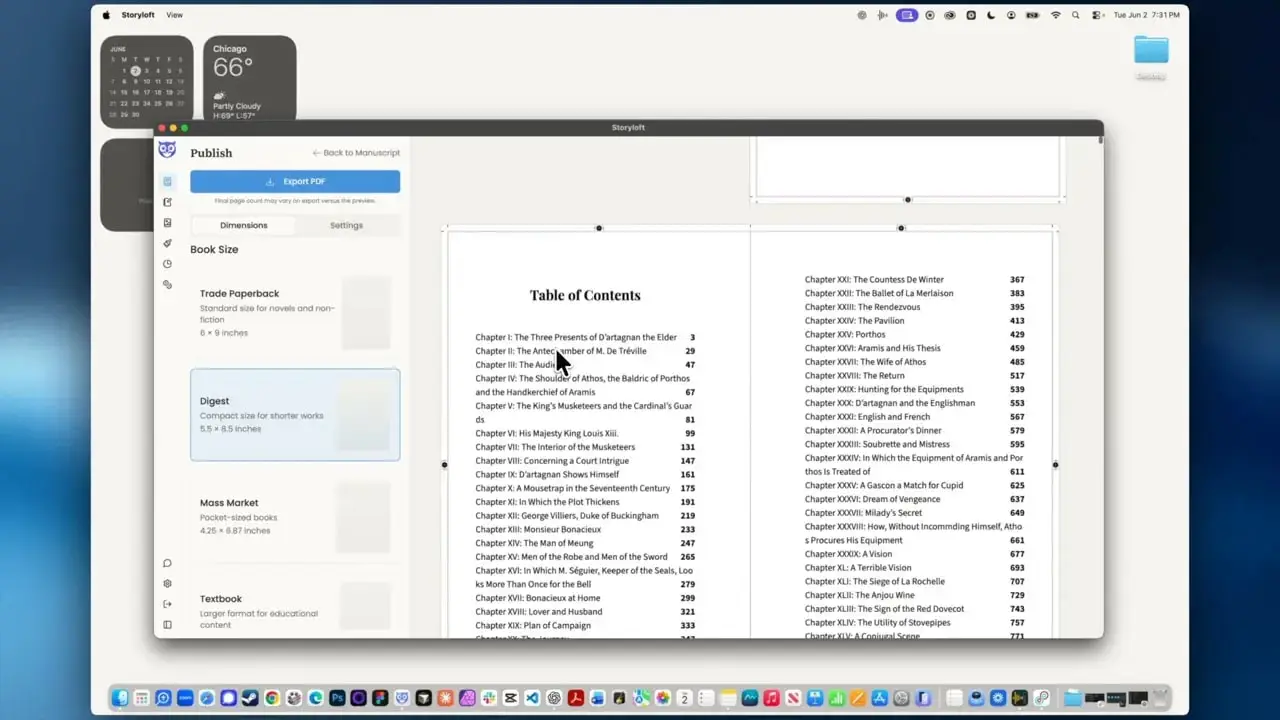
This is the unglamorous part of publishing that matters enormously. Readers may never consciously notice good margins, running heads, and orderly chapter starts, but they absolutely notice when a book feels amateur.
For authors publishing through platforms like Amazon KDP or IngramSpark, having a clean print-ready PDF is non-negotiable. And if print formatting is the piece that usually slows you down, this print formatting guide is worth keeping nearby.
🧾 Exporting a print-ready PDF in minutes
The PDF export was the part I was most curious about, because a preview can still be a lie. A beautiful preview means nothing if the exported file is broken, bloated, or incomplete.
The export finished quickly. Very quickly, considering the size of the book. The resulting PDF opened cleanly, included the table of contents and full interior, and ran to just over 1,070 pages.
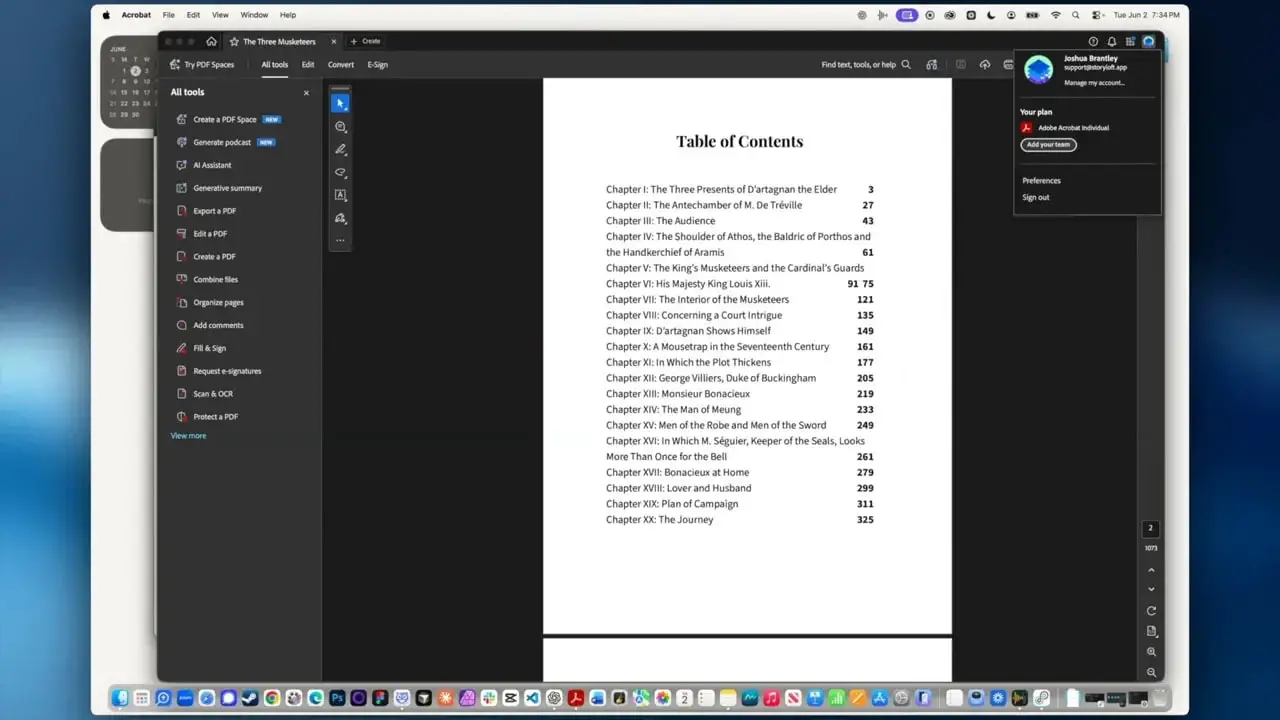
That speed is not just a convenience. It changes how willing I am to iterate. If exporting takes ages, I postpone refinement. If exporting is fast, I will test trim sizes, adjust margins, change chapter styling, and keep improving the book because the feedback loop stays short.
There is also an important technical detail here. Images created inside the platform are preserved at print quality for export, which means the final PDF can use sharp 300 dpi assets instead of whatever compressed preview happened to be on screen. That is exactly the kind of behind-the-scenes decision that makes a professional tool feel professional.
📱 Exporting EPUB for ebook distribution
After print, I moved to ebook export. Storyloft standardizes on EPUB, which I think is the right call. EPUB is the practical modern standard for broad ebook distribution, and it is far more useful than clinging to outdated formats.
The export process was straightforward. Confirm the author and pen name fields, pick the cover, and generate the ebook. The system builds an EPUB that carries the visual theme through so the ebook and print edition feel related rather than disconnected products.
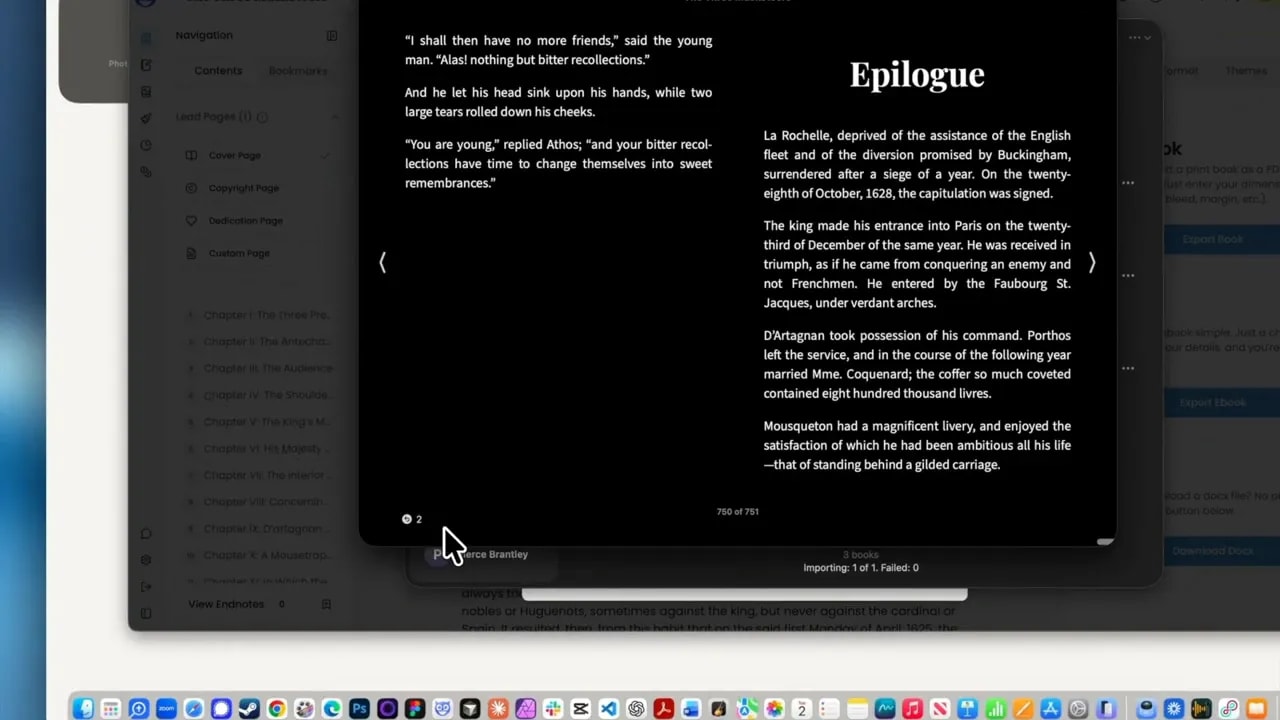
The file generated fast and opened with the full chapter structure intact, all the way down to the epilogue. That is a strong outcome for a big manuscript. Ebook conversion often introduces strange issues in long books, especially with navigation and structural consistency.
If you want background on why EPUB matters, the W3C EPUB specification is the official standard, and this explanation of EPUB versus MOBI gives a practical publishing-focused overview.
🛠️ What this test actually proves
Here is what I think this experiment proves.
- Large manuscript import works. A full-length DOCX can come in cleanly with chapters detected automatically.
- Editor performance holds up. Navigation, typing, and selection stay responsive in a very large book.
- AI remains useful at scale. Contextual analysis and targeted rewrites still work in a manuscript over 200,000 words.
- Formatting is not an afterthought. Print layout tools, trim choices, margins, and front matter are treated as part of the same workflow.
- Export is production-minded. Both PDF and EPUB generation are fast and structurally solid.
- The platform is built for books, not just text files.
That last point is the heart of it. There are plenty of tools that can help generate words. Fewer can help shape an actual book. Fewer still can take that book from manuscript to print-ready PDF and ebook without forcing me to bounce across a maze of disconnected software.
That is the lane I care about. Serious authors do not just need drafting tools. We need workflow integrity.
🏁 Final thoughts for serious authors
I do not believe in software hype for its own sake. A writing app should earn trust by surviving real use. Giant manuscripts, layout changes, export pressure, editorial revisions, and publishing demands are where that trust gets built.
Using The Three Musketeers as the test case made the answer pretty clear. Yes, a book writing app can handle a 250,000-word-class manuscript if it is designed for books from the ground up. And when the tool is built around long form writing rather than generic document editing, the entire process becomes calmer.
That is the real win. Not novelty. Not gimmicks. Just fewer obstacles between draft and finished book.
❓ FAQ
Can Storyloft really handle a manuscript over 200,000 words?
Yes. In this test, it handled The Three Musketeers at roughly 232,901 words, with fast navigation, editing, AI assistance, and export.
What file format was imported for the novel test?
The manuscript was imported as a DOCX file, and the chapter structure was detected automatically.
Can Storyloft export both print books and ebooks?
Yes. It exported a print-ready PDF for the interior and also generated an EPUB ebook.
Is Storyloft meant for casual writing or full book production?
It is clearly aimed at full book production. The workflow covers writing, editing, styling, cover design, print formatting, and ebook export in one platform.
What is the benefit of exporting EPUB instead of older ebook formats?
EPUB is the modern standard for ebook distribution across most major retailers and reading systems. It is the practical format to build around for current publishing workflows.
