How to Brainstorm Story Ideas: Proven Exercises
Most advice on brainstorming story ideas is built for people who already have too much time. It tells you to freewrite for an hour, wander around with a notebook, or cover a wall in sticky notes, then acts surprised when a working novelist still ends up with a pile of interesting fragments and no usable premise. Real story development happens under pressure, inside half-finished manuscripts, with interrupted attention and deadlines that don't care how inspired you feel.
That's why a better question isn't how to feel creative on command. It's how to brainstorm story ideas when you have 20 minutes, a draft that needs a next scene, or a concept that sounds familiar the second you say it out loud. The most useful process is constraint-based, because constraints force choices, and choices are what turn noise into a premise.
Table of Contents
- Why Most Brainstorming Advice Fails Working Writers
- The Divergent and Convergent Brainstorming Sequence
- Prompt Templates That Generate Specific Story Seeds
- Choosing the Right Brainstorming Method for Your Constraints
- Filtering Original Ideas from Derivative Concepts
- Capturing and Developing Ideas Inside Your Writing Platform
- Building a Daily Idea Routine That Sustains Long Projects
Why Most Brainstorming Advice Fails Working Writers
The common version of brainstorming assumes a blank page and a free afternoon. That's useful if you're starting from nothing, but most working writers aren't. They're trying to solve a plot knot in chapter twelve, generate a stronger hook for an existing manuscript, or find a story shape before the school run ends.
The problem with open-ended advice is that it can feel productive while producing very little. Freewriting, wandering, and loose mind maps can generate volume, but volume isn't the same as a premise you can draft tomorrow. A useful idea needs tension, direction, and enough specificity to survive revision.
That's why constraint changes the game. A short, deliberate session makes you choose a lane fast, and that often beats the long warm-up that turns into self-editing. If you want a broad overview of the topic, the practical guide at how to brainstorm story ideas is a useful companion, but the core shift is this, stop treating ideation like a mood and treat it like a repeatable craft.
Practical rule: if a brainstorming activity leaves you energized but unable to name the story's conflict, it probably wasn't story brainstorming, it was creative stretching.
The same mistake shows up in newer authors too, especially when they confuse raw notes with usable work. The most common trap is collecting fragments that never get sorted into a decision, which is exactly the kind of issue covered in common mistakes new authors make. A working process has to end with selection, not just accumulation.
The Divergent and Convergent Brainstorming Sequence
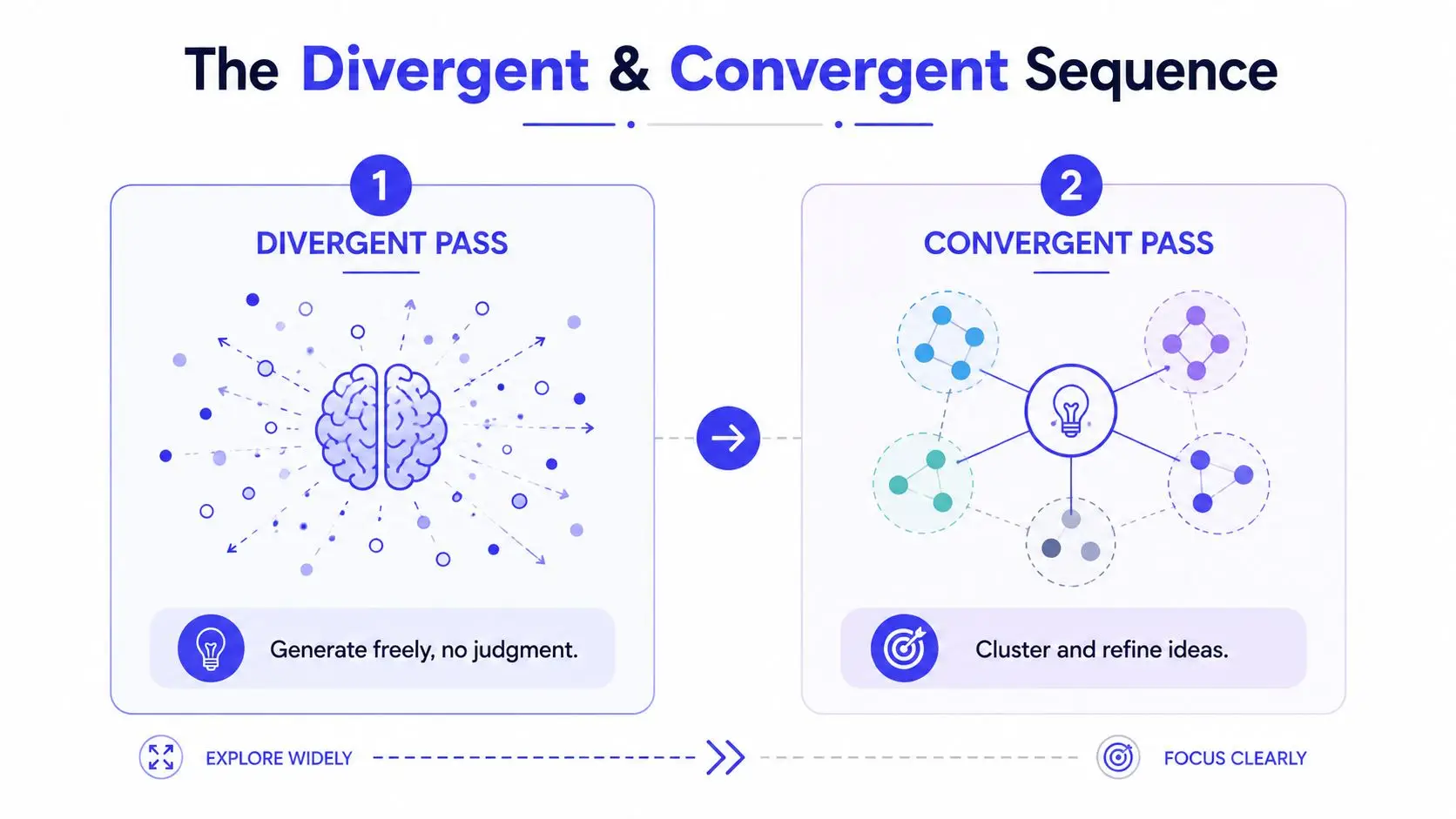
The cleanest way to brainstorm under pressure is to separate generation from evaluation. First, you let the material multiply. Then you decide what deserves space in the manuscript. That split matters because brainstorming weakens the moment you start judging ideas before they have room to spread out.
A timed session that works
Set one prompt before you begin. It should be specific enough to narrow the search, but not so specific that it answers itself. For 10 to 15 minutes, write every idea that appears, even the awkward ones, the obvious ones, and the weird ones. Don't polish. Don't rank. Don't stop to ask whether an idea is brilliant.
After the timer ends, switch modes completely. Read the list once, cluster repeated themes, then choose only the top 2 or 3 ideas that still feel alive after the first pass. That convergent step is where a brainstorm becomes a working premise, because now you are selecting for tension, not just novelty.
The research on brainstorming backs this up. One summary reports 20% more ideas overall and 42% more original ideas when people write ideas down before sharing them, while structured methods can produce up to 50% more creative solutions than unstructured brainstorming, and asynchronous brainstorming can produce 71% more ideas per person per minute (source). Those figures are not a license to over-automate creativity, but they do support the same practical split, generate first, judge later.
Stop editing during the first pass. Every time you improve a sentence too early, you trade idea count for self-consciousness.
If you want to turn the output into something draft-ready, write one sentence that names the protagonist, the pressure, and the change. If you cannot do that yet, the list still needs converging. The free planning tools in creative writing exercises can help if you want to keep the whole cycle in one place while you refine the strongest seed.
The video below is useful if you want a visual walkthrough of the same idea.
Prompt Templates That Generate Specific Story Seeds
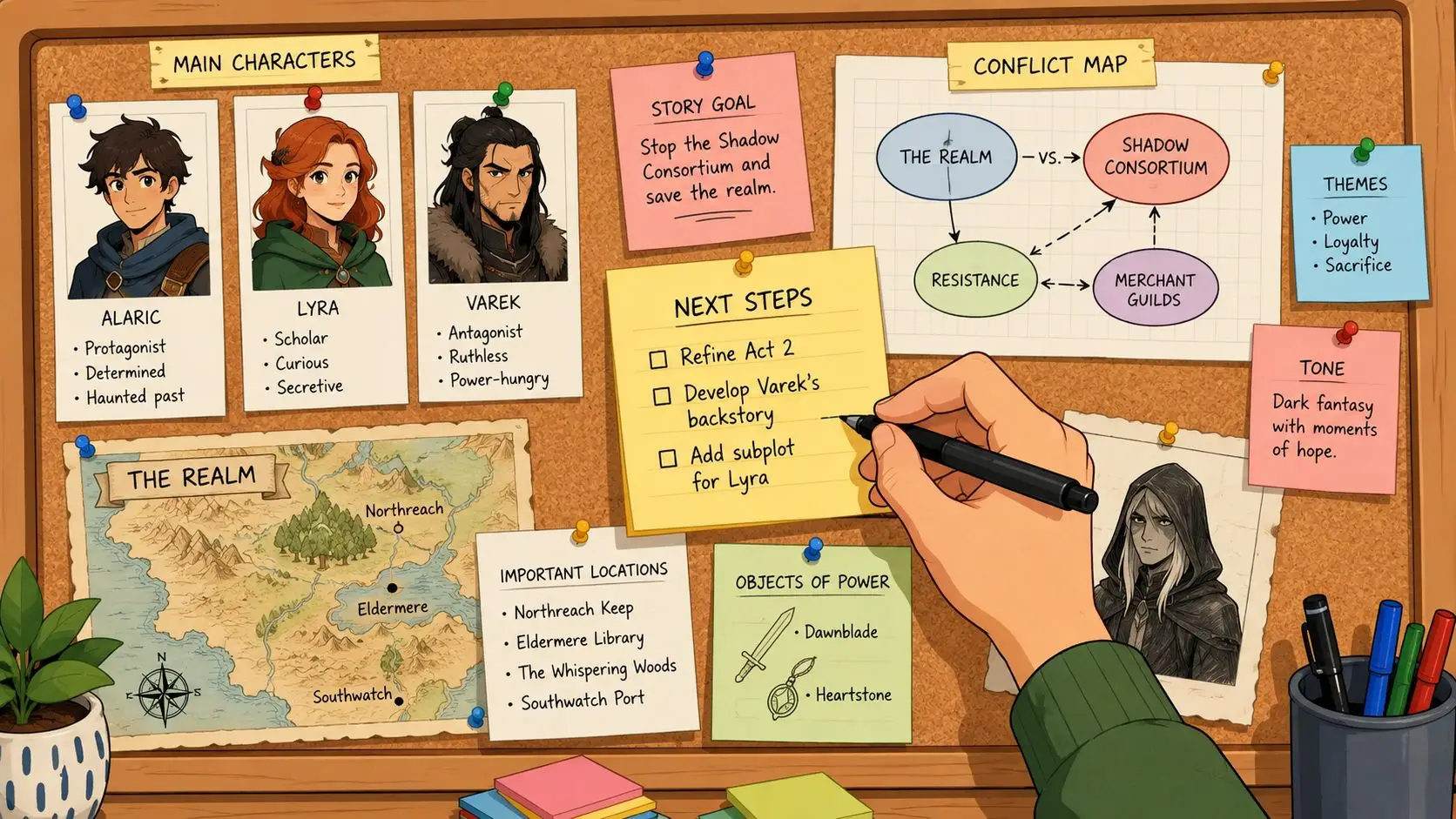
Generic prompts like “what if?” often produce generic answers. Specific prompts do the opposite, they force the story to commit to a shape. That's why a stronger brainstorming session usually begins with a template that narrows the type of story you're trying to uncover.
Three templates that produce different kinds of ideas
Character-driven premise
Use this when you want emotional momentum first.
Template: A [type of person] who wants [goal] is forced to [difficult choice] when [pressure or secret] appears.
Worked example, a widowed paramedic who wants to leave the city is forced to stay when her estranged brother disappears during a blackout.
This template is useful when you care most about interior change. It gives you a protagonist, a desire, and a disruption, which is enough to start seeing scenes.
Conflict-first scenario
Use this when the plot engine matters more than the premise gloss.
Template: When [event] happens, [protagonist] must [response] before [deadline or consequence].
Worked example, when a respected teacher is accused of a crime she can't explain, she must find the true culprit before the school board votes to fire her.
This is the best option when you already know the kind of tension you want. It gives you forward motion immediately, which is useful for thrillers, mysteries, and tightly plotted fiction.
World-building hook
Use this when the setting itself should generate story pressure.
Template: In a world where [rule], [character] discovers [exception or loophole] and risks [cost].
Worked example, in a city where memories are taxed, a clerk discovers a way to hide one memory and risks becoming untraceable.
This version is strong when the setting contains a built-in contradiction. It works especially well if you want the world to shape the plot instead of sitting in the background.
The prompt guide at guide on finding viral ideas for X is aimed at a different medium, but the underlying lesson translates cleanly, specificity beats vague novelty. I see the same pattern in fiction all the time, the more exact the prompt, the faster the story starts to appear.
If you write horror, a tighter prompt can keep you from drifting into atmosphere without a spine. The toolset in writing prompts for horror is a good fit when you want dread to grow from premise instead of decoration.
Choosing the Right Brainstorming Method for Your Constraints
Different methods work for different limits. A writer with a quiet hour and no outline problem needs a different tool from a novelist who just needs the next scene or a collaborator who has to build from someone else's note. The mistake is treating every brainstorming method as interchangeable.
| Brainstorming Method Compared by Constraint | Best For | Time Required | Output Type |
|---|---|---|---|
| Solo brainwriting | Quiet idea volume and early premise generation | Short sessions | Many rough ideas, easy to sort later |
| Timed freewriting | Breaking resistance when the page feels stuck | Short to medium sessions | Loose material, partial scenes, fragments |
| Character-first exploration | Drafts driven by emotion and motive | Medium sessions | Protagonist-centered premises |
| Constraint-based prompts | Fast problem solving inside existing manuscripts | Very short sessions | Specific story seeds with built-in tension |
| Asynchronous group brainstorming | Collaboration without live meeting fatigue | Flexible, staggered input | Clustered ideas with more variation |
Match the method to the real problem
If you're short on time, constraint-based prompts win because they reduce decision load. If you're stuck inside a draft, character-first exploration often works better because the character already exists and the missing piece is motive, not world design. If you're after breadth, solo brainwriting is stronger than open discussion because you keep generating before the group starts influencing each other.
For collaborative work, asynchronous brainstorming usually beats live brainstorming because people can add ideas without competing for airtime. That's especially useful when you're trying to preserve original angles instead of chasing the first suggestion everyone agrees on. The same source on brainstorming methods also notes that writing ideas before discussion can improve output quality, which is why structured formats often outperform a free-for-all (brainstorming statistics).
A practical way to choose is to ask one question, what am I missing right now, speed, depth, originality, or revision-readiness? If you need speed, choose a prompt. If you need depth, start with character. If you need originality, write alone first and talk later.
time management tips for writers pairs well with this approach because the core issue is rarely inspiration, it's allocation. A good brainstorming method respects the size of the gap you're trying to fill.
Filtering Original Ideas from Derivative Concepts
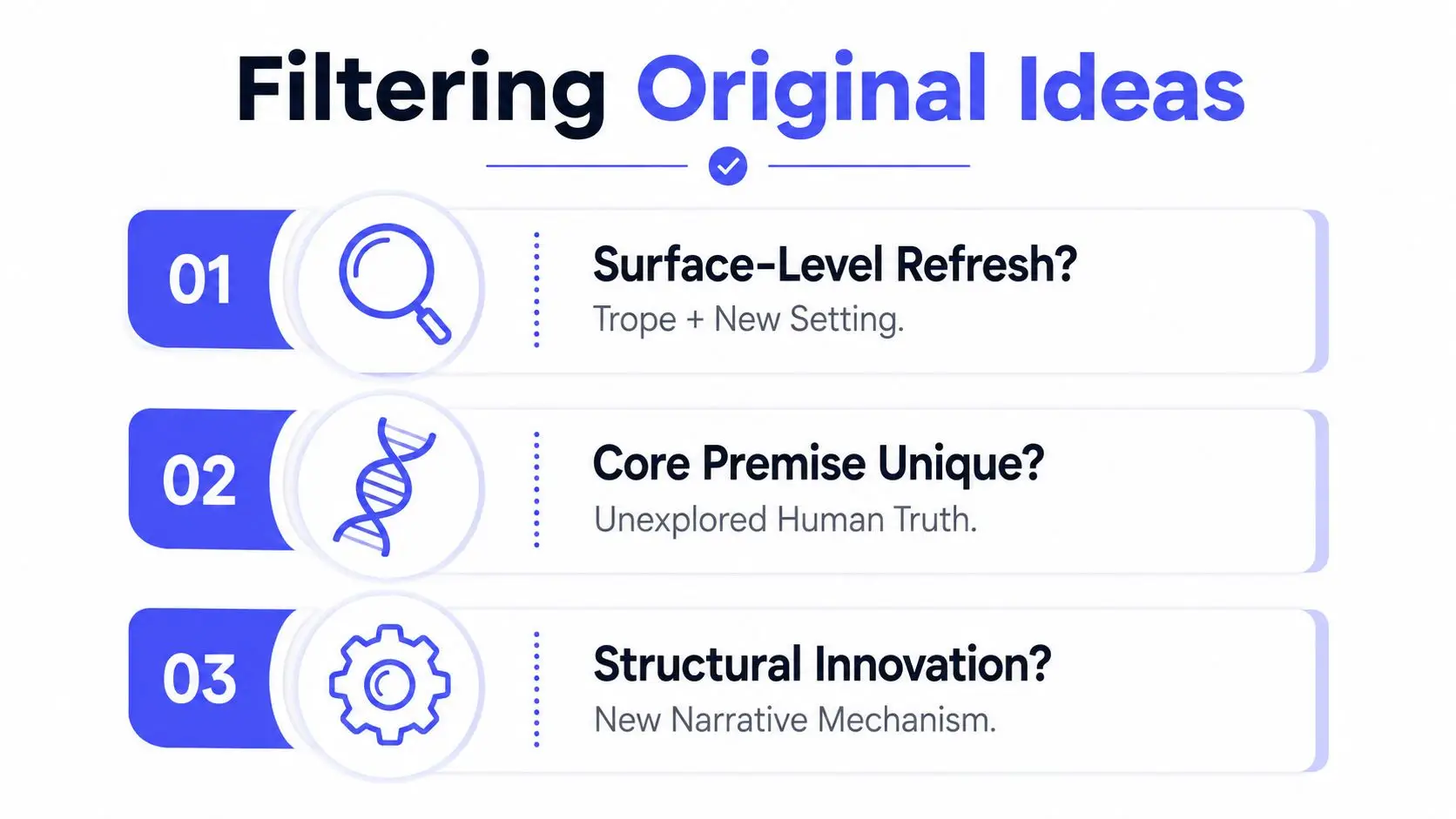
A lot of ideas feel fresh because they shuffle familiar parts into a different costume. That can be enough for a draft, but if you're aiming for a story worth months of work, you need a way to tell whether the premise has real differentiation or just a new coat of paint.
Four criteria worth applying before you draft
Emotional stakes are the first test. If the concept doesn't create a hard personal cost, it will usually feel thin by page two. A premise can be high-concept and still flat if the protagonist doesn't stand to lose something meaningful.
Niche specificity is the second test. Broad ideas blend together fast, while a precise social setting, profession, relationship, or pressure point gives the story a sharper edge. Specificity doesn't just make the concept feel original, it also makes it easier to pitch and easier to remember.
Structural novelty is the third test. Ask whether the idea changes the way the story unfolds, not just the details inside it. If the answer is no, you may have a familiar premise with a new surface.
Audience fit is the final test. An idea can be unusual and still be wrong for the book you're trying to write. Good filtering means choosing the story that matches your reader, your genre, and your current project instead of chasing novelty for its own sake.
This matters more now because AI-assisted ideation can generate plausible concepts very quickly, which increases the amount of derivative material writers have to sort through. The question isn't whether AI can produce ideas. It can. The question is whether you can separate a usable premise from one that only feels inventive because it's assembled from familiar parts. The research brief notes that this filtering problem is becoming more important as writers increasingly use AI-assisted tools for ideation, while practical frameworks for originality testing still lag behind (brainstorming exercises).
Kill weak concepts early. That's not pessimism, it's efficiency. Drafting a premise without enough emotional or structural distinction is one of the fastest ways to spend a week discovering the story isn't carrying its own weight.
Capturing and Developing Ideas Inside Your Writing Platform
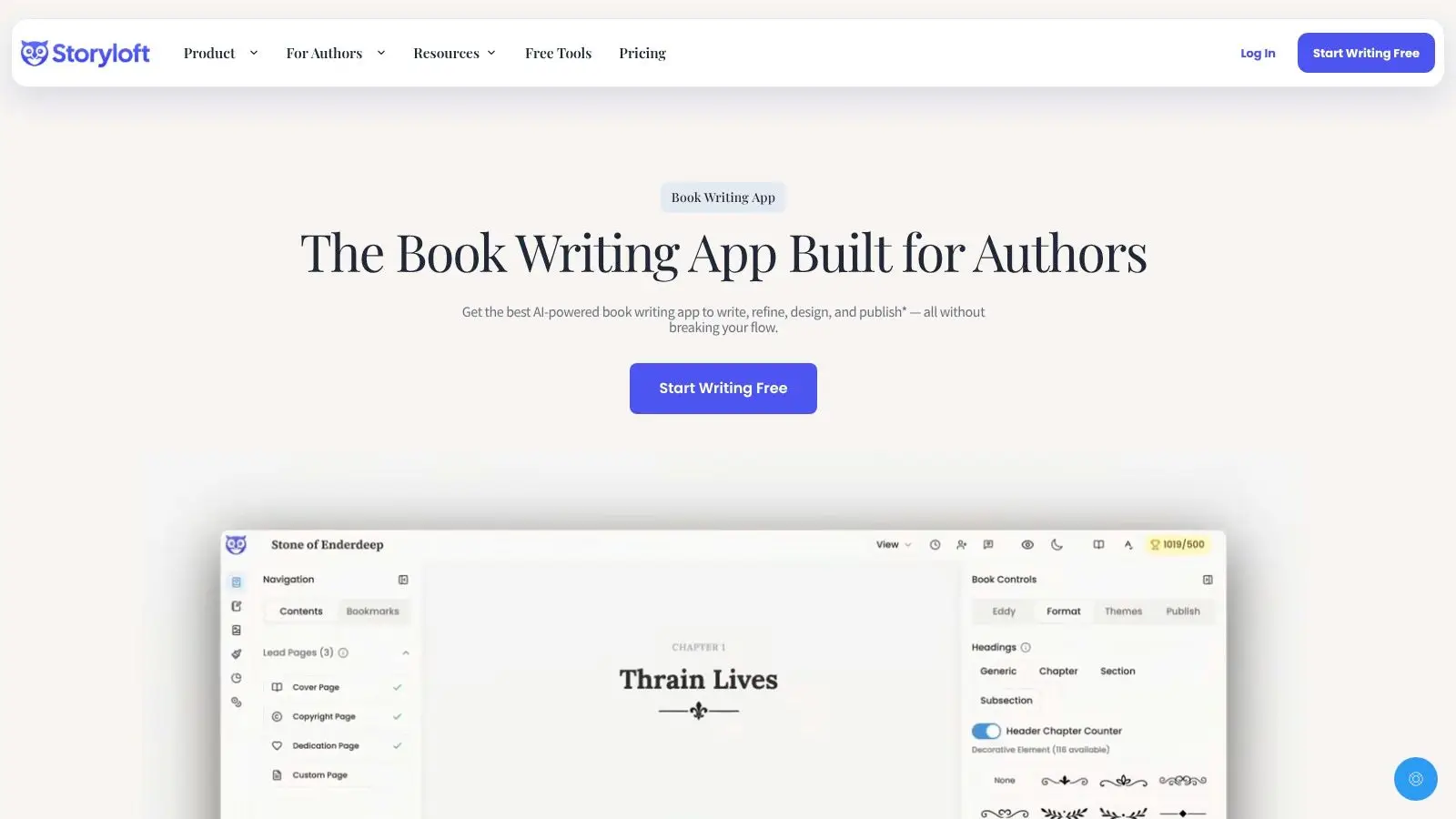
The easiest way to lose a good idea is to leave it in a different app from the draft. Notes in one place, outline in another, manuscript somewhere else, and by the time you come back, the idea feels smaller than it did in your head. Brainstorming works better when it sits next to the scene it's supposed to feed.
Keep idea capture close to the manuscript
A platform like Storyloft brings brainstorming notes, manuscript drafting, and planning tools into one workspace, so you're not copying fragments between apps. Its planning workspace uses binders and tags to keep character notes, plot fragments, and research organized, and its manuscript editor keeps those materials close while you draft.
That matters because ideation rarely ends when the brainstorming session ends. A strong setup lets you move from raw seed to outline to scene without breaking momentum. Storyloft's author-facing assistant, Eddy AI, can also help brainstorm inside the manuscript context, which is useful when you need expansion rather than a fresh blank page.
If you prefer focus-friendly writing tools outside a full publishing platform, it helps to compare writing apps that work with focus tools before you settle on a workflow. The tool itself matters less than whether it lets you stay in one creative lane long enough to make a decision.
I also like keeping a character sketch next to the draft because visual consistency helps me remember who the person is, not just what role they play in the plot. When the notes, the premise, and the scene live together, brainstorming stops being a separate activity and becomes the first layer of drafting.
Building a Daily Idea Routine That Sustains Long Projects
The best idea routine I've kept over the long haul is small enough to survive a bad day. I don't try to “find inspiration.” I keep a running note where I capture one seed, one tension, or one line of trouble whenever it shows up, then I return to it during a short daily window and ask whether it belongs in the current book or should be filed away for later.
That daily loop keeps the middle of a manuscript from going stale. I've found that the point isn't to produce a new premise every day, it's to maintain contact with the idea bank so nothing good disappears before it's useful. Goal tracking and writing streaks can help here, not because streaks are magical, but because they make the habit visible enough to protect it.
Keep the capture system lighter than your excuses. If recording an idea takes too long, you'll stop recording ideas.
The danger sign is when brainstorming starts replacing drafting. If you're generating new concepts every day but never moving one into a scene, you're probably avoiding the work of revision. A sustainable routine keeps the pipeline moving, capture fast, review weekly, and draft before the concept cools.
For long projects, that rhythm matters more than heroic sessions. A steady, low-friction system is what carries a book from “interesting idea” to actual pages.
If you want a single place to brainstorm, outline, draft, and refine without losing ideas to app-hopping, try Storyloft. It's built for authors who want brainstorming to live inside the manuscript workflow instead of outside it. Use it to capture seeds, test premises, and keep the work moving from first spark to finished draft.