AI Generated Illustrations: A Guide for Modern Authors
You're staring at a manuscript scene that should feel vivid, but the cover concept is still a blank page, the character sketch lives in your head, and the budget for custom art doesn't fit the project. That's where ai generated illustrations start to make sense for authors. They give writers a way to turn description into visuals without waiting on a long creative chain between idea, brief, revision, and final artwork.
Since 2022, AI image creation has moved from novelty to routine production. Everypixel reported that more than 15 billion images had been created with text-to-image algorithms, with people generating an average of 34 million images per day, and roughly 80% of that volume came from Stable Diffusion-based tools (Everypixel statistics). That scale matters to authors because it shows AI art isn't a side experiment anymore, it's part of the modern creative workflow.
Table of Contents
- Bringing Your Story to Life with AI Illustrations
- How AI Art Generators Understand Your Words
- Practical Use Cases for Every Author
- Crafting the Perfect Image from Prompt to Polish
- Navigating Copyright and Ethical Considerations
- Integrating AI Illustrations into Your Writing Platform
Bringing Your Story to Life with AI Illustrations
You've written the scene. You know the room, the lighting, the coat your character wears, and the mood you want the reader to feel. Turning that into an image can still feel frustrating, especially if you are not an illustrator or you are working without a design budget.
AI generated illustrations help close that gap by bringing visual planning into the same process as writing. Instead of treating images as decorations you add at the end, you can use them to shape the manuscript while it is still changing. A rough chapter image can help you hold onto atmosphere. A character concept can keep a protagonist visually consistent across revisions. A cover mockup can let you test tone before you commit to a final design.
Practical rule: if a visual choice changes the reader's first impression, treat it like a manuscript choice, not an afterthought.
That shift matters because visual planning affects the whole workflow. A writer may start with a scene sketch, refine a character's appearance, then compare several cover directions before the book is ready for publication. Used this way, AI art becomes part of revision, not a separate task. It helps you see whether the image choices match the story choices you are making on the page.
A useful way to work is to keep the writing, the visual references, and the revision notes in one place. A writer's platform that holds those pieces together can turn scattered image tests into a repeatable process, especially when character planning starts with a structured profile like this character profile guide. If you are comparing image tools, the Stable Diffusion vs Midjourney 2026 guide is a practical reference point for authors choosing between ecosystems.
How AI Art Generators Understand Your Words
AI image tools don't read like humans do. They don't “understand” a prompt as a finished scene in your head, they break it into patterns, relationships, and visual probabilities, then build an image from there. That's why one extra phrase can change the result so much, and why vague prompts often produce generic art.
Think of diffusion as sculpting in reverse. The system starts with noise, then removes chaos step by step until a picture appears. If you tell it “stormy harbor at dusk, lone woman in a red coat, wide angle,” you're not handing it a finished canvas, you're giving it a map of what should survive the refinement process.
Why prompt language matters
The prompt acts like a creative brief. Strong prompts name the subject, setting, mood, framing, and style. Weak prompts leave too much to guesswork, so the model fills in the blanks with common visual patterns.
That's also why context helps. Language models and image systems are better at following relationships than isolated keywords, so “a child reading under a blue lantern in a library” usually works better than a flat string like “child lantern library blue.” If you want a useful comparison of platform behavior, the Stable Diffusion vs Midjourney 2026 guide is a practical reference point for authors choosing between ecosystems.
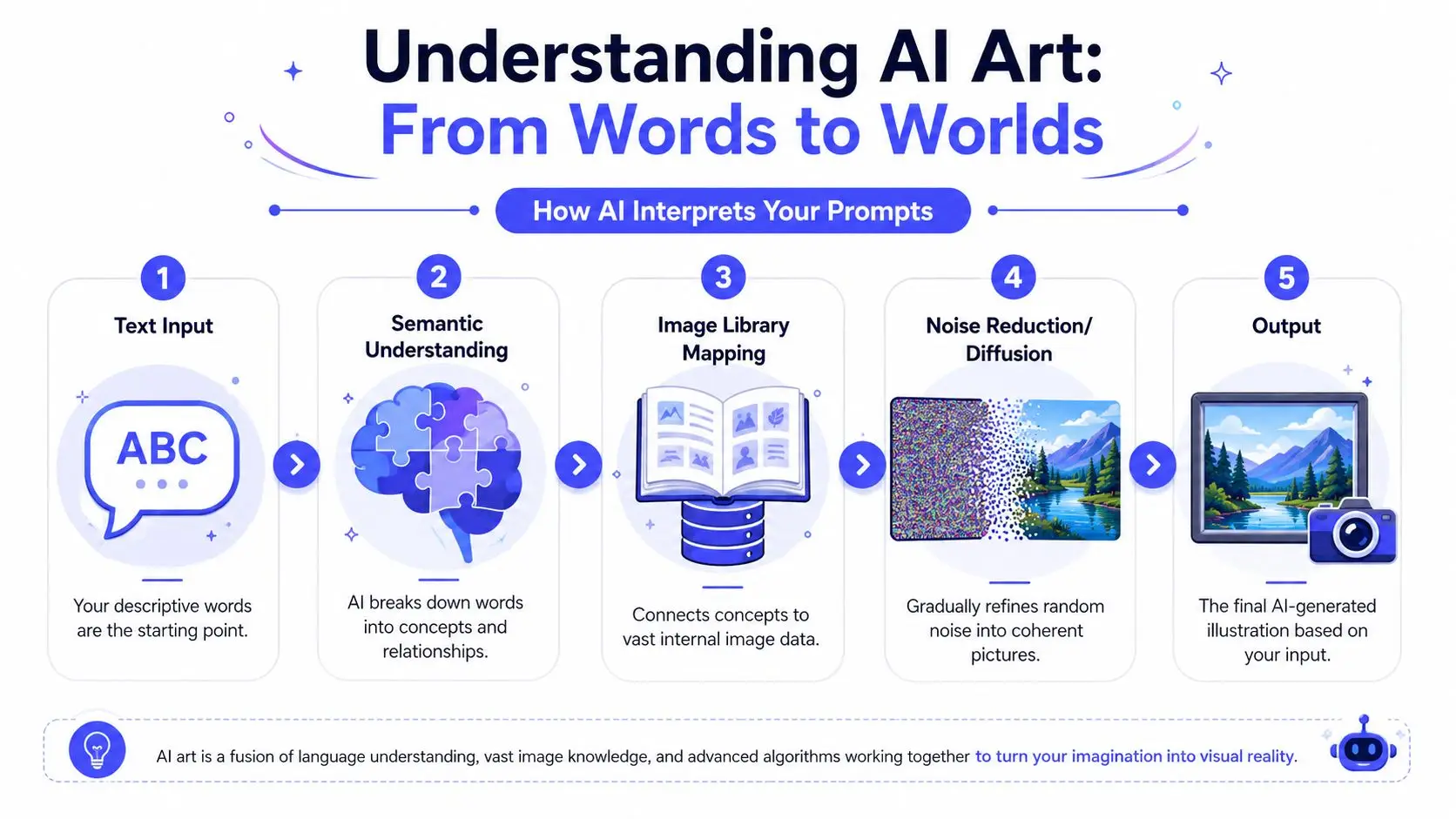
If you like to think in systems, the key move is to stop treating the prompt like a magic spell. Treat it like direction. That's the same mindset behind broader text-to-image workflows discussed in the text-to-image AI resource hub, where the prompt is only one part of the image-making chain.
The better the model understands the relationships in your prompt, the less time you spend fixing the wrong idea later.
Practical Use Cases for Every Author
A novelist drafting a fantasy trilogy doesn't need the same visuals as a nonfiction author creating a trade book. That's why the most useful way to think about AI illustration is by job, not by trend. The same tool can serve chapter art, character reference, scene planning, or cover prototyping, depending on where the manuscript needs visual support.
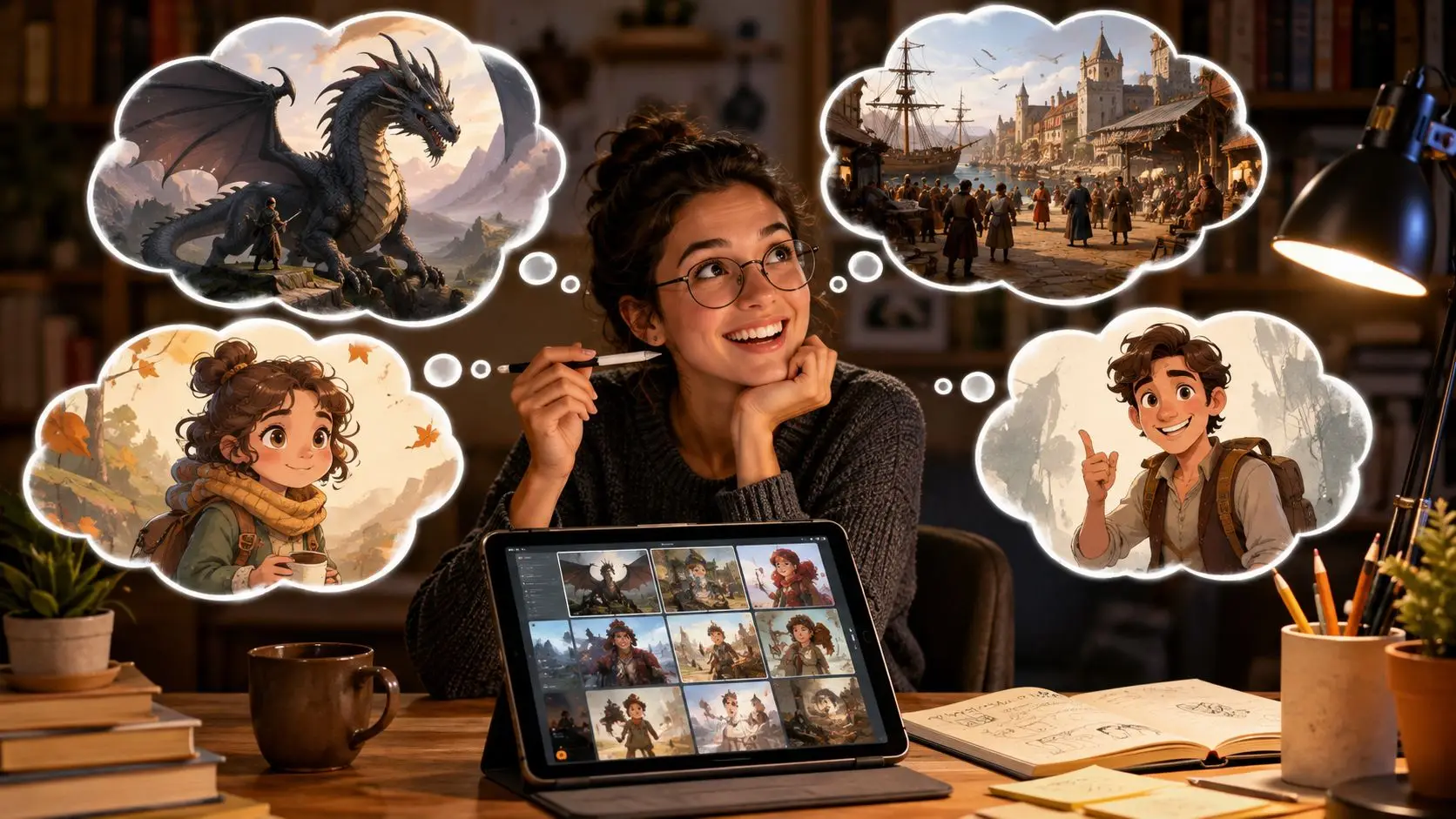
One author might use AI to test three different moods for a thriller cover, then decide which version matches the blurb best. Another might build character sheets for a cast of four so descriptions stay consistent while the manuscript changes. A third might use image generation to explore a village square or a starship corridor before locking a scene description.
Where AI art earns its keep
A practical writing platform can also help you move from idea to output without bouncing between apps. For example, a tool like Storyloft includes manuscript writing, illustration, and cover workflows in one environment, which makes it easier to test a visual against the current draft instead of a separate file. That kind of integration matters most when your text keeps changing and the art needs to keep pace.
The market is already large enough to justify that workflow. In 2026, the AI image generation market was estimated at about $12.4 billion, with more than 150 million monthly users globally, and North America accounting for 41% of revenue (AI image generation statistics 2026). Those figures don't tell you how to write a scene, but they do show that visuals have become part of mainstream creative production, not a niche side hobby.
A social-first author might use generated art differently again. A launch team could turn a chapter mood into a teaser post or a character reveal. If that's your lane, the PostPulse solution for AI social content is a helpful example of how visual assets can travel beyond the book itself.
Crafting the Perfect Image from Prompt to Polish
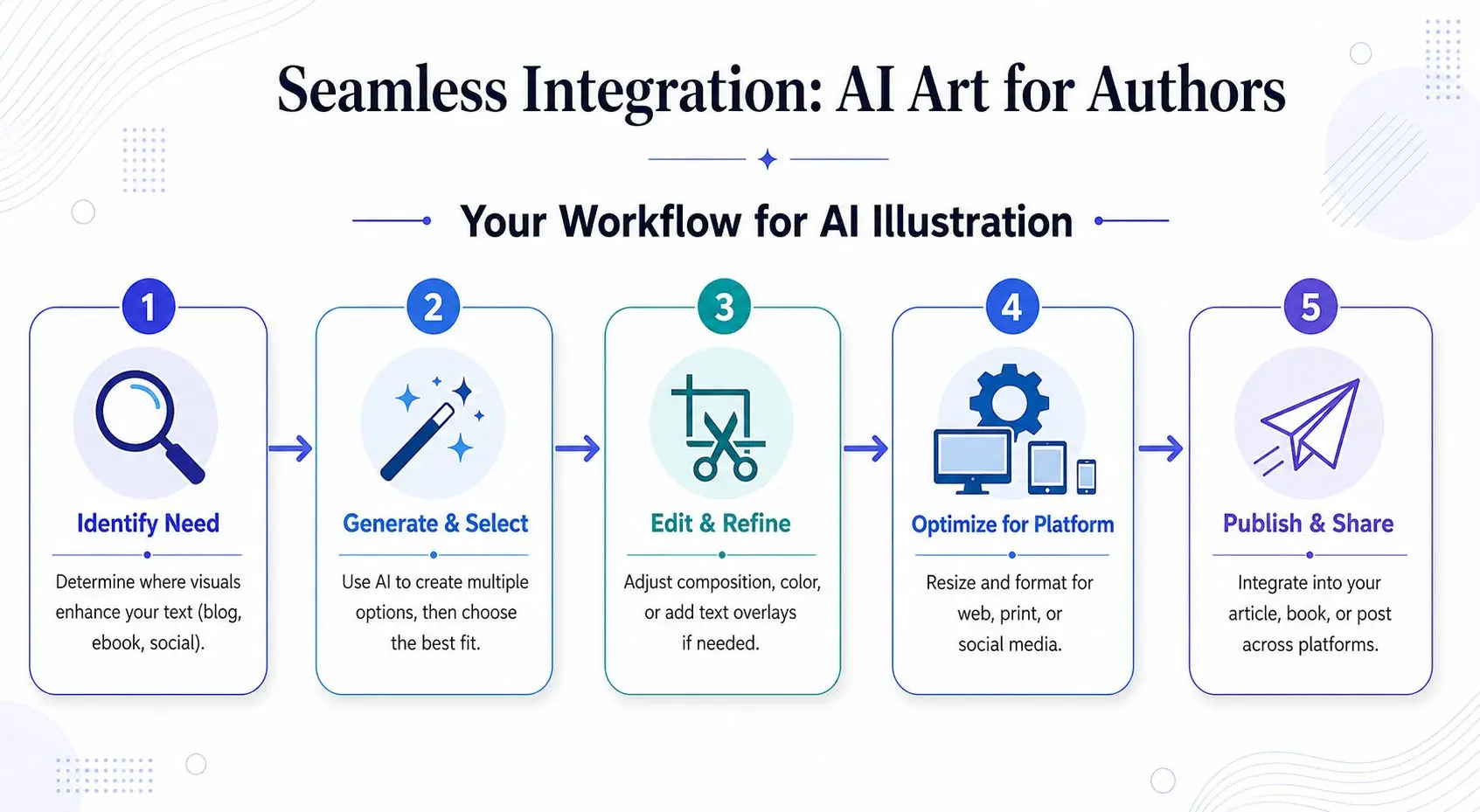
Good AI art rarely comes from one perfect prompt. It comes from iteration. You start with a rough idea, narrow the composition, correct the style, then check whether the image still supports the manuscript instead of drifting into something decorative and unrelated.
Build the prompt like a scene brief
Start with the scene's job. Is this image for atmosphere, character identity, plot clarification, or cover appeal? Then add the parts that control output: subject, pose, angle, environment, light, color, and style. If the image needs to match a recurring character, keep the description stable across generations and change only the scene variables.
That's especially important when you're working on a long project. A character can look coherent in one image and drift in the next if the prompt shifts too much. Stable viewpoint language helps, but it doesn't solve everything. Angle control is useful for single shots, while recurring scenes need a stronger visual reference system and careful review of each output.
Check the image before you treat it as final
Quality rule: if the image would confuse a reader in print, on a cover, or in a nonfiction diagram, it needs revision before publication.
Common fixes are simple, but they matter. Crop out awkward edges. Rework the prompt if hands, text, or proportions break the image. Adjust color and composition to match the manuscript tone. If the visual is going into a paperback or hardcover, remember that print readiness is different from screen viewing. For professional print quality, illustrations need to be generated or exported at 300 DPI at the final intended print size, because screen-optimized output can look blurry or pixelated on paper (print-quality guidance).
A solid workflow treats each image as part draft, part asset. If you're using a manuscript-centric app, the scene text, character notes, and illustration file can stay linked, which saves you from hunting through folders every time the draft changes. That's also where a dedicated book illustration art workspace becomes useful, because the image can be tested against the book rather than stored as a loose concept.
Navigating Copyright and Ethical Considerations
AI-generated visuals give authors speed, but they don't remove responsibility. A polished image can still carry bias, factual distortion, or hidden flaws that matter a lot more in nonfiction, educational work, and any book that depends on trust.
Recent technical work shows that generative models can reproduce historical biases and create subtle but significant errors, including anatomically implausible hands and distorted text (bias and artifact research). That makes review more than a style check. If the image is meant to support a claim, teach a concept, or represent a person or culture, you need to inspect it like editorial content.
What to check before publication
- Human details: Look closely at hands, faces, clothing seams, and body structure.
- Text inside the image: Confirm labels, signage, and embedded words aren't garbled.
- Representation: Compare the image against the audience and subject, especially when depicting people or communities.
- Book fit: Make sure the visual doesn't imply something the manuscript doesn't support.
Copyright adds another layer. AI art can sit in a gray area depending on how much human authorship shapes the final work, and that's why many authors keep records of their prompt, edits, and source files. For a practical overview of rights questions in publishing workflows, the internal guide on AI-generated images copyright is worth having on hand.
If you're also handling type inside the same project, don't ignore font rights. A useful parallel is managing font licensing, because the same habit applies, track what you used, where it came from, and whether the license fits the final product.
If a visual might mislead a reader, don't publish it until you've corrected it or replaced it.
Integrating AI Illustrations into Your Writing Platform
A manuscript often begins with a small note in the margin, a line about a scar, a coat, a room, or a mood. In a dedicated writing platform, that note can become the first link in a visual chain. The character idea grows into a reference image, the reference image informs a chapter scene, and that scene can later shape a cover element that still matches the book's voice.
That lifecycle is where integrated AI illustrations add real value. Assets do not have to be treated like loose files that live outside the draft. They can travel with the manuscript as it changes, so a writer can return to the same character, setting, or object and refine it at each stage without losing the thread. A concept sketch made early in the process can guide a chapter illustration later, then become part of a launch graphic or cover study when the manuscript is ready for publication.
A unified workflow changes the way you revise
An illustration tool inside the writing platform reduces the stop-and-start rhythm that comes from moving between separate apps. The passage, the image test, and the latest draft stay in the same workspace, so you can compare a visual against the manuscript without guessing which file is current. That makes revision feel more like editing a scene on the page and less like assembling pieces from different folders.
The workflow also helps with continuity. If a side character's clothing, posture, or mood changes in the text, the related image can be revised from the same project instead of recreated from memory. That keeps the visual record tied to the book's progress, which matters when you are building a series of assets rather than a single isolated illustration.
Storyloft fits that workflow by keeping drafting, illustration, and cover design in one manuscript-centered environment. A note about a character can turn into an image draft, that image can be adjusted beside the chapter it supports, and the strongest version can carry forward into cover design without losing its place in the project. For writers who want visual decisions to stay attached to the book itself, that kind of setup makes AI art part of the manuscript lifecycle rather than a separate task at the end.
If you want to build your next book with visuals in the same workspace as your manuscript, visit Storyloft and see how drafting, illustration, and cover design can sit in one workflow. Start with the scene, shape the character, and let the art move with the book instead of chasing it across separate apps.