How to Publish Writing: A Complete Guide for Authors
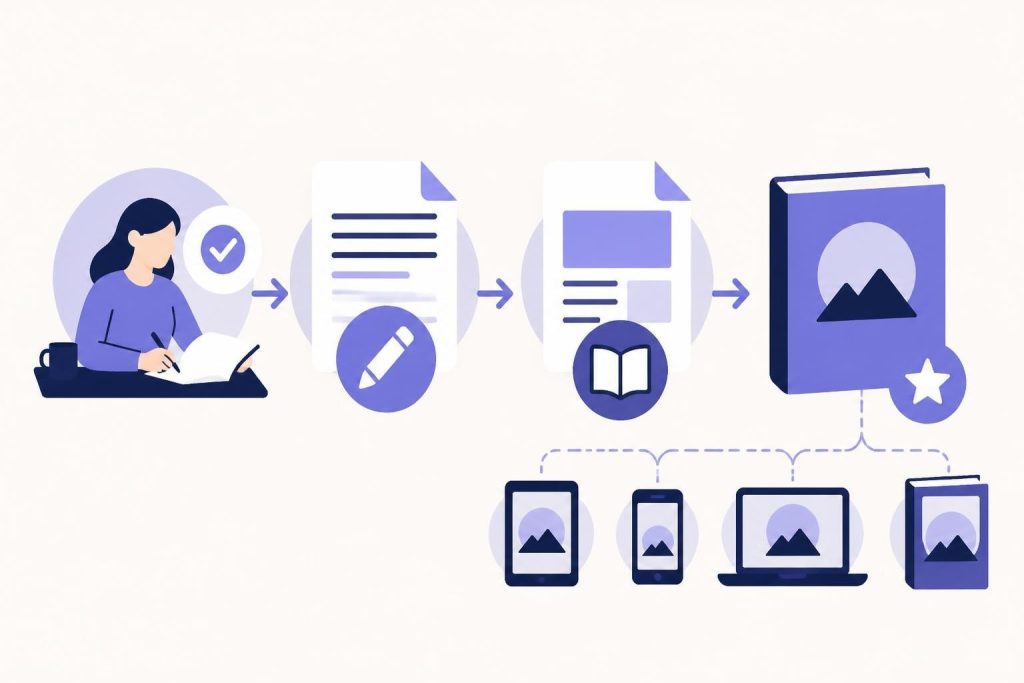
Getting your words out into the world is both exciting and terrifying. You've poured hours into your manuscript, edited until your eyes crossed, and now you're ready to publish writing that readers can actually buy and enjoy. The publishing landscape has changed dramatically over the past decade, and in 2026, authors have more options than ever. Whether you're writing fiction or nonfiction, understanding the publishing process makes the difference between a polished book launch and a messy one. Let's walk through everything you need to know about turning your finished manuscript into a published book.
Understanding the Publishing Process
When you publish writing, you're not just uploading a file and calling it done. The writing process includes five key stages: planning, drafting, revising, editing, and publishing. That final stage involves way more than hitting a submit button.
Think of publishing as the bridge between your completed manuscript and your readers. It includes formatting, cover design, metadata setup, distribution choices, and pricing decisions. Each piece matters because they all affect how readers discover and experience your book.
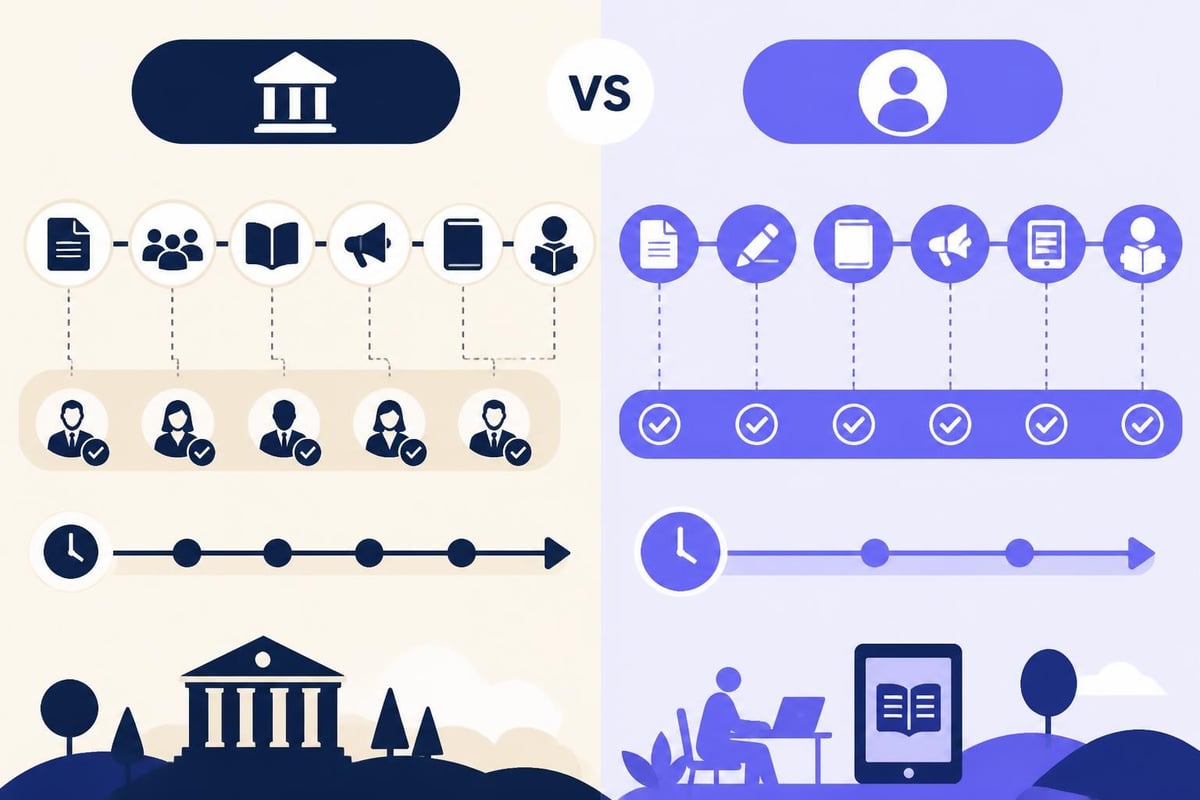
Traditional vs Self-Publishing in 2026
The traditional route means querying agents, landing a publisher, and letting them handle production and distribution. You get professional editing, design, and wider bookstore distribution. But you also give up control, wait 1-2 years from acceptance to publication, and earn smaller royalties.
Self-publishing puts you in the driver's seat. You control everything from cover to price to publication date. You keep 35-70% of each sale instead of 10-15%. The tradeoff? You handle all the details yourself or hire help.
Here's what each path looks like:
| Aspect | Traditional | Self-Publishing |
|---|---|---|
| Timeline | 1-3 years | 1-6 months |
| Upfront costs | $0 | $500-$5,000 |
| Royalties | 10-15% | 35-70% |
| Control | Publisher decides | Author decides |
| Bookstore presence | Stronger | Limited |
Most authors today choose self-publishing for speed and control. The various publishing paths each have advantages, but self-publishing lets you start building your readership immediately.
Preparing Your Manuscript to Publish Writing
Before you can publish writing, your manuscript needs to be actually finished. Sounds obvious, but many authors rush this step. Your book should be through multiple revision rounds and professionally edited before you think about formatting.
Editing Your Work
You need at least three editing passes. First, developmental editing looks at big-picture stuff like plot, pacing, and structure. Then line editing fixes sentence-level issues, word choice, and flow. Finally, copy editing catches grammar, spelling, and consistency errors.
You can hire professional editors or use AI tools, but you need some form of professional feedback. Your brain skips over your own mistakes after reading something dozens of times.
If you're working with AI editing tools, look for ones built specifically for authors. Generic AI often suggests changes that flatten your unique voice. AI tools designed for writing should enhance your style, not erase it.
Formatting for Print and Digital
Formatting differs completely between print books and ebooks. Print requires specific margins, headers, page numbers, and chapter breaks. Ebooks need clean HTML without hard page breaks.
For print books, you'll need:
- Proper margins (usually 0.5-0.75 inches inside, 0.25-0.5 inches outside)
- Headers with book title or author name
- Page numbers (excluding front matter)
- Chapter headings with consistent styling
- Paragraph indents or line spacing
Ebook formatting is simpler but pickier:
- Clean paragraph breaks
- Consistent heading hierarchy
- Linked table of contents
- Proper front matter
- No page-specific formatting
Many authors use professional print book formatting services or software to get this right. Formatting mistakes look unprofessional and frustrate readers.
Choosing Where to Publish Writing
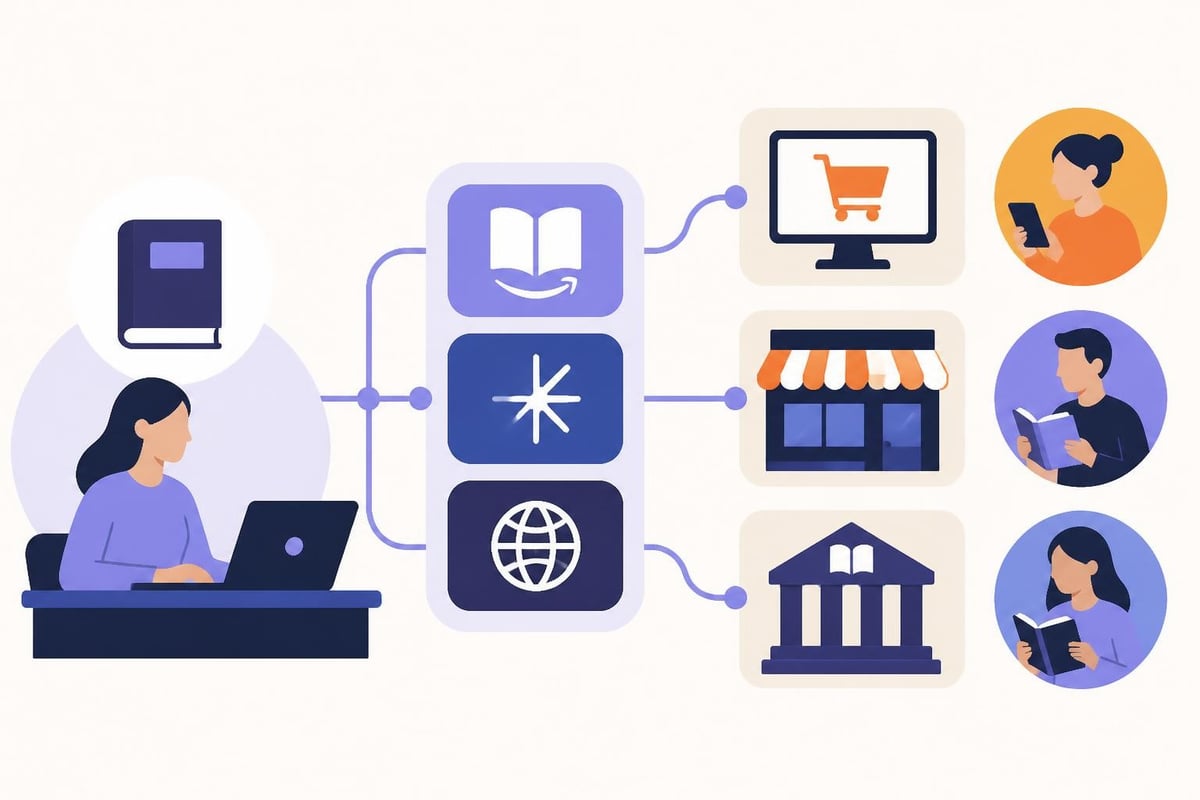
Once your manuscript is edited and formatted, you need to decide which platforms to use. In 2026, the big players are Amazon KDP, IngramSpark, Draft2Digital, and Apple Books.
Amazon KDP
Amazon Kindle Direct Publishing is where most self-published authors start. It's free, relatively easy, and reaches the biggest audience. You can publish both ebooks and print books through KDP.
Pros:
- Largest customer base
- Free ISBN for paperbacks
- 70% royalties on ebooks priced $2.99-$9.99
- Fast approval (usually 24-72 hours)
Cons:
- KDP Select requires exclusivity
- Limited expanded distribution
- Print royalties lower than competitors
IngramSpark
IngramSpark is the professional choice for wide distribution. Libraries and bookstores order from Ingram's catalog, so having your book there increases discoverability.
You pay setup fees ($49 per format as of 2026), but you get:
- Better print quality than KDP
- Wider bookstore distribution
- Higher wholesale discounts (important for retailers)
- More trim size options
The differences between KDP and IngramSpark matter most when you're planning bookstore sales or library placement.
Going Wide vs KDP Select
KDP Select gives you promotional tools and 70% royalties in more countries. The catch? Your ebook can't be sold anywhere else. Going wide means publishing on multiple platforms simultaneously.
Consider KDP Select if:
- You're launching your first book
- You want access to Kindle Unlimited readers
- You plan active promotion campaigns
Choose wide distribution if:
- You want maximum reach
- You don't want platform dependence
- You're building a long-term backlist
The Technical Steps to Publish Writing
Let's get into the actual uploading process. Whether you use KDP, IngramSpark, or another platform, the steps are similar.
Setting Up Your Book Details
Every platform asks for the same basic information:
- Book title and subtitle
- Author name
- Book description (your back cover copy)
- Keywords (7-10 phrases readers might search)
- Categories (2-3 genre classifications)
- Age range and grade level (if applicable)
Your book description is basically a sales pitch. Keep it under 250 words, hook readers in the first sentence, and include stakes or conflict. This isn't the place for modesty.
Keywords help readers find your book. Think about what someone would type into Amazon's search bar. "Romantic suspense" works better than "love story with mystery elements."
Uploading Your Files
You'll need different files for different formats:
| Format | File Type | Requirements |
|---|---|---|
| Ebook | EPUB or MOBI | Reflowable text, linked TOC |
| Print-ready, correct trim size | ||
| Hardcover | Different spine width calculation |
Most platforms have file checkers that catch common errors. Use them. Nothing's worse than publishing and then finding your chapter headings are broken.
Cover files need specific dimensions. For a 6×9 print book, your cover width depends on page count because of the spine. Ebook covers should be at least 2560×1600 pixels.
Pricing Your Book
Pricing affects both your royalties and your sales. Too high scares readers away. Too low makes people question quality.
Here's what typically works in 2026:
- Ebooks: $2.99-$9.99 (sweet spot is $3.99-$5.99)
- Paperbacks: $12.99-$17.99
- Hardcovers: $22.99-$29.99
Print book prices need to cover printing costs plus your desired royalty. KDP's calculator shows you exactly what you'll earn at different price points.
After You Publish Writing
Publishing isn't the finish line. It's the starting gun. Once your book is live, the real work begins.
Pre-Orders and Launch Strategy
Many successful authors set up pre-orders 2-3 months before launch. This builds anticipation and generates reviews from advance reader copies (ARCs).
Your launch week matters more than almost any other time in your book's life. Amazon's algorithm pays attention to early sales velocity. Strong launch week sales boost your visibility for months afterward.
Send ARCs to beta readers, reviewers, and book bloggers 4-6 weeks before launch. Ask for honest reviews to post on release day. Ten reviews in the first week beats fifty reviews over six months.
Marketing Your Published Work
You can publish writing perfectly and still sell zero copies without marketing. Sorry, but that's reality.
Focus on:
- Email list building: Your most valuable marketing asset
- Social media presence: Choose 1-2 platforms and show up consistently
- Amazon ads: Targeted keywords can reach ready-to-buy readers
- BookBub promotions: Featured deals reach huge audiences
- Cross-promotion: Partner with authors in your genre
Marketing feels overwhelming because there are infinite options. Pick three tactics, do them well, and adjust based on results.
Author marketing workflow from reader discovery through email signup, book launch, and ongoing engagement across multiple touchpoints
Tools That Help You Publish Writing
The right tools make publishing faster and less stressful. You don't need dozens of apps, but a few key ones help.
Writing and Editing Platforms
Comprehensive guides on publishing your writing often mention the importance of using professional tools throughout the process. Writing apps that handle multiple stages save you from juggling separate programs for drafting, editing, and formatting.
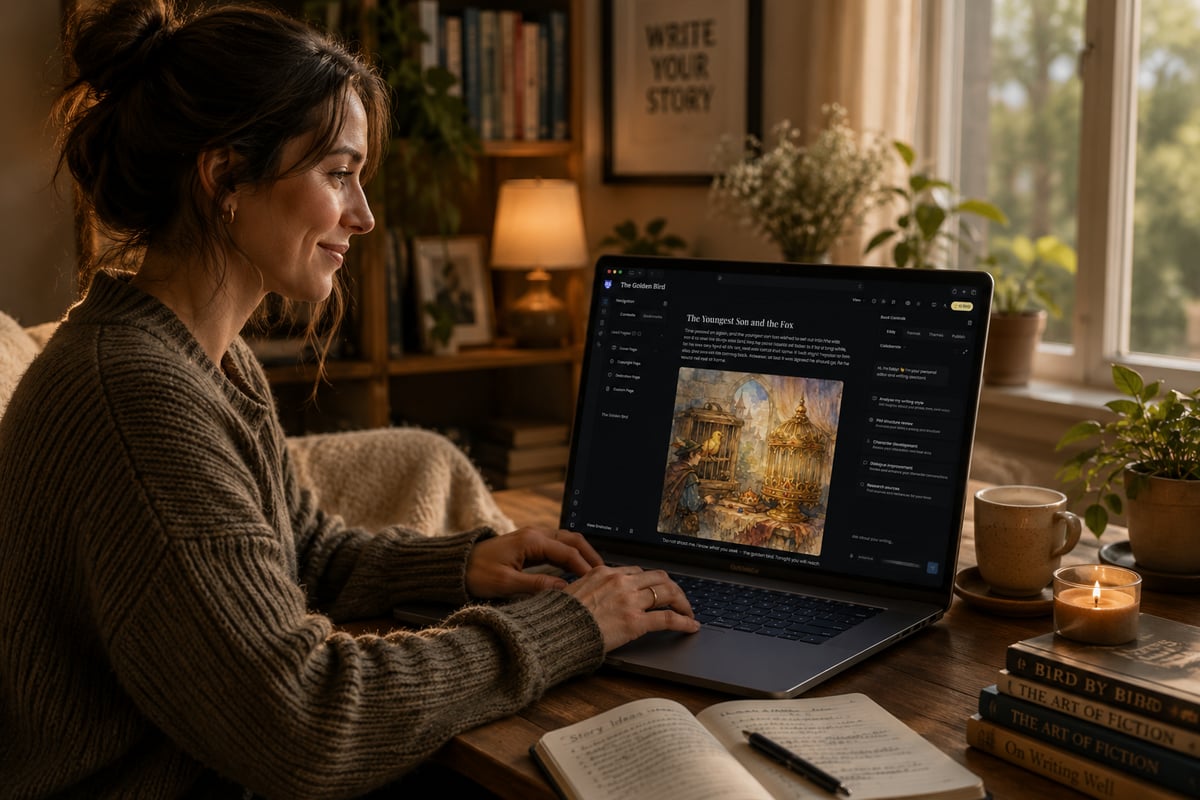
If you're looking for an all-in-one solution, Storyloft Book Writing App gives authors everything needed to write, edit, format, and publish a professional book in one place. You can use Eddy, an AI editor built specifically for authors, to get feedback on pacing, structure, and prose without losing your unique voice. The platform handles everything from manuscript organization to generating print-ready PDFs for KDP and IngramSpark.
Formatting Software
Formatting software takes your Word doc and turns it into print-ready PDFs and ebooks. Options include Vellum (Mac only), Atticus, and Reedsy Book Editor (free but limited).
These tools handle:
- Automatic table of contents
- Chapter styling
- Page numbers and headers
- Front and back matter
- Multiple export formats
Good formatting software costs $200-$300 but pays for itself in time saved and professional results.
Cover Design Tools
Your cover is your book's first impression. You can hire a designer ($300-$1,500) or use templates from BookBrush, Canva, or Creative Fabrica.
If you're designing yourself, follow genre conventions. Romance covers look nothing like thriller covers. Study bestsellers in your category and match their visual language.
Common Mistakes When You Publish Writing
Even experienced authors make these mistakes. Knowing them helps you avoid costly do-overs.
Rushing the Process
The biggest mistake is publishing too soon. Your book stays published forever, but you can't un-publish a bad first impression. An extra month of editing and formatting beats years of poor reviews.
Take time to:
- Get multiple editing passes
- Have beta readers review your final draft
- Format properly for each platform
- Design a professional cover
- Write compelling book description and metadata
Ignoring Metadata
Keywords and categories determine who sees your book. Many authors pick random categories or waste keywords on obvious terms.
Research what successful books in your genre use. Tools like Publisher Rocket or KDP Rocket help you find profitable keywords with lower competition.
Pricing Problems
Pricing too high limits sales. Pricing too low hurts perceived value and doesn't significantly increase volume.
Test different price points. Drop your price for a promo and watch what happens to sales rank. Raise it and see if sales hold steady. Your optimal price might surprise you.
Skipping Professional Help
You can't do everything yourself and do it well. Budget for at least one professional service, whether that's editing, cover design, or formatting.
The self-publishing workflow in 2026 involves strategic decisions about where to invest money and where to DIY. Most successful authors hire editors and cover designers but handle formatting and uploading themselves.
File Formats and Technical Requirements
Understanding the publication cycle means knowing what files you need and when. Different platforms accept different formats, and getting this wrong delays your launch.
Manuscript File Preparation
Start with a clean Word document or similar word processor file. Remove:
- Extra spaces between words
- Manual line breaks (except for intentional formatting)
- Tab indents (use paragraph settings instead)
- Direct formatting (use styles)
Export formats depend on your destination:
- EPUB: Standard for most ebook retailers
- MOBI: Amazon's older format (being phased out)
- PDF: Print books only, not for ebooks
Many authors export to EPUB and upload that to all platforms. Amazon converts EPUB to their preferred format automatically.
Print File Specifications
Print files need exact specifications:
- Bleed: 0.125 inches on all sides for full-bleed covers
- Color mode: CMYK for print, RGB for digital
- Resolution: 300 DPI minimum
- Fonts: Embedded in PDF
IngramSpark and KDP both provide templates for your specific trim size and page count. Use them. They prevent 90% of formatting rejections.
Understanding Publishing Rights and Royalties
When you publish writing, you retain copyright unless you explicitly transfer it. Self-publishing means you own all rights to your work.
Rights You Control
You can sell or license:
- Print rights: Paperback and hardcover editions
- Digital rights: Ebooks and enhanced ebooks
- Audio rights: Audiobook versions
- Translation rights: Foreign language editions
- Adaptation rights: Film, TV, games, merchandise
Most self-published authors keep all rights and license them individually. Traditional publishers typically want all rights in one contract.
Royalty Structures
Understanding how to publish your book includes knowing what you'll actually earn per sale.
Amazon KDP offers:
- 70% royalty on ebooks priced $2.99-$9.99
- 35% royalty on all other ebook prices
- Print royalties vary by page count and price
IngramSpark and other distributors calculate royalties differently, usually based on wholesale price minus printing costs.
Calculate your per-book earnings before setting prices. A $4.99 ebook on Amazon earns you about $3.49. A 300-page paperback priced at $14.99 might earn $3.50-$5.00 depending on distribution channel.
Building Your Publishing Schedule
Successful authors publish on a schedule. Readers want to know when your next book is coming.
Planning Your Release Calendar
Map out your publishing timeline:
- Manuscript completion: Day 0
- Developmental editing: 2-4 weeks
- Line editing: 2-3 weeks
- Proofreading: 1-2 weeks
- Formatting: 1 week
- Cover design: 2-3 weeks (can overlap with editing)
- Beta readers: 2-4 weeks
- Pre-order setup: 3 months before launch
- ARC distribution: 4-6 weeks before launch
- Launch: The big day
- Post-launch marketing: Ongoing
This timeline assumes you're doing everything yourself. Professional services can compress some stages.
Series Planning
If you're writing a series, plan all books before publishing the first one. Readers hate waiting years between books. They forget your story and move on to other authors.
Aim for 3-6 months between releases in the same series. Write ahead so you're never scrambling to meet reader expectations.
Publishing writing in 2026 gives authors incredible opportunities to reach readers directly and build sustainable careers. The process involves careful planning, professional execution, and ongoing marketing, but the payoff is seeing your work in readers' hands.
If you're ready to turn your manuscript into a published book, Storyloft combines everything you need in one platform. Write, edit with AI that preserves your voice, format for print and digital, and export publication-ready files for any platform. Stop juggling multiple tools and start publishing your best work.