
Can a Book Writing App Handle a 250,000-Word Novel? We Tested It.
Most book writing apps are built for manuscripts that top out around 100,000 words. That’s fine for a typical novel. But what happens when you push one past 200,000 words — with chapters to navigate, AI analysis to run, a book cover to generate, and a print-ready PDF to export?
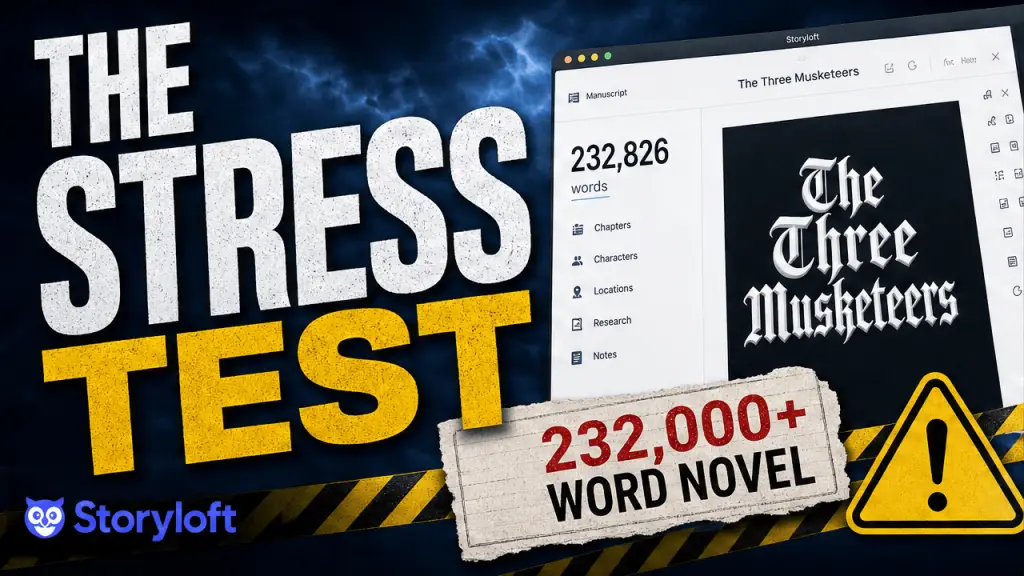
We decided to find out. We took The Three Musketeers by Alexandre Dumas — a 232,901-word classic — and put Storyloft through every step of the production process: import, editing, AI assistance, cover design, print formatting, and e-book export. No shortcuts, no hand-picked test chapters.
The whole book.
Here’s everything that happened.
Storyloft’s built-in AI assistant is named Eddy. He’s integrated directly into the editor and designed to understand your manuscript — not just respond to prompts, but actually read and reason about your book’s content.
With a 232,901-word novel loaded, we asked Eddy a character analysis question about D’Artagnan. The response was detailed and accurate: Eddy identified that D’Artagnan is hypersensitive to perceived insults, noted the narrator’s comparison to Don Quixote, and described how his hair-trigger irritability manifests from the very first pages of the novel. He even caught the precision with which D’Artagnan observes the stranger at the inn — noting the man’s age, clothing, and the creases in his doublet from travel.
That level of contextual recall from a manuscript that long is genuinely impressive. Eddy wasn’t just pattern-matching on keywords; he was reasoning about character behavior in a way that would be useful to an author trying to maintain consistency across hundreds of pages.
We then tested inline editing. We asked Eddy to rewrite the novel’s opening paragraph with more humor. He asked us to highlight the text first — partly to confirm scope, partly to make sure the edit landed exactly where we intended. Once selected, the rewrite came back quickly: same historical setting, same characters, but with a dry wit woven in. The tone stayed true to Dumas; the delivery got a bit lighter. It was a good edit.
For authors writing original work, this kind of AI assistance — grounded in your actual manuscript, not a generic prompt — is exactly what Storyloft is designed to provide. Eddy isn’t here to write your book for you. He’s here to help you write it better.
The Test: A 232,901-Word Novel, Start to Finish
The Three Musketeers isn’t just long — it’s structurally complex. Dumas wrote in long, layered chapters filled with dialogue, action, intrigue, and historical detail. If a book writing app is going to buckle under pressure, a novel like this will find the cracks. The goal was to simulate what a serious author might actually do: bring a large, real-world manuscript into the app, work with it meaningfully, and take it all the way to a finished, publishable file. That meant testing the editor, the AI assistant, the cover creator, the print formatter, and the EPUB exporter — in sequence, on the same enormous document. If you prefer to watch the video, you can here:Step 1: Importing the Manuscript
We started by launching Storyloft — available as a desktop app at storyloft.app/download or in the browser at my.storyloft.app — and importing a DOCX file of the novel. The import was fast. Within seconds, the manuscript was loaded and ready to edit. More importantly, Storyloft automatically detected every chapter in the book and populated the chapter navigation sidebar without any manual input. For a novel with as many chapters as The Three Musketeers, that’s a significant time-saver. Jumping between chapters was nearly instant — no lag, no delay, no loading spinner. For a 232,901-word document, that kind of responsiveness is not a given. Most writing tools that aren’t purpose-built for long-form work start to slow down well before you hit six figures.Step 2: Editing Performance at Scale
Speed during import is one thing. Editing performance under sustained use is another. To test it, we opened a chapter mid-book and started typing directly into the manuscript. The response was immediate. Keystrokes registered without any detectable latency. We also tested formatting — adjusting chapter alignment, applying decorative chapter headers, and styling the opening section — and everything updated in real time. This matters more than it might seem. Authors don’t just write in linear bursts. They jump around, revise, reformat, and rework. A writing tool that slows down during that kind of nonlinear work breaks your focus. Storyloft didn’t slow down.Step 3: Testing Eddy, the AI Editorial Assistant
Step 4: Designing the Book Cover
Once editing was done, we moved to the cover creator. Since The Three Musketeers is public domain, we were able to use the title freely for this demonstration. We used Storyloft’s AI image generator to create a cover concept — selecting an atmospheric style and letting the tool generate the artwork. From there, we used the title graphic generator to produce the typographic treatment, selecting a style suited to the book’s historical tone. The result was cohesive: strong contrast, colors that complemented the illustration, and a layout that would read clearly as a thumbnail. Storyloft automatically matched the title treatment to the cover art rather than leaving you to wrestle the two into alignment manually. For authors who aren’t designers, that coordination alone saves real time.Step 5: Formatting for Print
This is where a lot of book writing apps reach their limit. Generating a print-ready PDF from a 230,000-word manuscript requires handling margins, bleed, headers, footers, page numbering, chapter openers, table of contents generation, and trim size — all correctly, at scale. We went to the export panel and selected a digest trim size. Storyloft automatically generated a table of contents, formatted the chapter openers using the design we had set up in the editor, and placed running headers and page numbers throughout the document. The initial layout came in at 1,123 pages. We pulled the inner margin in to 0.75 inches and adjusted the bleed to 0.5 inches — standard adjustments for a spine-heavy book — and the page count settled at 1,065. We clicked Export PDF. While we were still talking through what to expect, the export finished. The download was a 6.8 MB PDF. We opened it: 1,071 pages, clean formatting, proper chapter openers, and a complete table of contents. Start to finish, the export took under two minutes. For context: that PDF is ready to upload directly to Amazon KDP or IngramSpark. Storyloft also saves full-resolution 300 DPI versions of any images generated inside the platform, so when those images are embedded in the print PDF, they’re sharp on paper — not downsampled web graphics.Step 6: Exporting the E-Book
With the print PDF confirmed, we moved to e-book export. Storyloft standardizes on the EPUB format — the universal standard accepted by every major e-book retailer and distribution platform — and it embeds your formatting themes directly into the file so your e-book matches your print edition visually. We clicked Export eBook, confirmed the pen name and cover image, and let it run. Roughly a minute and a half later, we had an EPUB file ready to save. We opened it and scrolled through: all chapters present, clean layout, the epilogue landing at page 750 in the e-book reader. No missing chapters, no broken formatting, no manually-stitched section breaks. A 232,901-word EPUB, generated from the same manuscript as the print PDF, in about ninety seconds.What This Test Actually Proves
There are a lot of writing tools that work fine for short projects. This test was designed to find out whether Storyloft can handle the kind of book that serious authors actually write — long, structurally complex manuscripts that need real editing support, real formatting control, and a real production pipeline at the end. The results were clear across every stage:- Import: Fast, with automatic chapter detection on a 232,901-word DOCX.
- Editor performance: Instant response with no lag, even mid-book in a massive document.
- AI assistance: Deep contextual understanding and quality inline editing on full-length manuscripts.
- Cover creation: AI-generated artwork and typography with automatic cohesion between the two.
- Print export: A 1,071-page, print-ready PDF in under two minutes, at 300 DPI, sized for KDP or IngramSpark.
- E-book export: A clean, theme-matched EPUB in roughly ninety seconds.
Try It Yourself — Free, No Credit Card Required
The best way to understand what Storyloft can do is to use it on your own manuscript. Download Storyloft for free — no credit card required — and bring your book into an environment that’s actually built to handle it. If you want to see the full feature set before you get started, explore everything Storyloft offers here.Frequently Asked Questions
Can a book writing app handle a 200,000+ word novel?
Yes — Storyloft was tested with The Three Musketeers at 232,901 words and handled importing, editing, AI analysis, print PDF export (1,071 pages), and EPUB export without performance issues.
How long does it take to export a 230,000-word novel as a print-ready PDF?
In the Storyloft stress test, a 232,901-word novel exported as a 1,071-page print-ready PDF in under two minutes.
Does Storyloft's AI work with large manuscripts?
Yes. Storyloft's AI editorial assistant, Eddy, analyzed character traits, answered story questions, and made inline edits on a 232,901-word manuscript with near-instant response times.
What export formats does Storyloft support?
Storyloft exports print-ready PDFs — with trade paperback, digest, and textbook trim sizes — and EPUB files for e-book distribution. Print exports are optimized at 300 DPI for KDP, IngramSpark, or local print houses.
Is Storyloft free to use?
Yes. Storyloft is free to join with no credit card required.
