
Best Writing Platforms for Authors in 2026

The blank page used to be the writer's only adversary. Now, choosing from among hundreds of writing platforms can feel just as paralyzing. I remember sitting in a coffee shop three years ago, watching a fellow author frantically copy-paste chapters between four different applications, trying to preserve her formatting while prepping for publication. She looked exhausted. That moment crystallized something I'd been feeling for years: we spend too much creative energy managing tools instead of telling stories. The landscape has shifted dramatically since then, with platforms evolving from simple text editors into comprehensive ecosystems. Let me walk you through what actually matters when choosing where to craft your next book.
Understanding What Makes Writing Platforms Different
Not all writing platforms serve the same purpose, and that's exactly the point.
Word processors focus on document creation with robust formatting options. They're familiar, reliable, and universally compatible. But they weren't built with book-length manuscripts in mind. Managing 80,000 words across dozens of chapters? That's where things get messy.
Specialized manuscript editors emerged to solve that problem. These platforms understand story structure, let you reorganize chapters with drag-and-drop simplicity, and keep character notes alongside your prose.
Then there are all-in-one publishing platforms that take you from first draft through final ebook export. These eliminate the friction of switching between applications during different phases of book creation.

According to recent analysis, writers are increasingly seeking tools that support real writing rather than replacing their creative process. That distinction matters more than most marketing copy suggests.
The Feature Matrix That Actually Matters
When evaluating the best writing platforms, I've learned to ignore flashy demos and focus on daily friction points:
- Manuscript organization: Can you visualize your entire book structure at a glance?
- Search and navigation: How quickly can you find that scene you wrote three months ago?
- Backup reliability: Will your work survive a computer crash or accidental deletion?
- Export flexibility: Can you get your manuscript out in formats publishers actually want?
- Device accessibility: Can you capture ideas on your phone and continue on your laptop?
The platforms that excel don't necessarily offer the most features. They offer the right features with minimal interference.
Comparing Platform Categories for Authors
Let me share what I've discovered testing platforms across different writing projects.
Traditional Word Processors: The Familiar Foundation
Microsoft Word and Google Docs remain ubiquitous for good reason. Everyone knows how to use them. Track changes work seamlessly with editors. Compatibility issues rarely surface.
But here's the truth from someone who drafted two novels in Word: managing long manuscripts becomes painful. Scrolling through hundreds of pages to reorganize chapters. Hunting for that character description buried somewhere in Chapter 7. Creating a table of contents manually. These small frustrations accumulate.
| Feature | Microsoft Word | Google Docs | LibreOffice Writer |
|---|---|---|---|
| Chapter Navigation | Limited | Basic | Limited |
| Real-time Collaboration | Yes (with OneDrive) | Excellent | No |
| Offline Access | Full | Limited | Full |
| Cost | Subscription | Free | Free |
| Book Formatting Tools | Manual | Manual | Manual |
For authors specifically, word processors work best for short projects or when collaborating with traditional publishers who require .docx files.
Dedicated Manuscript Platforms: Built for Books
Scrivener pioneered this category and remains a powerful choice. The corkboard view, research folder, and compile feature address genuine manuscript management challenges.
I spent two years using Scrivener exclusively. The learning curve is real, but once you master the interface, chapter reorganization becomes effortless. You can store character profiles, location notes, and research materials right alongside your manuscript.
Ulysses offers a cleaner, more minimalist approach. The markdown-based writing experience reduces formatting distractions. Sheets organize naturally into groups, and the library view shows your entire body of work.
Dabble arrived more recently with a focus on simplicity. Plot grids, character databases, and a straightforward interface appeal to authors who find Scrivener overwhelming. The comparison between different platforms reveals how features vary across solutions.
The challenge? Most dedicated manuscript platforms stop at the manuscript. You still need separate tools for editing feedback, formatting for print, and creating ebooks.
All-in-One Author Platforms: Streamlining the Journey
This category represents the evolution I mentioned in that coffee shop moment.
Atticus combines manuscript writing with professional book formatting. You draft, arrange chapters, then switch to design mode to create print-ready PDFs. No export-import-troubleshoot cycle.
Vellum (Mac-only) became the gold standard for ebook formatting, but has expanded into manuscript creation. The formatting output is genuinely beautiful, and the interface feels native to macOS in all the right ways.
Then there are platforms designed specifically around the complete author workflow. Storyloft for Authors exemplifies this approach by integrating manuscript writing, AI-powered editing feedback, formatting, and publishing preparation in a unified environment. Instead of juggling separate applications, you work in one platform from first draft through final ebook export.

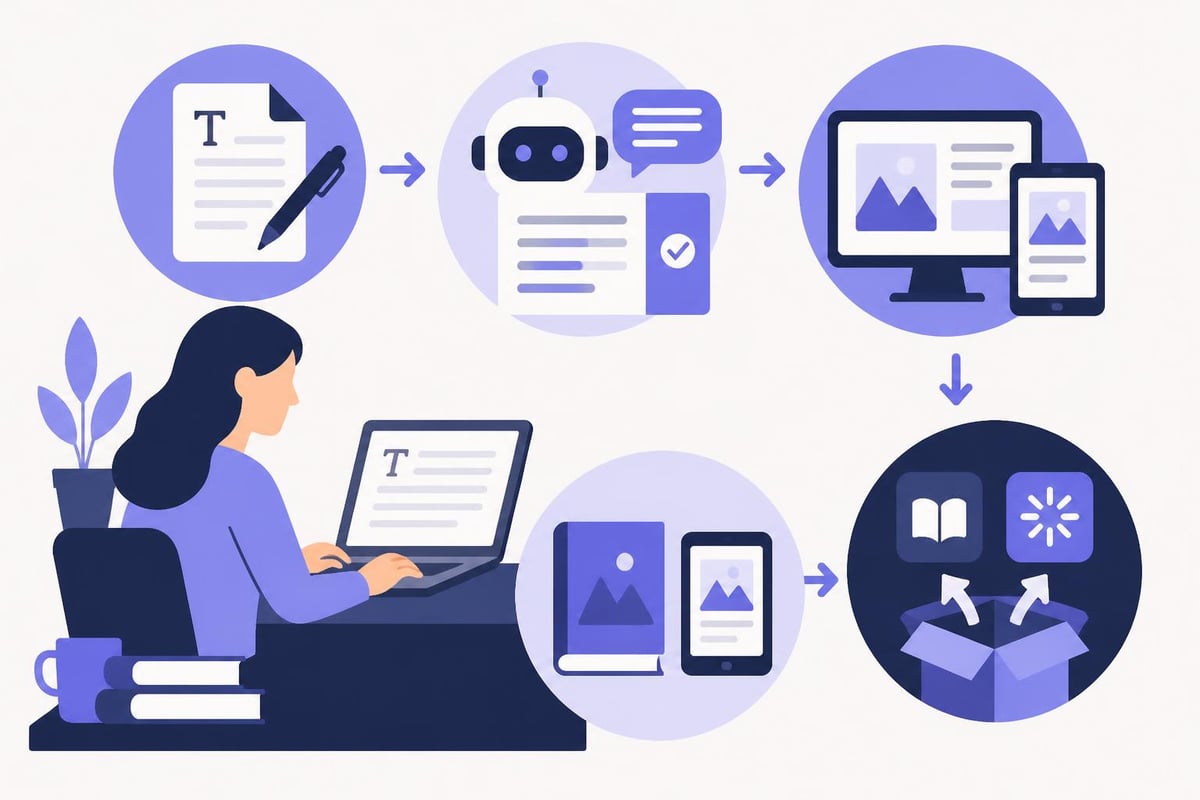
The value proposition is straightforward: less context-switching, more writing. When your editing tool understands your manuscript structure, when formatting preserves your organizational choices, when everything talks to everything else, the friction disappears.
Online Writing Communities: Sharing as You Create
Medium, Wattpad, and similar platforms serve a different purpose entirely. These aren't manuscript tools-they're publishing and audience-building platforms.
Medium works beautifully for essays, articles, and serialized nonfiction. The built-in audience and clean reading experience make it easy to build a following. But book-length fiction? The format doesn't fit.
Wattpad thrives on serialized stories and reader engagement. Young adult and romance authors have built genuine careers by sharing chapter-by-chapter. The immediate feedback loop can energize your writing. It can also derail your creative vision if you're not careful.
Royal Road focuses on fantasy, science fiction, and litRPG. The community is engaged and specific. If you're writing in those genres, the platform offers both audience and market research.
Various platforms for posting writing online each cultivate different communities and expectations. Choose based on genre and goals.
Evaluating Modern Writing Features
The best writing platforms in 2026 incorporate technologies that would have seemed impossible five years ago.
AI Assistance That Respects Voice
Early AI writing tools tried to write for you. That approach failed authors immediately. We don't need ghostwriters-we need thoughtful feedback on what we've already created.
Modern AI editors for authors have evolved to provide structural feedback while preserving individual voice. They identify pacing issues, spot consistency problems, and suggest prose improvements without homogenizing your style.
The key differentiator? Training methodology. AI trained on generic internet text produces generic suggestions. AI trained specifically on published fiction and author feedback understands story mechanics at a deeper level.
I tested this recently with a fantasy manuscript. Generic AI suggested removing "unnecessary" dialogue tags and simplifying sentence structures. Author-focused AI identified pacing drag in my second act and flagged where I'd changed a character's eye color between chapters. The second type of feedback actually helped.
Formatting Without the Headache
Anyone who's manually formatted a book for print knows the special circle of frustration it occupies. Margins, headers, gutters, widows, orphans, front matter, back matter, proper pagination.
Print book formatting tools have evolved from technical obstacles into mostly-automated processes. The best platforms offer:
- Template systems that apply professional formatting to your manuscript
- Live preview showing exactly how pages will print
- Multi-format export for different trim sizes and binding types
- Spec compliance for KDP, IngramSpark, and other print-on-demand services
The time savings here are measured in days, not hours.
Cross-Device Synchronization
Your best story ideas arrive at inconvenient moments. Waiting for coffee. Lying in bed. Walking the dog.
Platform synchronization determines whether those ideas make it into your manuscript or disappear forever. The best story writing apps offer seamless mobile capture with desktop refinement.
Cloud-based platforms handle this natively. Desktop-first applications often add it later with varying degrees of success. Test this feature specifically-nothing frustrates like typing paragraphs on your phone only to discover they didn't sync.
Specialized Platforms for Specific Genres
Genre matters more than most platform comparisons acknowledge.
Fiction-Specific Tools
Character databases track relationships, physical descriptions, and development arcs. When you're managing fifteen named characters across forty chapters, searchable profiles prevent continuity errors.
Timeline tools ensure your fantasy epic doesn't accidentally have characters in two places simultaneously, and your historical novel maintains period accuracy.
World-building databases organize magic systems, political structures, and geography for science fiction and fantasy authors.
Platforms like those designed for epic fantasy integrate these specialized tools rather than forcing you to maintain separate spreadsheets.
Nonfiction Author Needs
Nonfiction requires different organizational structures:
- Research libraries that connect sources to specific manuscript sections
- Citation management for academic or journalistic work
- Data visualization when presenting statistics and research
- Modular chapter structures that allow independent reading
The platform that serves a romance novelist beautifully might frustrate a historian. Choose accordingly.
Screenplay and Stage Play Formats
Screenwriters need automated formatting for industry-standard script layouts. Final Draft remains the professional standard, though Celtx offers a more affordable alternative.
These tools auto-format dialogue, action lines, transitions, and scene headings. They paginate correctly and export to production-ready PDFs.
For authors considering adaptation, some book writing software can export to screenplay format, maintaining character and scene data across both mediums.
Making Your Platform Decision
After years of platform-hopping and manuscript migration, here's my decision framework.
Matching Platform to Project Phase
Drafting phase: Minimize features. Eliminate distractions. Pure text, smooth performance, reliable backup.
Revision phase: Maximize feedback tools. Comment systems, version history, manuscript editing capabilities that provide structural insight.
Formatting phase: Professional templates, export options, preview accuracy. This is where all-in-one platforms shine by eliminating the export-import friction.
Publishing phase: Direct integration with publishing platforms or at least compatible file formats.
Some platforms excel at one phase. Others handle all four competently. Your choice depends on whether you prefer specialized tools or unified workflows.
Budget Considerations
| Platform Type | Typical Cost | Best For |
|---|---|---|
| Word Processors | $0-$70/year | Collaboration, familiarity |
| Manuscript Editors | $50-$200 one-time | Long-term investment, Mac users |
| All-in-One Platforms | $10-$30/month | Complete workflow, multiple books |
| Online Communities | Free-$5/month | Audience building, serialization |
One-time purchases appeal to writers planning decades of use. Subscriptions make sense when you need regular updates and cloud features. Free options work until project complexity exceeds their capabilities.
Calculate cost per finished book rather than cost per month. A $200 investment that helps you complete three books offers better value than a $10/month tool you abandon after two months.
The Migration Question
Switching platforms mid-manuscript carries risk. I learned this the hard way during a disastrous Scrivener-to-Word export that scrambled my chapter order and stripped my scene breaks.
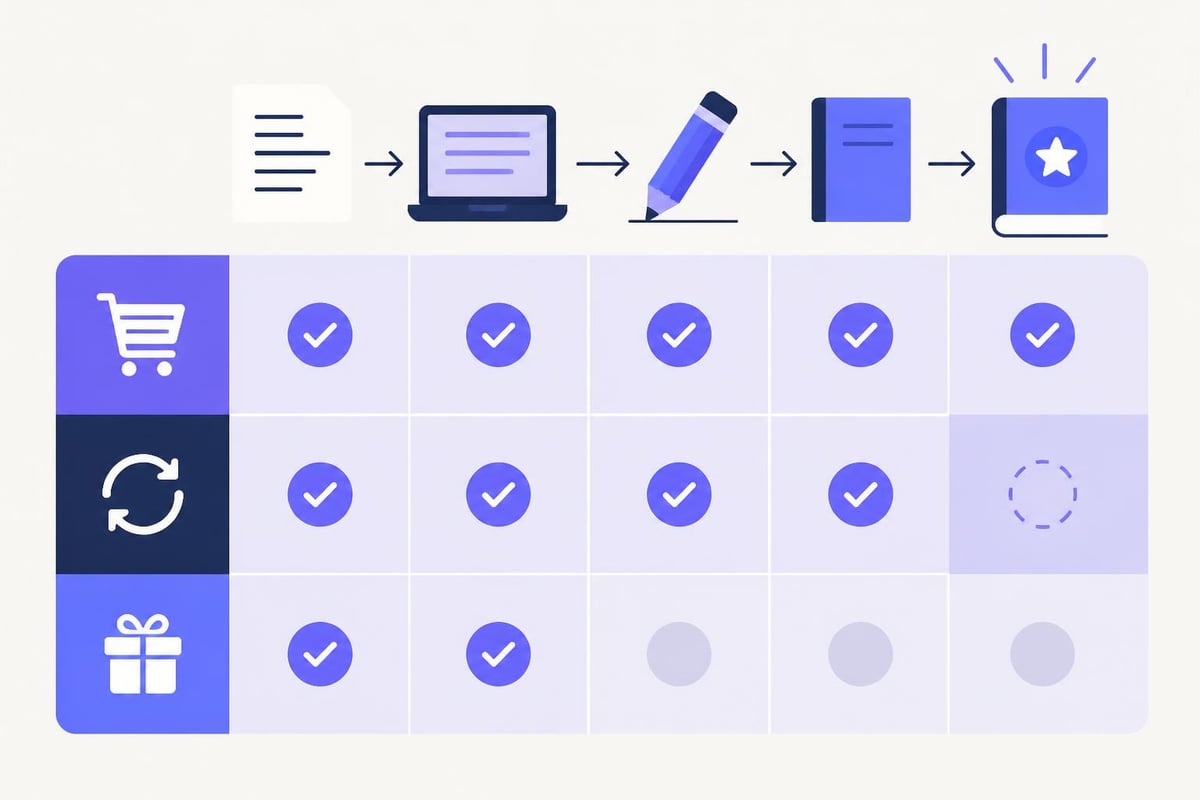
Before committing, test the complete workflow:
- Import or create a sample manuscript (10,000+ words)
- Organize it into chapters and sections
- Add character notes and research materials
- Export to your required formats
- Check formatting preservation
If any step fails or frustrates, reconsider. The platform should enhance your process, not complicate it.
Platform Ecosystems and Integrations
The best writing platforms don't exist in isolation.
Grammar and style checkers like ProWritingAid and Grammarly integrate with some platforms directly, with others via copy-paste workflows. Direct integration saves time and preserves formatting.
Research management tools like Zotero or Evernote connect with manuscript platforms through various methods. Some platforms offer native research libraries. Others rely on browser extensions or manual transfer.
Publishing platforms represent the final integration point. Direct export to KDP, IngramSpark, Kobo, and other distributors eliminates reformatting risks. Self-publishing platforms have different format requirements, and your writing platform should accommodate them all.
The more seamlessly your tools communicate, the more mental energy you preserve for actual writing.
Learning Curves and Support Resources
Platform power often correlates with complexity. Scrivener offers tremendous capability but requires investment to master. Dabble trades some features for immediate usability.
Evaluate available learning resources:
- Official documentation quality and searchability
- Video tutorial libraries
- User community size and activity
- Responsive customer support
- Regular update frequency
I've abandoned otherwise-excellent platforms because I couldn't find answers to specific questions. Active user communities and responsive support teams multiply platform value significantly.
Testing Platforms Before Committing
Most platforms offer free trials. Use them strategically:
Week One: Focus on core writing experience. Open the app daily. Write 1,000 words. Notice friction points.
Week Two: Test organizational features. Create a multi-chapter structure. Add character notes. Reorganize sections. Import existing work if possible.
Week Three: Explore advanced features. Try formatting tools. Test export quality. Attempt integrations with your other tools.
Week Four: Evaluate sustainability. Can you imagine using this platform for your next three books? Does it solve problems or create new ones?
Reviews from writers who extensively tested platforms provide valuable insights, but nothing replaces hands-on experience with your actual writing style.
Platform Trends Shaping 2026
The writing platform landscape continues evolving rapidly.
Voice-to-text integration has improved dramatically. Some platforms now offer near-perfect transcription with punctuation inference, enabling productive writing sessions during commutes or walks.
Collaborative features expand beyond simple sharing. Real-time co-writing, threaded comments, and granular permission controls support writing partnerships and editorial teams.
AI advancement focuses increasingly on preserving authorial voice while providing structural feedback. The best implementations learn from your writing patterns rather than imposing generic rules.
Mobile-first design recognizes that smartphones are legitimate writing devices. Top writing apps now offer feature parity across desktop and mobile rather than treating mobile as an afterthought.
Publishing integration grows tighter. Some platforms now handle ISBN acquisition, copyright registration, and distribution channel management alongside manuscript creation.
These trends suggest that the best writing platforms will continue blurring lines between writing, editing, and publishing-creating unified environments where authors control their complete creative journey.
Choosing among the best writing platforms ultimately comes down to matching features with your specific creative process and project needs. Whether you need specialized manuscript organization, professional formatting capabilities, or AI-powered editing feedback, the right platform becomes invisible, letting you focus entirely on the story you're telling. Storyloft brings together everything authors need in one place: write your manuscript, get AI editing feedback from Eddy that understands story structure, format professional print books and ebooks, and export directly to publishing platforms. Start transforming your writing workflow today and see how the right tools can help you finish your book.